10 Social Media Marketing Vector Images Resources for 2026

Ryan Bennett • October 28, 2026
Compare 10 curated libraries for social media marketing vector images, plus format, licensing, and batch-production tips for campaigns in 2026.
It's Monday morning, and a client wants the same product launch graphic cropped for four feeds, two story formats, and a banner, all by Thursday. A flat export breaks at the first resize. Text goes soft, icons thicken, and someone rebuilds the file three times.
That's the job social media marketing vector images are meant to prevent. A clean vector master lets you export square, vertical, and wide versions without redrawing the artwork. Before you commit, compare Facebook ad aspect ratios with the other placements on your list, so you're not guessing at crop-safe margins later.
The scale of the work keeps growing. DataReportal's Digital 2025 Global Overview Report counted 5.24 billion active social media user identities worldwide in January 2025, and 50.0% of adult users surveyed said they visit social platforms to learn more about brands. Identities aren't unique people, but the volume is real.
These ten libraries are judged here on production workflow, not catalog size alone. I looked at format handoff, resizing across crops, animation readiness, and license checks for batch use, then grouped each source by the job it does best.
1. Freepik
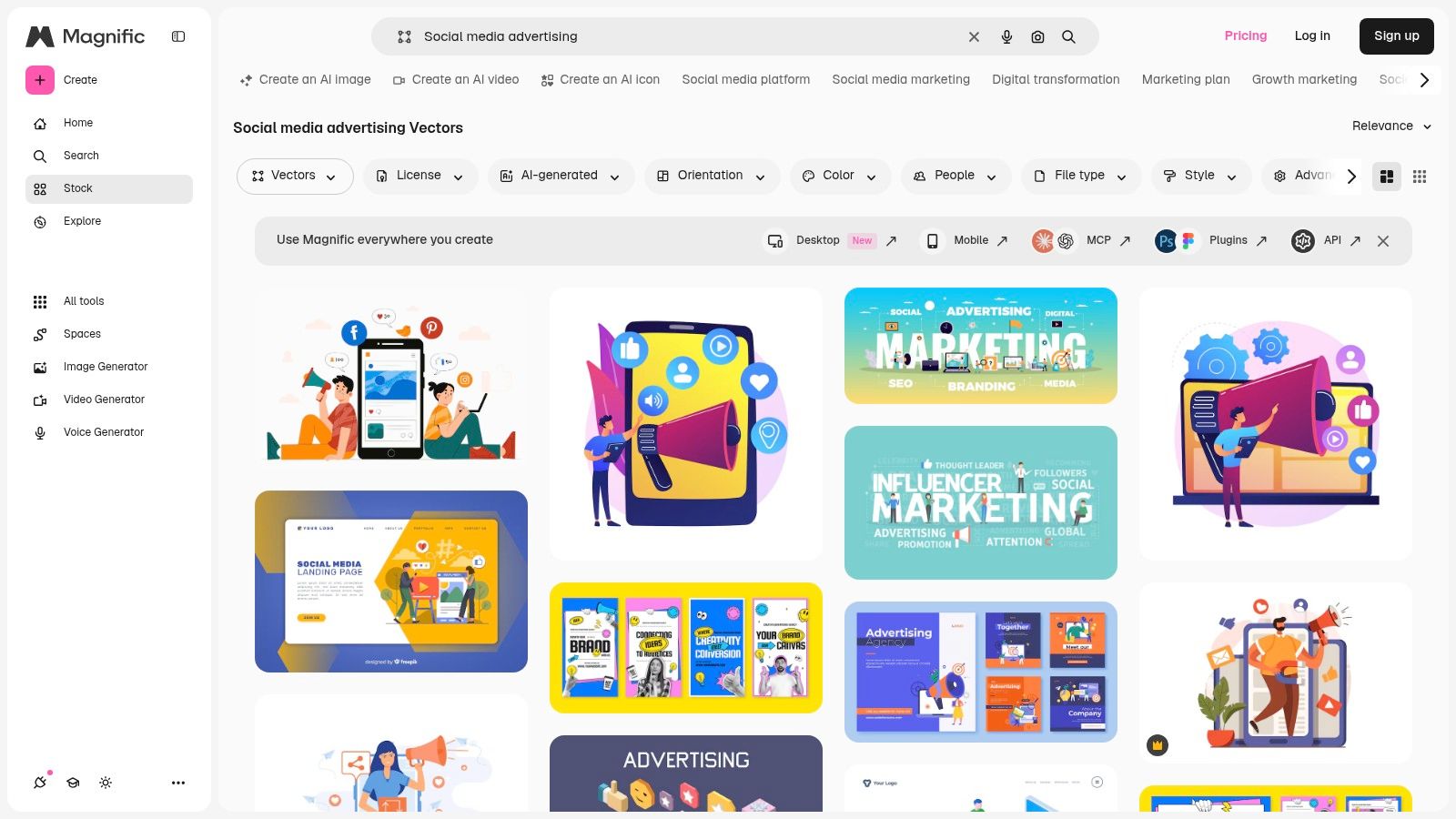
Start at Freepik's social media advertising vectors when you don't yet know the style direction. It mixes vectors, illustrations, icons, and templates, so you can compare a flat character scene against a simple icon-led post in one search session.
How It Fits Batch Work
Formats listed include AI, EPS, and SVG, which gives you a proper master file instead of a flattened preview. Some assets can be edited online, and the AI tools help when you need a background variation fast. That's useful, but check each file before you build around it. Results mix formats and styles, and a pretty thumbnail can hide messy layers.
- Best for style scouting: Wide range of campaign, promotion, and audience growth concepts in one place.
- Best for supporting assets: Icons and templates sit alongside the main illustration.
- Watch the license: Free assets may require author attribution, and free versus premium availability varies by asset.
If you're weighing vectors against photography for the same campaign, this guide to social media marketing stock photos helps you decide where illustration earns its keep.
Practical rule: Download the vector, open it, and check the layer structure before you show it to a client. A grouped, labelled file saves hours later.
2. Vecteezy
Vecteezy's free social media vectors suits teams that want vector-first browsing without wading through photography. Related categories narrow results toward posts, banners, ads, templates, and management themes, which speeds up shortlisting.
Free and Pro content sit side by side. Pro adds commercial rights, an online editor, faster downloads, and priority support. For a small team producing weekly posts, that editor matters. You can recolor a scene to match brand colors before export, instead of round tripping through desktop software for a minor change.
Where It Slows You Down
The license depends on the asset and the intended use. Free files may carry attribution or other restrictions, so you can't assume one download clears the next. Check subscription details at checkout, not from memory.
I recommend Vecteezy for campaign concepts and social iconography on a budget. It's less ideal if you need strict license uniformity across a large batch. Log the terms per asset in your production sheet, and you'll avoid the usual end of project scramble.
3. Adobe Stock
If your team already lives in Illustrator and Photoshop, Adobe Stock's social media collection removes friction. You license a vector, open it in your usual tools, and keep your export presets intact.
Search spans vectors, illustrations, templates, and other asset types, with discovery categories for marketing, platform graphics, banners, and icons. Subscriptions and one-time credit packs are both available, including standard asset plans with larger monthly allowances.
Production volume justifies that cost for many teams. The 2025 Social Media Marketing Industry Report, based on 1,435 respondents, found visual content and written content were each used by 88% of marketers. At that output level, a tidy handoff beats a cheap download.
- Strength: Vectors combine easily with photos and templates from the same library.
- Strength: Credit packs suit teams that don't want a subscription.
- Weakness: Premium assets may need additional credits, and plan conditions apply.
For occasional use, it's expensive compared with free libraries. For daily production, the integration is the point.
4. Shutterstock
Shutterstock's social media marketing search is a broad mixed media catalog, so your first move is to filter hard. Set the asset type to vectors or illustrations before you scroll, or you'll spend twenty minutes looking at photos you never asked for.
Once filtered, the selection of campaign concepts is wide. Image subscriptions, image packs, and broader plans give you different ways to pay, and that flexibility helps when campaign volume swings month to month.
Resizing Across Placements
A vector from any library only helps if you export it correctly for each channel. Keep this reference on the best social media image sizes open while you set up artboards, then test the smallest crop first. If the headline survives at story size, the feed version will be fine.
Plans and permitted uses differ, so read the license before a paid campaign runs. Subscription value also depends on download frequency. If you're pulling two files a month, a pack beats a rolling plan. Shutterstock earns its place when one project needs vectors, photos, and other stock media under one roof.
5. iStock
Go to iStock's social media marketing illustrations when the brief is specific and you want ready-made business concepts. Strategy, promotion, engagement, and digital campaign scenes show up without much digging, and related searches refine results by icons, templates, and adjacent topics.
You license the asset, then adapt it in your own software. There's no built-in editing layer doing the work for you, which I count as honest rather than limiting. You know exactly what file you're getting, and your team controls the export.
A ready-made illustration is only ready if the text is editable or absent. Baked-in lettering you can't change will cost you a redraw.
Royalty-free licensing options keep things straightforward, but format and editability depend on the chosen file. Check whether you're getting a true vector or a raster illustration before you pay. Pricing varies by plan and asset, too.
iStock suits marketers who'd rather license a finished concept than build from a blank canvas. It's a weaker fit for teams that need deep customization on every element.
6. Envato Elements
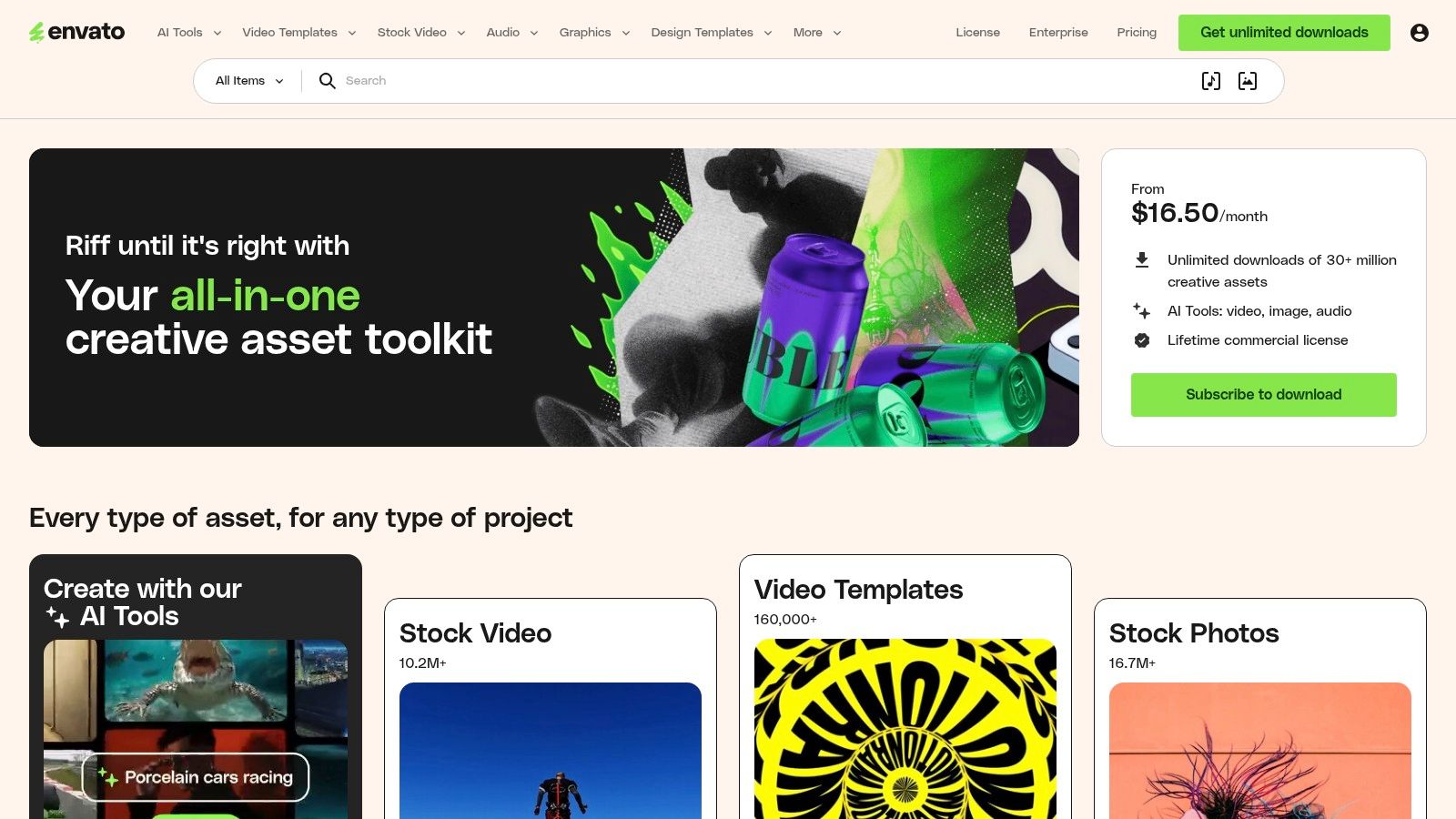
Envato Elements works on a different logic. One subscription covers vectors plus templates, fonts, and other creative assets, so a single campaign can pull its illustration set, headline font, and post template from the same account.
Social and marketing illustration sets may include AI, EPS, SVG, PNG, and JPG, depending on the item. That mix is practical. Your designer edits the AI or EPS master, and a colleague without vector software can still place the PNG in a deck.
Commercial licensing runs under subscription terms, and downloaded items stay subject to that model. Read the terms for each item rather than assuming the subscription covers every future use in every context.
If you also produce creator-led content, this overview of social media influencer images pairs well with illustration sets for launch campaigns.
The math only works with regular use. Needing one graphic a quarter makes a subscription poor value. Needing varied assets every week makes it easy to justify.
7. IconScout
IconScout's social media marketing illustrations is the pick when a campaign needs illustrations, icons, and motion from one system. The subscription bundles illustrations with icons, 3D assets, and animations, so a static post and its animated story version can share a visual language.
Formats may include SVG, PNG, EPS, AI, or JPG. Editors and integrations, including Figma and Adobe, are available for selected assets. For product teams working in Figma, that shortens the path from discovery to placement considerably.
The Consistency Argument
Packs offer the most value here. A themed pack maintains consistent stroke weights, proportions, and color logic throughout a month of posts. Mixing single downloads from five libraries seldom achieves this.
Not every illustration is available in vector format, though. Confirm the format and license on each asset page before you commit a pack to production. Paid plans are also unnecessary for occasional use. Buy for the system, not for a single icon.
8. SVG Repo
A clean megaphone icon, a share symbol, or a simple interface graphic that won't fight your layout: SVG Repo's social media marketing collection covers that ground.
Style filters include outline, filled, duotone, and multicolor, so you can match an existing design system instead of forcing one. The files are SVG, which means they resize and recolor cleanly in compatible software and hand off to a developer without an export step.
The format carries a long standards history. The W3C SVG history records SVG 1.0 becoming a Recommendation in 2001, as an XML-based language for two-dimensional vector graphics. You are building on a stable, widely supported foundation.
- Strength: Free assets for lightweight design elements.
- Strength: License information displayed per asset.
- Weakness: Most results are icons, not complete promotional artwork.
Licensing varies by asset, so never assume uniform terms across a download batch. Check each icon you ship. For batch use, that per-asset license check is the cost of an otherwise free library.
9. DrawKit
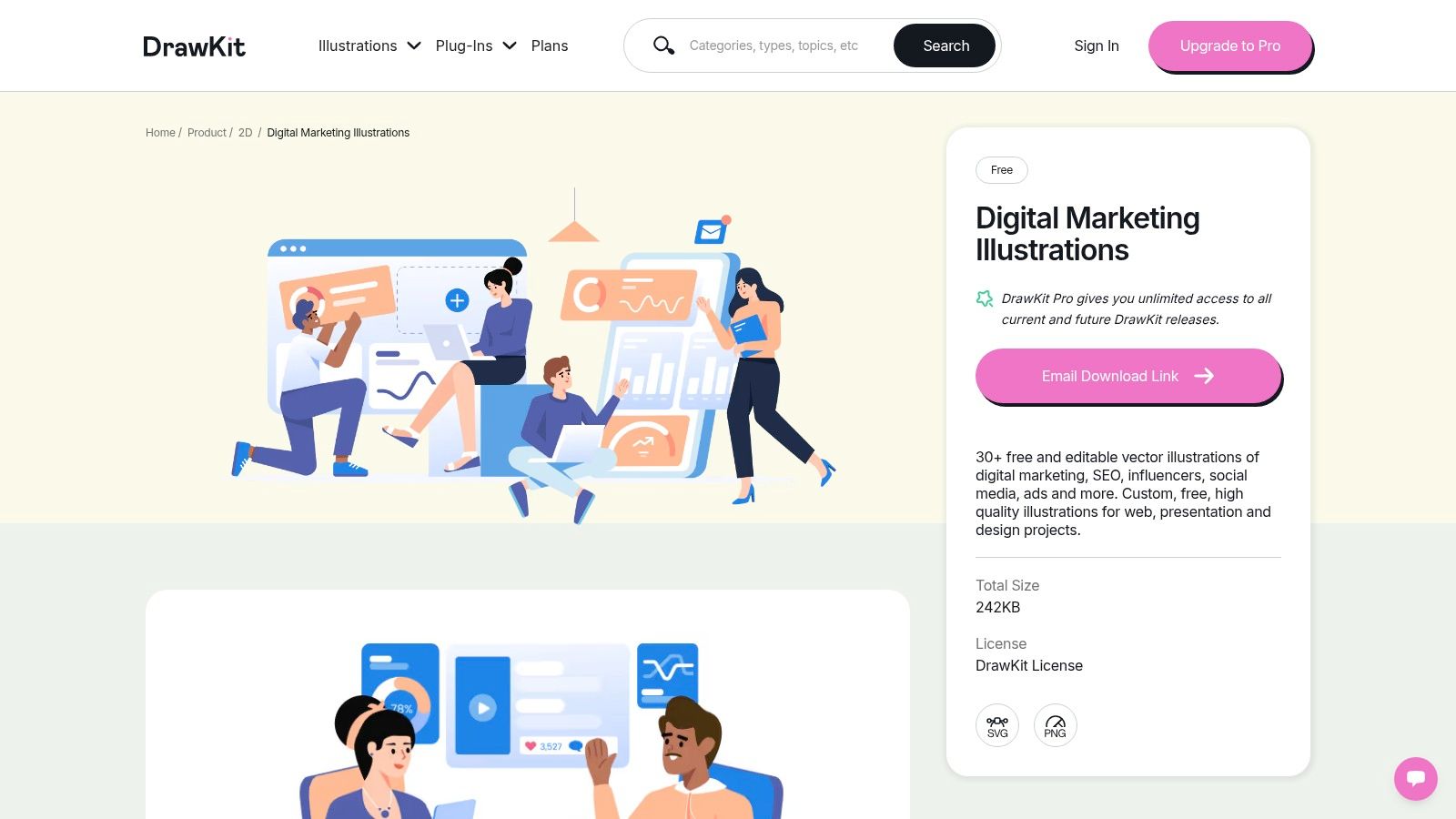
DrawKit's digital marketing illustrations takes a curated approach. Its pack covers social media, SEO, influencers, and ads, with artwork described as editable vectors. Free packs sit alongside DrawKit Pro collections.
Themed sets solve a problem large libraries create. When every post comes from a different illustrator, your feed looks borrowed. One pack gives a campaign, a presentation, and a landing page the same hand.
That originality has measurable support. A summary of visual content marketing statistics reports that, in a survey of 200 marketers, 40% identified original graphics as the visual format that best helped them achieve marketing goals, while 13% selected stock photos. Those figures cover original graphics broadly, not SVG files specifically, but they point toward custom, illustration-led creative.
The trade-offs are real. The free pack page notes possible download issues, and the selection is smaller than big stock catalogs. Check formats and licensing before production use.
I recommend DrawKit when visual consistency matters more than endless choice.
10. Icons8
Icons8's social media marketing illustrations closes the list with the strongest motion angle. It advertises PNG, SVG, and GIF downloads and includes static and animated illustrations, with related categories for analytics, promotion, and communication.
That format range suits more than feed posts. The same illustration can anchor a presentation slide, sit inside a product interface, or run as a lightweight animation in a story. Topic-specific browsing keeps you from reformulating searches for every adjacent concept.
What to Verify First
Download terms and any required plan or attribution should be checked for each asset. Style and editability vary across the collection, and some graphics read better in interfaces or presentations than as finished promotional posts.
Check before you animate: An animated file that loops badly or carries the wrong background will draw attention for the wrong reason. Preview the loop at phone size.
Choose Icons8 when you need static and animated versions of the same idea. Choose a larger stock library when you need elaborate, fully composed campaign scenes.
Formats, Free Options, and Best Uses for Social Media Vector Libraries
The right pick depends on what happens after the download: whether the file opens in your editor, what the license allows in a paid campaign, and whether one asset can cover every crop. The table sorts all ten sources by the three checks that matter in production.
| Item | Formats Listed | Free Option | Best For |
|---|---|---|---|
| Freepik | AI, EPS, SVG | Free assets available; attribution may be required | Comparing styles and finding varied campaign assets |
| Vecteezy | EPS, AI, SVG vectors; JPG photos and video | Free collection available; restrictions may apply | Scalable social media vectors |
| Adobe Stock | AI, EPS, SVG vectors; JPEG photos, video, templates | Paid subscription or credit packs | Teams working with Adobe tools |
| Shutterstock | EPS vectors; JPEG photos, illustrations, video, 3D assets | Paid license per download or subscription | Projects needing varied stock media |
| iStock | EPS vectors; JPEG photos and illustrations | Subscription or credit packs | Ready-made social media marketing illustrations |
| Envato Elements | AI, EPS, SVG, PNG, JPG; varies by item | Paid subscription with unlimited downloads | Regular access to varied creative assets |
| IconScout | SVG, PNG, EPS, AI, JPG; varies by asset | Free assets available; attribution may be required | Illustration packs and supporting icons |
| SVG Repo | SVG | Free assets available; licenses vary | Simple icons and lightweight vector elements |
| DrawKit | SVG and PNG | Free packs available | Cohesive themed marketing illustrations |
| Icons8 | PNG, SVG, GIF | Download terms vary by asset; check for plan or attribution requirements | Static and animated illustrations for digital content |
Two details decide whether a library fits a batch workflow. Free assets with attribution requirements work well for drafts and internal mockups. Confirm commercial terms before they enter a paid ad set. Formats set the handoff cost: EPS and AI need a vector editor before export, SVG and PNG drop into most layout tools, and GIF ships motion without a separate animation step.
Build a Vector Library Before Your Next Campaign Deadline
Don't try to adopt all ten sources at once. Pick two or three that match your format and licensing needs, then build a small, checked library before the next deadline forces your hand. Batch work goes faster when vectors are verified once and reused across channels.
Adoption isn't the question anymore. Digiday+ Research reported that in 2024, 94% of brand, retailer, and agency professionals said their companies or clients used social media for marketing. Your competitors are publishing. The advantage comes from producing clean variants without rebuilding artwork each time.
Test every shortlisted file at each crop you'll publish. Start with the smallest placement, check stroke widths and text-safe zones, then export upward. For product and social campaigns, we start with the product shape, audience, and placement, and leave space for readable copy in every crop.
Accessibility belongs in that test, not after it. Clemson University's summary of research into social media accessibility describes a 2025 study of more than 1,000 social posts where, among 349 image-containing posts, only 20 had accurate alternative text. A sharp vector with missing or wrong alt text still excludes people. Write a human-reviewed description for every variation, and flag graphics whose meaning depends entirely on embedded text.
Handle AI provenance with the same discipline. Research published in the Journal of Consumer Research found disclosure-related engagement penalties on TikTok were directionally larger for image posts, at approximately 12%, than for video posts, at approximately 8%. That isn't a reason to hide AI use. It's a reason to set a repeatable policy that distinguishes AI-generated artwork from AI-assisted resizing or background removal, and to check each platform's disclosure expectations.
If a static set later needs movement, professional 2D animation services can extend a vector system you already trust, rather than starting from scratch.
Log license terms for every asset before production begins, including attribution requirements and plan conditions. Name files by campaign, placement, and version, so nobody exports from an unlicensed draft. Users of our generated images receive a non-exclusive, worldwide license for personal and commercial purposes, and that kind of clarity is what you should demand from every source.
When the same campaign also includes AI-generated raster images, our free tools include a bulk image resizer, all free to use without an account. You can download the whole set, or keep editing it with background removal, face swap, or resizing.
Build your next batch of social media marketing vector images alongside platform-ready raster variants, using bulk generation and editing tools that handle resizing and background removal in one place. Start planning your next campaign set today at Bulk Image Generation.
