8 Social Media Influencer Images: Templates and Tactics

Ryan Bennett • October 26, 2026
Explore 8 social media influencer images with composition, lighting, and caption templates, plus variant ideas for bulk generation in 2026.
A skincare brand needs a full set of feed-ready visuals by Friday, but there's no budget or time for a photo shoot. Generic stock photos won't feel connected to the product, and asking a creator to reshoot every concept could stall the campaign. Social media influencer images offer another route: they can feel lived-in, put a recognizable person or product in a clear setting, and leave room for copy without looking like a catalogue page.
The answer isn't to make every image look the same. Build a small library of repeatable formats instead: portraits, flat lays, product-in-use shots, transformation carousels, quote graphics, vertical covers, behind-the-scenes scenes, and multi-image series. Give each a consistent composition and lighting recipe, then generate or capture variations that change one thing at a time. That makes it easier to choose usable images, adapt them to placements, and keep a campaign visually coherent.
1. Virtual AI Influencer Portraits
A virtual influencer portrait works best when the persona looks consistent, not interchangeable. Treat the character like a recurring creator: set a recognizable face, hair, skin tone, wardrobe cues, and visual mood, then keep those details stable as the background and pose change. A character sheet and character-consistency workflow can help keep that identity intact across a batch.
Template: Frame the persona from the chest up, with the face prominent and a simple setting that supports the brand. Use soft window-like light from the front or slightly to one side. Keep any logo or short overlay away from the face, and don't let text compete with the expression.
Batch rule: Hold the character description, lens feel, and lighting steady. Vary the setting, outfit, and pose, then reject images where facial features or defining accessories drift.
For a skincare brand, the persona might appear in a bright bathroom, holding a product near the shoulder, then in a relaxed at-home setting with no product. The image should signal that the person is computer-generated. Canadian guidance and consumer research summarized by Ad Standards support making AI identity disclosure clear rather than relying on a buried label. Put the disclosure in the bio and relevant captions, and use platform labels where available. A fictional persona also needs a voice: give it a backstory and a few content themes, so each portrait feels like part of an ongoing account rather than a random avatar.
2. Lifestyle Flat Lay
A flat lay turns a small collection of products into a scene. The overhead view is simple to reproduce, but it can look cluttered if every prop competes for attention. Pick a surface, a restrained palette, and a clear focal product before generating or arranging anything.
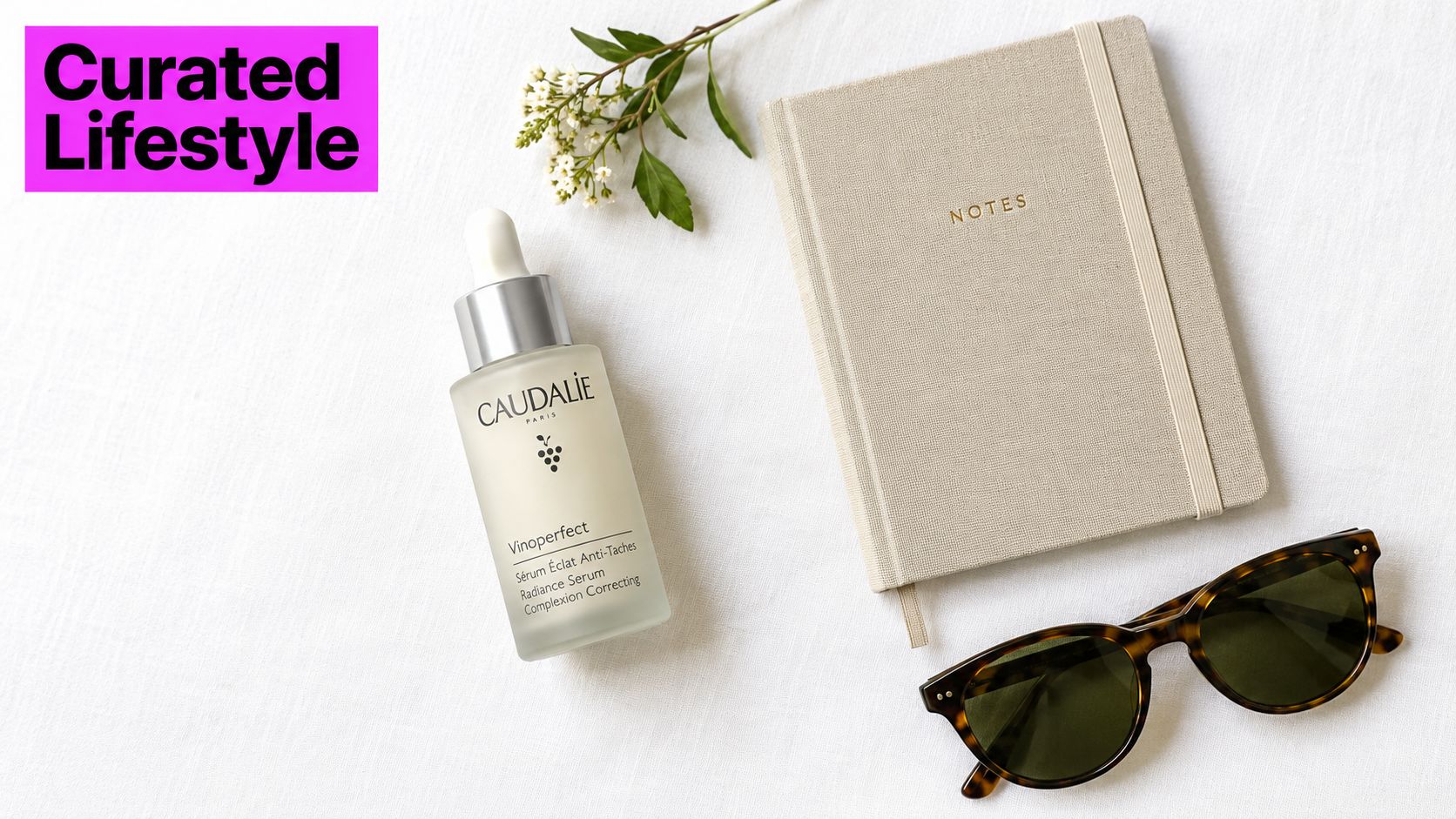
For a beauty post, place a serum bottle beside a notebook and a single natural accent on pale fabric. For travel, swap in a passport, sunglasses, and a folded map on linen. The example skincare flat lay shows how props can suggest a routine without hiding the product.
Keep the layout crop-ready
Decide where the product sits and repeat that placement across versions. Leave a clean area for a short headline or logo, and check that the design still reads when cropped for a square or portrait feed post. A consistent focal zone also makes resizing less likely to cut off a label or important prop.
Use diffused overhead light, or position the setup near a window and soften direct sun with a sheer curtain. Avoid hard shadows crossing the product name. For a batch, keep the surface and light direction fixed while changing one prop, color accent, or product combination at a time. That gives you meaningful alternatives without making the campaign look like unrelated shoots.
3. Product-in-Use Influencer Shot
A product-in-use image needs to show an action the audience can understand at a glance. “Creator with product” is too vague. Describe what the person is doing, where the product appears in the frame, and what makes the setting feel credible.
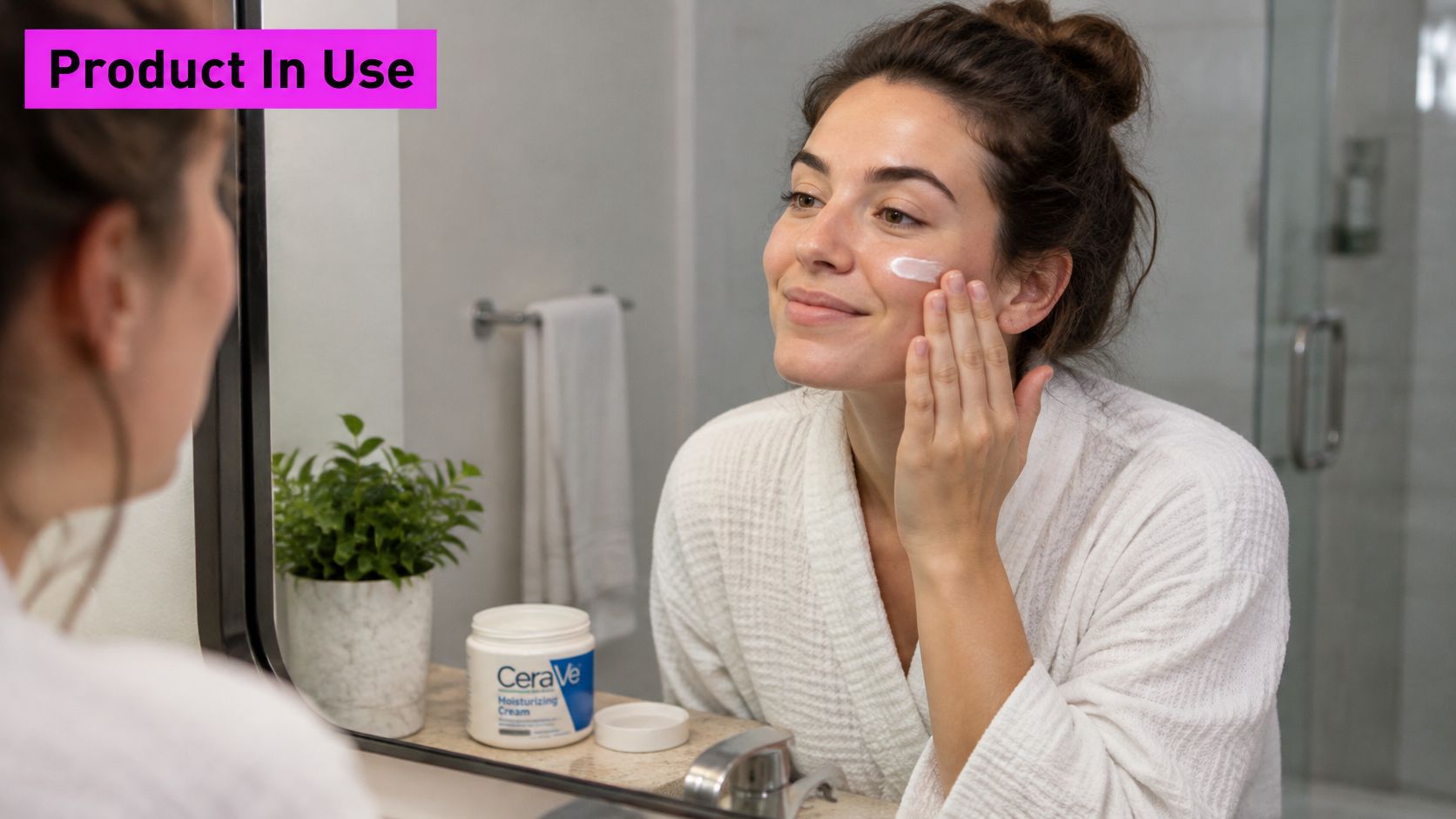
A skincare creator applying cream beside a bathroom mirror is more specific than a posed portrait with a jar. Keep the hands and product label visible, and leave enough of the face in frame to make the action clear. The skincare routine example uses a familiar bathroom setting to make the scene easy to read.
Build a repeatable shot recipe
Use soft window light from the side, and avoid reflections that obscure packaging or facial detail. Keep the background believable but quiet. Put an overlay in an open corner, not over the hand, face, or product label.
Generate variations of the same action with different crops or expressions, then compare whether the product remains easy to identify. Clean up distracting edges or adjust brightness in post, but don't retouch the scene until it stops looking like a real routine. If the image promotes a paid partnership, use the appropriate disclosure, such as an applicable paid-partnership label or clear ad notation. The Instagram influencer-image study found that smiling expressions and close-up framing were associated with more likes in its examined sample, a useful reason to test expressive, tighter compositions rather than assuming every product shot should be full-body.
4. Before-and-After Transformation Carousel
Before-and-after images make a change visible quickly, but they're only persuasive when the comparison is fair. Keep the camera angle, distance, lighting, background, and pose consistent. Otherwise, a change in shadow or crop can look like a result.
For a room makeover, photograph the same corner from the same position before and after. For a product demonstration, show the same setup and clearly explain what changed. Don't imply a clinical outcome with a mockup or generated image. Label illustrative visuals plainly, and avoid presenting them as real customer results.
A fair comparison keeps the scene constant and lets the change speak for itself.
Create both slides from shared scene instructions, then check them side by side before exporting. Match the aspect ratio and leave text in the same location on each slide. Use a short “Before” and “After” label only if it helps viewers understand the sequence; don't cover the relevant detail. A final slide can explain the context and give a next step, such as reading product instructions or viewing the full routine. For a skincare brand, the useful version is often a transparent progress diary, not an exaggerated transformation claim. Keep captions precise about what the images do and don't demonstrate.
5. Text-Overlay Quote Graphic
Quote graphics are fast to produce, but generic inspiration can make a brand feed feel interchangeable. Choose copy that belongs to the creator's subject: a short skincare reminder, a useful cooking principle, or a line about a customer value. Keep the wording accurate by adding it in a design tool after generating the background.
Start with a simple photograph, paper texture, or restrained gradient. Use one typeface for the quote and a smaller one for attribution or branding. Align the text to a consistent margin, and keep it away from busy details. If the quote needs a long explanation to make sense, it's probably better suited to a caption or carousel.
Batch the backgrounds, not the words
Generate a family of backgrounds using the same palette and light treatment, then place approved copy onto the chosen designs. This keeps spelling and punctuation under your control while allowing visual variety. For example, a wellness creator could use a warm, softly lit background for practical reminders and a plain color field for direct product education.
Check readability on a phone-sized preview before publishing. Strong contrast matters more than decorative effects, and a logo should stay secondary to the message. Use a square layout for a tidy profile grid or a portrait layout when the post needs more room in the feed. Keep the quote area clear in both versions so resizing doesn't force you to shrink the text.
6. Vertical Story and Reel Cover Image
A vertical cover has a different job from a feed portrait: it must read quickly on a phone and leave room for platform controls. Set the composition for a 9:16 frame, with the subject and essential message placed away from the top and bottom edges. The Instagram image-dimensions guide can help plan versions for different placements, while this guide to 9:16 aspect ratios and pixel sizes explains the format dimensions.
For a product launch, center the creator or product, then place a short headline in the open space beside them. Use broad, even light so the face and packaging remain clear on a small screen. Don't cram a full caption onto the image. Put supporting details in the post copy or story elements instead.
Make one concept work across placements
Build the vertical artwork first, then create a separate square or portrait crop for feed reposts. Don't assume the platform will crop the same source cleanly everywhere. Check how text and logos sit in each version, especially near interface overlays.
For a week of story cards, keep the same type treatment and background style while changing the offer, topic, or scene. A restaurant could repeat a simple template for a daily dish, with the food in the lower center and the name in a clear area above. The layout stays recognizable, but each card has a distinct reason to watch.
7. Candid Behind-the-Scenes Image
A behind-the-scenes image should show a real process, not an artificially messy set designed to imitate one. Capture a baker preparing trays, a maker packing an order, or a creator setting up a product demonstration. These details give a caption something concrete to explain.
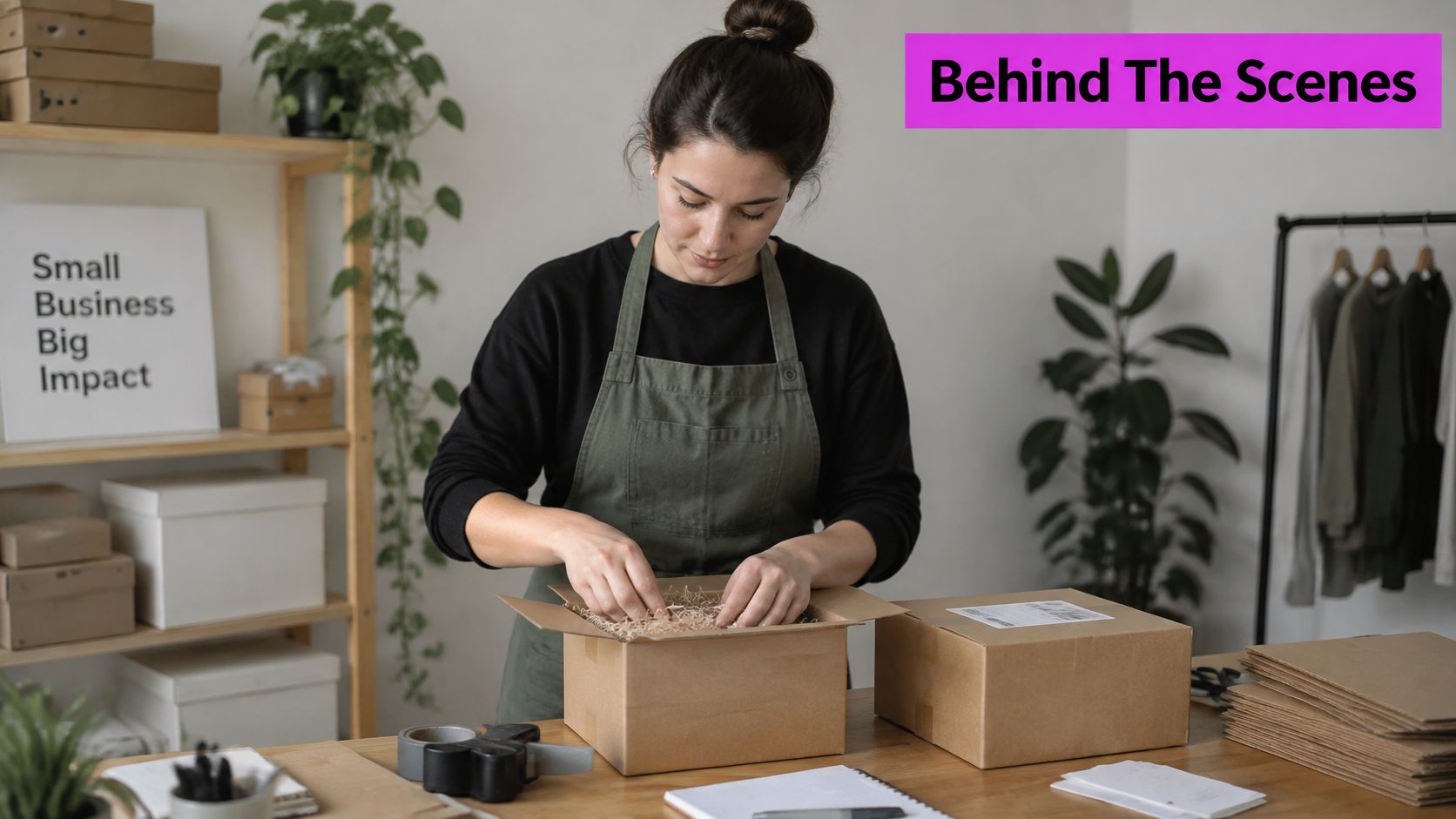
The small-business packaging example shows the kind of ordinary work that can make a brand feel approachable. Use available window light where possible, and keep enough context in the frame to show what's happening. A little unevenness is fine; a blurred product label or distracting clutter isn't.
Keep the process honest: Use generated images for concepts or mood boards, not as evidence of work that didn't happen.
For a batch, select real photos from the same production day or workflow, then make gentle edits to exposure and color so they sit together in the feed. Don't remove every sign of a working space. Put an overlay only where it won't cover hands, tools, or the key action, and let the caption explain a detail the image can't show. A maker might describe why an order is wrapped a certain way; a chef could explain a preparation step. That practical context makes the image more useful than a staged “busy at work” pose.
8. Multi-Image Carousel Series
A carousel should tell one story in a clear sequence. Think of the cover as the promise, the middle slides as the explanation, and the final slide as the next step. An outfit breakdown, a product routine, and a short tutorial all work when each slide earns its place.
In a 2023 analysis of Instagram posts, Metricool's Instagram Research Study found that an average of 5.3 out of every 10 posts were single images and 2.4 were carousels. That gives a useful format context, but the practical test is whether a swipe helps explain your subject better than one image would.
Give every slide one job
Choose one aspect ratio and repeat it throughout the set. Use the same type styles, margins, and visual treatment, but vary the scene or information on each slide. Make the cover legible at thumbnail size, and don't bury the main benefit in small text.
Generate the set from one style prompt with a separate scene description for each slide. A teacher could use a cover, a worked example, a common mistake, and a closing prompt for discussion. A fashion creator could show a complete outfit, then isolate the layers and accessories. For a coordinated grid or mosaic treatment, use a planned layout such as this photo-grid workflow, and see PostSyncer's carousel maker guide for carousel design ideas. Export the slides together, then adapt individual images for stories or other channels without changing the sequence's meaning.
How the eight influencer-style image formats compare for planning and production
| Item | Best Platforms | Recommended Aspect Ratio | Biggest Drawback |
|---|---|---|---|
| Virtual (AI) Influencer Portraits | Instagram, TikTok, Pinterest | 4:5 for feed; 9:16 for Stories and Reels | Can raise authenticity concerns if undisclosed or inconsistent |
| Lifestyle Flat Lay | Instagram, Pinterest, Facebook | 1:1 or 4:5 | Can look generic and requires careful styling |
| Product-in-Use Influencer Shot | Instagram, TikTok, YouTube | 4:5 for feed; 9:16 for Stories | Product visibility can suffer in busy scenes |
| Before-and-After Transformation Carousel | Instagram carousels, Facebook, Pinterest | 4:5 per slide | Results may seem misleading or unverifiable |
| Text-Overlay Quote Graphic | Instagram, Pinterest, LinkedIn, Threads | 1:1 or 4:5 | Generic quotes can blend into the feed |
| Vertical Story and Reel Cover Image | Instagram Stories, Instagram Reels, TikTok, YouTube Shorts | 9:16 | Platform interface overlays limit usable space |
| Candid Behind-the-Scenes (BTS) Image | Instagram Stories, TikTok, LinkedIn, Facebook | 4:5 or 9:16 | Fabricated BTS can undermine authenticity |
| Multi-Image Carousel Series | Instagram, LinkedIn, Facebook, Pinterest (idea pins) | 4:5 or 1:1 for all slides | Requires more assets and planning than a single image |
Turning Eight Formats Into One Bulk Production Workflow
The formats work best when they share a visual system but keep their own purpose. Start with a style prompt that defines the brand's palette, lighting, camera feel, and background treatment. Add format-specific instructions for composition: a close portrait, an overhead flat lay, a clear product action, a matched before-and-after pair, or a vertical cover. Keep those instructions in a reusable document so each batch starts from the same foundation.
Generate or capture variations in small, controlled groups. Change one element at a time, such as the setting, prop, pose, or crop. That makes it easier to compare options and see which change improves clarity. Then review every image for recognizable products, consistent identity, readable labels, natural-looking hands, and enough clean space for copy. Reject a polished image if it misrepresents the product or makes the scene feel implausible.
Handle text and resizing after selecting the images. Add headlines and logos in a design tool rather than asking an image generator to render exact copy. Create a dedicated version for each placement, and check the crop on a phone before scheduling. Tools that support bulk resizing and related creative studio software capabilities can help organize those adaptations, but a careful review is still needed.
A simple starter week keeps the workload manageable:
- Day one: Choose a campaign message and write the shared visual style prompt.
- Day two: Generate portrait, flat-lay, and product-in-use options.
- Day three: Build one transformation sequence and one carousel with a clear narrative.
- Day four: Create a quote graphic and vertical cover, then adapt their crops.
- Day five: Capture genuine behind-the-scenes material and select the strongest images.
- Day six: Add accurate overlays, disclosures, and captions, then check every crop.
- Day seven: Schedule the finished assets by platform and note what you want to test next.
Keep the first round focused on clarity and consistency, not volume for its own sake. When a format earns a place in the workflow, save its prompt, layout, lighting notes, and crop checks so the next batch takes less decision-making.
Bulk Image Generation supports creating social campaign visuals in batches, with editing tools for resizing and other image adjustments. If you're building a repeatable library of influencer-style formats, visit Bulk Image Generation to explore how it can fit your workflow.