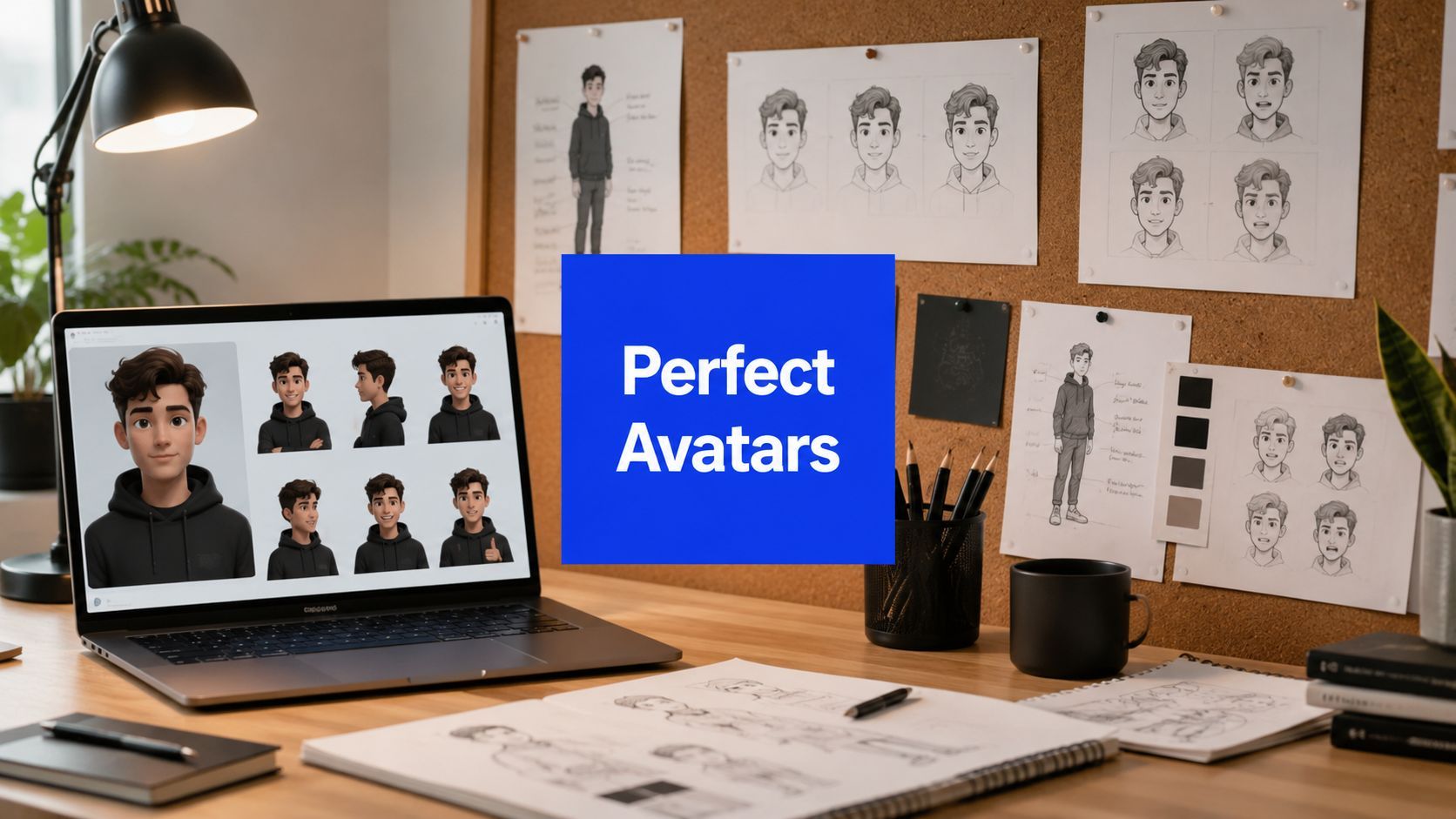
Character Consistency AI: Your Guide to Perfect Avatars

Ryan Bennett • July 17, 2026
Unlock perfect character consistency AI for your brand or project. This guide details workflows for generating consistent characters across 100s of images.
You generate a mascot for Monday's launch ad. It looks right. Tuesday's carousel post gives you the same hoodie but a different jawline. Wednesday's testimonial graphic keeps the eyes, loses the haircut, and somehow ages the character by a decade. By Friday, your “brand character” looks like five cousins who shop at the same store.
That's where character consistency AI becomes a sticking point. Getting one good image isn't the hard part anymore. Getting a hundred usable images that still look like the same person is the hard part.
For marketers, educators, and small business owners, that gap is expensive in all the ways that matter. You burn hours on retries. You hand off assets that feel off-brand. You end up with campaigns that look generated instead of designed. The good news is that this problem is solvable if you stop treating consistency as a prompt-writing trick and start treating it like a production workflow.
The Billion-Dollar Problem of a Thousand Faces
A social media manager launches a new mascot for a seasonal campaign. The first post performs well enough internally that the team wants more: story slides, product callouts, landing page banners, retargeting creatives, and a week of organic posts. The visual idea is clear. The execution falls apart because every new generation nudges the mascot into a different identity.
That's the hidden tax of AI image work. The issue isn't whether the model can make something attractive. It's whether the model can keep making the same character when the scene changes.
Most advice online still treats this like a one-off art problem. You'll see tutorials focused on LoRA training, prompt recipes, or single-image fixes. That misses the core production question. Teams don't need one pretty portrait. They need a repeatable way to produce a campaign's worth of visuals without identity drift.
A discussion of bulk production pain points captures this gap well. It notes that 40-image datasets are standard for training custom models, but that manual setup clashes with under-20-second bulk generation timelines for marketers who need 100+ images for campaigns, leaving the scaling question unanswered in most guides (Reddit discussion on consistent AI characters at scale).
What inconsistency actually costs
- Lost brand clarity: A mascot only works if people recognize it from one asset to the next.
- Wasted approvals: Teams end up reviewing tiny facial changes instead of message and layout.
- Messy post-production: Designers spend extra time patching identity errors that should never have made it into the batch.
- Lower output confidence: Once drift shows up, nobody wants to scale the campaign.
The pain isn't image generation. It's image generation plus continuity.
When people say character consistency AI is hard, they usually mean one of two things. Either they can't keep a face stable across scenes, or they can't do it fast enough for real production. Those are different problems, and the second one is the one that wrecks campaigns.
Understanding True AI Character Consistency
Consistency is often defined too loosely. Matching the outfit isn't enough. Repeating the hair color isn't enough. If the nose shape shifts, the eye spacing moves, or the hairline changes, viewers read it as a different person even if the clothes look similar.
That's why character consistency AI works better when you think like a casting director, not a prompt writer. A vague brief gives you a performer in the right costume. A proper character build gives you the same actor in different scenes.

The identity stack
When I assess whether a generated character is consistent, I look at an identity stack rather than a single trait.
- Face first: Facial geometry does most of the recognition work. Eye spacing, nose shape, cheek structure, and jawline matter more than prompt adjectives like “friendly” or “stylish.”
- Hairline and silhouette: A haircut can vary slightly. A hairline usually can't, at least not if you want repeatability.
- Signature attire: One anchor item helps. A branded jacket, scarf, glasses, or specific accessory gives the model a second identity lock.
- Body and pose behavior: The body doesn't have to be identical in every frame, but proportions and movement logic should feel like the same person.
- Style layer: Illustration style, rendering mood, and color treatment should stay steady enough that the character doesn't feel rebuilt from scratch.
- Context layer: A character in a classroom, café, and product shoot should still read as the same person under different lighting and compositions.
What teams often get wrong
They keep rewriting the whole character description in every prompt and expect the model to “remember.” That can work for a few hero shots, but it breaks fast when the campaign needs volume.
A better mental model is this: the prompt should describe the scene, while a reference setup holds the identity.
Practical rule: If your prompt is doing all the identity work, your workflow won't survive a batch run.
That shift sounds small, but it changes everything. Once identity lives in a stable reference, the model has less room to improvise the face while you explore different actions, backgrounds, crops, and formats.
Why Is Character Consistency So Difficult for AI
Most image models don't “know” your character the way a human illustrator would. They generate each image as a fresh attempt. That's why the experience feels like working with a talented artist who forgets the previous drawing every time you ask for a new scene.
The technical phrase that matters here is stochastic. In plain English, the system has randomness baked into it. Even with similar prompts, you're not asking for a saved person to be re-photographed. You're asking for a new image that resembles your description closely enough.
Where the drift comes from
Character consistency in generative AI is typically judged by whether identity-defining traits such as facial geometry, hairline, and signature attire survive changes in scene, lighting, and style. Standard prompting and reference image conditioning usually land in the 70% to 85% range for narrative scenes, which often isn't good enough for branding or serialized content (Alibaba on consistent character faces in AI image generation).
That range explains why so many users feel like they're “close” but never fully there. The model may preserve the shirt and hair color while subtly changing the actual face.
The hardest failure cases
Some scene changes are much riskier than others:
- Side profiles: The model often loses facial geometry when the face rotates away from camera.
- Lighting shifts: Strong mood lighting can distort skin structure and make a familiar character look new.
- Crowded scenes: Extra visual complexity competes with the identity signal.
- Photorealism: The closer you push toward realism, the less forgiving minor differences become.
This is why poor consistency doesn't mean you're bad at prompting. It usually means you're asking a stateless image generator to behave like a continuity-aware production system.
A polished prompt can improve output quality. It can't create persistent memory where the model doesn't have it.
The practical takeaway is simple. Stop trying to brute-force consistency with adjectives. Use an identity anchor, then add structural controls where the model tends to fail.
Comparing Character Creation Methods
There's been a clear shift in how professionals approach this. The old instinct was to train a custom LoRA, collect a dataset, and fine-tune until the character behaved. That route still has a place, but for most bulk production jobs it's no longer the first tool I'd reach for.
Reference-based workflows have become the faster, cleaner default because they let you lock identity without the overhead of building a small training project every time.

Why the workflow changed
Current best practice has shifted from LoRA-heavy pipelines toward reference-based img2img workflows using IP-Adapters and ControlNet depth or normal maps, which can lock identity without requiring more than 100 training images or hours of compute time. A recommended starting point is a 1024x1024 front-facing, well-lit portrait as the identity source (reference-based character consistency workflow with IP-Adapters and ControlNet).
That matters because setup time kills momentum in campaign work. If you need fresh assets this afternoon, spending hours assembling and tuning a training set is often the wrong trade.
For teams that want a simpler front-end for building a character concept before moving into production, the Campaign Forge character creator is a useful reference point because it frames character creation around campaign use instead of isolated art prompts.
Character consistency methods compared
| Method | Ease of Use | Speed | Quality | Best For |
|---|---|---|---|---|
| Manual prompt engineering | Easy to start, hard to control | Fast at first, slow after retries | Unstable across scenes | One-off concept exploration |
| LoRA fine-tuning | Higher technical burden | Slow setup | Can be strong when dialed in | Repeated use of one character over time |
| Reference-based img2img with IP-Adapter | Moderate | Fast once reference is set | Strong identity retention | Campaign batches and content series |
| ControlNet-assisted reference workflow | Moderate to advanced | Efficient in production | Better at pose and angle control | Bulk runs with varied scenes |
What works and what doesn't
Manual prompting works when you only need moodboards or rough exploration. It fails when a stakeholder expects the same spokesperson, mascot, or illustrated lead across a week of assets.
LoRA training can still be worth it if you're building a long-running property and the character will appear over and over. But it asks for more setup discipline, more version control, and more technical tolerance.
Reference plus structural control is the sweet spot for professionals and content teams. It gets you consistency faster, and it fits the reality of campaign timelines.
If the job is "make one character once," many methods can work. If the job is "make this character everywhere by Friday," the decision gets much narrower.
A Practical Workflow for Perfect Character Consistency
The most impactful change you can make is to stop generating each image from scratch. Build one identity source, then reuse it relentlessly. That's the workflow that holds up when the brief expands from five images to fifty and then to a full campaign library.

Step 1 through Step 3
The most reliable professional approach is to lock identity in a single reference image and reuse that same reference for every new shot, rather than re-prompting the character each time (reference-first workflow for professional character consistency).
Start there.
-
Create the base portrait
Generate one clean, front-facing portrait with neutral lighting and minimal occlusion. Keep expression calm. Avoid dramatic shadows, extreme lenses, hats, hands near the face, or busy backgrounds. -
Choose one canonical version
Don't keep five “almost right” options. Pick one approved master image and treat it as the source of truth. -
Build a mini reference pack
Once the front portrait is approved, create supporting views carefully. If the tool supports multiple references, add them selectively. Keep them visually aligned with the master, not stylistically reinvented.
Step 4 through Step 6
-
Use IP-Adapter or equivalent reference injection
Identity should be defined at this stage. The model now reads the face from the reference rather than guessing from text. -
Add pose control when the shot changes
If you need profile angles, seated poses, running motion, or hand gestures, add ControlNet depth, normal, or pose guidance. This is what keeps a new composition from becoming a new person. -
Write prompts for the scene, not the face
Your prompt should handle setting, action, wardrobe variation, composition, and mood. It shouldn't carry the full burden of identity. If you need help structuring those scene prompts consistently, a tool like this free AI image prompt generator can speed up batch prompt drafting without forcing you to reinvent wording each time.
Step 7 through Step 9
-
Generate in batches by campaign segment
Don't mix every use case into one run. Group outputs by ad family, platform format, or narrative moment. That makes drift easier to detect and easier to fix. -
Run a human QA pass
Check the same features every time: eye spacing, nose and cheek geometry, hairline, and signature clothing item. Those tend to expose drift faster than general “looks right” review. -
Patch near-misses in post-production
Face-swap workflows and light cleanup still have a place. They shouldn't be your main strategy, but they're effective for rescuing otherwise strong images in a bulk set.
The bulk mindset that changes results
Single-image tutorials usually stop once one output looks good. Production doesn't work that way. You need a system that assumes variation and contains it.
That's why I recommend keeping a character folder with:
- Master references: The approved front view and any supporting angles
- Prompt versions: Dated scene prompts and notes on what caused drift
- Seed records: Saved with each approved output for repeatability
- Approved crops: Square, vertical, and wide formats that already passed review
- Patch assets: Background-removed PNGs, face fixes, and reusable overlays
For teams building narrative content rather than ad creative, this same reference-first logic also shows up in AI consistency for interactive stories, where the challenge isn't just one image but maintaining identity across changing contexts and scenes.
The real win isn't making the AI smarter. It's making your pipeline harder to derail.
Real-World Use Cases for Consistent Characters
Consistency becomes valuable the moment a character appears more than once. A mascot, illustrated teacher, or branded spokesperson only starts to build trust when people recognize them without effort.

Small business branding
A local service business might create a friendly recurring character for website headers, appointment reminders, and short-form ad creatives. When that figure keeps the same face, outfit cues, and tone across placements, the brand feels intentional. When the character changes every time, it feels like clip art with extra steps.
Educational content and printable products
Teachers, tutors, and hobby creators often need recurring characters for worksheets, story pages, and coloring materials. A stable lead character helps children recognize who's who from page to page. If you're building multi-pose assets for that kind of pipeline, an AI character sprite sheet workflow is a practical way to think about reuse before you start generating final scenes.
Agency campaign systems
Agencies have the toughest version of this problem because they rarely need just one image. They need launch visuals, retargeting variants, testimonials, landing page scenes, and social cutdowns, all under the same character umbrella.
A good workflow lets them vary:
- Context: Product demo, lifestyle scene, seasonal promotion
- Format: Story crop, banner crop, carousel card, thumbnail
- Emotion: Confident, curious, celebratory, calm
- Environment: Studio, office, street, classroom, branded backdrop
The character still has to read as the same entity across all of it.
Consistent characters turn AI from a novelty generator into a reusable brand asset.
That's the difference between “we made some cool images” and “we now have a scalable visual system.”
Best Practices for Scalable Character Creation
Bulk character work succeeds when you treat it like production, not play. The teams that get reliable results usually follow a few unglamorous habits very closely.
The checklist that saves you later
Validation for modern character consistency workflows should include out-of-set prompt testing and angle verification, because side profiles often fail without pose ControlNet or added side references. Reproducibility also depends on versioning LoRAs and recording seeds across runs, which matters in enterprise-scale bulk generation (validation and reproducibility practices for character consistency).
Use that as your baseline, then add these rules:
- Lock one master reference: Don't let the team pull from multiple “approved” faces.
- Test hard prompts early: Run unusual angles and lighting before full production.
- Version everything: Prompt drafts, references, and output folders should be traceable.
- Review identity, not just aesthetics: Pretty images can still be wrong images.
- Keep inspiration separate from production: Exploratory generations belong in a different folder from campaign-ready assets.
For creators who also produce profile art, gamer avatars, or themed identity graphics, this guide to custom gaming username art and bulk profile picture workflows is a useful reminder that scalable consistency principles apply well beyond mascots and ads.
Character consistency AI isn't magic, and it isn't fully solved by better prompting. It becomes manageable when identity is anchored, structure is controlled, and the batch is reviewed like a real production pipeline.
If you need to turn that workflow into actual volume, Bulk Image Generation is built for exactly that job. It helps teams create large sets of professional AI visuals fast, then clean them up with batch editing tools for background removal, face swaps, resizing, and enhancement so character-driven campaigns can move from concept to delivery without getting buried in manual rework.
