Create Stunning Line Art Coloring Pages with AI

Ryan Bennett • September 23, 2026
Learn how to generate endless line art coloring pages using AI. This guide offers practical steps for artists, educators, and creators to design and monetize.
Gone are the days when creating line art coloring pages required serious drawing skills or clunky, expensive software. Thanks to AI, anyone can now spin up unique, ready-to-color designs from a simple text description in just a few minutes.
Turn Your Ideas Into AI-Generated Line Art
Imagine dreaming up a concept—say, "whimsical forest animals" or "intricate mandalas"—and turning it into an entire collection of coloring pages. What used to be hours of painstaking illustration work can now be done with a few keystrokes. This is how AI is completely changing the game for creative projects, making it possible for anyone to produce high-quality line art at a scale that was previously unthinkable.
This shift opens up possibilities for all sorts of people:
- Educators can whip up custom classroom materials that perfectly match their lesson plans.
- Small businesses can create on-brand content for social media or promotional events without hiring a designer.
- Artists and hobbyists can explore new styles and ideas without the usual barriers of time and skill.
The Real Power of AI-Powered Creation
The biggest advantages here are speed, limitless customization, and scalability. You're no longer just making one design at a time; you're generating hundreds of distinct pages from a single core idea. You can experiment with different themes, tweak the complexity on the fly, and produce an entire coloring book's worth of content in an afternoon. If you want to dive deeper into the tools that make this possible, check out the research on mass AI image generation with Midjourney.
And the market for this stuff is huge. The adult coloring book market alone was valued at USD 150 million in 2023 and is expected to hit USD 350 million by 2031. This growth shows a real, sustained demand for themes like abstract patterns and nature scenes—all of which are built on great line art.
Key Takeaway: The ability to generate art at scale is the biggest shift. Instead of designing one page at a time, you can create entire themed collections in a single afternoon, opening up new possibilities for monetization and creativity.
Think of this guide as your roadmap. We'll walk through the practical, real-world steps to get you from idea to finished product, so you can start creating right away. The setup below is pretty typical for managing multiple image generation projects at once.
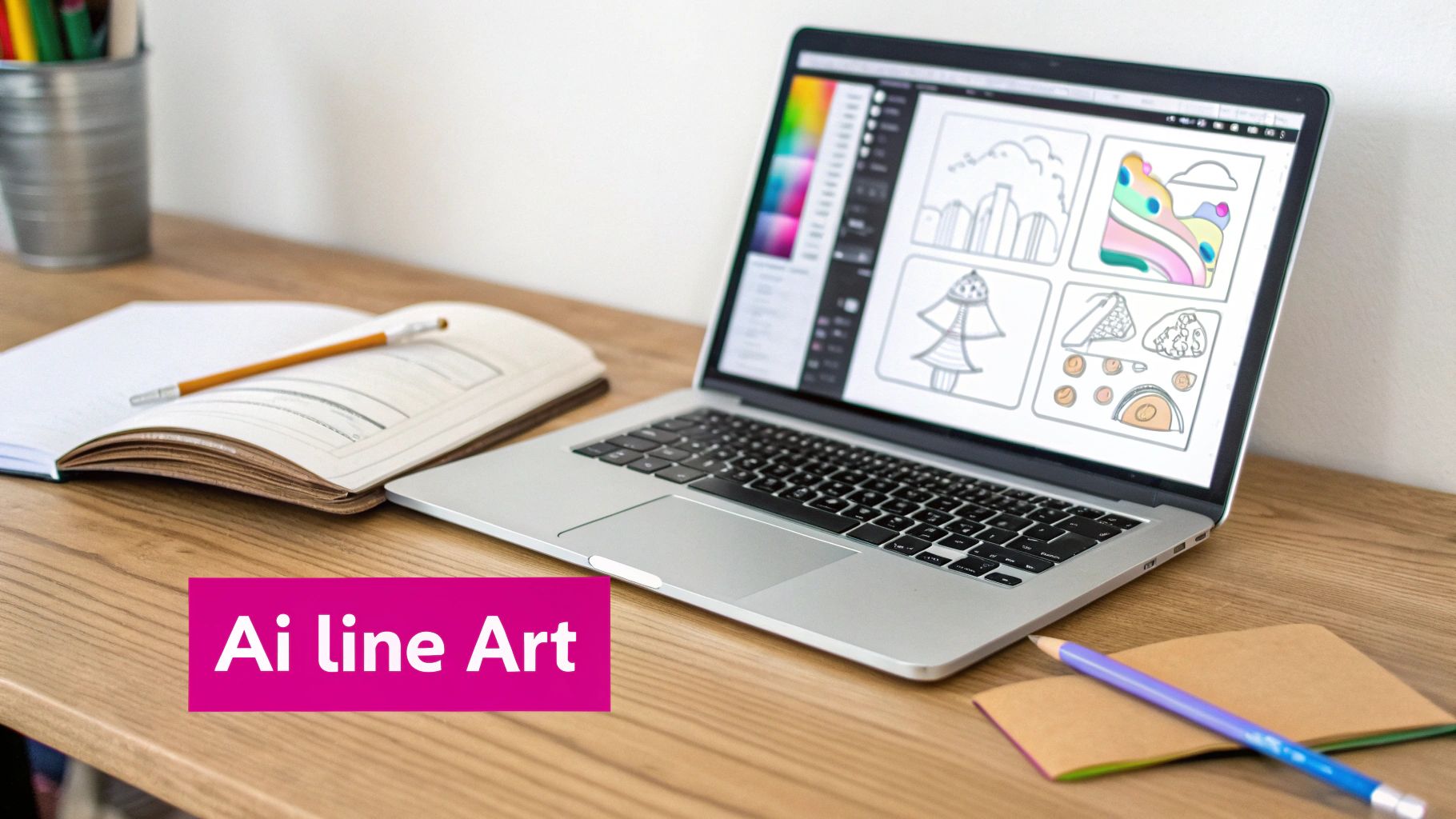
As you can see, organizing your creative ideas into structured projects makes the whole process efficient and repeatable. In the sections ahead, we’ll get into the weeds of setting up these projects, crafting prompts that actually work, and managing all the amazing art you're about to create.
Nailing the Prompts for Perfect Coloring Pages
The real magic behind creating stunning line art coloring pages isn't some fancy tool or hidden software—it's all in the prompt. If you want to move past basic, fuzzy results, you have to get more specific than just asking for a "cat coloring page." The words you choose give the AI direct instructions, and that's what separates amateurish outputs from clean, professional designs.
Think of it like a recipe. A simple request gets you a simple result. But when you start adding specific ingredients and modifiers, you create something special. Prompting for a "zentangle cat" will give you a completely different vibe than a "minimalist floral pattern," even though both are just line art. It all comes down to the keywords you use.
Building a Killer Prompt From Scratch
A truly effective prompt isn't just a single command; it’s a combination of elements that work together. You start with your main subject, layer on some stylistic instructions, and finish with technical commands that tell the AI exactly what to do—and what not to do.
Let's look at the difference between a weak prompt and a strong one:
- Weak Prompt:
dog coloring page - Strong Prompt:
bold outline, clean vector line art of a golden retriever, coloring book style, no shading, black and white
See the difference? The second prompt leaves no room for guessing. It specifies the line weight (bold outline), the style (clean vector line art), the subject (golden retriever), and the end-use (coloring book style). Crucially, it also adds negative constraints (no shading). This level of detail practically forces the AI to generate an image that’s ready to color right out of the gate.
Must-Have Keywords for Mastering Line Art
To get consistently great results, you need a solid list of go-to keywords. These are the levers you pull to control things like line thickness, the amount of detail, and the overall look and feel. I've found that keeping a personal "swipe file" of these modifiers is one of the fastest ways to level up your generations.
I've put together a table of some of the most reliable keywords I use to control the style and quality of my AI-generated coloring pages.
Essential AI Prompt Keywords for Line Art
| Keyword/Modifier | Effect on Image | Example Use Case |
|---|---|---|
Coloring book style | The foundational command. Tells the AI the image's purpose, encouraging clear, enclosed shapes. | The starting point for almost any coloring page prompt. |
Clean line art | Pushes the AI to create sharp, well-defined lines without extra noise, fuzz, or texture. | Essential for getting professional, crisp results. |
Bold outlines or Thick lines | Increases the weight of the lines. | Perfect for pages aimed at younger kids or for a graphic, cartoonish look. |
Minimalist | Reduces the overall complexity and detail in the image, leaving more open space. | Great for simple, modern designs or easy-to-color pages. |
Intricate or Detailed | The opposite of minimalist. Adds complexity and fine details. | Ideal for adult coloring pages, like mandalas or elaborate fantasy scenes. |
Vector art | Encourages a clean, scalable look with smooth lines, even though the output isn't a true vector file. | Use this when you want an ultra-clean, graphic illustration style. |
These keywords are your building blocks. Mix and match them to dial in the exact style you're going for.
And hey, if you're ever feeling stuck or just want to see what's possible, a specialized tool can give you a creative boost. For instance, using a free AI image prompt generator can help you discover new keyword combinations you hadn't thought of.
The Power of Telling the AI What Not to Do
Knowing what to tell the AI is only half the battle. You also have to be crystal clear about what you don't want. Unwanted shading, gray tones, and weird textures are the top culprits that can ruin an otherwise perfect coloring page. This is where negative prompts are your best friend.
By explicitly telling the AI to exclude unwanted elements, you steer it away from common mistakes. Adding a simple phrase like "--no shading, color, gray tones, shadows, texture" can instantly boost the quality of your line art coloring pages by 80% or more.
Think of negative prompts as guardrails. They keep the AI on the straight and narrow, focused on producing pure, clean line art. They’re absolutely critical for ensuring you get that crisp white background and solid black lines that are perfect for both printing and digital coloring apps. Using them consistently will save you an incredible amount of time you’d otherwise spend cleaning things up in an editor.
Your Workflow for Generating Pages at Scale
Alright, you've got the hang of writing a solid prompt. That's great for one-off images, but the real magic happens when you start thinking bigger. The true power of AI in this space is its ability to churn out entire collections of line art coloring pages all at once. For that, you need a system.
Instead of sitting there typing out prompt after prompt, you can set up a workflow that generates hundreds of unique variations for you. This is exactly how you tackle big projects—think entire coloring books, a semester's worth of classroom handouts, or a full catalog of designs for your Etsy shop.
Building Your First Bulk Project
Let's make this real. Imagine you want to create an "Animal Alphabet" coloring book. It’s a classic for a reason. But that means you need 26 unique pages, one for each letter. Doing that by hand would be a mind-numbing grind. With a bulk generation tool, you set it up once and let the machine do the heavy lifting.
The whole process hinges on two things: a base prompt and a set of variables. Your base prompt is the foundation—it sets the style and stays the same for every image. The variables are the dynamic parts that get swapped out to create all the unique pages.
For our "Animal Alphabet" book, a good base prompt might be:
clean line art coloring page of a [animal] with a large, clear letter [letter] beside it, coloring book style, bold outlines, white background, no shading
See those bracketed words? [animal] and [letter] are our variables. Those are the pieces that will change for each of the 26 pages, giving us our A-to-Z set.
Using a CSV to Automate Generation
The easiest way to feed those variables to the AI is with a simple spreadsheet, saved as a CSV (Comma-Separated Values) file. It's a universal format that nearly every bulk generation tool understands. All you need are two columns: one for animal and one for letter.
Your CSV file would look something like this:
| animal | letter |
|---|---|
| Alligator | A |
| Bear | B |
| Cat | C |
| ...and so on | ... |
You just upload this file, connect it to your base prompt, and the system does the rest. It'll run the prompt with "Alligator" and "A," then "Bear" and "B," and keep going right down the list until it's done. A task that could take hours of manual work becomes an automated process that’s often finished in minutes.
Pro Tip: Don't stop at two variables! You can get much more creative. Add a
[setting]column with things like 'in a forest' or 'on a beach' to give each animal a unique environment. The more variables you add, the more complex and interesting your final collection will be.
This is the core idea behind scaling up your AI prompting from a single command to a powerful, automated engine.
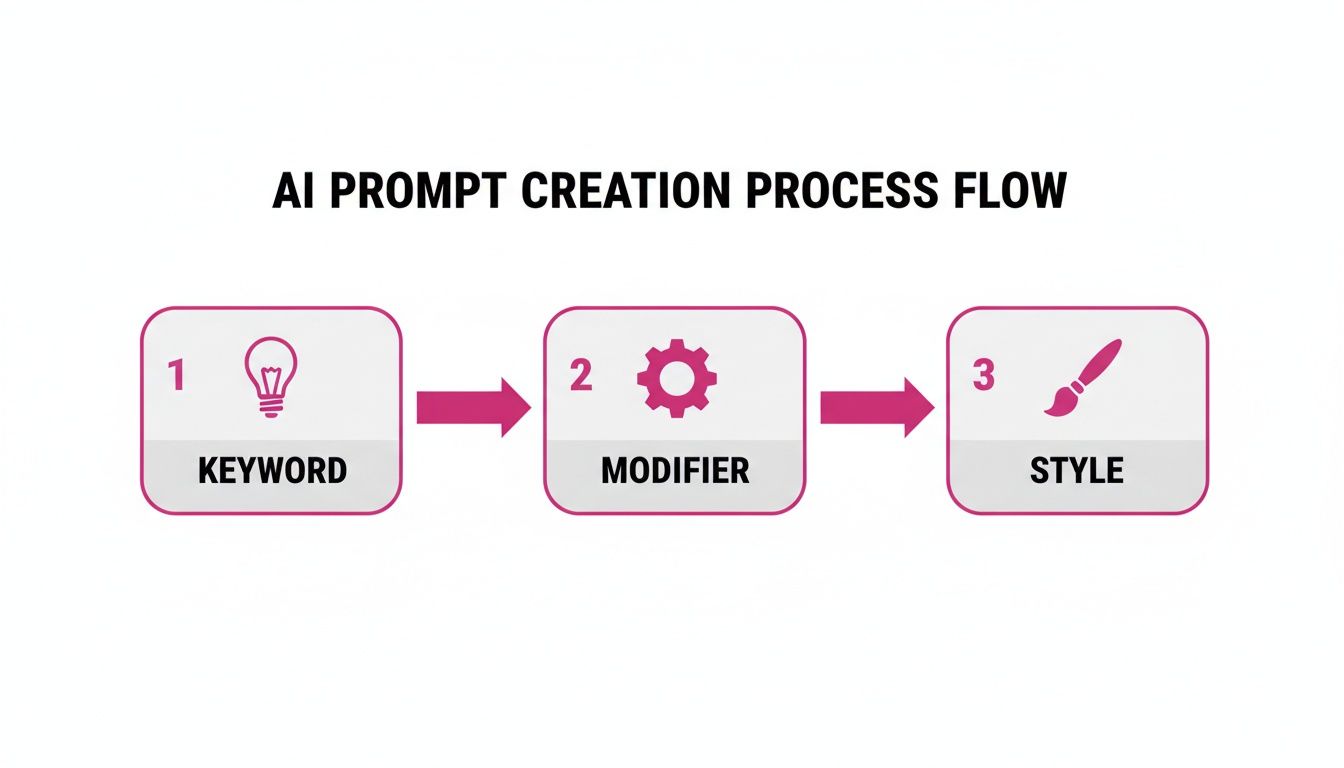
As you can see, combining a keyword with specific modifiers and styles gives you incredible control. This same principle is what makes your bulk generation workflow so effective.
Reviewing and Selecting Your Best Images
Once the AI has finished its work, you'll have a folder full of images. Let's be honest: not all of them will be perfect. That's totally fine and part of the process. The point of bulk generation isn't to get one flawless image; it's to produce so many good options that you have a rich pool to choose from.
Here's a quick system I use to sort through everything without getting overwhelmed:
- The Quick Cull: Do a fast first pass through all the images. Immediately trash the obvious duds—the ones with wonky lines, weird artifacts, or results that just completely missed the mark. Don't overthink it.
- Rate Your Contenders: On the second pass, start rating. Most operating systems let you add star ratings (1-5) to files. I give five stars to the absolute keepers, four to the solid backups, and so on.
- Create a "Finalists" Folder: Move all your top-rated images into a new folder. This cleans up your workspace and makes sure you're only dealing with the best of the best when you head into post-production.
This simple, repeatable system keeps you from drowning in options. It helps you methodically filter your collection down to only the highest-quality line art coloring pages, turning a massive creative project into a manageable and efficient assembly line.
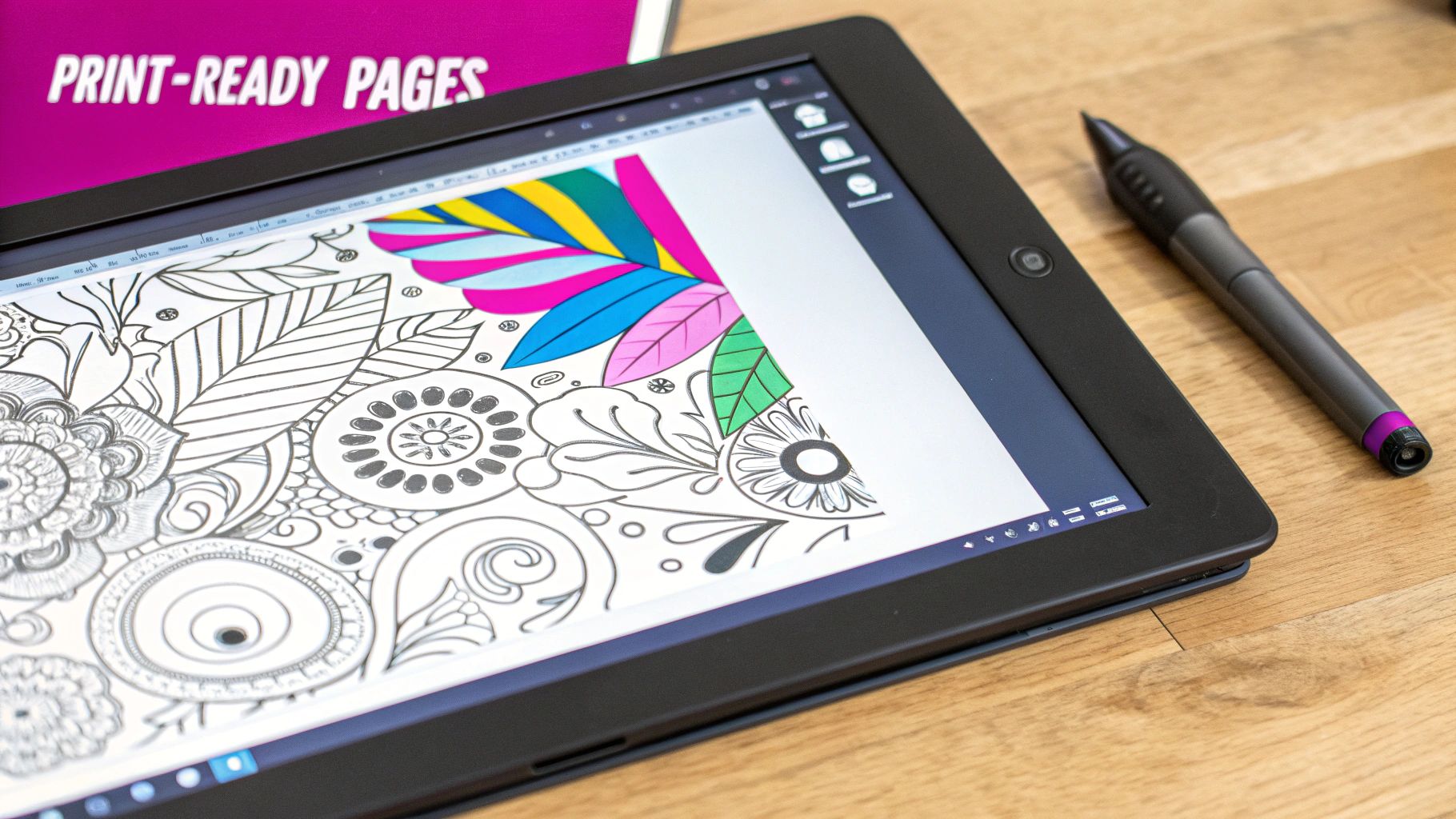
So, you've generated a batch of amazing AI images. That's a great first step, but a raw AI export is rarely the finished product. To get these creations ready for prime time as professional, print-ready line art coloring pages, you'll need to roll up your sleeves for a bit of post-production. This is where you polish the raw output, making sure every page is clean, crisp, and a joy to color.
Even with the most specific prompts, AI can sometimes add subtle gray shading or faint background textures. These little imperfections might not look like much on a screen, but they can make a printed page look messy and unprofessional. Your first job is to hunt down and eliminate these issues.
Cleaning Up Backgrounds and Thickening Lines
Most image editors have tools for zapping unwanted backgrounds. For simpler designs, a "magic wand" or an automatic selection tool can often isolate and delete the background in one click, leaving you with a clean, transparent PNG. This is exactly what you want for compiling pages into a book or layering your art onto different backdrops.
Next up is the line weight. AI-generated lines can often come out a bit thin, which isn't ideal for pages meant for kids armed with crayons and markers. Thicker lines are more forgiving and create much clearer boundaries for coloring. You can easily beef them up in your editing program by adding a "stroke" or "outline" effect, which basically traces over your lines to add thickness.
Why Vectorization Is a Non-Negotiable Step
Once your image is clean, it's time for vectorization. Honestly, this is probably the single most important part of prepping your line art coloring pages for any kind of professional use. AI tools generate raster images (like PNGs or JPEGs), which are built from a grid of pixels. Try to blow up a raster image, and you’ll get a blurry, pixelated mess.
Vectorization completely sidesteps this issue by converting your pixel-based art into a format made of mathematical paths (think SVG or AI files).
A vector file can be scaled to any size—from a tiny sticker to a massive wall mural—with zero loss in quality. The lines will stay perfectly sharp and clean, which is essential for high-quality printing.
This simple step future-proofs your designs. It gives you the flexibility to use them for pretty much any project you can dream up, without ever worrying about quality.
Automating Edits for Entire Collections
Editing hundreds of images one by one is a soul-crushing time sink. This is where batch editing tools become your secret weapon. Instead of opening, editing, saving, and repeating endlessly, you can apply the same set of changes to an entire folder of images all at once.
Batch processing can handle tedious tasks like:
- Background Removal: Point an AI-powered removal tool at your whole "finalists" folder and let it do the work.
- Resizing and Cropping: Standardize every image to a specific print size, like 8.5" x 11" at 300 DPI. If you're doing this a lot, our guide on how to use a bulk image resizer can be a huge help.
- File Conversion: Turn a whole folder of PNGs into print-ready PDFs in a single operation.
This kind of automation isn't just about speed; it's about consistency. Every page in your collection will have the same dimensions, format, and clean background, giving your final product that polished, professional feel.
The demand for high-quality, instant-access coloring pages is huge right now. Back in 2015-2016, the market saw a massive boom, with physical books selling millions of copies. Today, the game has shifted toward digital downloads, and printable AI line art is perfectly positioned to meet that demand. This shift makes having clean, scalable digital files more important than ever. If you're interested in the data, you can read the full research about the coloring book market. By mastering these post-production steps, you're making sure your creations are ready for modern consumers.
Alright, you’ve put in the work generating, tweaking, and perfecting a whole collection of awesome line art coloring pages. Now for the really fun part—turning all that creativity into something tangible. Whether you’re a teacher, a small business owner, or just have an entrepreneurial itch, there are a ton of ways to put these new assets to work.
The real magic here isn't just one drawing; it's your newfound ability to create themed collections at scale. You can now dive into niche markets that would've been way too time-consuming or expensive to tackle the old-fashioned way, meeting very specific demands with almost no friction.
Turning a Profit as an Entrepreneur
If you're looking to build a new revenue stream, digital marketplaces are your most direct path. Platforms like Etsy are absolute goldmines for printable art. It's a market that thrives on digital goods—online sales make up 55-65% of the distribution, and printable PDFs are perennial best-sellers.
This is where AI really flips the script on costs. Forget paying a freelancer $5-10 for a single custom design. You can now crank out endless variations for a tiny fraction of that, letting you experiment with popular themes like animals (which command a solid 18% market share) without breaking the bank. You can read more about the potential of the digital coloring book market to see just how big the opportunity is.
Here are a few proven strategies to get you started:
- Sell Digital Bundles: This is the easiest entry point. Package your pages into themed sets like a "30 Mystical Mandalas" pack or a "Dinosaur Adventure" collection. Sell them as instant downloads on Etsy or your own website. It’s a fantastic low-overhead model with serious profit potential.
- Create Print-on-Demand (POD) Coloring Books: Services like Amazon KDP let you turn your art into a physical, sellable coloring book. You just upload the final PDF, set up your listing, and they handle all the printing and shipping every time someone buys a copy.
- License Your Best Designs: Don't underestimate the B2B angle. All sorts of businesses are constantly on the hunt for unique visual content. You can license your standout designs to companies for them to use in their own products, marketing campaigns, or publications.
Once your AI-generated line art coloring pages are ready to go, a big part of selling them is packaging them correctly. For some great tips on this, check out this guide on how to make and sell an ebook your readers will love. And if you're serious about selling on a specific platform, we've got a deep dive on how you can make money on Etsy with your digital creations.
Smart Uses for Educators and Marketers
Making money isn't always about direct sales. If you're an educator, these AI-generated pages can be an incredible resource. Imagine creating custom worksheets for a history lesson on ancient Egypt or a science class studying detailed botanical illustrations. You can create super-engaging, subject-specific materials in minutes.
Marketers can get a ton of mileage out of these, too. Branded coloring pages are surprisingly effective marketing tools:
- Lead Magnets: Offer a free, downloadable coloring pack on your site in exchange for an email signup. It's a simple, effective way to grow your mailing list.
- Social Media Contests: Boost your engagement by running a coloring contest. Post a line art page and invite your followers to color it in and share their work with a branded hashtag.
- Event Handouts: Got a booth at a trade show, farmers' market, or community event? Custom-themed pages are a perfect handout for kids (and adults!).
A Quick Note on Legal & Ethical Use: Before you start selling or distributing anything, double-check the terms of service for the AI tool you used. Most platforms give you full commercial rights to the images you generate, but it's always your responsibility to confirm that. To play it safe, steer clear of generating images of copyrighted characters or anything in the distinct, recognizable style of a living artist.
By thinking strategically about who you're trying to reach, you can transform your library of AI-generated line art from a fun hobby into a genuinely valuable asset for your business, classroom, or side hustle.
Common Questions About AI Coloring Pages
Jumping into AI-generated art always kicks up a few questions. As you start making your own line art coloring pages, you'll probably wonder about the legal stuff, how to get images that actually look good when printed, or what to do with the mountain of files you just created. Let's get you some clear, straightforward answers.
Can I Legally Sell AI-Generated Coloring Pages?
Yes, you usually can, but it all comes down to the terms of service of the AI tool you're using. Most modern AI platforms give you full commercial rights to the images you generate, which means you’re free to sell them. But—and this is a big but—you absolutely have to read their licensing agreement first.
Before you even think about listing your creations on a marketplace like Etsy or a print-on-demand site, double-check that you have the right commercial license. A simple tip to avoid legal headaches down the road: don't prompt the AI to create copyrighted characters or mimic the unique style of a living artist. If you stick to your own original concepts, you'll be building your creative business on solid ground.
How Do I Get High-Resolution Art for Printing?
Getting professional, print-quality art is a two-part game. It starts with how you generate the image and ends with how you prep it. First off, always generate your images at the highest resolution the AI tool will allow. For printing, the gold standard is 300 DPI (dots per inch). This is what keeps your final prints looking sharp and crisp, not blurry and pixelated.
The second part, and honestly the most important, is vectorization. This is the process of converting your pixel-based image (like a PNG) into a format made of mathematical paths (like an SVG).
A vector file is infinitely scalable. You can blow it up to the size of a poster or shrink it down to a tiny sticker, and the lines will stay perfectly sharp every single time. For anyone serious about creating professional line art coloring pages, this step isn't optional.
What Is the Best Way to Organize Large Batches of Images?
When you’re pumping out hundreds of images at once, organization is everything. If you don't have a system, you'll be drowning in files before you know it. The trick is to build a simple workflow you can repeat every time.
I always start with a clean folder structure for each project or theme. Once a batch is done generating, here’s my process:
- First Pass: I immediately go through and delete the obvious duds. This clears out the noise right away.
- Rate Them: I use my computer’s built-in rating system (the 1-5 stars) to mark the ones I really like.
- Create a 'Finalists' Folder: All the 4- and 5-star images get moved here. This becomes my working folder for post-production.
Also, get in the habit of using descriptive filenames like cat_mandala_style_01.png. It feels like a small thing, but it makes searching for a specific design weeks later so much easier.
How Do I Remove Shading to Get Clean Lines?
Ugh, unwanted shading. It's a common problem, but the best way to fix it is to prevent it from happening in the first place—right in your prompt. Your best weapon here is a strong negative prompt. Adding terms like --no shading, shadows, grayscale, texture tells the AI exactly what you don't want.
At the same time, you need to be really clear about what you do want in your main prompt. Use keywords like "clean line art," "vector outline," "black and white drawing," and "coloring book style." If some light gray areas still manage to sneak in, you can usually zap them in a photo editor by bumping up the contrast and brightness. This will make the faint grays vanish and leave you with just the bold, black lines you're after.
Ready to stop prompting one by one and start creating entire collections at once? Bulk Image Generation gives you the tools to produce hundreds of high-quality images from a single idea, complete with a batch editor to make post-production a breeze. Get started for free and scale your creativity today.
