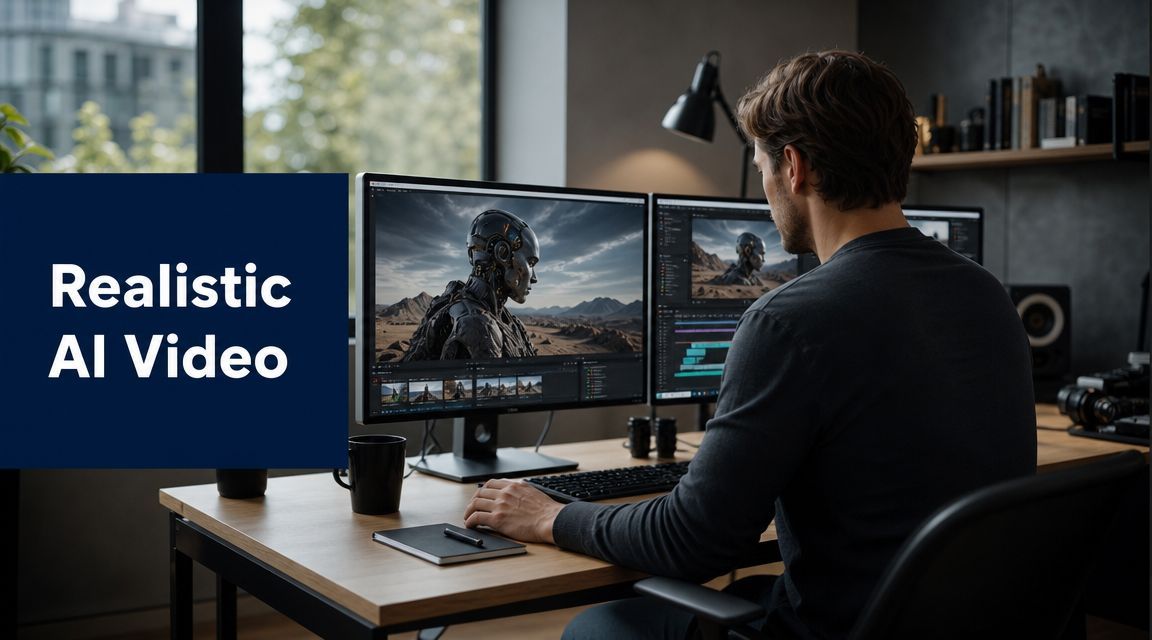
Realistic AI Video: The Complete 2026 Workflow

Ryan Bennett • May 21, 2026
Learn the end-to-end workflow for creating realistic AI video. This guide covers tools, prompts, post-production, and ethical tips for marketing and education.
You've probably had this experience already. The prompt sounds solid, the first preview looks promising, and then the clip falls apart on the second watch. Hands melt into props, faces drift between cuts, lighting changes for no reason, and the movement has that unmistakable synthetic wobble.
That's the gap between AI video that impresses in a demo and realistic ai video you can publish.
The good news is that the medium matured fast. Meta launched Make-A-Video in September 2022, and by October 2024 it had announced Movie Gen, a next-generation system capable of generating 16-second videos at 1080p with synchronized audio according to Quantumrun's summary of Meta's progress. That jump happened in under two years. The technology is no longer the main story. Workflow is.
Beyond Novelty The Quest for Believable AI Video
The old way of approaching AI video was simple. Type a prompt, hit generate, hope for magic. That still works if your standard is novelty. It fails if you need a product spot, an education clip, a branded explainer, or anything a client will review frame by frame.
Realism now depends less on whether a model can make an attractive shot and more on whether you can direct a repeatable production process. That shift matters because audiences are less forgiving than they were when AI video felt experimental. A weird artifact was once part of the charm. Now it just looks sloppy.
What changed is not only image quality. Duration improved. Audio improved. Prompt adherence improved. Multi-shot planning became more practical. If you've been tracking adjacent creative workflows, the same broader pattern shows up in AI image generation trends in 2025, where control and production fit increasingly matter as much as raw generation quality.
What believable looks like in practice
Believable AI video usually has four traits:
- Stable identity across shots, especially faces, hair, wardrobe, and props
- Controlled motion that looks intentional rather than drifting
- Consistent lighting and environment so cuts feel related
- Sound that supports the illusion instead of leaving the clip visually convincing but emotionally empty
Most failed AI videos miss at least two of these.
Realism isn't a single setting. It's the result of dozens of small decisions that stop the viewer from noticing the machine.
The production mindset that works
The teams getting usable output don't treat AI video as a one-click generator. They treat it like a compressed production pipeline. Pre-production still matters. Shot planning still matters. Editorial judgment matters even more than people expect.
That's why the strongest realistic ai video work now comes from creators who think like producers, not gamblers. They define what must stay fixed, what can vary, where the model is likely to drift, and which flaws can be fixed later without making the clip worse.
Pre-Production Planning Your AI Video
Most bad AI video projects fail before generation starts. The script is vague, the shot list doesn't exist, the visual references are inconsistent, and nobody has decided what “realistic” means for the piece.
That creates chaos downstream. You end up changing prompts to solve story problems, changing story beats to solve rendering problems, and wasting hours rerolling clips that were never going to fit together.
Start with a script built for generated footage
AI video is unforgiving when the script demands too many hard transitions, too many unique environments, or too many complex physical interactions in a short runtime. Write for what the tools do well.
A strong script for realistic ai video usually has:
- Short visual beats that can stand as individual clips
- Clear narration rhythm if you're using voiceover
- Limited scene changes unless they're central to the concept
- Simple physical actions that read cleanly on screen
If you're producing vertical social content, script pacing matters even more. For quick ideation on hooks and scene cadence, tools that help create viral Shorts scripts can be useful as a drafting aid before you translate the concept into a shot-by-shot plan.
Build the shot list before you prompt
The shot list is where AI projects become manageable. Don't just write “show product on table” or “teacher explains concept.” Specify what has to remain stable.
Use fields like these:
| Shot element | What to define |
|---|---|
| Subject | Person, object, wardrobe, age, expression |
| Action | Exact movement, not just broad intent |
| Environment | Location, time of day, weather, practical objects |
| Camera | Close-up, medium, tracking, static, overhead |
| Risk | Hands, crowds, text, reflections, lip sync, fast motion |
That final column matters. It tells you where to spend extra generation time and where to avoid overcomplicating the shot.
Here's the tool selection in one view:

Gather references before production day
This is the biggest difference between amateur and professional workflows. Don't rely on text alone when identity or environment needs to stay coherent.
Prepare a reference pack with:
- Character references for face, outfit, and silhouette
- Environment references for color palette, architecture, and lighting
- Style references that define lens feel, contrast, and texture
- Motion references if a shot needs a certain pace or body language
If a project spans multiple scenes, I like to create one “truth board” that nobody edits casually. It becomes the visual contract for the project. When a new generation looks good but drifts from the established identity, the board settles the argument fast.
Production rule: If you can't define what must stay consistent, the model will decide for you.
Define your realism standard up front
Not every project needs photorealism. Some need credibility, not cinematic perfection. A product demo may require stable object geometry. A history lesson may only require believable motion and a coherent environment. A branded ad may need both realism and polish, plus tight control over logo treatment and safe claims.
Pre-production is where you decide the threshold. Without that, teams overgenerate, overedit, and still miss the mark.
Choosing Your Tools and Preparing Inputs
There isn't a single best platform for realistic ai video. There's only the best fit for the specific production problem you're solving.
Some tools are strong for rapid concepting. Some are better when you already have a source image. Some are useful because they let you iterate quickly without making each reroll expensive in time or attention. That distinction matters more than feature lists suggest.
Choose for control, not hype
The practical comparison usually comes down to a few criteria:
| Workflow need | What to prioritize |
|---|---|
| Fast concept exploration | Quick generation cycles and variation tools |
| Consistent characters | Reference image support and style locking |
| Shot refinement | Strong editability and predictable reruns |
| Existing footage enhancement | Image-to-video or video-to-video controls |
| Team production | Export options, versioning, and review ease |
If you're evaluating current options, roundup posts on the best AI video generation tools can help narrow the field before you test them against your actual shot list.
The best tool for an ad mockup may be the wrong one for an education series. The wrong way to buy into a platform is to ask which one makes the prettiest single clip. Ask which one lets your team produce a usable sequence with the fewest painful surprises.
Here's a visual shortcut for that selection process:

Yield is the real bottleneck
An industry analysis found that one AI-generated TV commercial required nearly 400 generations to produce only 15 usable clips, which works out to about a 4% usable yield according to AdMonsters' analysis of AI video yield. That's the number more teams need to internalize.
The problem usually isn't whether a model can render video. The problem is whether the output survives review for brand safety, continuity, clarity, and accuracy.
This changes how you evaluate tools:
- Iteration speed matters because you'll reroll more than you think
- Preview quality matters because bad triage wastes time
- Input control matters because a good reference can save many failed generations
- Version discipline matters because teams lose strong takes when files become messy
I've found that once you accept low yield as normal, your workflow gets better. You stop expecting each generation to be a deliverable and start treating each generation as a candidate.
A tool that gives you slightly less impressive outputs but better control can outperform a flashier model in real production.
Prepare inputs with intention
Your input type should match the job.
Text to video
Use this for ideation, stylized concepting, and shots where exact identity matters less. Be specific about subject, action, environment, and camera behavior. Keep competing details out of the prompt.
Image to video
This is often the better starting point for realism. A strong still gives the model a stable anchor for composition, wardrobe, product geometry, and scene layout. For many branded jobs, this is more dependable than pure text prompting.
Reference video or motion transfer
Use this when body mechanics or camera movement are the priority. It's especially helpful for avoiding generic floating motion.
If you need source stills to test image-led workflows, an AI image generator can help create consistent starting frames before you move into video generation.
What not to do
Three mistakes burn time fast:
- Switching tools mid-project without a visual reset
- Changing prompt language and references at the same time
- Judging a model by one lucky generation
Professional output comes from controlled comparisons. Change one variable, review the result, keep notes, repeat.
The Art of Prompting for Realism and Motion
You run a promising prompt, get one beautiful second, then the hands deform, the background slides, or the face changes mid-shot. That failure usually starts in the prompt. Realistic AI video depends on clear production intent, not decorative writing.

A prompt has one job. Define what must stay stable while the model generates motion. If the priorities are fuzzy, the model fills the gaps with guesswork, and guesswork is expensive when you need usable footage instead of novelty.
Build prompts in production order
The strongest prompts usually follow the same order a crew would use on set:
- Subject
- Action
- Environment
- Camera
- Image treatment
That hierarchy matters. The model needs to know who or what is on screen before it decides how the shot moves. Camera language comes after the action because movement should support the event, not compete with it.
A practical template looks like this:
[subject], [single clear action], in [specific environment], [lighting condition], [shot type], [camera movement], realistic body mechanics, stable facial features, consistent clothing, grounded motion, natural texture
This format keeps the prompt readable and easier to debug. If a clip fails, you can identify whether the problem came from the action, the environment, or the camera instruction.
Write for physical behavior, not mood
A lot of weak prompts sound cinematic but give the model nothing physical to execute. Words like “moody,” “epic,” or “beautiful” can shape style, but they do very little to protect realism.
Use verbs and constraints that imply mechanics:
- Turns head slightly toward camera
- Reaches for the cup with one hand
- Takes two steps, then stops
- Jacket moves lightly in the wind
- Camera tracks left at walking speed
Short actions hold together better than chained actions. If a person needs to sit, smile, pick up an object, turn, and walk away, split that into separate shots. You will get a higher yield, and the edit will be easier to control later.
I learned this the slow way. The clips that survived client review were rarely the ones with the most ambitious prompts. They were the ones built around one believable action and one camera move.
Use negative space in the prompt
Realism improves when the prompt leaves less room for conflict. That does not mean writing a wall of text. It means removing competing instructions.
A common failure pattern looks like this:
- dramatic handheld camera
- fast dolly push
- subject turning quickly
- shallow depth of field
- crowded background
- complex hand interaction
Each instruction increases the chance of drift. Combined, they create too many moving parts for a short generation. Pick the hero element. If the shot is about a face, calm the camera. If the shot is about motion, simplify the environment. If the shot is about a product, reduce human interaction unless you have a strong visual reference.
Prompt for continuity across shots
Realistic AI video is rarely one clip. It is a sequence. Prompting needs to support continuity, not just single-shot quality.
Carry forward the same nouns and descriptors across related generations:
- same navy wool coat
- same brushed aluminum laptop
- same overcast street with wet pavement
- same 50mm lens feel
- same soft side lighting
Teams lose time rewriting every prompt from scratch, then wonder why the wardrobe, lens feel, or room geometry changes between shots. A better workflow is to keep a locked continuity block and only swap the action and shot type.
For prompt drafting, a free AI image prompt generator for structuring visual descriptions can help you standardize subject, environment, and lighting language before you adapt it for motion.
Direct the camera like an editor
Prompting camera movement works better when you describe intent and restraint. AI models respond more reliably to simple shot design than to stacked film-school terminology.
Use this approach:
Product shot
Matte ceramic coffee mug on a wooden counter, faint steam rising, morning window light from the left, close-up, slow push-in, realistic reflections, stable mug shape, natural hand enters frame and lifts the mug slightly
Education explainer
Science teacher beside a classroom desk, gestures once toward a diagram board, soft indoor lighting, medium shot, locked camera, natural posture shifts, consistent clothing and facial structure
Lifestyle ad
Woman in a green raincoat crossing a quiet city street after light rain, wet pavement reflections, overcast daylight, side tracking shot, steady walking cadence, realistic coat movement, grounded foot contact, stable identity
Notice the pattern. Each example asks for one main action, one camera behavior, and a few stability constraints. That is enough for the model to execute without overloading it.
Use a review rubric while you prompt
Prompt quality is easier to improve when you review outputs against the same failure points every time:
- Face consistency from frame to frame
- Hands and limb motion
- Foot contact with the ground
- Background stability
- Lighting continuity
- Object shape retention
- Camera smoothness
- Action accuracy
This matters for operations, not just craft. A reusable rubric helps teams compare takes, spot patterns, and avoid burning credits on random prompt changes. It also reduces legal and brand risk later, because you catch unstable product geometry, accidental logo distortion, and identity drift before those clips move further down the pipeline.
What usually breaks realism
Some prompt patterns fail so often that they are better treated as production risks:
- Abstract mood words without concrete action
- Multiple camera moves in one short shot
- Long narrative prompts with several beats
- Requests for readable on-screen text
- Detailed hand-object interaction without reference support
- Crowded scenes where every background element matters
Prompting for realism is closer to shot planning than creative writing. The goal is not to describe everything. The goal is to specify the few things that need to survive generation intact.
Post-Production and Quality Enhancement
The first assembly cut usually exposes the truth. A clip that looked strong on its own starts to wobble once it sits next to other shots. Skin tone shifts. Eyelines drift. One shot feels handheld, the next feels synthetic and weightless. That is normal. AI video gets judged as a sequence, not as isolated generations.
Treat post-production as a filtering stage, not a rescue stage. Once a shot has identity drift, broken anatomy, or perspective errors, editing can only hide it for a moment. The job here is to find the usable range inside each clip, unify the material you kept, and remove anything that pulls the viewer out of the scene.
Cut for yield, not clip length
Teams waste time trying to preserve full generations. In practice, many AI shots contain a clean segment of one to three seconds, sometimes less. Trim to the stable portion and build the sequence around those windows.
A useful rule is simple. Enter late and leave early.
Use the timeline to protect realism:
- Cut out before facial detail starts drifting
- Drop the unstable head or tail of a generation
- Match adjacent shots by motion intensity and screen direction
- Use inserts or reaction shots to hide weak continuity
- Shorten any shot that invites the viewer to inspect flaws
That approach improves yield. It also lowers cost, because you stop spending credits trying to force one long perfect take when the edit only needs a short believable moment.

Unify the sequence before you stylize it
Generated clips often disagree on exposure, white balance, contrast, texture, and motion cadence even when they came from the same prompt set. Fix those mismatches first. Heavy grading can make defects easier to notice, especially around skin, hair, and edges.
I usually start with the boring corrections. Exposure. Color temperature. Contrast. Then I check whether the shots feel like they belong in the same world.
| Post step | What it fixes |
|---|---|
| Color balancing | Temperature and exposure mismatches between shots |
| Gentle contrast shaping | Flat highlights and muddy midtones |
| Texture or grain overlay | Overly clean digital surfaces that do not match adjacent clips |
| Motion blur adjustment | Staccato movement that feels synthetic |
| Ambient sound bed | Empty scenes that feel visually detached |
Keep the grade restrained. The goal is continuity, not a signature look. If the viewer notices the grade before the story, the sequence is usually compensating for weak source material.
Sound sells physical reality
Audio does more work than many first-time AI video creators expect. A mediocre visual can survive with convincing sound. A silent or poorly matched soundtrack makes even good footage feel fake.
Add sound in layers:
- Room tone to establish a real space
- Contact sounds like footsteps, fabric movement, cup placement, keyboard taps
- Environmental detail such as traffic, HVAC, birds, distant voices
- Selective foley accents to reinforce weight and timing
- Music last, after the physical world feels credible
The trade-off is control versus speed. Stock sound can get you there quickly, but custom foley often fixes timing problems that generic libraries miss. If a hand touches a table half a beat before the sound lands, the shot loses credibility fast.
Enhancement tools help only when the problem is shallow
Upscaling, sharpening, denoising, frame interpolation, and cleanup passes are useful when they address a specific defect. They are risky when used as a default finishing stack. Extra processing can exaggerate eye artifacts, invent edge detail, or create waxy skin.
Use enhancement for targeted cleanup:
- Slight softness that needs more local detail
- Minor noise or compression damage
- Edge chatter that becomes less visible after cleanup
- Resolution gaps caused by delivery requirements
Skip enhancement when the problem starts in generation:
- Face drift
- Hand deformation
- Object geometry changing over time
- Reflections that do not track the scene
- Perspective instability
Those shots need replacement, not polish.
Review like a client, then like a skeptical editor
Run one pass at full speed to judge whether the piece works as a whole. Then review shot by shot with the sound on and off. Problems show up differently in each mode. With sound off, visual instability is easier to catch. With picture minimized, weak audio cues stand out.
The final review should answer five practical questions:
- Does each shot support the intended message without extra explanation?
- Does any visual detail break trust on first viewing?
- Do cuts hide generation limits instead of exposing them?
- Does the audio create a believable physical space?
- Would a stakeholder approve this without asking what happened in that one strange shot?
That is the standard that matters in production. Believable enough to survive scrutiny, clear enough to do the job, and clean enough that post does not create new risk while trying to fix old problems.
Safeguards Ethics Legality and Disclosure
A realistic clip that creates confusion, violates policy, or raises legal concerns is not a production success. It's a risk with good lighting.
This part of the workflow gets ignored because it isn't glamorous. But it's becoming central to professional AI video work. In the last 12 months, the conversation has shifted from pure visual quality toward provenance and disclosure, with C2PA-style content credentials becoming part of the practical discussion as platforms and regulators tighten synthetic media expectations, as noted in ImagineArt's discussion of realistic AI video and provenance.
More realistic can create more risk
If you work in marketing, education, internal training, or public communication, convincing synthetic media can create problems fast. A clip may be visually strong and still be the wrong choice if the audience could reasonably mistake it for documentary footage or a real person's unscripted statement.
That's why “can we make this more realistic?” is no longer the only question. The better question is whether the realism level is appropriate for the use case and whether the viewer gets the right context.
A polished reenactment in a classroom module is different from a synthetic spokesperson in an ad. A stylized historical visualization is different from footage that appears to depict a real event. Teams need that judgment built into the process before launch.
A practical compliance checklist
Use a simple review checklist before publication:
-
Source rights
Confirm you have the right to use every input asset, including reference images, logos, voices, and any underlying footage. -
Likeness risk
Avoid generating people who closely resemble real individuals unless you have explicit permission and a clear approved use. -
Disclosure plan
Decide whether the clip needs on-screen labeling, platform disclosure, metadata credentials, or all three. -
Audience context
Ask how a reasonable viewer will interpret the clip without extra explanation. -
Platform fit
Check the destination platform's synthetic media rules before export, not after rejection. -
Audit trail
Keep prompts, source files, references, approvals, and final exports organized so your team can explain how the asset was made.
Provenance is now part of craft
Operational maturity is evident. Strong teams don't just make realistic ai video. They can also document it.
That means tracking where source materials came from, which outputs were selected, what edits were applied, and what disclosures were attached. The point isn't bureaucracy for its own sake. The point is reducing avoidable risk when a stakeholder, platform, or client asks hard questions.
The most professional AI video teams are the ones that can defend the workflow, not just the final frame.
Ethical restraint is part of quality
There's also a judgment call that no tool can automate. Some videos should remain visibly synthetic. Sometimes the responsible creative decision is to stop short of maximum realism.
That's especially true for marketing claims, educational simulations, and sensitive topics where credibility matters. If your audience would trust the clip more because it looks real, that's exactly where disclosure and restraint matter most.
Good AI video work now includes three standards at once:
- visual believability
- operational control
- transparent use
Miss any one of them and the project is weaker than it looks.
If you're building realistic ai video workflows, the best way to save time is to stabilize your inputs before you ever hit generate. Bulk Image Generation can help with that front end of the process by creating large sets of consistent source visuals, prompt-ready references, and editable image assets that make downstream video generation more controlled. That's useful when you need many variations, tighter visual consistency, or faster prep for campaigns, explainers, and branded content.
