Create Printable Educational Coloring Pages with AI

Ryan Bennett • September 28, 2026
Learn to create custom printable educational coloring pages with AI. This guide offers practical steps for parents, teachers, and creators to make learning fun.
Printable educational coloring pages are a fantastic way to blend creativity with learning, allowing you to create custom materials that are a perfect fit for any subject. Forget those generic, store-bought coloring books. You can now instantly generate and print sheets that teach everything from the alphabet and numbers to complex scientific concepts, making education far more personal and engaging.
The Rise of Custom Learning Through Coloring
The days of one-size-fits-all learning are behind us. More and more, parents and educators are looking for dynamic, on-demand content that can be adapted to a child's unique needs and interests. Printable educational coloring pages are right at the heart of this shift, serving as a powerful resource that combines pure fun with focused instruction.
This approach turns what was once a simple pastime into a targeted educational tool. Imagine creating a coloring page for each letter of the alphabet, featuring an animal your child absolutely adores. Or what about generating a whole series of pages that visualize the solar system for a science lesson? This kind of customization is what keeps children hooked and helps them lock in new information in a memorable way.
Beyond Academics to Well-Being
The benefits don't stop with traditional learning, either. Coloring is widely recognized for promoting mindfulness and reducing anxiety in both kids and adults. It’s a quiet, screen-free activity that helps develop fine motor skills, sharpens focus, and offers a healthy outlet for creative expression.
This dual-purpose appeal is clearly reflected in a much larger market trend. The adult coloring book industry, which was valued at around $2.5 billion in 2024, is projected to more than double by 2033. This boom highlights a global hunger for creative, therapeutic activities—a category that educational printables for children fit into perfectly. You can explore more data about this expanding market and its implications.
Key Takeaway: The real power of printable coloring pages lies in their adaptability. You can create content for a specific lesson plan on Monday and then whip up a completely different set for a relaxing weekend activity on Friday, all tailored to your child’s current passions.
This is where AI tools, like the one showcased on Midjourney's homepage, really change the game, turning anyone into a creator.
This gallery gives you a glimpse of the incredible artistic potential of AI, showing how simple text prompts can produce a huge variety of stunning, high-quality images. These tools make it possible to generate endless unique printable educational coloring pages without needing any artistic skill yourself, empowering you to make learning truly engaging and visually rich.
Before diving into the "how-to," it helps to know which tool is the right fit for you. Not all AI image generators are created equal, especially when it comes to creating clean, simple line art for coloring.
Here's a quick breakdown of some popular options to help you decide.
Which AI Tool Is Right for Your Coloring Pages?
| AI Tool | Best For | Ease of Use | Key Feature for Coloring Pages |
|---|---|---|---|
| Midjourney | High-quality, artistic, and stylized images. | Moderate | Excellent at interpreting artistic styles ("coloring book page," "line art"). |
| DALL-E 3 (via ChatGPT) | Beginners who prefer a conversational interface. | Very Easy | Follows detailed instructions well and can easily add or remove elements. |
| Stable Diffusion | Advanced users who want maximum control and customization. | Difficult | Highly customizable with specific models trained for line art and coloring pages. |
| Bing Image Creator | Quick, free, and accessible generations without a subscription. | Easy | Uses DALL-E 3, making it a great free option for high-quality results. |
Ultimately, the "best" tool depends on your technical comfort and creative goals. For most people starting out, Bing Image Creator or DALL-E 3 offer the easiest entry point with fantastic results. If you find yourself wanting more artistic flair, giving Midjourney a try is well worth the effort.
Choosing Your AI Tool and Crafting the Perfect Prompt
Alright, with your goal locked in, it’s time to get practical. This means picking an AI image generator and, more importantly, learning how to talk to it. The tool you choose will absolutely shape the final look of your printable educational coloring pages, not to mention how fast you can churn them out.
For most of us, this decision boils down to two things: accessibility and control.
You’ve got tools like Midjourney, which is legendary for its artistic, almost whimsical outputs. Then there's DALL-E 3 (which you can often use through ChatGPT or Bing Image Creator), a powerhouse when it comes to understanding detailed, natural language. It really comes down to your personal workflow—do you want an AI that feels like a creative collaborator, or one that’s more like a super-precise assistant?
The Art of the Prompt
This is where the real magic happens. Your prompt is the direct line to the AI, and the quality of your image is completely dependent on the quality of your instructions. I’ve seen it time and time again: a vague prompt almost always leads to a disappointing or overly complicated image that’s useless for coloring.
For example, if you just ask for "a dinosaur," you're likely to get a stunning, fully colored, photorealistic T-Rex complete with complex shadows and textures. While impressive, that's not a coloring page. The trick is to give the AI specific stylistic commands that steer it toward creating clean, simple line art.
Expert Tip: After countless hours of generating images, I've found the most effective prompts for coloring pages follow a simple formula: [Subject] + [Style] + [Details]. If you can master this structure, you'll get consistent, high-quality results almost every time.
Think of it like ordering at a restaurant. You wouldn't just ask the waiter for "food," right? You’d specify the dish, how you want it cooked, and any special requests. Prompting an AI is exactly the same. If you're ever stuck for ideas, playing around with a free AI image prompt generator can be a great way to see how different elements work together to produce better images.
Prompt Formulas That Work
Let’s make this concrete. A weak prompt is short and gives the AI too much room for interpretation. A strong prompt is descriptive and prescriptive—it tells the AI not just what to draw, but how to draw it for your specific need.
Here’s a side-by-side that shows just how much impact the prompt has:
-
Weak Prompt:
A friendly cartoon dinosaur- What you'll probably get: A cute, fully colored illustration, maybe with shading and a background. It’s not really something a kid can color.
-
Strong Prompt:
Coloring book page of a friendly cartoon brontosaurus, simple line art, thick black outlines, no shading, white background, for kids- What you'll probably get: A clean, bold outline of the dinosaur, perfectly formatted and ready to be printed out.
See the difference? That second prompt is packed with keywords that define the exact format you need.
To get the best results for your printable educational coloring pages, you need to be explicit. Always include phrases that tell the AI you're making a coloring page. Here are some of the most effective keywords I use constantly:
- "Coloring book style" or "Coloring page"
- "Simple line art" or "Clean line art"
- "Thick outlines" or "Bold outlines"
- "No shading" or "No color"
- "White background" or "Isolated on white"
Combining these keywords with a clear subject is the secret sauce. This is how you generate perfect pages every single time, whether you're creating a sheet about the life cycle of a sunflower or a fun page filled with zoo animals.
Generating Themed Coloring Page Sets at Scale
Making a single image is a great start, but the real magic happens when you start producing entire themed sets. This is where you shift from just playing around to actually being a content producer. Instead of one dinosaur, think of creating an entire prehistoric world. Instead of one letter, you're building a complete 26-page alphabet book.
This is a totally different mindset. It requires a more organized approach. The goal isn't just to make cool images; it's to generate a whole batch that shares a consistent artistic style, making them look like they belong together in a professional-looking booklet. This is how you can genuinely turn hours of painstaking work into a task that takes just a few minutes.
I put together this little graphic to show just how simple it is to get your creations from the screen to a stack of ready-to-color paper.
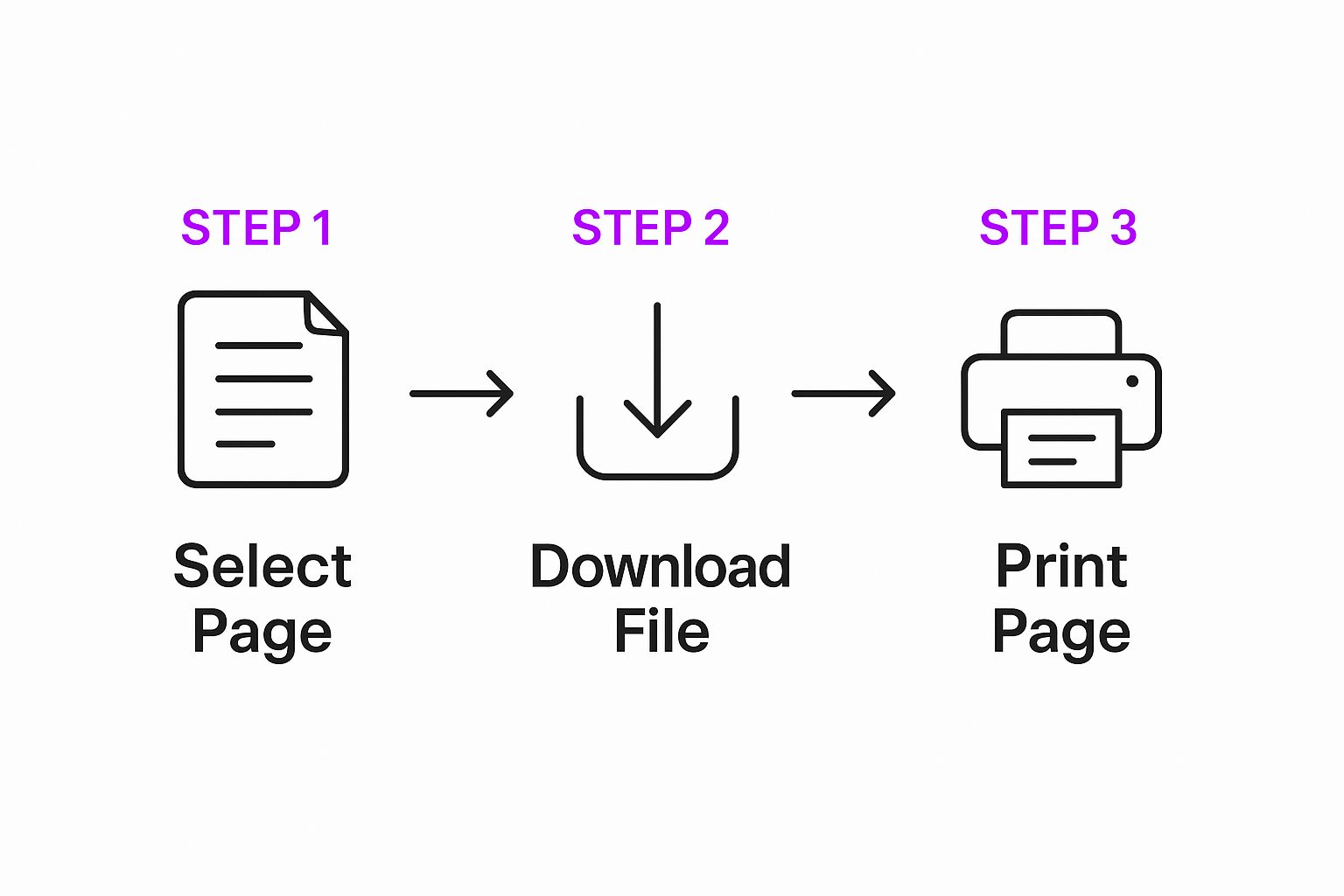
It really just boils down to picking your favorites, downloading them, and hitting print. Suddenly, creating custom learning materials is something anyone with a printer can do.
Planning Your Themed Set
Before you even think about generating an image, a little bit of planning will save you a ton of headaches later. I’ve found that a simple spreadsheet is the absolute best way to keep a large project from getting chaotic. This isn't about getting bogged down in complex project management—it’s just about staying clear and consistent.
All you need are three columns: Concept, Prompt, and Status.
Let's imagine you're making a 10-page set about the solar system. Your spreadsheet would look something like this:
| Concept | Prompt | Status |
|---|---|---|
| Sun | Coloring book page of the Sun with a friendly smiling face, thick outlines, no shading, white background | Generated |
| Mercury | Coloring book page of the planet Mercury with craters, thick outlines, no shading, white background | Generated |
| Venus | Coloring book page of the planet Venus with swirling clouds, thick outlines, no shading, white background | Pending |
| Earth | Coloring book page of Earth showing continents, thick outlines, no shading, white background | Generated |
Using this method keeps you on track and makes sure you don’t accidentally skip any planets. But more importantly, it forces you to nail down the core parts of your prompt, which is the secret to getting that consistent style across the whole set.
Mastering Prompt Variations for Consistency
The key to a cohesive set is nailing your base prompt and then only changing the main subject. In that solar system example, notice how the stylistic commands—Coloring book page, thick outlines, no shading, white background—are exactly the same in every prompt. The only thing that changes is the subject itself (the Sun, planet Mercury, and so on).
Key Insight: Batch generation tools are literally built for this. You feed them your list of subjects, lock in a single style prompt, and let the AI crank out the entire set at once. This guarantees that every single page, from "A is for Apple" to "Z is for Zebra," has the exact same feel and line weight.
This technique is a lifesaver for bigger educational projects. For instance, a teacher creating a set for Hispanic Heritage Month could generate flags for all 21 Spanish-speaking countries by just swapping out the country name in the prompt. What would have been a massive design project becomes a simple, almost trivial task.
By systemizing your workflow like this, you can churn out huge volumes of high-quality, professional-looking printable educational coloring pages with surprisingly little effort.
Refining Your AI Art for Perfect Printables

The AI has done its part, but your work isn't quite finished. A raw AI-generated image is a fantastic starting point, but it's rarely a perfect, print-ready file right out of the gate. Taking a few extra minutes for post-production is what separates a decent coloring page from a truly professional-quality educational resource.
This is where you bridge the gap between AI generation and real-world use. The goal here is to clean up any weird imperfections and, more importantly, add the educational layer that makes your printable truly valuable. Fortunately, you don’t need to spring for expensive software. Free, browser-based tools like Canva or Photopea are more than capable of handling these essential refinements.
One of the most common issues I see is unwanted artifacts or gray shading, which can make a page look messy and difficult to color. Another is line thickness—sometimes the lines are just too thin for little hands to easily color within. These are simple fixes that make a world of difference to the final product.
Enhancing and Adding Educational Value
This step is where your printable educational coloring pages really come to life. Once you’ve cleaned up the line art, you can start adding the contextual elements that turn a picture into a lesson. This isn't just about making a pretty image; it's about creating an interactive worksheet.
For instance, after generating an image of an apple, you can pop it into a tool like Canva and add a text box at the bottom. Ask a simple question like, "What letter does 'Apple' start with?" or add an instruction like, "Color the apple red." This small addition transforms a passive activity into an active learning exercise.
To get a truly polished result for your printables, you might want to explore some of the best graphic design tools available for refining and preparing AI-generated artwork.
My Personal Tip: Always, always work on a copy of your original image. This gives you the freedom to experiment with different layouts, fonts, and educational prompts without worrying about messing up your initial clean version. It’s a simple habit that has saved me countless hours of re-work.
You can create entire themed pages this way. For a dinosaur page, you could add its name and a fun fact. For a page showing the flag of Mexico, you might add a prompt for a related cultural lesson, a common practice in modern language classes. The possibilities are endless.
The Final Pre-Print Quality Check
Before you hit "print" or save the final PDF, run through a quick quality check. This last step ensures every page you create is flawless and ready for little hands. It only takes a minute but prevents the frustration of printing a whole set of pages only to find a glaring mistake.
Here’s a simple checklist I run through every single time:
- Line Integrity: Are all the lines crisp and solid black? Faint or broken lines are a pain for kids to color.
- Artifacts Removed: Have all the stray pixels, gray smudges, and weird AI-generated marks been erased?
- Educational Context: Is the text clear, legible, and free of typos? Is the question or fact easy for a child to understand?
- File Format & Resolution: Is the page saved as a high-resolution (300 DPI) PDF? This is the gold standard for printing and ensures sharp, clean results every time.
By making this checklist part of your workflow, you guarantee that every one of your printable educational coloring pages is polished, professional, and perfectly designed for learning.
Creative Themes for Your Educational Printables
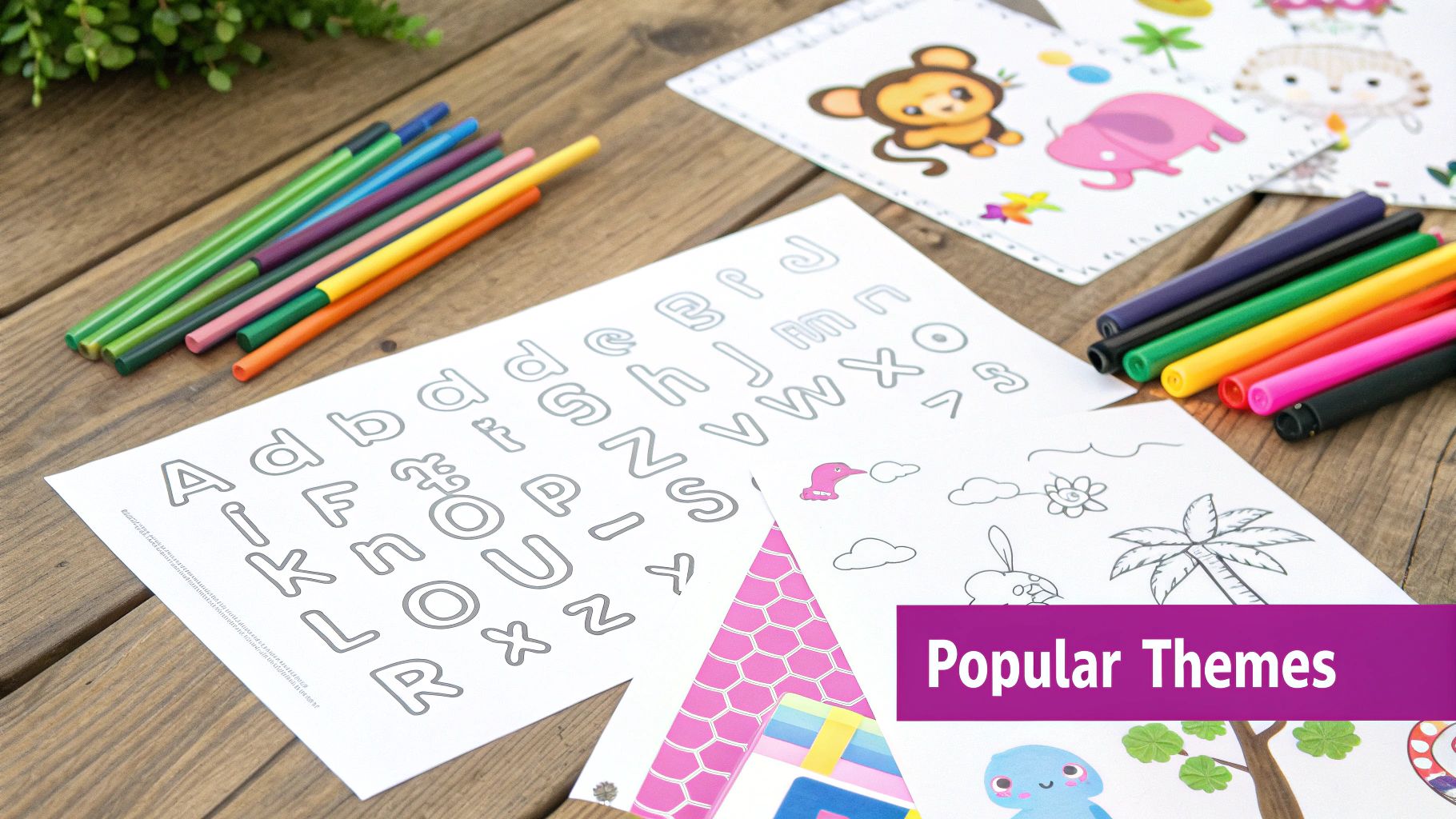
Coming up with the right theme is where the magic begins. This is your first step toward creating printable educational coloring pages that a child will actually want to use. The best part about using AI? Your only real limit is your own imagination. You can dream up content for any age group, from simple shapes for toddlers to intricate scientific diagrams for older kids.
For preschoolers, it's all about building those foundational concepts. Think of themes that create a solid base for all the learning that's to come. The trick is to keep the subjects familiar, friendly, and visually simple.
- Farm Animals: A classic for a reason. Generate pages for a cow, pig, sheep, and chicken. You can even add the animal's name at the bottom to introduce word recognition.
- Shapes and Colors: Go back to basics. Create pages with bold outlines of circles, squares, and triangles, maybe with a simple prompt like, "Color the circle blue."
- The Simple Alphabet: An A-to-Z series never fails. A quick prompt like
coloring page for kids, letter A with an apple, simple line art, no shadinggives you a perfect, clean result every time.
Engaging Older Kids with Deeper Topics
Once kids get a bit older, you can start introducing more complex and fascinating themes. This is where AI truly comes into its own, helping you create visually rich materials for subjects that would be a headache to illustrate otherwise. These pages can be a fantastic support for school lessons or just a way to feed a child's curiosity.
For instance, a series on "The Life Cycle of a Butterfly" can visually walk a child through that incredible transformation from egg to caterpillar, chrysalis, and finally, butterfly. You could also do a "Famous World Landmarks" series to take them from the Eiffel Tower to the Great Wall of China, all from the kitchen table. For more great ideas on creating entire sets, check out our guide on generating coloring pages in bulk.
Here's a real-world scenario: I saw a middle school teacher preparing a unit for Hispanic Heritage Month. They used an AI tool to generate coloring pages for the flags of all 21 Spanish-speaking countries. It was a simple, engaging activity that helped students connect with geography and culture before the deeper lessons even started.
Tapping into a Global Market
Don't forget that the demand for quality, accessible learning materials is a worldwide thing. If you're thinking about sharing or selling your creations on a platform like Etsy, you're not just reaching your local community—you're tapping into a huge and growing global market.
While North America is a big piece of the pie, the Asia-Pacific region is actually showing the fastest growth. This is largely thanks to increasing urbanization and the boom in e-commerce, which makes digital products like printable educational coloring pages incredibly accessible. You can discover more insights about the adult coloring book market trends if you want to dig into the regional dynamics.
This opens up some amazing opportunities. A set of coloring pages based on "Animals of the Australian Outback" or "Mythical Creatures from Around the World" isn't just a niche idea; it can appeal to a global audience that's hungry for unique and educational content.
Frequently Asked Questions
As you dive into creating printable educational coloring pages with AI, you're bound to run into a few common questions. I've been there. Let's walk through some of the most frequent hurdles so you can move forward with confidence.
Can I Legally Use My AI-Generated Images?
This is the big one, and it almost always circles back to the specific terms of service of the AI tool you're using.
For the most part, platforms like Midjourney (with a paid plan) or DALL-E 3 grant you full commercial rights to the images you generate. That means you're free to use them for your own projects, print them for a classroom, or even package and sell them as digital products.
But here's the critical part: these policies can change. It's on you to always check the latest terms for whatever tool you choose. My advice? If you have any commercial intent, a paid plan is usually the safest and most direct path to securing those rights.
And if you're thinking about turning this into a real side hustle, you might want to look into a complete blueprint for creating and selling digital products for a wider perspective.
How Do I Make My Pages Truly Educational?
The AI gives you the canvas, but you provide the lesson. Think of it this way: the artwork is what grabs a kid's attention, but the context you add is what actually teaches them something.
Here are a few ways I like to inject real educational value:
- Prompt with purpose. Don't just ask for a
water cycle. Get specific. A prompt likecoloring page of the water cycle with simple labels for kidsis going to give you a much better starting point. For more ideas, we've put together a list of the 25 best prompt ideas for AI image generators. - Add your own context. Use a simple editor like Canva to add questions ("How many sides does this shape have?"), fun facts, or clear instructions ("Color the continents green").
- Build themed sets. Don't just create one-offs. Generate a whole series that tells a story or explains a concept, like the life cycle of a frog or the planets in our solar system. This is great for reinforcing learning through narrative.
How Do I Fix Weird Lines or Gray Shading?
Ah, the dreaded gray fill. This is probably the most common headache when generating line art. The fix usually involves a two-pronged attack: better prompting upfront and a quick cleanup afterward.
First, try to solve it at the source. Tweak your prompt to include specific phrases like "clean line art," "no shading," or "minimalist vector style." This tells the AI to steer clear of adding those unwanted gray fills and fuzzy textures.
Still getting muddy images? Don't sweat it. Open the image in a free editor like Photopea. The "Levels" or "Contrast" adjustment tools are your best friends here—you can use them to crank up the contrast and force those gray areas into pure white. A quick once-over with the eraser tool will take care of any stray artifacts.
What Is the Best Format and Resolution for Printing?
For crisp, clean lines that look great on paper, you want to aim for 300 DPI (dots per inch). It's the industry standard for a reason.
When you're setting up your document in an editor to add text or other elements, start with a standard letter-size canvas (that's 8.5x11 inches) and make sure the resolution is set to 300 DPI.
Once your page is perfect, the best format for sharing and printing is PDF (Portable Document Format). A PDF locks in all your formatting and preserves the quality, so what you see on your screen is exactly what you'll get from the printer. Exporting your final page as a 'Print PDF' is the ideal final step.
Ready to stop generating one image at a time and start producing entire sets of creative assets in seconds? Bulk Image Generation gives you the power to create hundreds of unique, high-quality images for coloring pages, social media, and more with a single command.
Create your first bulk image set with Bulk Image Generation today!
