Printable Coloring Pages for Kids: AI-Generated Designs You Can Print Now

Ryan Bennett • September 28, 2026
Learn to use AI to generate printable coloring pages for kids fast, with practical tips for creating unique, print-ready designs your children will love.
Imagine having an endless supply of printable coloring pages for kids—ready in minutes and perfectly matched to any theme you can dream up. That’s not a far-off fantasy; it's what AI is making possible for parents, teachers, and creators right now. We're moving past the days of endlessly scrolling through generic stock images. This guide will show you how to generate hundreds of unique, high-quality coloring pages on demand.
Why AI is a Game-Changer for Coloring Pages
Let's be real: the demand for engaging, screen-free activities for kids is through the roof. Parents and educators are always on the hunt for fresh material, but finding or creating coloring sheets the old-fashioned way is a huge time-sink. This is exactly where AI image generation steps in and completely changes the game.
Forget spending hours searching for the right stock photo or struggling to draw something from scratch. Now, you can just describe what you want. A simple idea becomes a ready-to-color design in seconds, giving you total creative freedom without needing a single artistic bone in your body.
The Power of On-Demand Creation
The real magic is in the customization and scale. You can create hyper-specific content that taps right into a child’s latest obsession, whether it's "astronaut cats exploring Mars" or "magical unicorns in a candy forest." This ability to generate niche content instantly is something traditional sources just can't compete with.
Consider the adult coloring book market, which is a great indicator of this trend—it's projected to hit USD 266.04 million by 2031. That’s a massive appetite for coloring content. You can get more insights on the coloring book market and its trends here.
Tools like Bulk Image Generation let you meet this demand head-on, creating eco-friendly, customizable pages that can slash production costs by up to 50% compared to traditional methods.
The biggest shift with AI isn't just making more pages; it's about making the right pages at the right time. You can instantly create content for a specific classroom lesson, a themed birthday party, or just a rainy afternoon, ensuring the activity is always relevant and exciting.
When you're creating coloring pages, the efficiency and creative freedom of AI quickly become obvious compared to older methods.
AI Generation vs Traditional Methods for Coloring Pages
| Feature | AI Generation (Bulk Image Generation) | Traditional Methods (Manual/Stock) |
|---|---|---|
| Speed | Generate hundreds of pages in minutes. | Hours or days to draw or find suitable images. |
| Cost | Low subscription fees, often much cheaper. | Can be expensive (stock photo licenses, artist fees). |
| Customization | Infinite. Create hyper-specific themes on demand. | Limited by available stock or drawing skill. |
| Variety | Easily produce endless variations in the same style. | Difficult and time-consuming to create variations. |
| Skill Required | None. Just type what you want to see. | Requires artistic talent or design skills. |
Ultimately, AI puts professional-level content creation in everyone's hands, making it faster, cheaper, and far more flexible.
Turning Your Creative Idea Into AI Prompts
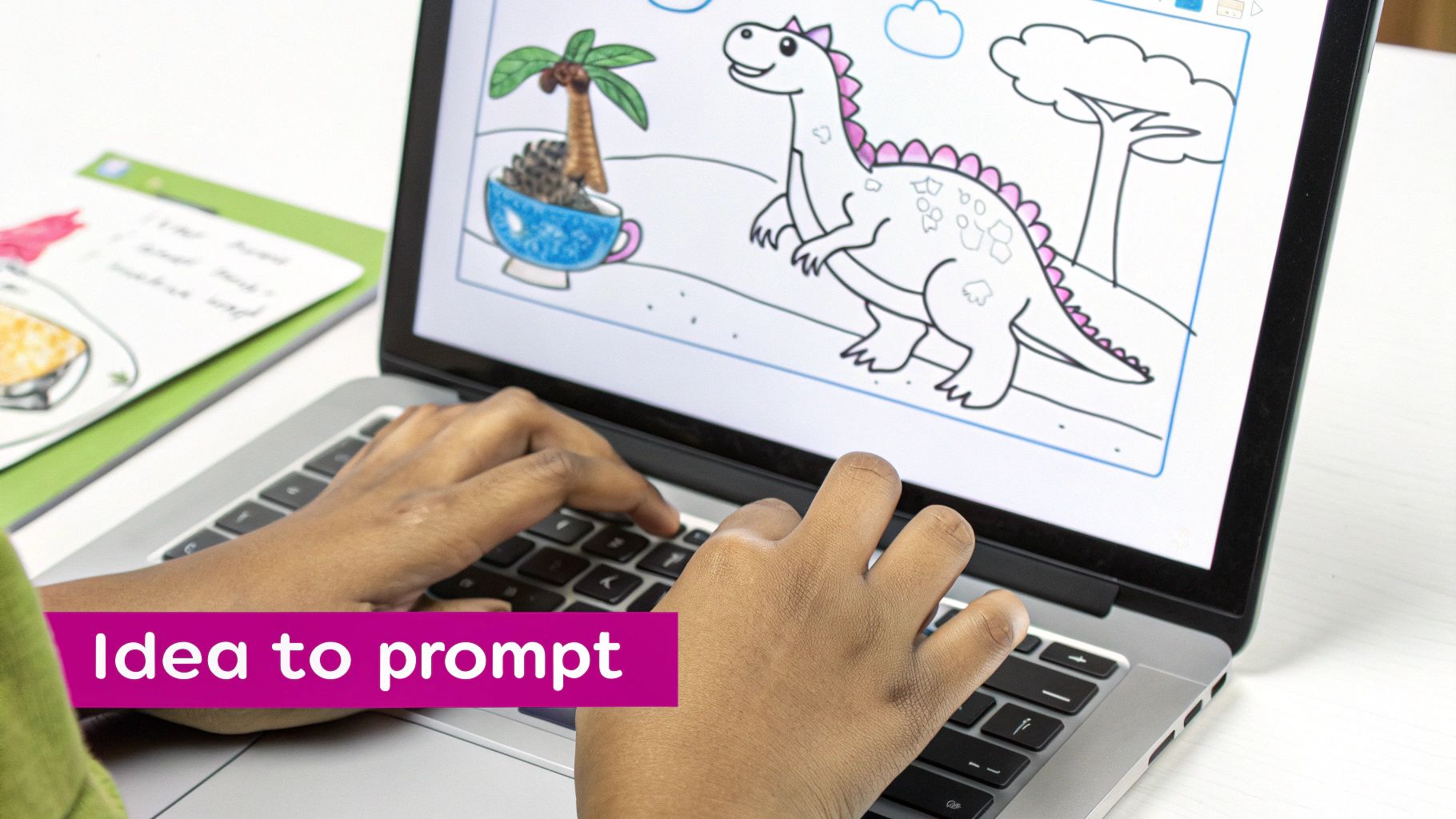
This is where the magic happens. You’ve got a concept in your head, and now it’s time to teach the AI how to see it. The great thing is, you don’t need to be some kind of prompt engineer to get incredible results. It's more like giving good directions—the clearer you are, the faster you get where you want to go.
I’ve found the best way to build a powerful prompt is to layer three key elements: audience, theme, and style. Once you nail these three, you'll have a rock-solid formula for generating dozens, or even hundreds, of consistent, high-quality printable coloring pages for kids.
Who Are You Making This For?
First things first: who is going to be coloring these pages? A three-year-old and a ten-year-old are worlds apart in what they find fun and what their little hands can handle. Pinpointing the age group is the most important step because it dictates everything else.
A coloring page for a toddler needs big, simple shapes with super thick outlines. An older kid, on the other hand, can get into much more complex scenes with finer details.
-
Preschoolers (Ages 2-4): Stick to the basics. Think simple animals, cars, and shapes they recognize instantly. Your prompts should be packed with keywords like "super simple," "thick bold outlines," and "cartoon for toddlers."
-
Early Elementary (Ages 5-8): Here you can get a bit more creative with full scenes. Dinosaurs, fantasy worlds, and busy nature scenes are huge hits. Try prompts that include phrases like "whimsical forest scene" or "cute cartoon robots."
-
Older Kids (Ages 9-12): This group loves a challenge. They can handle intricate patterns and more realistic drawings. Use terms like "detailed zentangle pattern," "intricate mandala," or "realistic wildlife" to grab their attention.
What's the Big Idea?
With your audience in mind, you can pick a theme that really sparks their imagination. This is your chance to get creative. Don't just settle for "dinosaurs." How about a "dinosaur tea party" or "dinosaurs playing soccer"? The more specific and playful you are, the more unique your coloring pages will be.
The real power of AI is in its ability to smash different ideas together. A basic theme like 'space adventure' can spin off into a hundred different variations: 'koalas flying rocket ships,' 'cats having a picnic on the moon,' or 'puppies discovering a planet made of candy.'
What Should It Look Like?
Finally, you need to decide on the overall look and feel. Defining a consistent visual style is what makes your set of coloring pages look like they belong together in a professional coloring book.
Your style choice should always circle back to your audience. For younger kids, you’ll want to consistently use prompts that specify "simple bold outlines" and a clean "white background."
For an older audience, you could go with "clean thin lines" or a "detailed ink drawing style." These commands tell the AI not just what to draw, but how to draw it. Getting this right is the secret to that polished, cohesive look across your entire batch of images.
Writing Prompts That Create Perfect Pages
Alright, you know who you’re making these for and what the theme is. Now for the fun part: telling the AI exactly what to create. Getting your prompts right is the secret sauce that turns a jumble of random pictures into a cohesive set of printable coloring pages for kids. Think of it as writing a perfect recipe the AI can follow over and over again.
A killer prompt is layered. It's clear, it's specific, and it builds from the most important thing outwards. I always start with the main subject, then layer on the style, and finish with the technical stuff. This structure helps the AI understand what matters most.
For example, don't just ask for a "puppy." That’s a recipe for disappointment. Instead, try something like: "Cartoon puppy playing with a ball, simple bold outlines, white background, coloring book page for toddlers." See how every part of that prompt has a job? It guides the AI straight to the kind of image you actually want.
Essential Prompt Formulas to Adapt
Once you find a formula that works, batch generation becomes a breeze. You can just swap out the main subject while locking in the style. This is how you end up with an entire coloring book that looks like it was made by a professional, not just thrown together.
Here are a few of my go-to formulas you can steal and tweak:
- For Toddlers:
[Subject], simple cartoon for toddlers, thick bold outlines, no small details, coloring book style, white background - For Young Kids:
Cute [Subject] in a [Setting], whimsical children's book illustration, clean medium lines, coloring page, black and white - For Older Kids:
Intricate [Pattern or Subject], detailed line art, zentangle style, clean thin lines for coloring, no shading
Pro Tip: Always, always include "coloring book page" or "coloring page" in your prompt. It’s a simple trick, but it signals the intended use to the AI, which helps it generate clean, colorable areas and steer clear of shading or pre-colored art.
This level of control is a huge deal for educators. A solid 65% of teachers rely on printables in their classrooms, and themes like animals, nature, and patterns make up 60% of downloads. And if you’re creating content for social media, AI-generated coloring pages can pull in 25% higher engagement. It’s a surprisingly powerful asset. You can dig into more stats on the coloring book market trends if you're curious.
Mastering Composition and Consistency
Beyond the words themselves, two things will seriously level up your results: ensuring your lines are closed and keeping your style consistent. AI models sometimes leave tiny, frustrating gaps in the outlines—a nightmare for any kid trying to color inside the lines.
To fight this, I add phrases like "solid closed outlines" or "no broken lines" to my prompts. It’s not a magic bullet, but it definitely nudges the AI in the right direction. And if you’re ever feeling stuck for ideas, our free AI image prompt generator can help you break through that creative block.
Finally, keeping your style consistent across a big batch of images is what will save you from a mountain of editing work later. If your first prompt uses "simple bold outlines," then every prompt in that set should use "simple bold outlines." This discipline is what separates a random pile of pictures from a polished, professional set of coloring pages.
How to Use Batch Editing to Save Hours of Work
Getting your images generated is a huge first step, but the job’s not quite finished. The next phase—prepping them for print—is where so many creators get bogged down in mind-numbing, repetitive tasks. This is the moment you either lose hours editing images one-by-one or get smart with your workflow.
Batch editing lets you apply the same changes to your entire collection of printable coloring pages for kids all at once. Instead of opening, editing, and saving a hundred separate files, you can knock out the most important tasks for all of them in just a few clicks. It’s the difference between a full afternoon of work and a few minutes of setup.
Streamlining Your Post-Production Workflow
The goal here is simple: get your images from raw generation to print-ready perfection as fast as possible. A smart batch editing process nails three key actions that make the biggest difference in quality and usability.
- One-Click Background Removal: A lot of AI generations have a faint gray or off-white background. A batch background remover instantly turns every page pure white, giving them a clean, professional look while saving on printer ink.
- Uniform Resizing: You need every single page to fit standard paper sizes like A4 or US Letter. Forget manually cropping each image. You can set the dimensions once and apply them to the whole folder. Our guide on the bulk image resizer shows you exactly how to do this efficiently.
- Line Sharpening Filters: Applying a subtle sharpening filter across all your images can make the outlines pop. It's a small touch that dramatically improves the final printed quality, making the pages much clearer and easier for kids to color.
For small businesses and hobbyists, the time saved here is massive. Traditional design work is incredibly time-consuming, but AI-driven post-production tools like background removal can cut that production time by 50%. This speed gives you a real edge, especially when non-store sales in the creative market are growing at a rapid 12% compound annual growth rate. You can discover more insights about the adult coloring book market to see how these trends are shaping the entire industry.
By automating these final touches, you're not just saving time—you're building a consistent, high-quality product. Every page will have the same clean background, the same perfect dimensions, and the same crisp lines. That's what makes a coloring book feel polished and professional.
Exporting Your Designs for Flawless Printing
Alright, you've generated a fantastic batch of coloring pages. Now comes the crucial final step: getting those digital designs onto paper without losing any of their magic. This is where a little know-how makes all the difference, ensuring your printable coloring pages for kids look just as crisp in hand as they do on screen.
First, think about the layout. You can always print one design per page, but arranging multiple images on a single sheet is a smart way to save paper and create themed sets. Imagine placing four smaller, related designs on one A4 or US Letter page to create a little mini-book. It’s a perfect approach for classroom handouts or party favors.
Choosing the Right File Type
The format you save your files in has a huge impact on the final print quality. They aren't all created equal, and the right choice depends on whether you're sharing a single page or a whole collection.
-
PNG (Portable Network Graphics): This is your go-to for individual coloring pages. PNGs are fantastic at handling sharp, clean lines and solid colors. Plus, they support transparent backgrounds, which gives you a ton of flexibility. They keep the quality high without creating massive files.
-
PDF (Portable Document Format): When you’ve put together a full coloring book, PDF is the undeniable champion. It bundles all your pages into one neat, organized file that anyone can open and print. This format locks everything in—your layout, fonts, and image quality—so what you see is exactly what they get.
Before you even get to saving, though, there's a simple editing flow you'll want to follow to get each image ready.
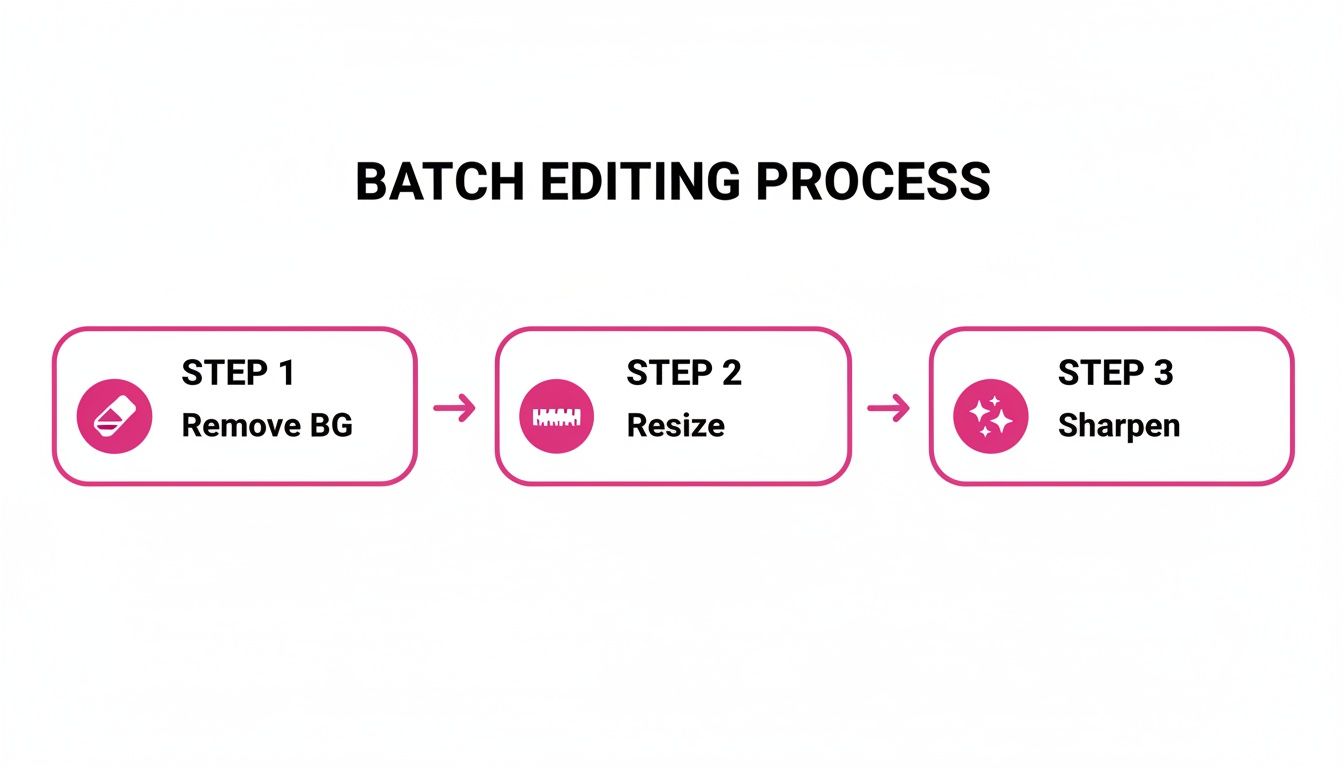
This quick process—removing the background, resizing, and sharpening—is my standard procedure to make sure every single page is perfectly prepped for print.
Nailing Your Export Settings
To dodge the nightmare of blurry or pixelated prints, you have to pay attention to your export settings. The gold standard for high-quality printing is 300 DPI (dots per inch). This resolution guarantees that the lines on your coloring pages are sharp and clean, with no fuzzy edges.
Always, always double-check that your export resolution is set to 300 DPI. A lower setting like 72 DPI might look fine on a screen, but it will come out looking blurry and unprofessional on paper. Honestly, this one setting is the single most common culprit behind poor print quality.
As you export, make sure you've selected the correct paper size, like US Letter or A4, to match what you or your audience will be using. If you're working on a special project and want the absolute best results, consider using professional print and copy services to really bring your designs to life.
Stick to these simple export rules, and you’ll ensure your creative work is presented in the best possible light, ready for hours of coloring fun.
Putting Your Custom Coloring Pages to Use
Alright, you've got a fresh batch of unique coloring pages ready to go. Don't just let them sit on your hard drive! These aren't just a quick distraction for the kids; they're a surprisingly versatile asset you can spin into all sorts of projects. With a library of your own designs, you can create educational tools, boost your marketing, or even kickstart a new side hustle.
For teachers, this is an absolute game-changer. Imagine creating printable coloring pages for kids that perfectly match your lesson plans. Need to explain the life cycle of a butterfly for a science unit? Done. Want to bring historical figures to life for a social studies lesson? Easy. These custom sheets make abstract concepts tangible and way more fun for students.
Monetizing Your Creative Designs
Beyond the classroom, your pages have serious commercial potential. A super popular route is to bundle your designs into themed packs and sell them as digital downloads. Marketplaces like Etsy are practically built for this kind of creative venture.
You could package your work into irresistible bundles, like:
- A "Magical Creatures" pack with 20 one-of-a-kind unicorn and dragon designs.
- A "Construction Zone" set filled with different trucks and heavy machinery for toddlers.
- Holiday-themed collections for Valentine's Day, Halloween, or Christmas.
The secret here is to find a popular niche and create a high-quality, cohesive set of pages. When the style and theme are consistent, your product looks professional and instantly clicks with buyers searching for that specific thing.
Our guide on how to make money on Etsy digs much deeper into setting up a shop and listing digital products so they actually sell.
Marketing and Brand Engagement
If you're a marketer or small business owner, branded coloring sheets can be an incredibly effective and low-cost tool. Think of them as a lead magnet on your website—offer a free, fun download in exchange for an email signup.
They also make for fantastic social media content or physical handouts at local events, creating a positive, family-friendly connection to your brand. As you think about how to best package your pages, it's worth checking out guides on choosing the perfect children's coloring book. Understanding what parents and kids love will give you a huge advantage.
Got Questions? I've Got Answers
When you start cranking out printable coloring pages for kids, a few questions always seem to bubble up. Getting these sorted out from the start will make sure everything you create is top-notch and ready for little artists to enjoy.
What's the Best Format to Save These Pages In?
It really depends on how you plan to share them.
If you're bundling everything into a complete coloring book, a high-resolution PDF is your best bet. It packages all the pages into one neat, easy-to-download file, and more importantly, it keeps those lines perfectly crisp for printing.
On the other hand, if you're offering pages individually, go with a high-resolution PNG (at 300 DPI). This format gives you fantastic quality and the option for a transparent background, which is a huge plus for flexibility.
Can I Actually Sell the Coloring Pages I Create?
This is a big one, and the answer comes down to the terms of service of whatever AI tool you're using. The good news is that many platforms, including Bulk Image Generation, give you full commercial rights to the images you generate. That means you're free to sell them on marketplaces like Etsy or use them in your own business.
Just make sure you double-check the licensing agreement of your chosen platform before you start selling. It's a simple step that can save you a lot of headaches later.
A quick look at the commercial use policy is non-negotiable. It's the small bit of homework that protects you and makes sure your creative business is built on solid ground.
How Do I Make Sure My AI Pages Are Simple Enough for Young Kids?
The magic is all in your prompt. You need to be direct and tell the AI exactly what you want.
Think in terms of simple, descriptive phrases. I always use terms like "simple bold outlines," "thick lines," and "cartoon style for toddlers."
And here’s a pro tip: always, always specify a "white background" in your prompt. This little command prevents the AI from adding any weird shading or gradients that can make coloring tricky. After generating, you can always use batch editing tools to make the lines even sharper and ensure every design is perfect for those little hands.
Ready to stop thinking and start creating? With Bulk Image Generation, you can turn any idea into an endless supply of beautiful, print-ready coloring pages in just minutes. No artistic skill required.
Start Creating Your Coloring Pages Now with Bulk Image Generation
