Mastering AI Parameter Generation and Control 2026

Ryan Bennett • April 3, 2026
Unlock stunning AI visuals with our guide to parameter generation and control. Master prompts, seeds, & weights for bulk image creation in 2026.
So, how do you get from a vague idea in your head to the exact AI-generated image you need? The answer is learning to control the parameters. These are all the behind-the-scenes instructions—the prompts, seeds, and style settings—that tell the AI what to do. Getting a handle on them is how you stop gambling on results and start creating with intention.
From Idea to Image with Parameter Control

Think of it this way: making an AI image is like being a chef. Your core idea is the dish you want to make, but the parameters are your specific ingredients, precise measurements, and cooking instructions. You wouldn't just throw things in a bowl and hope for a cake, right? With parameter generation and control, you’re the one writing the recipe.
This shift in thinking moves you from being a passenger to being the pilot. Instead of asking for a generic "dog" and seeing what you get, you can command the AI to create a "golden retriever puppy with floppy ears, playing in a sunlit field, impressionist oil painting style." Every one of those details is a parameter you control.
The Creative Studio Analogy
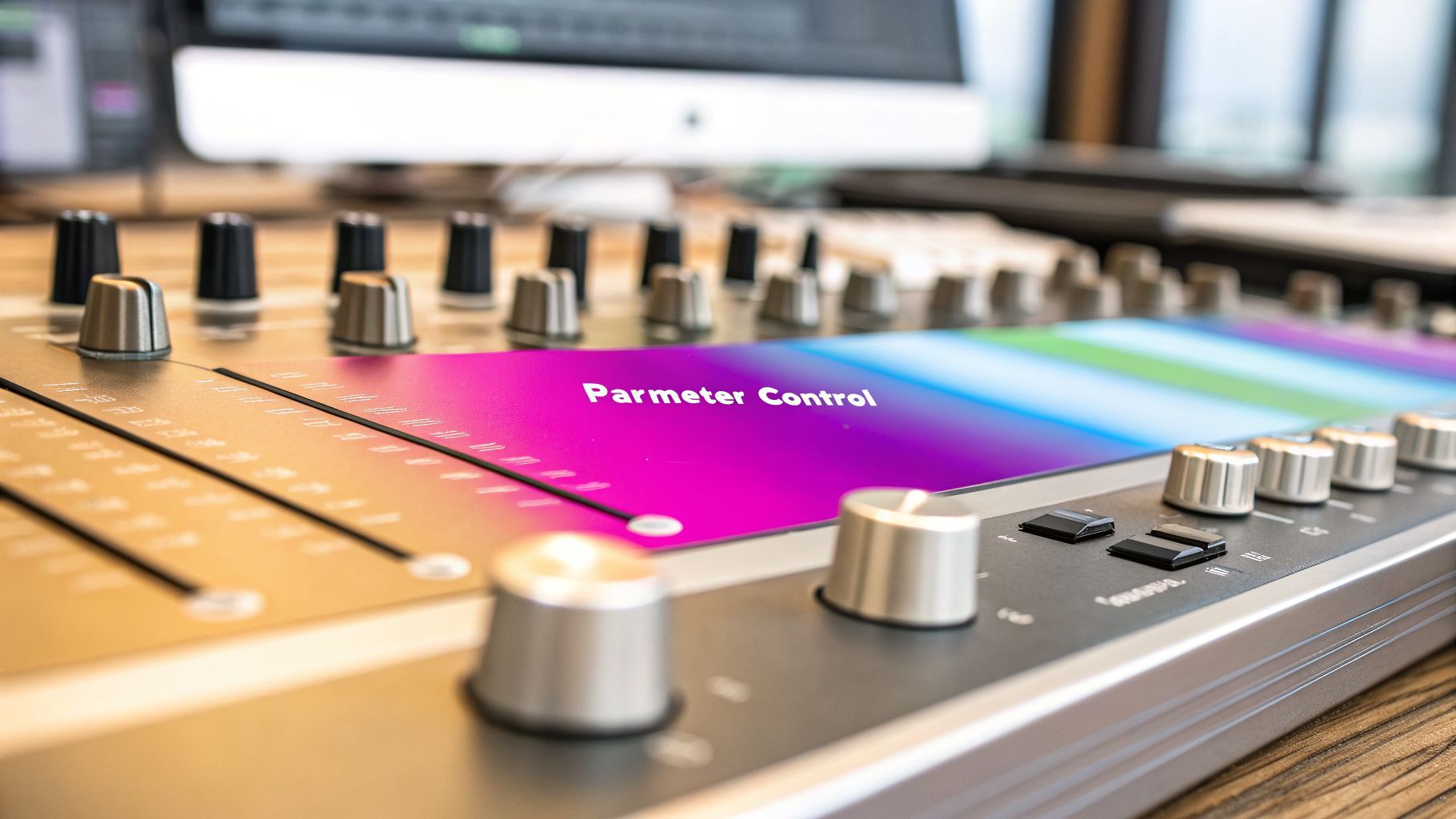
I like to think of it like walking into a professional audio mixing studio. You’re faced with a giant console covered in faders, knobs, and buttons. If you don't know what you're doing, it's overwhelming. But a producer sees an instrument for creating a masterpiece. Each control adjusts something specific—bass, treble, reverb, the volume of a single guitar.
Parameter control in AI image creation is your mixing board. Every setting is a tool to fine-tune the final image, giving you the power to adjust the composition, mood, and style with incredible precision.
This is exactly why we built Bulk Image Generation. We wanted to give you the ultimate creative studio but make it feel less like coding and more like a natural part of your workflow.
Why Parameter Control Matters
Good parameter control is the difference between hoping for a great image and actually designing one. It's absolutely critical for any professional work where you can't leave things to chance.
- Consistency: Need to create a whole campaign with the same visual style? That’s parameter control.
- Precision: Got a product with a specific brand color or a character that needs to look the same every time? That’s parameter control.
- Efficiency: Tired of endless trial-and-error? Getting the exact visuals you need on the first few tries saves a massive amount of time.
Once you start managing these digital ingredients, you're not just a user anymore—you're a creator. You can build entire visual worlds, develop characters for a story, or generate a full catalog of on-brand product shots. It all starts with mastering the art of parameter generation and control.
Deconstructing the Prompt: Your Image Blueprint

If you think of parameters as all the individual ingredients, your text prompt is the master recipe. But honestly, it's more than that. It's the full architectural blueprint that tells the AI exactly what to build, how to build it, and what it should feel like when it’s done.
Getting good at this part of parameter generation and control is the single biggest leap you can make. It’s how you go from getting random, hit-or-miss images to predictable, professional-quality results every single time. You're basically painting a picture with your words before the AI ever gets started.
The Anatomy of a Powerful Prompt
To get a better image, you need to build a better blueprint. A vague request like "a car" is a recipe for a generic, uninspired picture. But a detailed, structured prompt is what leads to something you can actually use.
Think about breaking your vision down into these core building blocks:
- Subject: What’s the star of the show? Get specific. Don't just say "person." Try "an elderly fisherman with a weathered face and a thick grey beard."
- Artistic Style: What's the vibe? This is a game-changer. Words like "photorealistic," "oil painting," "3D render," or "anime style" will give you wildly different results.
- Lighting: How is the scene lit? Swapping "bright daylight" for "dramatic golden hour lighting" or "neon city glow" completely transforms the mood and tells a different story.
- Composition: How is everything arranged? Use camera terms. Are you looking for a "close-up shot," a "wide-angle landscape," or a "symmetrical portrait"? Guide the AI's lens.
When you combine these, you're not just giving commands; you're providing true artistic direction. "A close-up photograph of an elderly fisherman with a weathered face, dramatic golden hour lighting" is a world away from "old man." For a deeper dive into crafting prompts that work, the resources on Mastering Prompt Engineering are a goldmine.
Telling the AI What to Avoid
Sometimes, what you don't want is just as important as what you do. This is where negative prompts become your best friend. A negative prompt is simply a list of things you want the AI to stay away from.
Think of negative prompts as the guardrails for your creativity. They help you steer the AI away from common flaws or unwanted elements, ensuring the final image is clean, professional, and aligned with your vision.
For example, if your images keep turning out fuzzy, adding -blurry, -out of focus to your negative prompt can work wonders. If you're creating photorealistic people, you might use -cartoon, -animation, -extra fingers to avoid those classic AI quirks.
This level of fine-tuning is crucial for getting polished, usable assets. If you're struggling to find the right words, a free AI image prompt generator can be a fantastic way to kickstart your creativity and see how different instructions come together.
Taming the AI: How Seed and Variance Control Your Results
You've crafted the perfect prompt, but every time you hit ‘generate,’ you get something completely different. Sound familiar? One image is almost perfect, the next is a total dud. This is where you move beyond just the prompt and start really directing the AI.
To get control over this chaos, you need to master two of the most important dials in your AI toolkit: Seed and Variance. Getting these right is the secret to balancing wild creativity with the consistent, reliable images you need for a real project.
Seed: Your Creative Fingerprint
Think of the Seed parameter as the unique DNA or "creative fingerprint" for an image. It’s a number the AI uses as the random starting point for the generation. If you don't set one, the AI just picks a number at random—which is why you get a new, unpredictable result every single time.
But here's the magic: if you use the same prompt and the same Seed number, you lock in that starting point. This forces the AI to produce an image with the same core composition, style, and subject. You get an almost identical result, every single time.
This is how the pros create a consistent series of visuals.
Imagine you generate a fantastic image of your new brand mascot, but it’s not quite perfect. By saving and reusing that Seed number, you can tweak the prompt—maybe put the mascot in a new setting or change its expression—while keeping its core look identical.
This is a game-changer for:
- Character Consistency: Keeping a character looking the same across dozens of images for a game or story.
- Branding Cohesion: Making sure your ad campaign visuals all share the same style and feel.
- A/B Testing: Creating tiny variations of an ad to see which one gets more clicks, without changing the entire composition.
Reusing a seed gives you a stable canvas to work on. It’s the key to getting predictable, professional results at scale.
Variance: The AI's Creative Leash
If the seed is the starting point, Variance (sometimes called Temperature) is the creative leash. It tells the AI how much it's allowed to experiment and stray from your prompt.
A low variance setting keeps the AI on a tight leash. It will stick very closely to your instructions, producing a predictable image. A high variance setting lets the AI off the leash, encouraging it to explore wild, artistic, and unexpected interpretations.
Let's say your prompt is "a photorealistic cat sitting on a windowsill."
With low variance, you'll get exactly that: a normal, realistic-looking cat on a windowsill. It's safe and reliable.
But if you crank the variance way up, you might get a cat made of swirling galaxies or a windowsill that looks like it's melting in a surrealist painting. Neither is wrong—it just depends on what you're trying to achieve.
Choose low variance when you need predictable, commercial-grade images like product photos or simple illustrations.
Use high variance when you’re brainstorming, looking for artistic inspiration, or just want to create something totally unique that will stop people from scrolling. Learning to balance seed and variance is a fundamental skill for moving from a casual user to a power user.
Once you’ve locked down your main idea and found a seed you like, you're ready to start refining. This is where you move from broad strokes to surgical precision, using parameter generation and control to tell the AI exactly what matters most. Think of it as the difference between giving a sketch artist a general description and pointing out the specific details you want them to get just right.
Two of the most powerful tools for this are prompt weights and aspect ratios. They give you a much deeper level of command over the final image.
Using Weights to Emphasize Key Details
So, what are prompt weights? Imagine you have a set of dials for every word or phrase in your prompt. By turning a dial up, you're telling the AI, "This part is non-negotiable. Pay extra attention here." It's a simple but incredibly effective way to make sure crucial details don't get lost in the creative shuffle.
Let's say your prompt is "a cyberpunk hacker with glowing blue eyes, wearing a leather jacket." The AI might generate a fantastic image but give the hacker brown eyes. It happens. Instead of rolling the dice again, you can just add weight to "glowing blue eyes." This forces the AI to prioritize that specific detail, guaranteeing your hacker has the right look every single time.
This technique is a game-changer for:
- Brand Accuracy: Ensuring a specific logo or brand color is rendered perfectly.
- Character Design: Highlighting a unique scar, a particular hairstyle, or a signature accessory.
- Artistic Focus: Drawing the viewer's eye to a key element in a busy scene to create a clear focal point.
Just like a film director tells an actor which line to deliver with more passion, prompt weights let you direct the AI’s focus. It’s this granular control that elevates a good image into a great one.
The need for precise control isn't new; it's been the foundation of technical innovation for decades. A company called Parameter Generation & Control was actually founded way back in 1977 to build systems that delivered exact temperature and humidity conditions for sensitive industrial applications. It’s a great reminder that achieving reliable, predictable outcomes has always been about mastering the inputs—a principle that's now at the heart of digital creation.
Shaping Your Canvas with Aspect Ratios
Beyond the details inside the image, the very frame it sits in—the aspect ratio—has a massive impact on its composition and feel. An aspect ratio is just the proportional relationship between an image's width and its height, but it's a fundamental creative decision, not just a technical one.
A cinematic 16:9 ratio tells a completely different story than a square 1:1 ratio designed for an Instagram grid. A tall, skinny 9:16 is built for mobile-first platforms like Instagram Stories or TikTok, guiding the viewer's eye up and down.
This is where the idea of balancing consistency with creativity really comes into focus. You start with a seed to establish a stable foundation, then use other parameters to explore variations without losing your core concept.

As the flow diagram shows, a fixed seed acts as an anchor for consistency. From there, you can introduce creative variance with confidence, knowing you can always return to a predictable starting point.
Picking the right aspect ratio from the get-go ensures your image is perfectly composed for its final destination. No more awkward crops or losing important details off-screen. To make this dead simple, we built an aspect ratio calculator for AI images to help you find the perfect dimensions for any use case. By mastering both weights and aspect ratios, you’re not just generating images; you're directing them.
Scaling Up: How to Manage Parameters for Bulk Image Generation
Nailing that one perfect image is a great feeling. But what happens when the brief isn't for one image, but for 100 on-brand product mockups due by morning? Or 50 unique social media posts for a new campaign launch?
Suddenly, tweaking parameters one by one goes from a creative process to a soul-crushing bottleneck. This is where you have to shift your thinking from crafting a single masterpiece to running a full-scale production line.
The real power move in AI imagery is mastering bulk parameter management. Instead of wrestling with individual settings, you define a single, high-level creative goal and let the AI do the heavy lifting, spinning up hundreds of unique variations for you. It's the only way for marketers, e-commerce brands, and busy creators to keep up.
From One to Many with Smart Automation
Modern AI tools are built for exactly this challenge. You can stop fussing with one perfect prompt and start thinking bigger. For example, you could ask for: "100 different flat-lay photos of artisanal coffee bags on a rustic wooden table, with varied lighting and props like coffee beans and steaming mugs."
The system takes that one request and intelligently gets to work. It automatically juggles parameters like the seed, composition, and small prompt details to give you a diverse set of images that all hit the same core creative target.
This is the kind of workflow that turns hours of tedious work into a few clicks. The dashboard becomes your command center for managing huge batches of images all at once.

A good batch editor lets you see all your variations at a glance and apply changes across the entire set instantly.
The Magic of Batch Processing
The efficiency doesn't stop once the images are generated. With a powerful batch editor, you can apply post-production changes to an entire image set with a single command. It's a massive time-saver.
Think about common tasks like:
- Background Removal: Instantly strip the background from dozens of product shots, getting them ready for your e-commerce store in seconds.
- Resizing & Cropping: Automatically reformat an entire campaign's worth of images for different social platforms, like square Instagram posts and vertical Stories.
- Global Enhancements: Apply the same filter, color correction, or stylistic tweak across every visual to lock in brand consistency.
Bulk parameter management isn't about getting a hundred identical images. It’s about creating controlled diversity at scale—giving you a rich library of unique, on-brand visuals in a fraction of the time.
This idea—using smart control to boost efficiency—isn't new. In the world of high-precision engineering, Parameter Generation & Control's patented two-temperature method delivered incredible accuracy in environmental testing while slashing maintenance costs by 40-60%. In the same way, our bulk generation features can easily cut your manual editing time in half. It proves that intelligent parameter generation and control is the secret to productivity, whether you're managing climate chambers or creative campaigns.
By embracing these scalable workflows, you can finally generate content at the speed your business demands. To see these principles in action, check out our deep dive on the Bulk Social Media Image Generator. It's time to ditch the repetitive tasks and get back to focusing on the big creative picture.
Your Top Questions About AI Parameter Control
As you start tweaking knobs and pulling levers in the AI image world, questions are bound to pop up. It happens to everyone. Here are some quick, no-nonsense answers to the most common questions I hear, drawn from countless hours spent wrangling these very same settings.
What’s the First Thing a Beginner Should Master?
If you're just starting out, forget everything else and focus on one thing: the text prompt. Seriously. Before you get lost in seeds, weights, or variance, your biggest wins will come from learning to describe exactly what you want to see.
Get specific. Think about the subject, yes, but also the environment, the artistic style, the lighting, even the mood. A well-written prompt solves over 80% of creative problems before they even start. Mastering this is the foundation for everything else.
How Do I Get Consistent Images for My Brand?
For brand consistency, the Seed parameter is your new best friend. Think of the seed as the unique starting point for an image. If you use the same seed number with a similar prompt, the AI will produce images with a strikingly consistent style, composition, and even character design.
For instance, let's say you stumble upon a seed that generates your brand’s mascot perfectly. You can lock in that seed number and reuse it to create that same mascot in a dozen different scenarios, from holiday posts to product announcements. This is how you build a cohesive look across all your marketing.
It's a simple trick, but it's absolutely vital for creating a professional and recognizable brand identity.
Why Don’t My AI Images Look the Way I Pictured?
We've all been there. You have a crystal-clear image in your head, but the AI gives you something... else. When your results feel off, it's almost always a parameter issue. Here’s my go-to checklist:
- Check Your Prompt: Is it too vague? Try adding more descriptive words about the subject, the style, and the background. The more detail, the better.
- Use Negative Prompts: Tell the AI what you don't want to see. Adding simple terms like
-blurry, -extra limbs, -textcan instantly clean up a huge number of common AI glitches. - Adjust the Variance: If the images are too wild and chaotic, dial down the "Temperature" or "Variance" setting for a more predictable result. If they’re too boring, crank it up a bit to encourage more creativity.
Making tiny adjustments to these settings is the fastest way to learn how to steer the AI toward your vision. You'd be surprised how much of a difference a small tweak can make.
Can I Control Parameters for Hundreds of Images at Once?
Absolutely, but trying to do it manually is a recipe for a headache. This is exactly why bulk creation tools exist. Adjusting parameters one by one for hundreds of images just isn't realistic.
With a platform built for scale, you can give the AI a single goal—like "Generate 100 images of different healthy meals for a fitness blog"—and it will intelligently adjust the parameters to create a diverse set of images that still feel like they belong together.
Later, you can use batch editors to apply changes to all of them at once, like resizing for social media or removing backgrounds, saving yourself hours of tedious work. If you want to dive deeper into automating these kinds of creative workflows, learning how to use AI creative automation platforms is a game-changer. It lets you stop focusing on tiny adjustments and start thinking about the bigger creative picture.
Ready to stop wrestling with individual images and start producing visuals at scale? With Bulk Image Generation, you can generate hundreds of on-brand images in seconds. Describe your goal, and let our AI handle the complex parameter generation and control for you. Try it now and see how easy it is to scale your creativity. Learn more at https://bulkimagegeneration.com.
