Make illustration from photo: AI Techniques to Transform Photos into Art

Ryan Bennett • February 2, 2026
Learn how to make illustration from photo using AI to turn ordinary pictures into striking artwork for branding, marketing, and creative projects.
Turning a photo into a unique illustration used to be a serious undertaking. Now, with AI, it’s easier than ever. You can transform your existing images into just about any artistic style you can imagine, all without needing to master complex design software. This opens up a ton of creative doors for everyone from marketers to hobbyists.
Why AI Is Your New Creative Partner
Imagine taking a standard product photo and, in a few moments, generating a dozen illustrated versions for an ad campaign. That’s the new reality. AI tools have essentially removed the traditional roadblocks of technical skill and time, giving you a direct path from a simple idea to a finished piece of art.
Instead of spending hours meticulously tracing lines or trying to get the hang of digital brushes, you can now guide an AI with a few simple text prompts. This is a complete game-changer for small businesses, social media managers, and really anyone who needs high-quality visuals on a tight deadline.
This shift is creating huge demand for tools that make creating illustrations from photos feel effortless. The global AI image generator market was already valued at USD 299.295 million in 2023 and is on track to hit USD 917.448 million by 2030. That growth is being fueled by businesses that need to create visual assets at scale for their marketing and design efforts.
The Core Benefits of AI Illustration
The real magic here is in the speed and versatility. An AI can look at your source photo, listen to your text commands, and churn out a huge range of artistic styles. This process makes it incredibly easy to experiment and produce content quickly, which is exactly what modern content creation demands.
Here’s where it really shines:
- Accessibility: You don't need advanced design skills. If you can write a sentence, you can create an illustration.
- Speed: Forget hours or days. You can generate dozens of unique images in minutes.
- Scalability: This is perfect for big projects that need a large volume of consistent visuals, like social media content or brand assets.
- Creative Exploration: Test out different styles on the fly—from minimalist line art to vibrant watercolor—to find the perfect look without any commitment.
As you start to see how AI can reshape your creative workflow, it’s worth checking out the broader landscape of powerful AI image tools for visual content creation that are available today.
The real power of using AI to make an illustration from a photo isn't just about saving time; it's about unlocking creative possibilities that were previously out of reach for non-designers. It truly democratizes visual storytelling.
Ultimately, these tools act as your creative partner. They handle all the heavy technical lifting, leaving you free to focus on the artistic vision. You can even get a glimpse of what's coming next by reading our article on AI image generation trends for 2025.
Choosing the Right Photo for AI Illustration
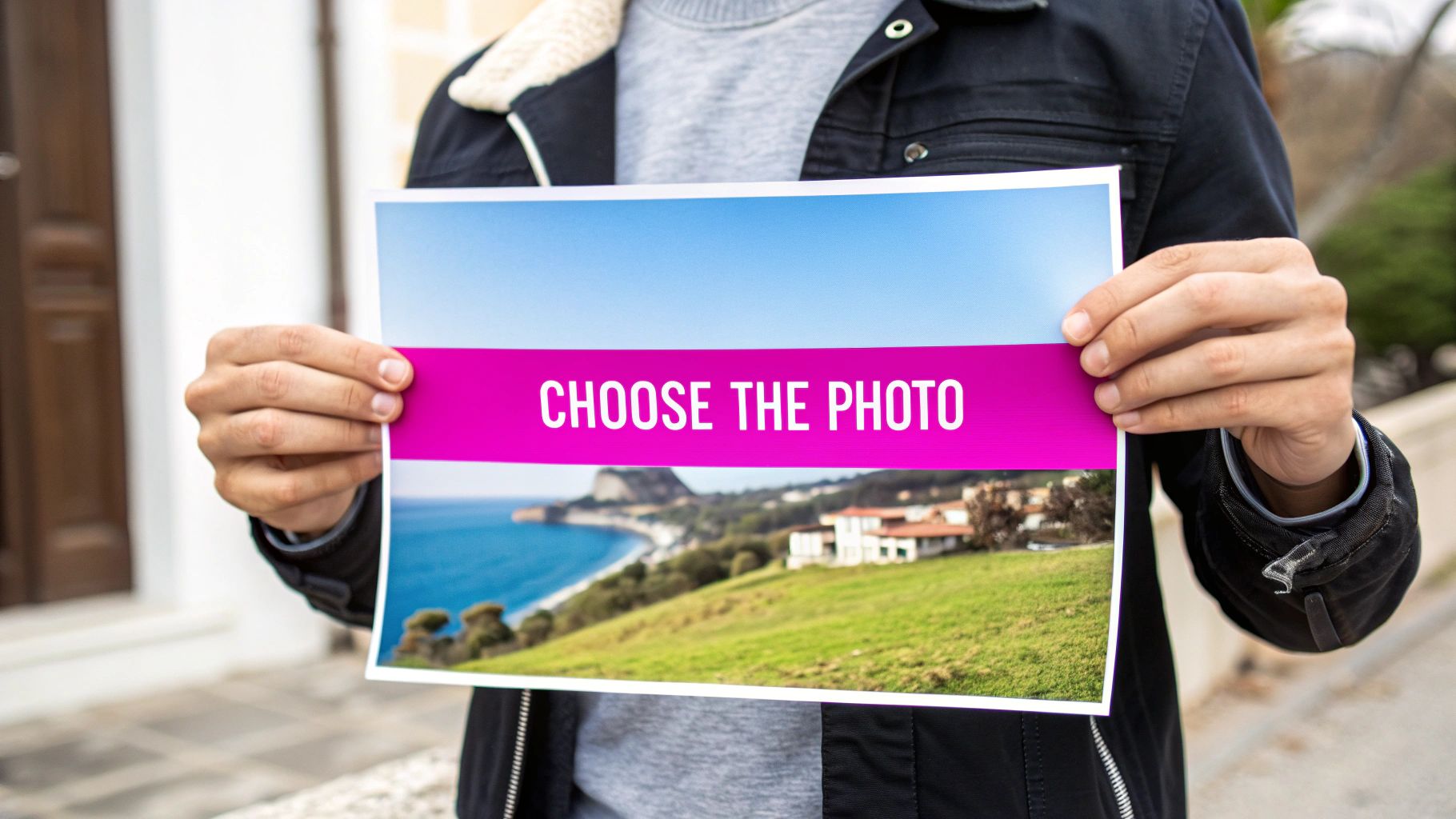
The final illustration is only ever as good as the photo you start with. It's a classic "garbage in, garbage out" situation. An AI can pull off some incredible transformations, but your source image is the single most important instruction you give it. Think of it like a blueprint for a building—a shaky foundation guarantees a wobbly result.
To get the AI to create something you'll actually want to use, you have to feed it clean, understandable data. This really just means picking images where the subject is the undeniable hero of the shot. It doesn't matter what method you use; getting the starting image right is a universal rule, something echoed in pretty much any guide on how to turn photos into art.
Focus on Clarity and Composition
The best photos for this kind of work almost always share a few key traits. They're high-resolution, well-lit, and have a subject that pops right out from the background. If you feed the AI a blurry, dark photo with a chaotic background, it’s going to get confused, and you’ll get a muddy, weird-looking illustration back.
Before you even think about uploading, run through this quick mental checklist:
- High Resolution: Always start with the biggest, sharpest version of the image you have. More pixels give the AI more information to work with, which translates directly to more detail in the final piece.
- Clear Subject: The person, object, or pet you’re illustrating needs to be in crisp focus. If your subject is blending into a busy background, the AI will struggle to separate the two.
- Good Lighting: Strong, even lighting without crazy shadows helps the AI understand all the shapes, textures, and details. It makes its job way easier.
Here's a little trick I use: Squint your eyes and look at the photo. Is the main subject still totally obvious? If the answer is yes, you've probably got a winner.
Nailing this selection process is the most effective thing you can do. It saves you from the headache of endlessly tweaking prompts later on to fix a problem that started with the source image.
Simple Edits Before You Generate
You don't need to be a Photoshop pro to prep your image. Seriously, a few dead-simple tweaks can make a massive difference in the quality of your AI-generated artwork. These little preparations just help guide the AI’s attention and remove potential distractions.
A quick crop can work wonders. It instantly gets rid of junk in the background and puts your subject right where it needs to be—front and center. Bumping up the contrast a tiny bit can also help the subject pop, creating a cleaner line for the AI to trace.
We’re not talking about complex edits here. Most of this can be done in seconds using the free, basic photo editor on your phone or computer. Taking that extra 60 seconds is a small step that pays off big time.
Writing Prompts That Bring Your Vision to Life
Think of your text prompt as a direct conversation with the AI. You're not trying to find some secret code—you're giving clear, creative directions. If you just toss in a vague request like "make this photo an illustration," you're going to get something generic and uninspired back. The real magic happens when you craft specific instructions that steer the AI toward the exact vision in your head.
There’s a pretty simple formula for building a great prompt. By combining a few key elements, you can take full control of the output and consistently make illustrations from photos that actually look like what you imagined. It’s a straightforward method that works almost every time.
This combination of AI muscle and focused human creativity is a huge deal for anyone in branding or social media. In fact, the AI image generator market is expected to balloon from USD 9.10 billion in 2024 to an incredible USD 63.29 billion by 2030. That growth is all about the demand for tools that can turn product photos into eye-catching illustrative ads, fast and at scale. You can read more about these market trends and the future of AI-driven design on marknteladvisors.com.
The Four Pillars of a Perfect Prompt
To get predictable, high-quality results, I always build my prompts around four essential components. Each one adds another layer of detail, giving the AI a much clearer picture of what I want it to create.
- Style: This defines the whole artistic vibe. Are you going for a "flat vector illustration," a "vibrant watercolor painting," or maybe some "retro comic book art"? Be specific.
- Subject: Tell the AI what the main focus is. Even though you’re using a reference photo, restating the subject—like "a friendly dog mascot" or "an Italian coastline"—helps the AI prioritize it correctly.
- Artistic Details: Now, add the descriptive words that nail down the mood. Think in terms of "warm tones," "minimalist lines," "dynamic lighting," or a "soft pastel palette."
- Negative Qualities: This is just as important. Tell the AI what you don't want. Adding
--no text, --no blur, ugly, deformedhelps clean up the final image by steering the AI away from common glitches.
Putting these pieces together gives you a prompt that’s both descriptive and precise. It's the difference between asking for "a drawing" and requesting a "Flat vector illustration of a friendly dog mascot for a startup logo, clean lines, bright colors --no shadows." See the difference?
Practical Prompt Examples
Let's see how this formula plays out in a couple of real-world scenarios. Say you have a great photo of your dog and want to turn it into a brand asset. Or maybe you've got that perfect vacation snapshot you want to transform into wall art.
Scenario 1: From Pet Photo to Mascot
- Photo: A clear, well-lit picture of a golden retriever.
- Goal: Create a simple, friendly logo for a new pet company.
- Prompt: Flat vector illustration of a happy golden retriever, simple shapes, brand mascot, white background --no complex details, --no text.
Scenario 2: From Travel Photo to Painting
- Photo: A landscape shot of a beach at sunset.
- Goal: Generate a piece of art with a warm, dreamy feel.
- Prompt: Vibrant watercolor painting of a serene beach at sunset, warm tones, soft glow, impressionistic style --no people, --no boats.
Choosing the right style keywords is probably the most important part of this whole process. It sets the entire mood and technical execution for your illustration. Here’s a quick breakdown of some popular styles and when to use them.
Illustration Style Prompts and Use Cases
| Illustration Style | Key Prompt Words | Best For |
|---|---|---|
| Flat Vector | flat vector, simple shapes, 2D, clean lines, solid colors | Logos, icons, brand mascots, and UI elements. |
| Watercolor | watercolor painting, soft wash, wet-on-wet, vibrant hues | Art prints, greeting cards, and editorial illustrations. |
| Retro Comic Book | retro comic art, halftones, bold outlines, Ben-Day dots | Posters, t-shirt designs, and edgy social media graphics. |
| Isometric | isometric illustration, 3D view, clean, technical drawing | Infographics, tech explainers, and SaaS website graphics. |
| Line Art | minimalist line art, single line, continuous line, black and white | Tattoos, minimalist branding, and elegant web design. |
| Gouache | gouache painting, opaque, matte finish, layered colors, textural | Children's book illustrations and vibrant, story-driven art. |
Getting a feel for these different styles will unlock a ton of creative potential.
This structured approach really takes the guesswork out of the equation. It lets you direct the AI with confidence, making sure the final illustration lines up perfectly with what you had in mind. If you're ever stuck for ideas, playing around with a free AI image prompt generator can be a great way to find some fresh inspiration.
Scaling Your Creativity With Bulk Generation
Creating a single, stunning illustration is satisfying, but modern projects almost never stop at one. If you're running a social media campaign, developing brand assets, or A/B testing ad creative, you need volume and variety. This is exactly where creating illustrations one-by-one turns into a massive bottleneck.
The real power of bulk generation is its ability to multiply your creative output from a single starting point. You can upload one photo, write one solid prompt, and let the AI generate dozens of unique but stylistically consistent variations in a single go. This lets you explore multiple artistic directions at once without all the repetitive manual work.
This kind of efficiency is a huge reason the generative AI market is exploding. The sector, which includes powerful image tools, hit USD 53.7 billion in 2025 and is projected to reach an incredible USD 988.4 billion by 2035. Image generation is a massive piece of that growth, especially for businesses that need to make illustrations from photos for product mockups or social media content at scale. You can dig into the numbers in this generative AI market analysis from gminsights.com.
The Power of Batch Processing
Getting the images is only half the battle. Efficiency comes from managing them as a complete set. Imagine you’ve just generated 50 illustrations for an Instagram campaign. Now picture having to remove the background or resize every single one individually. It’s tedious, soul-crushing work that kills your creative momentum.
This is where batch editing tools are a game-changer. They let you apply the same changes across your entire collection of images all at once.
- Background Removal: Instantly strip the backgrounds from dozens of product illustrations, giving you clean, transparent PNGs for your e-commerce site.
- Resizing and Cropping: Prep an entire image set for different platforms in one click—think square posts for the Instagram grid and vertical crops for Stories.
- Uniform Enhancements: Apply the same color correction or sharpness filter to a whole batch to keep your visual identity tight and consistent.
By combining bulk generation with batch editing, you’re not just making images faster—you’re building a complete, streamlined workflow. A project that might have taken a few days can now be knocked out in an afternoon.
The foundation for any good bulk run is a strong prompt. This simple flowchart breaks down the core components.
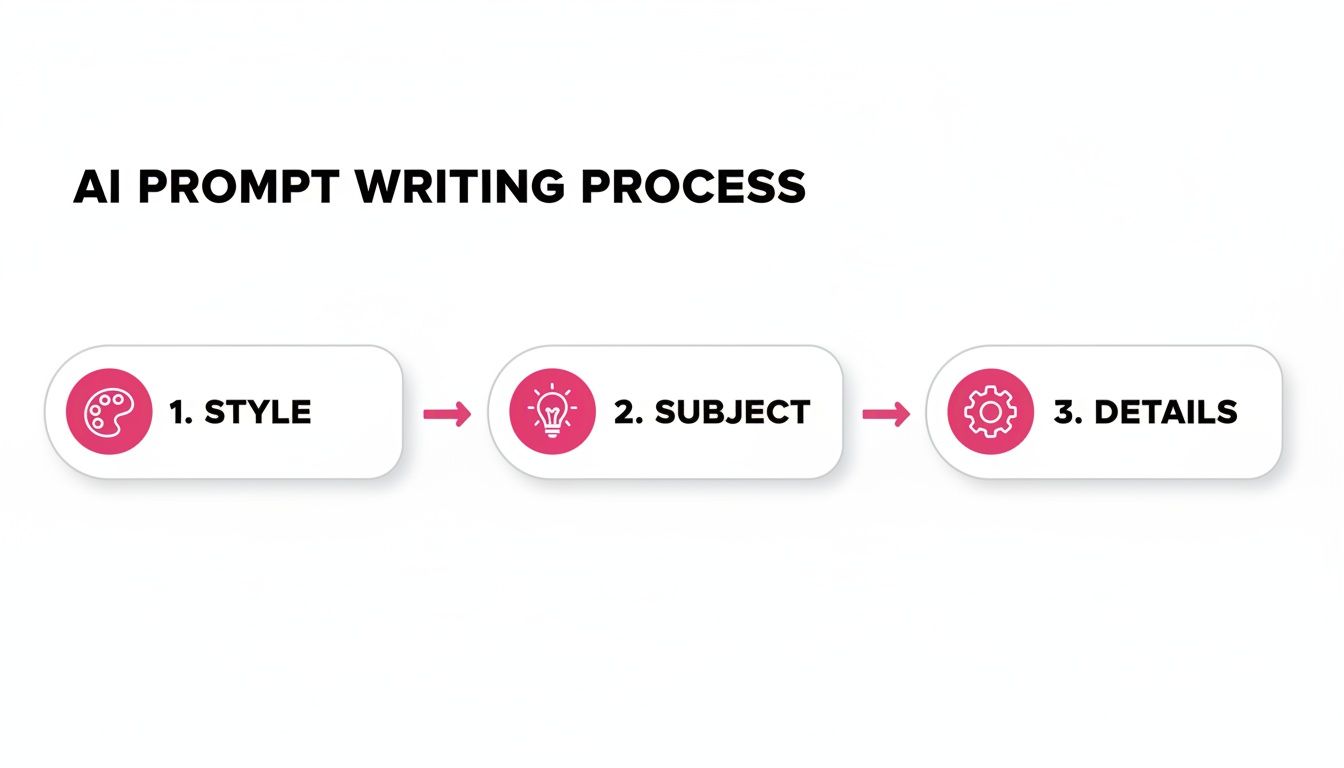
As you can see, a great prompt is just a simple recipe: combine the right style, subject, and details to give the AI precise instructions.
Real-World Bulk Generation Scenarios
So what does this look like in practice? Let's talk about a real project.
Take a small business owner prepping for a holiday sale. They have one good photo of their main product. Using bulk generation, they could create an entire suite of promotional assets in no time.
- Generate 20 variations in a "festive watercolor style" for their email newsletters.
- Produce another 20 in a "clean, minimalist line art style" for social media posts.
- Use batch editing to add a branded watermark to the entire set instantly.
This approach gives them plenty of fresh, engaging content while ensuring everything stays on-brand. For social media managers looking to dive deeper, our guide on using a bulk social media image generator offers more targeted strategies.
Ultimately, this workflow shifts your focus from tedious production to high-level creative strategy, freeing you up to experiment and scale your best ideas without getting bogged down.
Adding the Final Polish to Your AI Artwork
The AI gets you remarkably close to a finished piece, often handling about 95% of the creative work. That final 5%, though? That’s where your human oversight transforms a good image into a great one. These last touches are what truly refine and perfect your artwork, making it ready for any professional use case.
You don't always need to jump over to complex external software like Photoshop for minor tweaks. Many AI platforms, including our own, now come with integrated editing tools that are perfect for these subtle but impactful adjustments. They’re designed to handle the most common post-generation needs quickly and efficiently.
For instance, when you create illustrations of people, getting consistent facial features across a batch can be tricky for any AI. A quick touch-up using an integrated face enhancement tool can fix minor oddities, ensuring your characters look right every time. It’s a small step that adds a huge layer of professionalism.
Upscaling and Refining Your Illustrations
One of the most crucial final steps is making sure your image resolution is high enough for its intended use. An illustration that looks sharp on a screen can turn into a pixelated mess in print. This is where upscaling tools become your best friend.
An AI upscaler intelligently increases the resolution of your illustration—often by 2x or 4x—without sacrificing clarity. Instead of just stretching pixels, it actually adds new detail, making your artwork crisp and print-ready.
Don't even think about skipping the upscaling step if you plan to print your work. A low-resolution illustration can undermine the quality of your entire project, whether it's for a brochure, a poster, or some new merch.
Beyond just the resolution, take a moment to scan the finer details. See any small artifacts or slightly distorted elements? Tools like inpainting or object removal are perfect for cleaning up these minor imperfections. This final quality check is what ensures your end result is polished and free of those tell-tale AI glitches.
Choosing the Right File Format for Export
Once your illustration is looking perfect, the last decision is what file format to export it as. This choice directly impacts the image quality, file size, and how it can be used. It's definitely not a one-size-fits-all situation; the best format depends entirely on what you're using it for.
Here’s a simple guide to the three most common formats:
- JPG (JPEG): This is your go-to for web graphics, social media posts, and any digital use where you need to keep file sizes small. JPGs use compression to help websites load fast. The trade-off is that it’s a "lossy" format, meaning a tiny bit of quality is lost each time you save.
- PNG: Go with PNG when you absolutely need a transparent background. This is a must for logos, icons, or any illustration that will be layered over other images or colored backgrounds. PNGs use "lossless" compression, preserving every single detail without any quality drop, though this means the files are a bit larger.
- SVG: While less common directly from AI generation, Scalable Vector Graphics are the gold standard for logos and simple graphics that need to be resized infinitely without getting blurry. If your platform has an option to convert simple illustrations to SVG, it’s a fantastic choice for branding assets.
Making the right choice here ensures all your hard work pays off and your polished artwork looks its best, no matter where it ends up.
Common Questions About Turning Photos into AI Illustrations
When you first start turning photos into illustrations with AI, a few questions almost always come up. Getting them answered early can save you a ton of headaches and help you get from a simple photo to a polished illustration much faster.
I've pulled together the most common ones I hear to give you some direct, practical advice. Think of this as your go-to cheat sheet for navigating the little bumps you might run into along the way.
Can I Use Any Photo to Create an Illustration?
Technically, yes, but should you? Absolutely not. While AI is incredibly flexible, the quality of your starting photo is the single biggest factor in your success. A blurry, low-res, or cluttered image is going to confuse the AI, leaving you with muddy, weird, or just plain inaccurate results.
For the best possible outcome, always start with a clear, well-lit image where the subject is easy to identify. It's a simple rule that pays off every single time. If you're illustrating a person, make sure their face is visible and in sharp focus. For products, a clean, simple background helps the AI know exactly what to transform.
How Do I Keep My Illustrations Consistent?
Consistency is king, especially when you're creating a set of assets for a brand or a specific project. The secret isn't complicated: it all comes down to reusing your core prompt structure and settings. Once you nail a formula that works, stick with it.
To get that cohesive look across multiple images:
- Lock in your style. If your brand's style is "minimalist line art, monochrome palette," make that the non-negotiable start of every single prompt.
- Reuse your negative prompts. Consistently telling the AI what to avoid (like
--no text, --no blur) is just as important for maintaining a clean, uniform output. - Lean on the 'seed' number. Many platforms let you use a seed number. Reusing the same seed with the same prompt can produce remarkably similar, sometimes identical, results.
Honestly, the most efficient way to guarantee consistency is to use a bulk generation feature. Generating an entire batch from one photo and one prompt is the fastest path to a set of perfectly cohesive, on-brand illustrations.
What Are the Limitations of These AI Tools?
It's crucial to remember that AI is a powerful assistant, not a mind-reading artist. It has a few well-known quirks you should be aware of. For instance, AI can famously struggle with rendering hands, generating legible text, or perfectly replicating intricate logos. Don't be surprised if it gets these wrong on the first try.
The AI might also misinterpret extremely abstract ideas or get tripped up by unusual compositions. The key is to see it as an iterative process. Your first attempt probably won't be perfect, and that’s totally normal. Tweak your prompts, generate a few options in a batch to see what works best, and don't be afraid to use integrated editing tools to clean up minor flaws. Think of it less as a command and more as a collaboration between your vision and the AI's capabilities.
Ready to turn your photos into incredible illustrations at scale? With Bulk Image Generation, you can create hundreds of unique, high-quality visuals in seconds. Stop wasting time on manual edits and start building your creative assets the smart way. Get started for free today!
