Create Stunning Image Pop Art in Bulk With AI

Ryan Bennett • February 14, 2026
Learn how to generate captivating image pop art in minutes. Our guide covers AI prompts, batch editing, and practical templates for social media and products.
Pop Art has always been about mass production. It took everyday things like soup cans and comic book panels and turned them into high art. Now, that same spirit is getting a massive upgrade with AI, letting anyone create hundreds of unique, vibrant image pop art visuals in a flash.
This guide is all about channeling that mass-production energy, but with modern tools that skip the need for complicated software.
Bringing Pop Art Into The Digital Age With AI
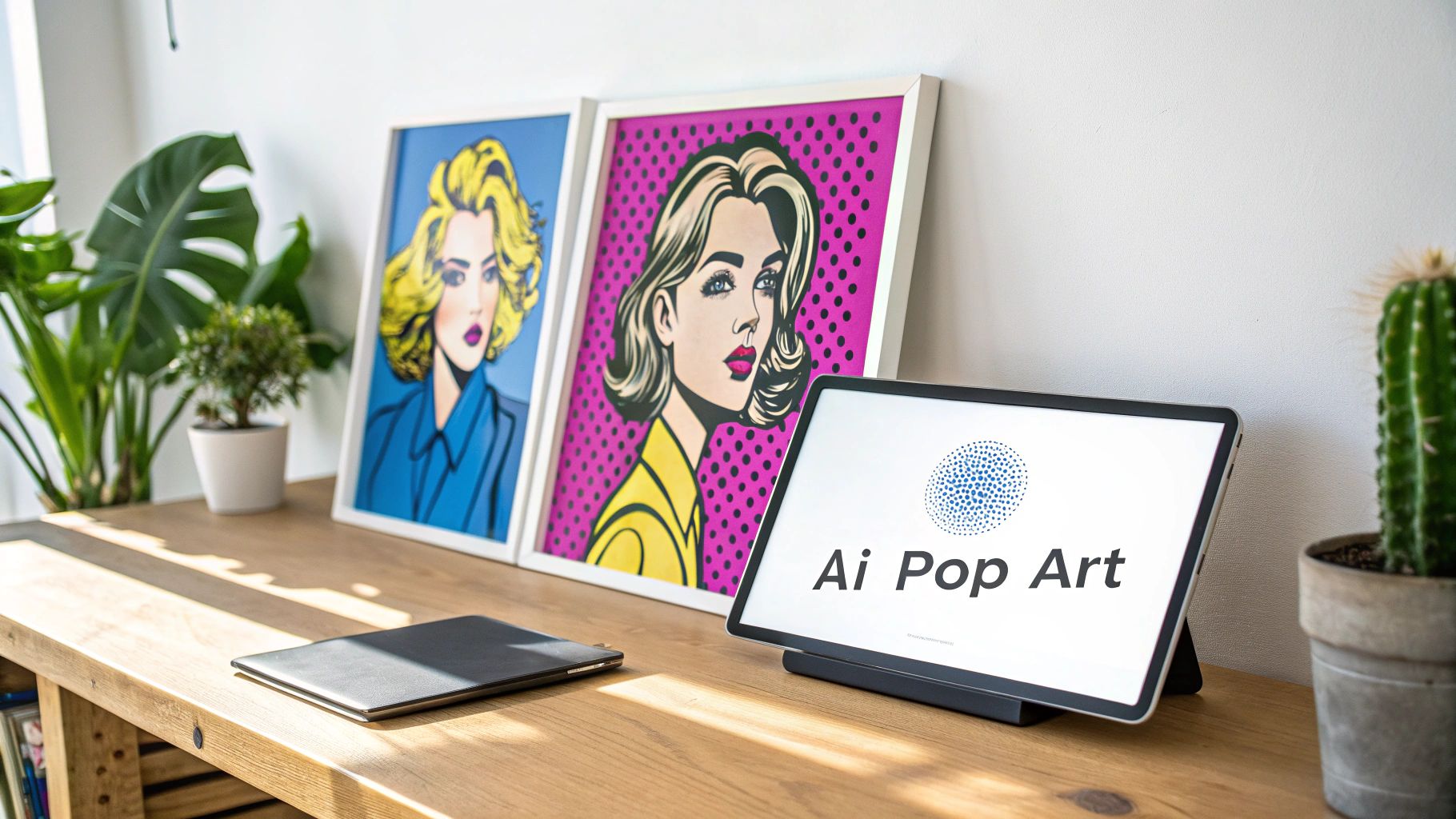
Back in the mid-1950s, Pop Art was a rebellious shout against the stuffy, abstract art world. Artists like Andy Warhol, with his iconic 1962 Campbell's Soup Cans, and Roy Lichtenstein, known for blowing up comic strips, made art accessible. They pulled inspiration from Hollywood, advertising, and even the grocery store aisle.
That same idea of mass reproduction is exactly what's happening today with AI. We can now generate 100 unique images in under 20 seconds—it’s like a digital-age silkscreening process. But instead of a messy print shop, all you need is a simple text prompt to get the job done on a huge scale.
Why AI Is a Game Changer for Pop Art
Honestly, AI just tears down the barriers. You no longer need to be a Photoshop wizard or a design guru to bring your ideas to life. You can create a whole gallery of stunning, commercially-ready images without any of that baggage.
For creators and marketers, this changes everything:
- Speed and Scale: Need dozens of variations for an ad campaign or your social media feed? You can get it done in minutes, not days.
- Creative Exploration: Test out different color schemes, subjects, and compositions without the manual grunt work. It’s all about rapid-fire creativity.
- Cost Efficiency: Forget about expensive software subscriptions or hiring a graphic designer for every little thing.
The real magic is getting all that efficiency without killing your creativity. An AI art generator puts you in the creative director’s seat, letting you guide the tech to produce visuals that perfectly match your brand or project.
At the end of the day, AI puts the power of mass creation right in your hands, making it easy to produce eye-catching pop art for any purpose imaginable. To get a better sense of how this fits into the bigger picture, it's worth digging into the principles of AI-powered content creation.
This guide will walk you through building your own visual campaigns from the ground up. You might also want to check out our deep dive on using an https://bulkimagegeneration.com/ai-art-generator.
Crafting Prompts For Perfect Image Pop Art
The secret to incredible AI image pop art is all in the prompt. Just asking for 'pop art' usually spits out something generic. The real magic happens when you guide the AI with specific instructions to nail down a precise vision. You have to think like an art director, not just a user pushing a button.
Your prompt is the blueprint. So, instead of a vague request, you need to feed the AI clear details on style, color, and technique. This is how you go from a basic, forgettable image to a piece that looks like it belongs in a portfolio.
Defining Your Artistic Vision
The most effective prompts I've used often lean on iconic artists to give the AI a strong stylistic foundation to build from. Mentioning Andy Warhol immediately gets the AI thinking about silkscreen effects and those classic celebrity portraits, while name-dropping Roy Lichtenstein invokes bold outlines and that unmistakable comic-book aesthetic.
Get these core elements into your prompt:
- Artist Reference: Start with something like "In the style of Andy Warhol" or "Roy Lichtenstein inspired comic art."
- Color Palette: Use descriptive phrases. "Vibrant CMYK colors," "neon-infused palette," or "bold primary colors" work wonders.
- Defining Techniques: Add specific terms like "Ben-Day dots," "silkscreen print effect," or "thick black outlines" to really capture that classic pop art feel.
Andy Warhol, the undisputed king of the movement, basically created an assembly line for art. He mass-produced cultural icons with a silkscreen machine, famously creating over 200 Marilyn Monroe portraits from a single photograph. His studio, The Factory, cranked out nearly 1,000 paintings and countless prints. This is the exact same workflow we can mirror with AI today—one well-crafted prompt can generate endless variations, scaling creativity just like Warhol did. You can dive deeper into the influential Pop Art movement on The Art Story.
Prompt Templates For Different Scenarios
Having a few solid, go-to prompt templates can save you a ton of time. It’s way easier to iterate on a proven formula than to start from scratch every single time. And honestly, using LLMs for creative advice can be a huge help here, giving you fresh ideas on how to structure your requests.
To get you started, I've put together a few of my favorite starter prompts designed for Flux 1.1. Feel free to tweak them for your own projects.
Effective AI Prompts For Generating Image Pop Art
This is a collection of starter prompts designed to generate distinct pop art styles, perfect for social media, branding, and creative projects.
| Desired Style | Core Prompt Elements | Example Flux 1.1 Prompt |
|---|---|---|
| Classic Warhol Product Shot | Silkscreen effect, multiple color panels, simple object | Pop art silkscreen print of a classic sneaker, 4-panel grid with vibrant contrasting colors: electric blue, hot pink, lime green, and sunny yellow. Clean white background. |
| Lichtenstein Comic Portrait | Thick outlines, Ben-Day dots, dramatic expression | Comic book style portrait of a surprised woman, Roy Lichtenstein inspired, with bold black outlines, red Ben-Day dots for skin tone, and a speech bubble. |
| Modern Neon Pop Art | Neon color palette, glowing effect, everyday object | A glowing neon pop art image of a vintage camera, infused with vibrant pink and cyan light, sharp details, dark background. |
| Abstract Britto-Inspired | Bold patterns, black outlines, joyful subject | Romero Britto style pop art of a happy dog, filled with colorful geometric patterns, thick black outlines, vibrant and playful. |
A great prompt is really a living document. I always start with a template, then tweak one variable at a time—change the color, swap the subject, or add a new stylistic flair. This iterative process is the fastest way to refine your vision and land on the perfect result.
Fine-tuning your prompts is a skill, and it definitely gets easier with practice. If you need a hand getting started, our free AI image prompt generator is a great tool for sparking some initial ideas.
A Practical Walkthrough To Bulk Generation
Alright, let's get our hands dirty. Moving from theory to action is where the real fun begins, and I'll walk you through the entire process right here. We're going to go from a simple idea to a folder packed with stunning image pop art in just a few minutes. The first thing we'll do is set a clear project goal, then we'll let the AI do all the heavy lifting on the prompt engineering.
The first move is always to figure out what you want. You don't need some ridiculously complex, multi-layered prompt to get the ball rolling. Just state your objective in plain English. Think of it like you're briefing a creative assistant—who just happens to be an AI.
Setting Your Creative Goal
Let's say you're a social media manager for a sneaker brand. Your mission is to whip up a vibrant ad campaign. Instead of trying to write a detailed prompt, you just type: "I need 50 pop art images of different sneakers for an ad campaign." The AI takes that simple goal and translates it into a whole series of effective, detailed prompts behind the scenes. It's that simple.
Here’s another real-world scenario. An educator wants to create some fun materials for their classroom. Their goal might be: "Generate 30 animal-themed pop art coloring pages for my students." The system instantly understands this means it needs to create images with bold outlines and minimal color, which is exactly what you want for a coloring book.
Key Takeaway: The beauty of this approach is its simplicity. You just focus on the 'what' (your project goal), and the AI handles the 'how' (all the complex prompt engineering). This makes the whole process accessible to anyone, regardless of their technical skills.
Once you’ve defined your goal, the next part is just as easy. You tell the system how many images you want to generate. It doesn't matter if it's 10, 50, or 100—the process is identical. Hit "generate," and the platform gets to work, churning out a diverse set of visuals all based on your initial concept.
This little diagram breaks down the core elements the AI is thinking about when it builds your prompts from that one simple goal.
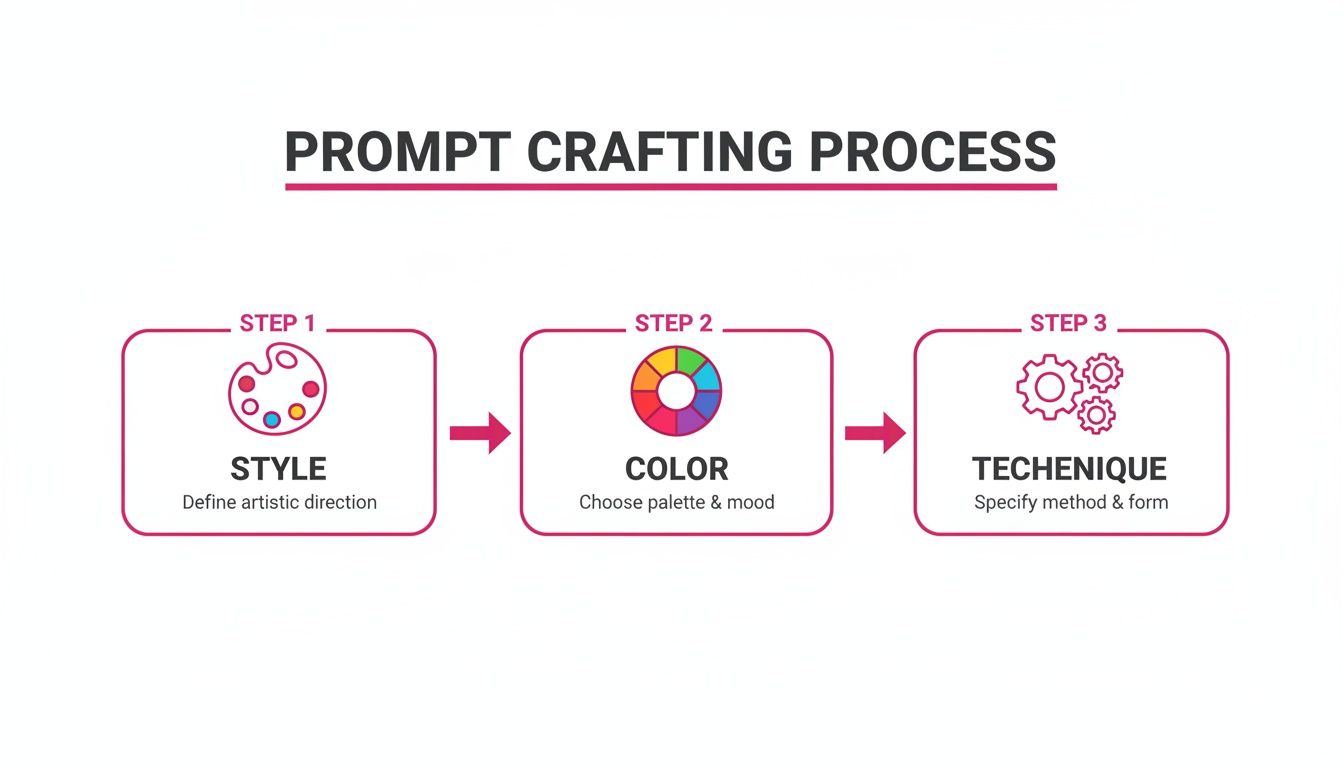
As you can see, the system intelligently mixes and matches style, color, and technique to give you a ton of high-quality, varied results automatically.
Launching Your First Batch
With your goal locked in and the quantity selected, you're ready to go. The whole interface is designed to be super intuitive, so even if you're a complete beginner, you can get professional-looking results without a massive learning curve. All the complicated backend stuff is handled for you, letting you focus completely on your creative output.
It's clear the entire process is boiled down to just a couple of simple inputs. After you launch, your gallery will start filling up with unique image pop art creations, ready for the next stage: post-production.
Taking Your Art From Generation to Perfection With Batch Editing
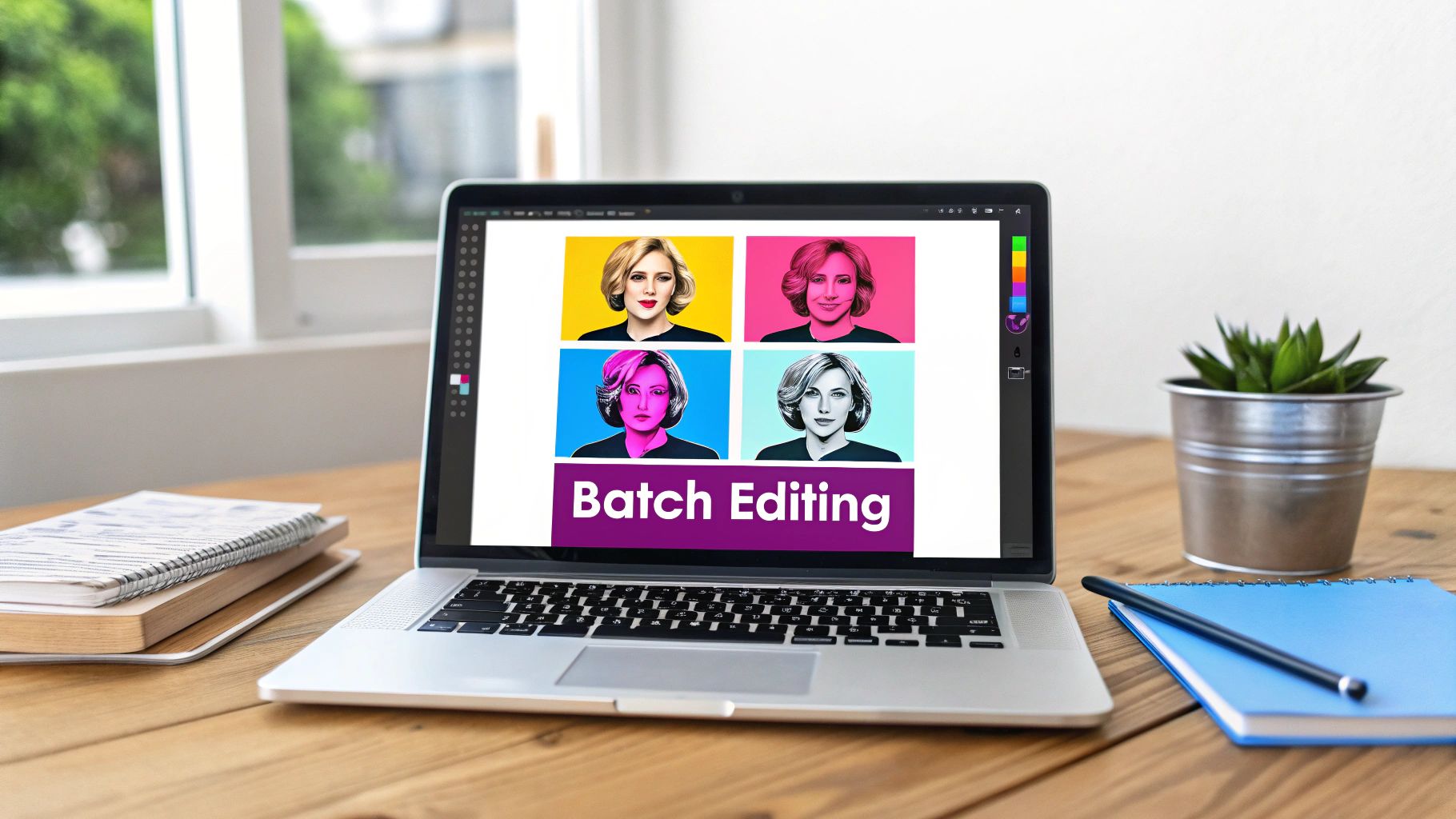
Getting that first batch of vibrant pop art images feels like a huge win, but the job isn't quite done. Post-production is where you take those raw visuals and give them the final polish that turns them from "good" into something truly professional.
Sure, you could edit hundreds of images manually, but who has the time for that? A powerful batch editor is your secret weapon here, easily cutting that painstaking work in half.
This is where you standardize your entire campaign. Instead of tweaking files one by one, you apply edits across the board, saving yourself hours of mind-numbing, repetitive tasks. It's the key to making sure every piece of your image pop art collection looks cohesive and ready to launch.
My Go-To Post-Production Workflow
A good batch editor does way more than just crop images. For a pop art project, you need tools that help maintain that clean, bold, and consistent look. I've found that three specific functions are absolute lifesavers and I use them on nearly every project.
These are the core tasks I always focus on:
- One-Click Background Removal: This is a game-changer. Instantly lift your subjects from their generated backgrounds to create clean product shots or drop your pop art characters into different campaign materials. An isolated subject gives you total creative freedom.
- AI-Powered Face Swap: Ever need to use the same model's face across an entire ad campaign for consistency? This is how you do it. The tech intelligently maps a source face onto your generated images, so your brand ambassador stays front and center, even across different pop art styles.
- Batch Image Resizing: Your art needs to look great everywhere—from a tiny Instagram Story icon to a massive website banner. Instead of resizing each file by hand, you can process the whole collection at once. A good bulk image resizer will create perfectly optimized versions for any platform you need.
Pop art’s magic is in its bold, direct impact. Post-production isn’t about changing the art—it’s about stripping away distractions so the message hits hard. Every single edit should amplify that clarity and punch.
Beyond these essentials, I lean heavily on enhancement tools. A quick batch adjustment can make colors explode off the screen, sharpen up those iconic lines, and make sure every image in your set has the same eye-catching quality. It’s that final touch that makes your work look like a unified collection, not just a folder of random generations.
The Final Polish: Making Colors Pop
Once you’ve nailed the structural edits, the last thing on my checklist is a final color and contrast pass.
A simple batch enhancement can bump up the saturation just enough or tweak the brightness levels across all your images at once. This ensures your neon pinks are consistently electric and your Ben-Day dots have that perfect, crisp contrast.
It's a small step, but it makes a massive difference in how professional your work feels. It guarantees that whether someone sees your ad on a phone or a desktop, the colors are vivid and true to the pop art spirit. And just like that, your workflow is complete.
Where Can You Actually Use AI Pop Art?
So, you’ve mastered the art of generating pop art in bulk. Now for the fun part: where do you point all this creative firepower? The answer is… pretty much everywhere. AI-generated pop art isn’t just a novelty; it’s an incredibly flexible tool for everything from marketing campaigns that actually get noticed to e-commerce shots that don’t look like everyone else’s.
And this isn’t just about aesthetics; there’s serious money behind the style. Global auction sales for Pop Art smashed $1.5 billion back in 2022. It consistently pulls in 15-20% of modern auction volume because its cultural references are so immediate and relatable—a massive advantage for branding. Want to dive deeper? Sotheby's has a great piece on Pop Art's enduring market value.
Let's look at a few real-world scenarios where this style really makes an impact.
Stop the Scroll on Social Media
If you're managing a social media account, you know the daily battle for attention. Minimalist, muted aesthetics have their place, but pop art’s loud colors and punchy visuals are a guaranteed pattern interrupt. It's how you make someone stop scrolling.
Imagine you need a month's worth of content. Instead of struggling for ideas, you could generate a whole campaign around one product, testing dozens of pop art variations to see which ad performs best.
- Cohesive Campaigns: Generate 50 images of your flagship product, all in a Warhol-inspired style but with different color schemes to keep the feed from getting stale.
- Engagement Boosters: Create some killer Roy Lichtenstein-style comic portraits of your team members or an influencer you’re working with. Perfect for a "meet the team" post that has personality.
- Event Promotion: Ditch the boring stock photos. Announce your next webinar or launch with vibrant, abstract visuals that are impossible to ignore.
The whole point is to build a visual identity that feels both high-energy and deliberate. Bulk generation lets you lock in a strong, recognizable theme across your platforms without chaining yourself to a design desk for weeks.
Elevate E-commerce and Product Shots
In a sea of online stores, those generic product photos on a plain white background are a death sentence. They scream "boring." If you're running a small business, AI pop art gives you a way to create product mockups that tell a story and ooze brand personality.
Take a boutique coffee brand, for instance. Instead of just another picture of a coffee bag, what if you generated a series where that bag is the hero in a wild, patterned world inspired by Romero Britto? Suddenly, your product isn't just a commodity; it's a piece of art. That's what sticks in a customer's mind.
Creative Projects and Educational Fun
This isn't all about business, either. AI pop art is a playground for creators, teachers, and anyone with a fun idea. The ability to generate endless unique assets opens up so many doors.
- Retro Game Assets: Need characters, items, and backgrounds for an indie game? You can design a whole world with a pixelated pop art vibe in an afternoon.
- Custom Coloring Pages: An elementary school teacher could create hundreds of themed coloring sheets for their students—from historical figures to zoo animals—all with the kind of clean, bold lines that are perfect for coloring.
- Personalized Merchandise: Turn photos of your friends, your dog, or your family into one-of-a-kind pop art designs for t-shirts, mugs, or a sheet of stickers.
Honestly, these examples are just the beginning. The real magic happens when you mix your own ideas with the speed and scale of AI. You can finally bring those big creative visions to life, and you can do it instantly.
Got Questions About AI Pop Art?
When you first jump into making pop art with AI, a few questions always come up. I get asked these all the time, so I've put together the most common ones to give you a head start. Think of this as your quick guide to getting past the initial learning curve and straight to creating awesome visuals.
A little know-how here will help you nail down your technique and build a much smoother workflow from day one.
What Exactly Makes an Image "Pop Art"?
Pop art isn't just one thing; it's a whole vibe borrowed from commercial culture and mass media. To get the AI to create something that looks authentic, you need to tell it which specific parts of that vibe you're after.
It really boils down to a few key ingredients:
- Bold, Flat Colors: We're talking solid, punchy colors with almost no gradients. Try using prompts that mention a "CMYK palette" or "primary colors" to get the AI thinking along the right lines.
- Thick Black Outlines: This is classic Roy Lichtenstein stuff. It gives images that iconic comic book feel, making your subject pop right off the page (or screen).
- Ben-Day Dots: You know those tiny colored dots used in old-school printing to create shading? That's the stuff. It's an instant giveaway for a retro, printed look.
- Iconic Subjects: The heart of pop art is the everyday. Think celebrities, brand logos, or even a simple soup can.
Toss phrases like "silkscreen effect" or "comic book style" into your prompts. You're essentially giving the AI a clear visual roadmap to follow.
Can I Turn My Own Photos Into Pop Art?
Yes, you absolutely can! This is where things get really fun and personal. Most modern AI art tools have an image-to-image feature that lets you upload your own pictures to use as a base. The creative doors fly wide open.
You could take a product shot from your online store, a picture of your dog, or a family photo and completely transform it. Once you upload it, you just use a text prompt to steer the AI. For instance, you could upload a photo of your friend and prompt it with something like, "Andy Warhol style pop art of the uploaded image, 4-panel grid with different vibrant colors." It's hands-down the best way to create truly custom image pop art.
How Do I Keep My Brand's Look Consistent When Making Images in Bulk?
This is a big one, especially if you’re creating a whole campaign for your brand. The trick is to lay down a solid foundation before you start generating and then use batch editing tools to lock in that consistency afterward.
First, create a detailed "master prompt" that clearly lays out your brand’s core colors and style elements. Treat this as the starting point for every single image you generate. This one step ensures every piece of art shares the same creative DNA.
After you've generated your images, batch editing becomes your secret weapon. Tools with features like an AI-powered face swap can make sure the same model’s face shows up across an entire ad series. You can also apply the same color corrections, filters, or enhancements to the whole batch at once, which guarantees a polished, cohesive look that really strengthens your brand identity.
Ready to create hundreds of stunning visuals in minutes? The Bulk Image Generation platform makes it dead simple to turn your ideas into high-quality pop art for any project. Start creating for free at bulkimagegeneration.com.
