Create a Custom Cartoon People Group with AI in Minutes

Ryan Bennett • February 10, 2026
Learn how to generate a custom cartoon people group with AI. Our guide covers powerful prompts, style consistency, and batch editing for amazing visuals.
Let's be honest, the world is drowning in generic stock photos. You know the ones—the sterile, overused images of smiling people in a boardroom that have zero personality. Imagine swapping those out for a vibrant, custom cartoon people group that actually reflects your audience and tells your story. That's how you build a real connection.
Why Unique Cartoon Characters Are a Game Changer
Whether you're a marketer trying to build a killer campaign, a teacher creating materials that don't put students to sleep, or a founder shaping a brand from the ground up, custom cartoons are your secret weapon. They inject personality where there was none and make your message impossible to ignore.
Instead of blending in, you get to create a visual identity that's instantly recognizable. This guide isn't just about the "why," though. I'm going to show you exactly how to use AI to generate hundreds of these high-quality, consistent characters in minutes.
The Power of Visual Storytelling
A well-designed cartoon crew does more than just fill space on a webpage; it communicates complex ideas and emotions in a flash.
- Marketing Campaigns: Think about creating characters that look and feel just like your target demographic. Suddenly, your ads aren't just ads—they're relatable stories.
- Educational Materials: Trying to explain a tricky concept? Friendly, approachable characters make learning less intimidating and help the information stick.
- Brand Identity: You can develop a whole cast of brand mascots that become synonymous with your company’s voice and values.
The real magic is the flexibility. I've used AI to generate a diverse team for a tech startup one minute and a family for a community project the next. All without blowing the budget on a designer or waiting weeks for revisions.
Moving Beyond Manual Creation
Not long ago, creating a custom set of characters was a serious investment. It meant hiring a graphic designer, going through endless back-and-forth revisions, and hoping you got what you wanted weeks later. It was slow and expensive.
AI tools like Bulk Image Generation completely flip that script. We're going to walk through how to leapfrog those old hurdles, giving you full creative control while cranking up your workflow from a crawl to a sprint. It’s time to make your content iconic, not forgettable.
Crafting the Perfect AI Prompt for Your Group
The real secret to getting a great cartoon people group isn't about learning some complex software. It all comes down to the prompt. A lazy command like "group of people" is a recipe for generic, forgettable images. If you want to direct the AI and create something that actually matches your vision, you have to be specific.
Think of yourself as the art director. Your first job is to nail down the overall aesthetic. Don't just ask for a "cartoon"—get precise. Asking for "flat 2D vector art with bold outlines" will give you that clean, modern look that's perfect for branding or an infographic. On the other hand, a prompt like "soft, Ghibli-inspired watercolor style" will create something whimsical and handcrafted, which is great for storytelling.
Defining Your Characters
With the style locked in, it’s time to bring your characters to life. A vague prompt almost always leads to a group of people who look the same, which is a missed opportunity to connect with a diverse audience. You have to describe the people with intention.
Specificity is your best friend here. Instead of just asking for a "diverse team," spell out what that actually looks like for your project.
- Age and Gender: Mix it up. Try something like, "a group including a senior man with white hair, a young woman in her 20s, and a middle-aged non-binary person."
- Ethnicity: Be descriptive to encourage a wide range of representation. Use phrases like "an East Asian woman," "a Black man," or "a Hispanic teenager."
- Attire and Roles: What are they wearing? This adds instant context. "A team of software developers in casual hoodies" tells a very different story from "a group of doctors in white lab coats."
By being deliberate with these details, you guide the AI to generate a group that feels real and cohesive. This moves your visuals from being simple decorations to powerful assets that reflect the world we live in, making your content more relatable.
Building Prompts for Real-World Scenarios
Let's turn this theory into some formulas you can use right away. The trick is to structure your request logically, layering details about the style, the people, and the setting. This ensures every person the AI creates looks like they belong in the same universe.
If you ever get stuck, a great resource to check out is our guide on the best ways to use a free AI image prompt generator.
To get you started, I've put together a few prompt formulas for different art styles. Think of these as a launchpad for your own creative ideas.
Prompt Formulas for Different Cartoon Styles
Use these prompt structures as a starting point to generate cartoon people groups in various popular art styles.
| Style Goal | Core Prompt Elements | Example Prompt Snippet |
|---|---|---|
| Modern Corporate | Flat vector art, minimalist, clean lines, diverse professionals, business casual attire, bright office background. | A diverse group of professionals in a modern office, flat 2D vector style. |
| Educational & Friendly | Soft cartoon style, friendly expressions, children and teachers, classroom setting, bright primary colors. | A cheerful teacher and diverse students in a classroom, soft cartoon style. |
| Family Lifestyle | Watercolor illustration, warm tones, multi-generational family, casual clothing, enjoying a picnic in a park. | A multi-generational family having a picnic, gentle watercolor illustration. |
Feel free to mix and match these elements. Swap the "Modern Corporate" style with the "Family Lifestyle" setting, or change the characters in the "Educational" prompt. The more you experiment, the better you'll get at translating your vision into a command the AI can execute perfectly.
Directing Group Composition and Dynamics
Creating a great cartoon people group isn't just about listing characters. It's about capturing a moment—a story unfolding, a shared laugh, an interaction that feels real. The magic happens when you direct the AI to arrange your characters in a way that’s alive and dynamic, not just a static police lineup.
Think beyond a simple "a team of professionals." Instead, try prompting for something with more life, like "a tech team in a huddle, viewed from above" or "a line of friends with varied, cheerful poses, walking towards the camera." This small shift adds depth and action, making the difference between a forgettable stock image and a powerful visual asset.
Mastering Camera Angles and Perspective
One of the fastest ways I've found to inject some professional flair and emotional weight into an image is by playing with the camera angle. It’s a single element that can completely transform the mood of your entire scene.
- Low-Angle Shot: Looking up at the group makes them feel powerful, heroic, and confident. It’s my go-to for depicting a successful team or a group of inspiring leaders.
- High-Angle Shot: Viewing a group from above can create a sense of vulnerability. It’s also great for getting a strategic overview, like a team collaborating around a table.
- Eye-Level View: This is the classic for a reason. It’s relatable and creates a direct, personal connection between the viewer and the characters you’ve created.
Just by adding simple phrases like "dynamic low-angle shot" or "intimate eye-level view" to your prompt, you get an incredible amount of control over the story your image tells.
The most engaging visuals are those that tell a story without a single word. Prompting for natural interactions—like "a joyful group of friends laughing and making eye contact"—guides the AI to create scenes that evoke genuine emotion and connection, making your assets far more memorable.
Prompting for Natural Interactions
This need for relatable, engaging characters is driving a huge market. The global anime and cartoon character licensing market hit USD 11.53 billion and is on track to explode to USD 28.51 billion by 2032. This isn't just about cartoons; it's about the massive demand for branded merchandise and digital content built around characters people connect with. You can dig into the numbers yourself in the full research about the global cartoon licensing market on intelmarketresearch.com.
Your characters shouldn't just be standing next to each other; they should be interacting. Use your prompt to define their relationships. For example, instead of just "two people talking," describe the scene: "a mentor patiently explaining something on a tablet to an eager intern." See how that adds layers of context and personality?
These subtle instructions are what turn a random collection of individuals into a cohesive and believable cartoon people group. If you're creating assets for games or animation where character consistency is key, you might also want to check out our guide on how to create an AI character sprite sheet.
Using a Batch Editor to Streamline Your Workflow
Generating your cartoon people group is just the first step. Where you really start to see massive efficiency gains, especially when you're working at scale, is in smart post-production. This is where a powerful batch editor becomes your best friend, saving you from hours of soul-crushing repetitive work.
Think about it. You've just generated 100 awesome images of your new cartoon team for a big campaign. The characters look amazing, but the backgrounds are a little inconsistent across the set. Plus, you need transparent versions for the company website. Instead of opening each file one by one to remove the background, you can do it for all of them in a single click.
This same logic applies to keeping your characters looking consistent. Need to make sure a specific character’s face appears across an entire ad set? A batch face swap tool handles that in seconds, locking in that brand continuity without the usual headache.
Key Batch Editing Workflows
Post-production isn’t just about fixing mistakes; it’s about multiplying the value of every single image you generate by adapting it for different platforms and purposes—fast. A solid workflow turns one great image into a dozen assets.
Here are a few of my go-to workflows that save me a ton of time:
- Bulk Resizing for Social Media: I'll generate one high-quality group image and then let the batch editor resize it for every single platform I need. It can spit out a square version for an Instagram post, a vertical one for Stories, and a landscape crop for a blog header, all at once.
- Universal Color Enhancements: To keep everything on-brand, I apply a consistent color grade or filter across the entire image set. This ensures every visual perfectly matches our brand’s specific color palette.
- Automated Background Swaps: After batch-removing the original backgrounds, I can instantly add a new, uniform background—like our brand color or a specific office scene—to the whole batch.
For anyone managing a large volume of creative assets, this is an absolute game-changer. The time you save on these tedious tasks is time you get back to focus on creative strategy and content planning. That’s where the real value is.
Tools for Efficient Management
Managing and generating multiple cartoon characters gets so much easier when you have the right tools in your corner. If you want to take this even further, look into a dedicated tool like the lunabloomai app, which is built specifically to handle these kinds of character creation workflows.
Automated, multi-image adjustments like these are what separate a slow, manual grind from a truly efficient creative process. When you can edit hundreds of images as easily as you edit one, you completely change the dynamic of content creation.
This approach doesn't just cut down on manual labor; it frees you up to think about the bigger picture. If your main goal is creating visuals for social platforms, you might also want to check out our guide on the bulk social media image generator. Ultimately, this process gives you the power to produce a massive volume of polished, on-brand creative without getting bogged down in tedious, repetitive editing tasks.
Real-World Applications for Your Cartoon Characters
Alright, you’ve generated a fantastic library of custom characters—now what? This is where the real fun starts. It's time to put your unique cartoon people group to work, turning them from simple images into assets that actually do something for your brand.
For digital marketers, the possibilities are pretty much endless. You can build entire social media campaigns around a consistent cast of characters, creating a little world your audience can follow. These faces can become the stars of your scroll-stopping ads, injecting a much-needed dose of personality into promotions that might otherwise feel a bit corporate and stale. Eventually, you might find that one of these characters becomes a genuine, relatable mascot for your brand.
Driving Engagement in Marketing and Education
In marketing, consistency is king. Using the same group of characters across your website, emails, and social posts builds a cohesive brand identity that feels friendly and way more approachable. I’ve seen this work wonders for small businesses trying to carve out a space for themselves against larger, more impersonal competitors.
Educators can get a ton of mileage out of this, too. Imagine creating presentation slides where a friendly cartoon guide walks students through tough concepts. Suddenly, worksheets and learning modules become far more engaging when populated with lively characters instead of just dry text. It's a simple trick that can seriously help with holding student attention and making information stick.
This whole process can be boiled down to a few key steps once you have your initial batch of images.
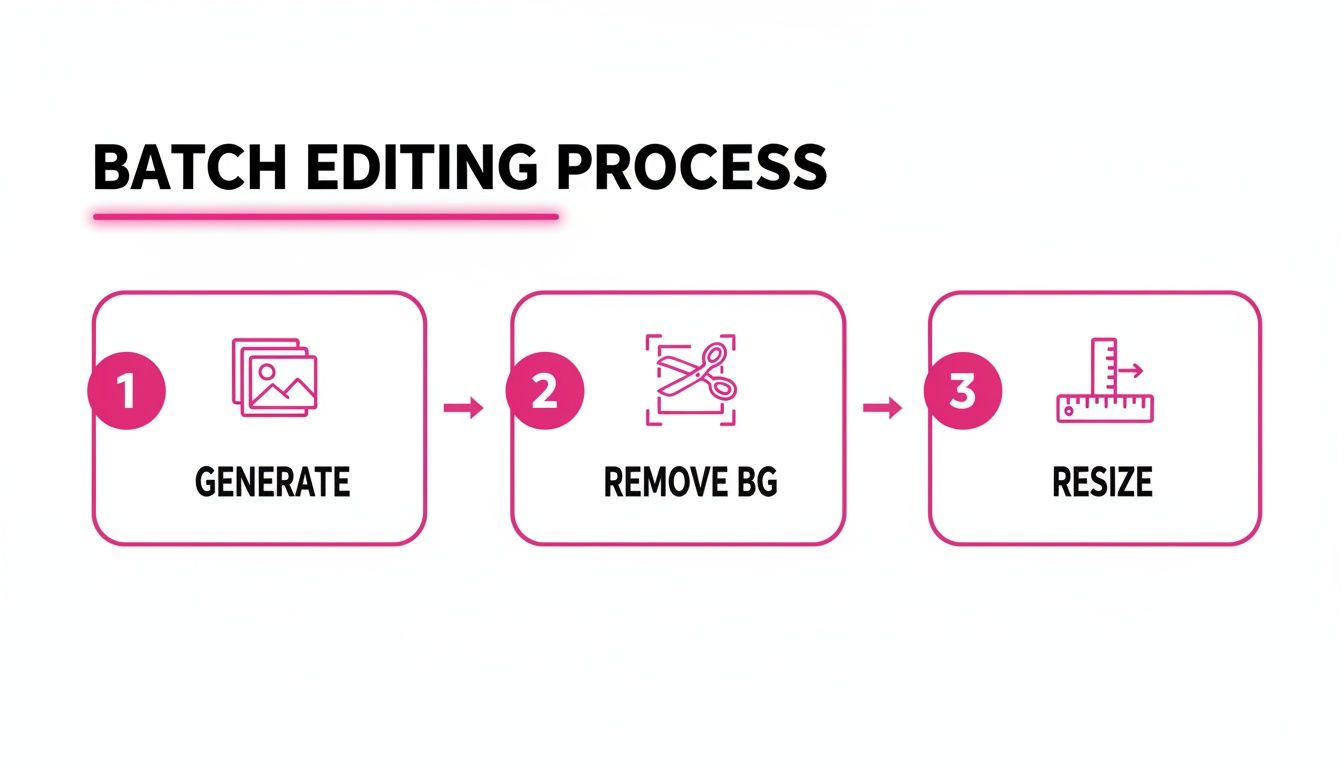
Nailing this workflow—generate, remove the background, and resize—is the secret to quickly getting your visuals ready for any platform, saving you countless hours of tedious manual work.
Monetizing Your Character Creations
Beyond your own marketing, there's real potential to turn your creations into a revenue stream. Just look at the anime merchandising market—it was valued at USD 12,038.9 million and is expected to hit USD 23,942.4 million by 2033. That explosive growth shows a massive consumer appetite for character-based products, from t-shirts and mugs to collectibles.
If you're thinking about selling merchandise featuring your characters, knowing what products actually sell is half the battle. This is a great guide to promotional products that actually work and can give you some practical ideas for turning your digital designs into tangible goods people will actually want to buy.
The biggest strength of a custom cartoon people group is its sheer versatility. They can be the friendly face of a complex software tutorial, the emotional core of a non-profit campaign, or the fun mascot for a local coffee shop. The only real limit is your imagination.
From animated explainer videos to branded sticker packs for social media, your characters can become a core part of your content strategy. They aren't just pictures; they're a direct line to building a more personal and memorable connection with your audience in an incredibly crowded space. When you use them thoughtfully, you transform your brand's voice from a monologue into a genuine conversation.
Got Questions About Creating Cartoon Groups with AI?
Jumping into AI image generation, especially when you're trying to create a cohesive cartoon people group, always brings up a few common hurdles. Getting these details right is what really separates professional-looking assets from a bunch of random, one-off pictures. Let's tackle the questions I hear most often.
How Do I Keep My Characters Looking Consistent?
Character consistency is everything, especially for branding or telling a story. If your main character looks different in every shot, your audience will get confused.
The best way I’ve found to lock this down is by being super specific and repetitive with your prompts.
- First, nail down your character's core traits. Be precise. Something like, "a woman with curly red hair, glasses, and a blue business suit."
- Then, use that exact description every single time you generate an image with her in it. No exceptions.
Once you generate a version of your character you absolutely love, you can use an image-to-prompt tool to extract a super-detailed description. This gives you a solid base prompt you can just copy and paste for future scenes.
And finally, stick to one style. If you start with "flat 2D vector art, minimalist," don't switch it up. This ensures every character and scene feels like it belongs in the same universe, giving your whole project that polished, cohesive look.
What's the Best Way to Create a Diverse Group?
This is a big one. If you just ask for "a diverse group," the AI often defaults to clichés or surface-level interpretations. To get visuals that feel genuinely inclusive, you have to be intentional.
Instead of a generic prompt, spell out exactly the representation you want to see.
For example, this prompt works much better: "A diverse team of professionals including an elderly East Asian man, a young Black woman in a wheelchair, and a middle-aged Hispanic man collaborating."
Being specific and using positive descriptions pushes the AI to create images that are far more realistic and relatable. It's a small tweak, but it helps your visuals connect with a broader audience by reflecting the world as it actually is.
Can I Use These AI-Generated Images Commercially?
For the most part, yes. Images created on platforms like this one are typically yours to use for commercial projects—think marketing campaigns, social media content, or branding materials.
However, and this is critical, you absolutely must read the terms of service for the specific platform you're using. Every tool has its own rules around copyright and commercial licensing. A quick check of the fine print will save you from any legal headaches down the road and let you use your new creative assets with total confidence.
Ready to stop wrestling with prompts and start creating incredible visuals in seconds? Bulk Image Generation gives you the power to produce hundreds of high-quality, on-brand images with just one click. Try it now and see how fast you can build your creative library.
