Create Stunning Cartoon Group People Images in Bulk with AI

Ryan Bennett • January 25, 2026
Learn to generate custom cartoon group people images at scale with our guide. Discover AI prompting techniques and post-production tricks for perfect results.
Creating cartoon group people visuals is a fantastic way to tell stories, showcase diverse communities, and just plain grab attention in a world full of digital noise. The best part? With AI, you can generate entire libraries of these custom images in minutes, not days. This opens up a ton of possibilities for marketers, educators, and pretty much any brand out there.
Why Cartoon Groups Are a Content Goldmine
Before we jump into the "how-to," let's quickly cover why these images are so effective. Think about it: a single character can tell a story, sure. But a whole group of them? They can build an entire world. They immediately signal things like collaboration, community, and diversity, which really connects with people today.
This isn't just a hunch; there's a huge industry trend backing it up. The global animation market was worth a massive USD 353.57 billion in 2023. It’s expected to climb to USD 534.44 billion by 2031, growing at a solid 5.30% every year. That explosion in animated content, from blockbuster movies to quick social media clips, shows a clear and lasting demand for cartoon-style visuals.
The Psychological Appeal of Group Visuals
So, what’s the secret sauce that makes a group image so powerful? It taps right into our basic human psychology. When we see a bunch of different characters interacting, our brains automatically start filling in the blanks and creating stories. We see relationships, teamwork, and shared moments. For any project, that kind of storytelling potential is pure gold.
- For Marketers: A cartoon group can perfectly represent your customer base, showing your product is for everyone. It’s a great way to illustrate community forums, team wins, or event promotions.
- For Educators: These visuals can make lessons pop, whether you're depicting historical scenes, social dynamics, or scientific teams in a format that’s engaging and easy to digest.
- For Brands: Having a consistent cast of brand characters helps build a memorable, relatable identity. It makes your company feel more human and less like a faceless corporation.
At its core, a group illustration is more than just a picture; it’s a shortcut to emotional connection. It allows you to communicate complex ideas like unity, support, and collective effort in a single, glanceable image.
Beyond Static Images
The real magic of AI-driven animation doesn't have to end with still pictures. Once you get the hang of generating images, the natural next step is to bring them to life. It's definitely worth taking some time to create cartoon videos with AI, moving beyond static assets. This capability unlocks even more dynamic storytelling opportunities, from animated explainer videos to eye-catching social media ads. By mastering both bulk image and video creation, you’ll have a complete toolkit for producing high-quality, scalable content with incredible efficiency.
Building Your Master Prompt for Cartoon Groups
This is where the magic really begins. A killer prompt is what separates a generic, forgettable image from one that nails your vision. We’re going to assemble a solid framework for giving the AI laser-focused instructions.
Think of your prompt less like a single command and more like a detailed recipe. You start with the core subject, then layer in ingredients like action, setting, and artistic style. The more specific you get with details like expressions, clothing, and even poses, the more control you have over the final cartoon group people image.
Deconstructing a Powerful Prompt
Every great prompt for a group illustration has a few key ingredients. If you miss one, you're likely to get something vague or inconsistent. Let's break down the essential building blocks you'll need.
Here’s a quick look at the core components I always include in my prompts for cartoon groups. Each one tells the AI a critical piece of the story, leaving less room for error.
| Component | Description | Example Snippet |
|---|---|---|
| Subject | The "who" of your image. Get descriptive to guide the AI on character types and demographics. | a diverse group of young professionals... |
| Action | What are they doing? This adds life and context, turning static figures into a dynamic scene. | ...collaborating around a modern conference table... |
| Setting | Where are they? The environment sets the mood and provides a backdrop for the action. | ...in a bright, sunlit co-working space... |
| Art Style | This defines the entire visual aesthetic. Being explicit here is non-negotiable for consistency. | ...modern flat vector illustration... |
Getting these foundational elements right is crucial. If you ever find yourself stuck or just need a fresh starting point, using a free AI image prompt generator can be a great way to spark some ideas and see how different combinations work. Think of it as a creative partner to get the ball rolling.
A well-structured prompt is like a detailed creative brief for a human artist. It minimizes guesswork, ensuring the AI understands the scene, the characters, and the exact vibe you’re going for. This clarity is absolutely vital for consistency, especially when you're generating images in bulk.
Layering in the Critical Details
Once you have that core structure, it's time to add the details that make your characters feel real. This is how you avoid that "clone army" look where everyone in the group looks like a generic template.
Drill down into specifics like:
- Expressions and Poses: Use evocative words like "joyful expressions," "engaged in conversation," "leaning in to listen," or "standing in confident poses." This breathes life into your characters.
- Clothing and Appearance: Details such as "wearing smart-casual business attire," "in colorful summer clothes," or "with varied hairstyles and accessories" add instant personality and diversity.
- Composition and Framing: Tell the AI how to frame the shot. Phrases like "wide-angle view showing the full group," "close-up shot focusing on their faces," or "dynamic composition with overlapping characters" can dramatically change the final image.
Let's look at the difference this makes. A beginner's prompt might just be: A cartoon group of people.
Now, let's inject those layers of detail: Modern flat illustration of a diverse cartoon group people, young professionals in a bright office, collaborating on a project with joyful expressions, wearing smart-casual attire, dynamic wide-angle view.
See the difference? This level of detail gives the AI a crystal-clear roadmap, resulting in a far more compelling and on-brand image. By mastering this layered approach, you take back creative control from the machine.
Nailing a Consistent Style and Composition at Scale
It’s one thing to generate a single, cool-looking image. It’s a whole different ballgame to create hundreds of cartoon group people visuals that all feel like they belong together. This is where you graduate from just writing prompts to actually directing the AI, making sure you get a cohesive look across an entire batch of images.
Think about how major animation studios do it. They have style guides and character model sheets to ensure every artist draws Mickey Mouse or Homer Simpson the exact same way, every single time. Your goal is to build a similar "digital model sheet" right into your prompts. This locks in a consistent aesthetic, whether you're going for a modern flat design, a retro cartoon vibe, or a classic anime style.
Getting this right is absolutely essential if you're building a recognizable brand, creating a coherent educational series, or just want your project to look professional. It's all about making deliberate choices so the AI doesn't just wander off into random styles with each new image.
Locking in a Cohesive Visual Style
The most straightforward way to control the art style is to get super specific in your prompt. Don't just say "cartoon style"—that leaves way too much room for the AI to guess. You need to feed it precise terms that define the exact look you're after.
Here’s how you can break it down:
- Specify the Medium: Use phrases like
modern flat vector illustration,retro 1950s animation style, orJapanese anime cel shading. - Define the Line Work: Add details like
clean, bold outlinesorsoft, painterly linesto tell the AI how to render the edges. - Control the Color Palette: Include descriptions like
vibrant and saturated color paletteormuted, pastel earth tones.
This method is pulled straight from the professional animation playbook. And it's a big business—North America's animation market is expected to grab a 33.97% global share in 2025, with the total market hitting USD 446.84 billion in 2024. A huge chunk of that success, especially the 44.16% held by 3D animation, comes down to maintaining strict stylistic consistency.
Mastering Composition for Group Scenes
Beyond the art style, the way your characters are arranged in the frame—the composition—is what makes a scene feel dynamic and visually interesting. A poorly composed image, especially one with a lot of people, can feel flat, confusing, or just plain unbalanced.
Even though you're working with AI, understanding the basics of composition photography techniques is a game-changer. Applying principles like the rule of thirds or using leading lines can guide the viewer's eye and give your entire image set a more polished, professional feel.
Pro-Tip: If your AI tool has a "seed" number option, use it! A seed is the starting point for the random generation process. By reusing the same seed with small tweaks to your prompt, you can keep the composition and character styles incredibly similar while still introducing minor, intentional variations.
Ensuring Diversity and Inclusivity
Okay, so you've locked in your style. The final, crucial piece of the puzzle is making sure your groups of people reflect the real world. It’s not just about aesthetics; it's about intentionally varying the characters within that consistent style.
The best way to do this is to be explicit in your prompts.
- Vary Ethnicities: Use phrases like
a multi-ethnic group of friendsorfeaturing people of diverse backgrounds. - Represent Different Ages and Abilities: Include terms like
a multi-generational familyora group including a person using a wheelchair. - Showcase Body Diversity: Prompt for
people with various body types and heightsto avoid ending up with a crowd of identical-looking figures.
By building these details directly into your master prompt, you create a system for producing tons of images that are not only stylistically consistent but also thoughtfully inclusive.
Your Workflow for Flawless Bulk Generation
Alright, let's move from theory to action. This is where we stitch together your carefully crafted prompts and style ideas into a speedy, repeatable workflow. Thankfully, you don't have to build this from scratch. Platforms like Bulk Image Generation are designed specifically for this, turning what could be a messy technical chore into a clean, simple process.
The idea is to set up your project once, plug in your core concept, and then let the AI do the heavy lifting of spinning up all the different prompt variations. It's here that you'll define the ground rules that apply across your entire image set, making sure every single output is good to go.
This simple workflow is the secret to keeping your cartoon group people series looking consistent when you're creating a ton of them.
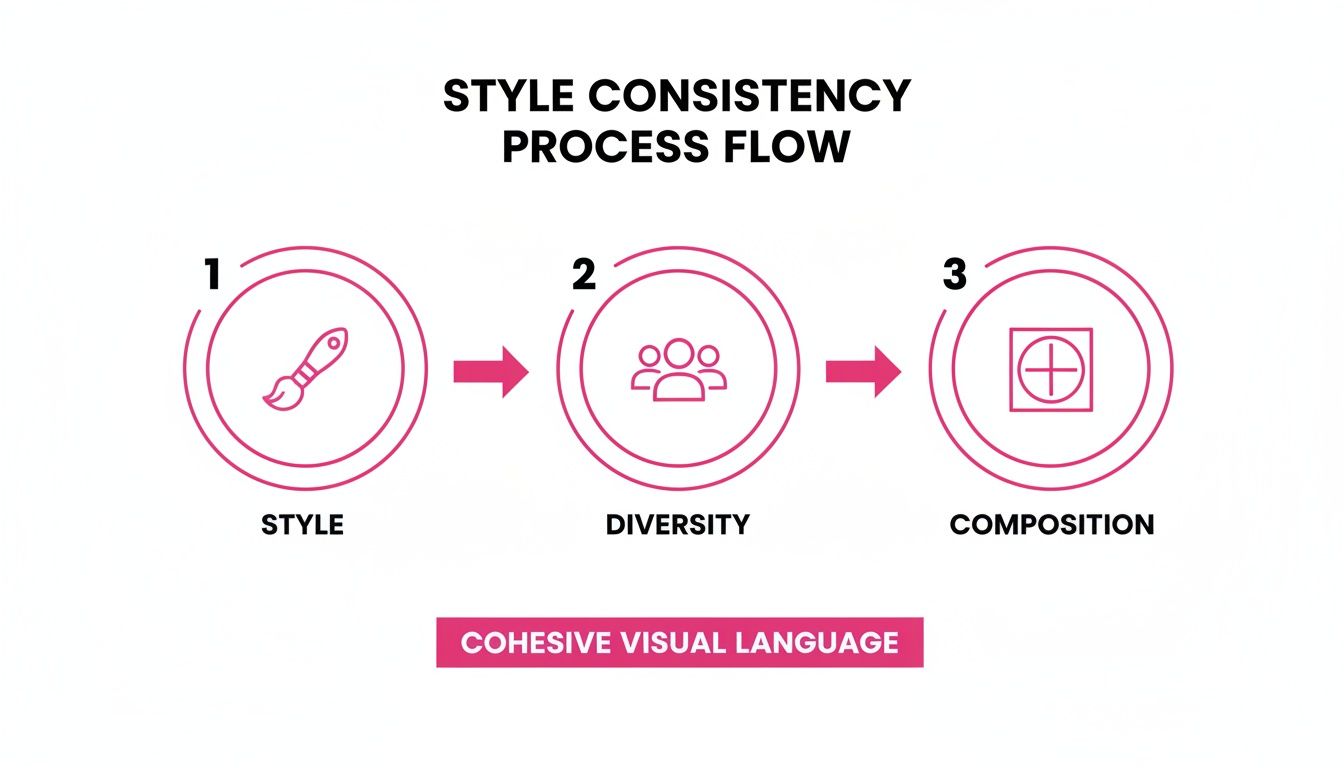
As the diagram shows, a solid bulk project is built on getting the style, diversity, and composition locked in from the very start. Nail these, and everything else falls into place.
Setting Up Your Batch Job
First thing's first: you need to decide on the batch size. How many images are you making? If you're running a social media campaign, you might start with 20-30 variations to test the waters. But if you're building out assets for a big training manual or a full-blown branding project, you could easily crank out 100 or more in a single go.
Next up is the aspect ratio. This seems like a tiny detail, but getting it right from the jump saves a mountain of tedious work later.
- 16:9 (Landscape): Your go-to for presentation slides, website banners, and YouTube thumbnails.
- 9:16 (Portrait): Perfect for Instagram Stories, TikTok, and any mobile-first content.
- 1:1 (Square): The classic choice for Instagram grid posts, profile pictures, and versatile ad creative.
Making one smart decision here means you won't be stuck cropping and resizing dozens of images by hand later on. It’s all about working smarter, not harder.
By leaning on pre-built templates for common use cases, you can turn the complex job of creating a cartoon group people campaign into something that takes just a few seconds. The AI handles the grunt work, delivering professional results without the manual headache.
Tapping into Global Animation Trends
Believe it or not, this bulk-generation approach is a micro version of the production pipelines used by the global animation industry. The Asia Pacific region is currently the biggest market out there, with the anime segment alone projected to hit USD 29.97 billion by 2026. This is part of a much bigger picture—the total animation market was valued at a staggering USD 371.85 billion in 2024.
You can dive deeper into these animation market insights and see how media and entertainment are fueling this growth. By automating your image creation, you're basically applying the same principles of scalable, consistent production that power this massive industry. You're just doing it on your own scale.
Alright, you've generated a massive batch of images. That's a huge step, but the job isn't quite done. Now it's time for the refinement phase—this is where you turn good AI generations into polished, professional assets that are ready for anything you can throw at them.
This is exactly where integrated batch editing tools become your secret weapon, saving you from hours of soul-crushing manual work.
Instead of cracking open each image one-by-one in Photoshop, you can apply powerful edits across your entire collection all at once. For anyone creating cartoon group people at scale, this workflow is a total game-changer. It shifts post-production from being a major bottleneck to just another quick, efficient step in your creative process.
The Power of One-Click Background Removal
One of the most practical and immediate edits you'll use is background removal. With a single click, you can lift your cartoon group clean out of its generated environment, leaving you with a transparent PNG file. This simple action makes your characters incredibly versatile.
All of a sudden, you can drop your group into:
- Branded Social Media Templates: Instantly pop your characters onto posts that already have your company's colors and logos.
- Website Banners: Weave the group right into your existing site design without any clashing backgrounds.
- Educational Materials: Use the characters as standalone figures in presentations or worksheets, free from any distracting scenery.
This one function transforms a single set of generated images into a whole library of flexible assets. You get so much more mileage out of a single batch job because the characters can be reused endlessly in different contexts.
By removing backgrounds in bulk, you're not just saving time; you're fundamentally changing how you can use your AI-generated content. An image that was once locked into a specific scene becomes a universal visual element you can deploy anywhere.
Smart Swaps and Quick Fixes
Let's be real—even the best AI generations can have little quirks, especially with faces in a group shot. Maybe someone’s expression is a bit off, or an eye looks slightly wonky. This is where batch editing tools with "smart swap" features come in to save the day.
You can just select a face that isn't quite right and let the AI replace it with a better-rendered alternative that perfectly matches the character's style and pose. No need to regenerate the entire image from scratch. It’s also a brilliant way to create more variety. Imagine taking one group scene and just swapping a few faces to create multiple versions, each with a slightly different mood. That's how you efficiently expand your content library from a single generation.
Bulk Resizing for Every Platform
Finally, the last critical step before you go live is resizing. Your initial images might be massive, high-resolution files, but you'll need them in very specific dimensions for different platforms. Manually resizing dozens, or hundreds, of files is the definition of tedious.
This is where batch resizing comes in. You can instantly create perfectly optimized versions of your entire cartoon group collection for Instagram (1:1), YouTube (16:9), and Stories (9:16) all at the same time. This ensures your images look sharp and professional everywhere you post them, without any weird stretching or awkward cropping. It’s the final polish that gets your assets ready for the real world.
For a deeper dive, check out our guide on the bulk image resizer tool to see how it automates this whole workflow.
Putting Your Cartoon Group Images to Work
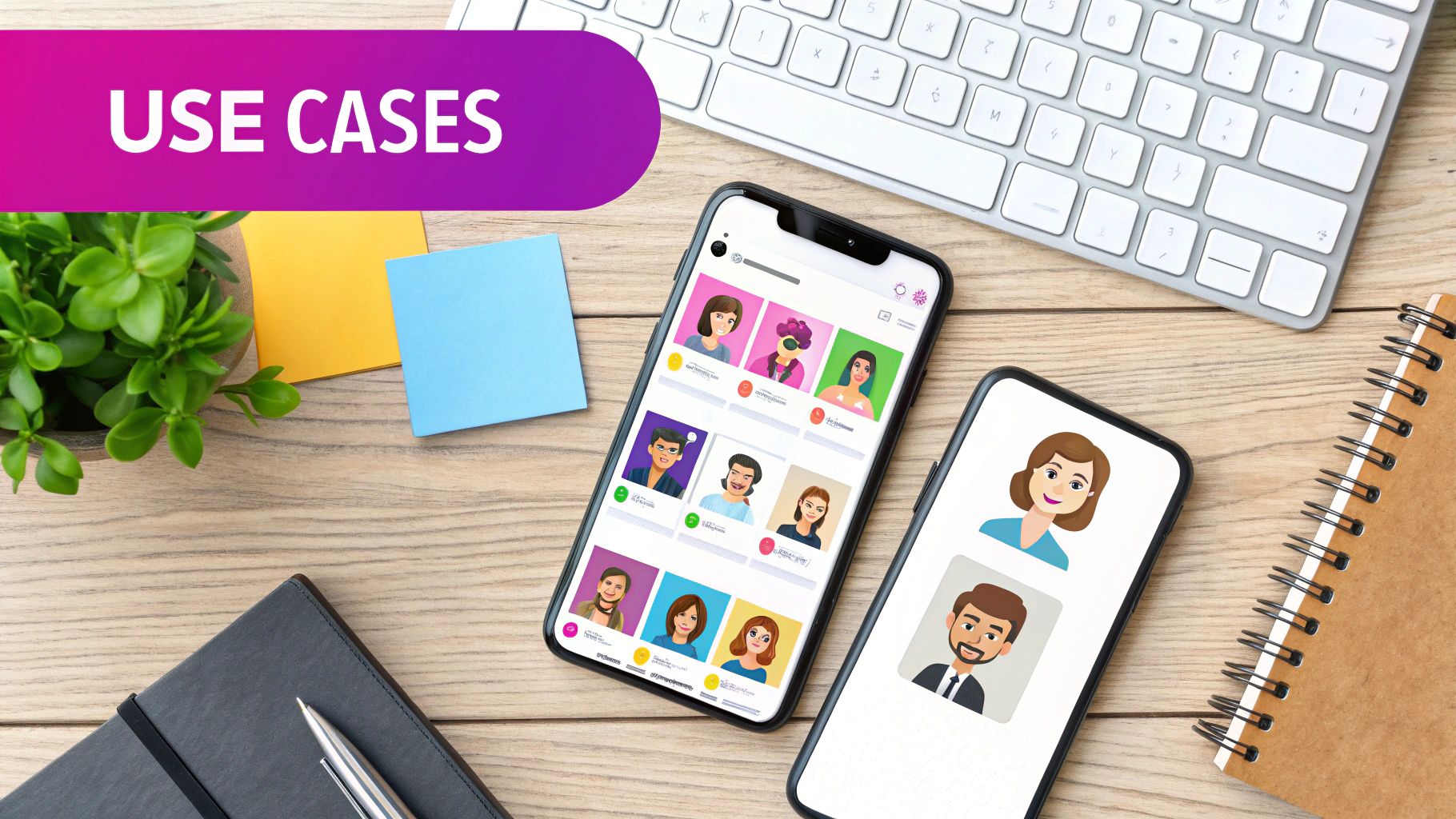
So, you've generated a whole library of custom cartoon group people images. This is where the fun really begins. Now you get to turn those digital assets into real-world results that actually move the needle for your project.
These visuals aren't just eye candy; they're incredibly effective communication tools. Whether you're trying to build a community, teach a complex idea, or define a brand's personality, these images connect with people on a much more human level than generic stock photos ever could.
A Social Media Campaign for Marketers
Let's say you're launching a new collaborative software feature or drumming up excitement for a local community event. Your new cartoon groups are tailor-made for a vibrant, multi-platform campaign that tells a story of teamwork and connection.
Here’s a quick playbook:
- Launch Teaser (Instagram Post): Kick things off with a wide shot of a diverse group looking genuinely excited. Pair it with a caption like, "Something BIG is bringing our community together. Any guesses? Stay tuned!"
- The Big Announcement (Email & LinkedIn): Use an image of the group actively working together or celebrating a win. This visual instantly reinforces the purpose of your announcement, whether it's about collaboration, learning, or networking.
- Countdown Buzz (Instagram Stories): In the days leading up to the launch, feature individual characters or smaller clusters from your group images. It’s a great way to build anticipation and get your audience familiar with the "faces" of your campaign.
This strategy weaves a consistent narrative that feels personal and keeps people engaged. If you want to dive deeper into optimizing visuals for different platforms, our guide on the bulk social media image generator has some great tips.
An Engaging Storyboard for Educators
For teachers, these images are an absolute goldmine for making dense topics more accessible and sticky. You can easily create a series of storyboards to walk students through historical events, scientific processes, or social dynamics.
Imagine teaching the American Revolution. You could use different cartoon group scenes to show key moments like the Boston Tea Party or the signing of the Declaration of Independence. The consistent style helps students follow the story, and the cartoon aesthetic makes the content feel less intimidating and way more relatable.
Pro Tip: Using the same "cast" of cartoon characters across several lessons helps create a familiar learning environment. Students start to recognize the figures, which boosts memory retention and makes the curriculum feel more like a cohesive narrative.
A Brand Identity Kit for Agencies
Branding is all about telling a clear, consistent story. A custom set of cartoon group images can become the heart of a brand identity kit, especially for a client who wants to project an inclusive, modern, and collaborative vibe.
This isn't just about one hero image; it's about building a flexible visual system. A solid brand kit could include:
- Primary Hero Image: A large, dynamic group shot that lives on the website's main banner.
- Supporting Character Groups: Smaller clusters of 2-3 people for blog posts, slide decks, and internal memos.
- Individual Avatars: Cropped headshots of each character that can be used for social media profiles or as employee personas in training guides.
This approach gives you a unified visual language that works everywhere, ensuring the brand identity feels strong and memorable from day one.
I've put together a quick table with a few more ideas to get your gears turning on how you can use these images.
Use-Case Ideas for Cartoon Group Images
Here are some practical applications for your bulk-generated cartoon groups across different professional fields.
| Audience | Use Case | Key Benefit |
|---|---|---|
| Marketers | Social Media Ad Campaigns | Creates a friendly, approachable brand image that stands out from typical stock photos. |
| Educators | Classroom Learning Materials | Simplifies complex topics and increases student engagement with relatable visuals. |
| HR & Training | Onboarding & Training Decks | Represents a diverse workforce and makes internal communications more vibrant. |
| Startups | Pitch Decks & Website 'About Us' | Showcases team collaboration and company culture without needing a full photoshoot. |
| Non-Profits | Community Outreach Flyers | Visually represents the diverse community the organization serves, fostering connection. |
| Content Creators | Blog Post & Newsletter Headers | Adds a unique, custom-branded feel to digital content that is instantly recognizable. |
As you can see, the possibilities are pretty much endless. The real power is having a library of on-brand, diverse characters ready to deploy for any project that comes your way.
Ready to build your own library of custom visuals? With Bulk Image Generation, you can turn a single idea into hundreds of professional-quality images in seconds. Get started today and bring your projects to life!
