Mastering AI Image Prompts for Stunning Visuals

Ryan Bennett • February 15, 2026
Unlock your creative potential with this guide to AI image prompts. Learn proven techniques and real-world strategies to generate incredible artwork at scale.
AI image prompts are the text instructions you feed an artificial intelligence to get it to create a specific picture. Think of it as the secret language for telling a machine what's in your head. The better your prompt, the better your image—it’s that simple.
Why Mastering AI Image Prompts Is a Game Changer
Ever get that feeling you're just one killer visual away from a campaign that pops or a lesson plan that truly engages? You're definitely not alone. The demand for unique, high-quality images is absolutely relentless, but our time and budgets aren't. This is exactly where mastering the art of the prompt changes everything.
Learning to speak the AI's language transforms you from a content creator into a visual powerhouse. It’s way more than just typing words into a box. It's about having a real creative conversation with technology to bring your wildest ideas to life in an instant.
The Surge in AI-Powered Visuals
You can't ignore the explosive growth happening here. The global AI image generator market hit a value of around USD 9.10 billion in 2024. That number is projected to skyrocket to an incredible USD 63.29 billion by 2030. This isn't just a niche tool anymore; it's becoming essential across countless industries. You can dig deeper into the market's explosive growth and see what it means for creators.
This isn’t just a passing trend. It's a fundamental shift in how we make stuff. For professionals, this opens up a massive opportunity:
- Marketers can spin up endless ad variations without booking a single expensive photoshoot.
- Educators can create custom illustrations for worksheets and presentations in minutes, not hours.
- Small business owners can design professional-looking branding materials without needing to hire a graphic designer.
By learning the language of AI image prompts, you get to bypass the traditional bottlenecks of creating visual content—time, cost, and technical skill. You gain direct access to a tool that can scale your output and creativity at the same time.
Forget the complex jargon or needing an art degree. This guide is your roadmap. We're breaking down how to craft effective AI image prompts to give you the control to generate precisely what you envision, every single time.
Deconstructing a Powerful AI Image Prompt
Getting consistent, high-quality images from AI isn't about guesswork. It’s about ditching random words and building a proper recipe. A powerful prompt isn't just a string of nouns and adjectives; it's a carefully layered set of instructions that gives you precise control over the final image.
Think of it like building with LEGOs. A vague prompt like "a car" is like handing the AI a single, ambiguous brick. It has no idea what you really want. To get the machine to build the vision in your head, you need to provide a clear, detailed blueprint. This means breaking your idea down into core components the AI can actually understand and execute.
The Five Core Ingredients of a Great Prompt
The most effective ai image prompts are built from distinct, descriptive layers. Every layer you add brings more specificity, dialing in the details and leaving less up to the AI's imagination. This is the formula that separates frustrating, random outputs from predictable success.
These are the five components I always use:
- The Subject: This is the "who" or "what" of your image. Don't be shy with the details. Instead of just "dog," try "a fluffy golden retriever puppy." Specificity is your best friend here.
- The Action: What is your subject doing? Giving the subject an action injects life and a sense of story into the scene. "A fluffy golden retriever puppy" is nice, but "a fluffy golden retriever puppy chasing a red ball" is way more interesting.
- The Setting: Where is all this happening? The setting builds the world around your subject and adds crucial context. Let's place our puppy: "a fluffy golden retriever puppy chasing a red ball across a sun-drenched green lawn."
- The Artistic Style: Now, how should the image feel? This is where you define the whole aesthetic. Do you want a photograph, a watercolor painting, a piece of 3D digital art, or something else entirely?
- Technical Specifics: These are the final touches that really elevate your image. Think like a photographer or a film director—what’s the lighting, what camera angle are we using, what’s the mood? These details make a huge difference.
The real goal is to leave nothing to chance. Each component you add chips away at ambiguity, pushing the AI closer and closer to the exact image you're picturing. A structured approach is always more reliable than just crossing your fingers.
Let's see this layering technique in action. Say we need a killer image of a car for a marketing campaign. We’ll start with the basic idea and then stack on our five core ingredients to build something truly special.
From Basic Idea to Breathtaking Image
This table shows exactly how adding layers of detail refines the prompt, turning a generic concept into a specific, high-impact visual that the AI can execute perfectly.
| Prompt Component | Example Prompt Snippet | Impact on Image Output |
|---|---|---|
| Subject | A vintage cherry-red convertible | Defines the specific car model, color, and era. |
| Action & Setting | driving along a coastal highway at sunset | Creates a dynamic scene with a clear location and time. |
| Artistic Style | photorealistic style | Instructs the AI to generate a realistic image, not a painting. |
| Technical Specifics | shot on a Sony A7III, 35mm lens | Specifies the camera and lens for a professional look. |
| Atmosphere | warm golden hour lighting, cinematic | Sets the mood, color palette, and overall emotional tone. |
When you start thinking in layers like this, you unlock a new level of creative control and build a repeatable process for getting exactly what you need, every single time. For more inspiration on how to apply this, check out these 25 best prompt ideas for an AI image generator to get your creative gears turning.
Scaling Your Visuals with Prompt Templates
Getting that one perfect image is a great start, but the real magic of AI happens when you need to produce visuals at scale. This is where you graduate from one-off ai image prompts to a templated system—it's the secret to creating hundreds of on-brand, consistent, and unique images without sinking hundreds of hours into the process.
Think of a prompt template as a master recipe where you can swap out the key ingredients, or "variables." You lock in the core structure—the style, lighting, composition—and then just plug in different subjects, colors, or settings. It's how you make sure every image looks like it belongs to the same cohesive family, while still being totally distinct.
Building Your First Prompt Template
This is way more straightforward than it sounds. You just need one great, detailed prompt that nails your aesthetic. From there, you pinpoint the parts you’ll want to change for each new image and mark them as placeholders.
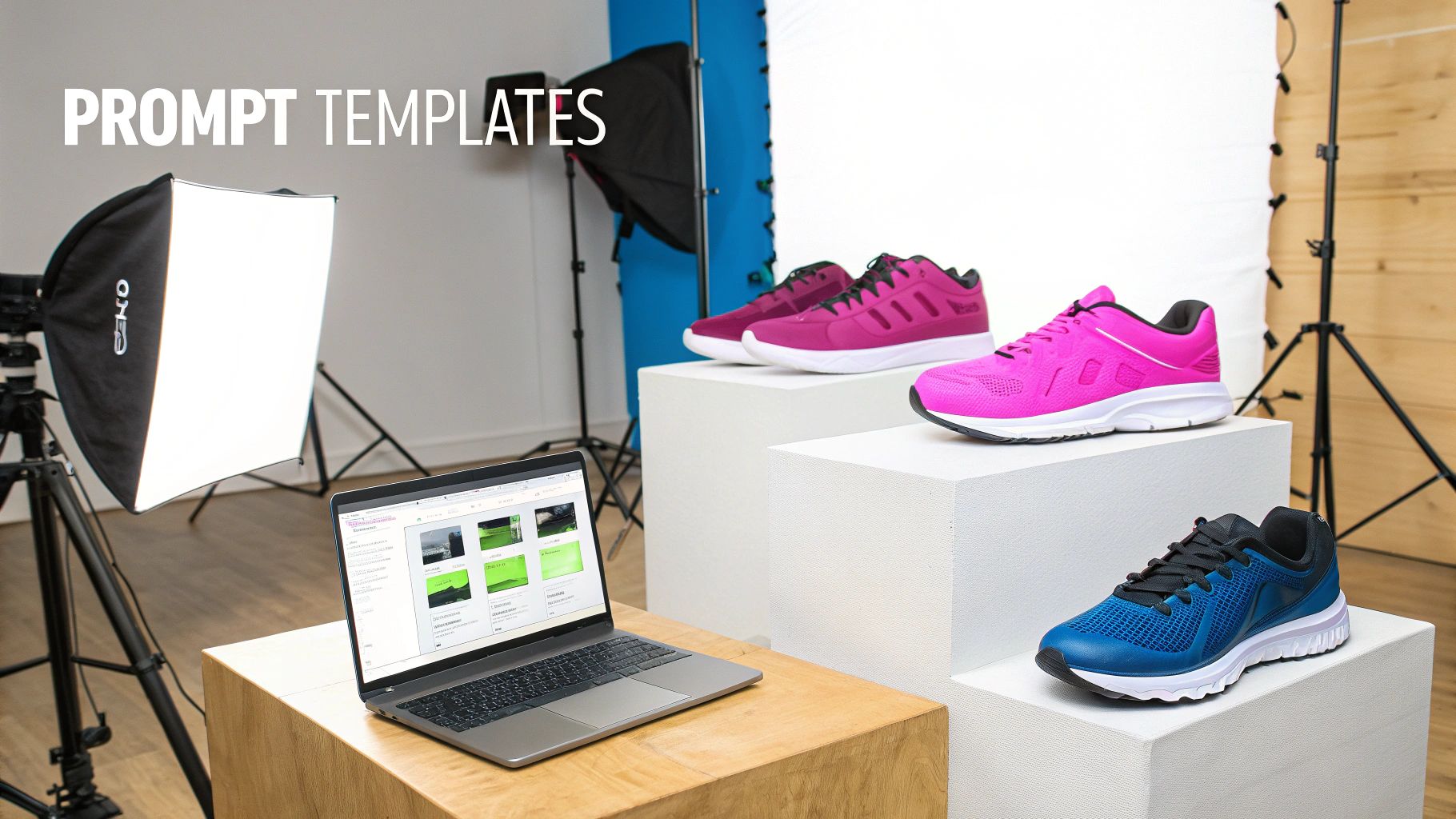
Let’s say you’re a marketer who needs a full suite of ad creatives for a new line of running shoes. Your template could be as simple as this:
- Base Prompt:
Professional product photography of [COLOR] running shoes on a minimalist [SURFACE] podium, clean white background, dramatic studio lighting, high resolution, photorealistic.
Now, just by tweaking the [COLOR] and [SURFACE] variables, you can churn out an entire product catalog in minutes. One minute you're generating "electric blue" shoes on a "polished concrete" podium, the next it's "neon green" shoes on a "dark wood" block. The core visual identity stays locked in, but the product changes every time. That's efficiency.
The whole point of a template is to lock in your brand's visual DNA—the lighting, mood, and style—while giving you the flex to showcase different products or ideas. It's about creating consistency without killing creativity.
This systematic approach is a lifesaver in almost any field. A branding agency could generate dozens of logo variations just by changing the variable for the central icon. An educator could create a whole series of worksheets with different illustrated animals or historical figures by tweaking one part of their master prompt.
The Economic Impact of Scalable AI
The value here isn't just about saving time; it's reflected in major economic shifts. The artificial intelligence sector is a massive driver of growth, and it’s no surprise when you see the productivity gains firsthand.
Worldwide AI spending is on a wild trajectory, projected to hit USD 3.3 trillion by 2029. This isn't just corporate jargon; this massive investment shows just how essential AI tools are becoming for any business that wants to scale. You can dig deeper into the rapid expansion of the AI sector to get the full picture.
For creators and marketers, that huge number translates directly into time saved and creative output multiplied. Building a solid library of ai image prompts and templates is an investment that pays for itself almost instantly.
If you're stuck on where to start, an AI image prompt generator can give you some excellent foundational templates to customize. It’s a great way to jumpstart your workflow and get to the good stuff faster.
Go Deeper: Advanced Prompting and Model-Specific Tricks
Once you've got the hang of the basic prompt structure, it's time to start playing with the more advanced techniques that give you serious creative control. The first thing to realize is that not all AI models are built the same. A generator like Flux 1.1, for instance, was engineered for photorealism, which means it gets really excited when you feed it prompts full of photographic details.
Knowing your model's strengths is half the battle. If you want a photorealistic shot from Flux 1.1, dropping in camera and lens specs isn't just a nerdy detail—it's a direct command to the AI.
For example, adding "shot on a Canon EOS R5 with an 85mm f/1.2 lens, shallow depth of field" tells the AI exactly what kind of professional gear to mimic. That one little phrase can be the difference between a generic stock photo and an image that feels like it came straight from a high-end photoshoot.
Refining Your Vision with Negative Prompts
One of the most powerful tools in your arsenal is the negative prompt. This is where you tell the AI precisely what you don't want it to create. Honestly, it’s a total game-changer for cleaning up those classic AI quirks and refining your final image.
By adding a simple parameter like --no, you can kick unwanted elements to the curb.
--no text, watermarksgets rid of distracting, garbled text.--no blurry backgroundforces everything in your scene to be crisp and clear.--no extra limbs, poorly drawn handshelps fix common and creepy anatomical mistakes.
Think of negative prompts as your personal quality control inspector. They're absolutely essential for producing clean, professional-looking assets, especially if you're generating something like game character sprites or detailed patterns where every little mistake stands out.
Controlling the Spotlight with Prompt Weighting
So, what do you do when your prompt has a few different things you care about? You can use prompt weighting to tell the AI which parts of your description are the most important. It's a simple trick where you assign a number to a word or phrase to crank up its influence on the final image.
The exact syntax changes a bit between models, but it usually looks something like this: A red sports car driving through a neon city::2. That ::2 might tell the AI to make the "neon city" twice as important as the "red sports car," pushing it to create a scene that's bursting with vibrant, city-focused details.
This is how you direct complex scenes. By tweaking the weights, you’re basically telling the AI where to point its focus, ensuring your most critical elements get the attention and detail they deserve. You become the director of your own digital photoshoot.
The innovation in this space is just relentless, opening up new creative doors all the time. The generative AI market has exploded to an incredible USD 63 billion, which shows you just how many people are jumping in. This boom is fueled by models that are getting smarter every day, understanding complex commands with stunning accuracy.
You can check out some of the leading AI models to see how they stack up. Getting comfortable with these advanced ai image prompts is the key to making sure you're squeezing every last drop of potential out of this incredible tech.
Building an Efficient Creative Workflow
A brilliant prompt is just the launchpad. The real productivity boost from using ai image prompts comes from building an efficient workflow that turns that initial creative spark into a scalable production line. What happens after you click ‘generate’ is where you win back hours, especially when you’re dealing with hundreds of images for a campaign or project.
An effective system integrates post-production right from the start. You need to think beyond just the generation phase and plan for the entire lifecycle of your visuals. This means having a strategy for the inevitable batch-editing tasks that are always part of the creative process.
For example, using tools to handle background removal on an entire set of product shots or resizing a batch of images for different social media formats saves a massive amount of manual effort. It’s the difference between a fun tool and a professional powerhouse.
A Practical Checklist for Bulk Projects
Managing a high volume of AI-generated assets requires a structured approach to avoid chaos. Moving from a single idea to a library of deployable visuals can be broken down into a few key stages. I’ve found this process keeps things consistent and the quality high from start to finish.
- Define Visual Goals: First, get crystal clear on the objective. Do you need product photos on a white background, lifestyle images for social media, or illustrations for a blog series? Knowing the end use dictates the entire process.
- Build a Master Prompt Template: Create a detailed, flexible prompt with variables for key elements like color, subject, or setting. This template is your foundation for generating consistent, on-brand assets in bulk.
- Generate and Curate: Run your batch generation. Don't just keep everything; quickly curate the best outputs that align with your visual goals, discarding any that miss the mark. Be ruthless here.
- Refine in Bulk: This is where efficiency tools shine. Use batch editors to apply universal brand filters, resize all curated images to required dimensions, or add watermarks.
- Organize for Deployment: The final step is crucial. Implement a clear naming convention and folder structure for your assets. Tagging images by campaign, platform, or content type makes them easily searchable for future use.
The diagram below breaks down some of the advanced techniques you can build right into your master prompts to get better results from the very beginning.
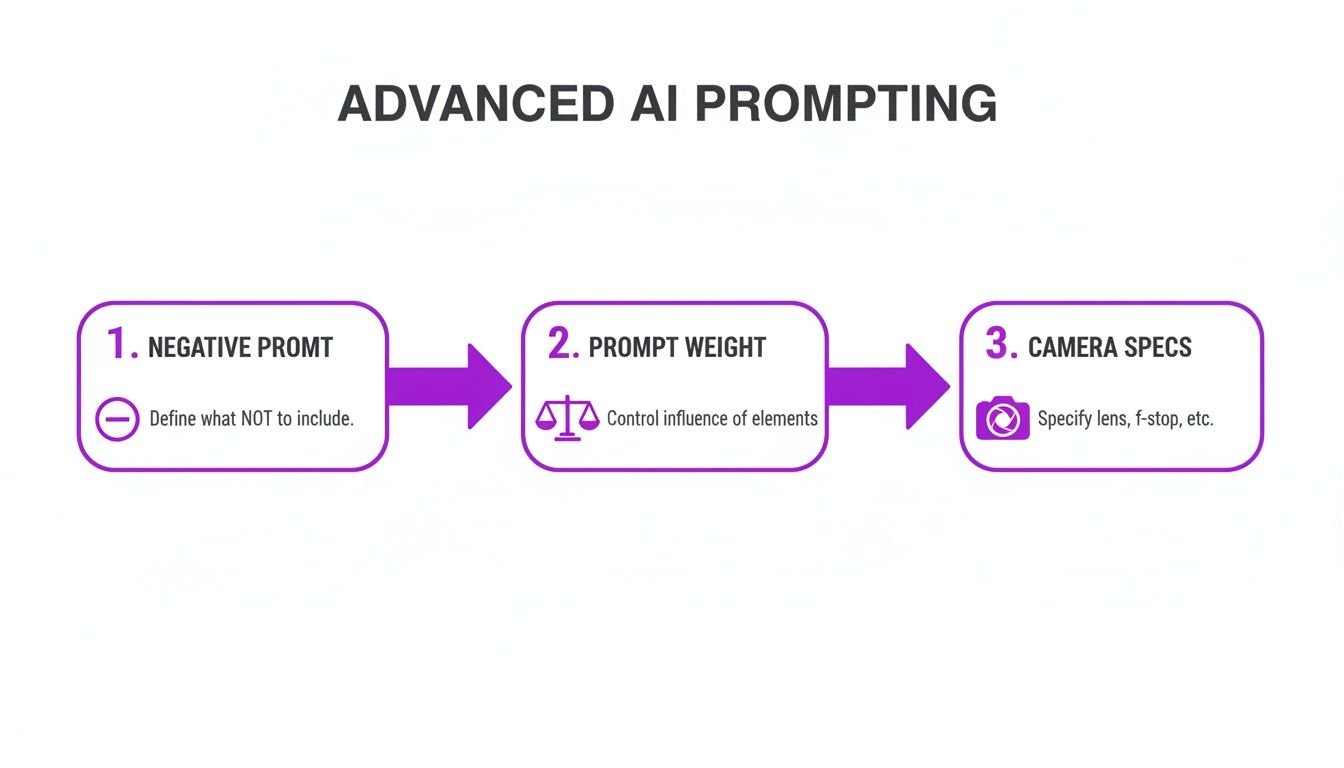
This flow shows how negative prompts, prompt weighting, and camera specifics give you granular control, which means less time spent on extensive post-production edits later on. For anyone serious about using AI visuals, an efficient workflow extends beyond just generation and into publishing. To see this in action, you can learn more about how to create stunning digital product images with AI generators: https://bulkimagegeneration.com/blog/en/tutorials/how-to-create-stunning-digital-product-images-using-ai-generators-5-digital-product-image-prompt-examples.
The goal is to create a repeatable system. By treating AI image generation as the first step in a larger production pipeline, you can reliably scale your visual content without sacrificing quality or burning out your team.
For instance, your workflow doesn't have to end with a folder of images. It should extend all the way to publishing. Using a Pinterest Post Generator can help you craft compelling descriptions for your AI-generated visuals, ensuring they actually reach the right audience. This is how you integrate AI into your operations for a massive, tangible productivity boost.
Common Questions About AI Image Prompts
Jumping into AI image generation always brings up a ton of questions. That's totally normal. Getting a handle on the fundamentals is the first step from feeling confused to feeling confident. Let's break down a few of the most common things people ask when they're getting started.
How Specific Should My Prompts Be?
This is the big one, and the answer is: it depends on your goal.
If you're just exploring ideas or brainstorming, a simple prompt like "futuristic city skyline" is perfect. It gives the AI a ton of creative freedom and you'll get back a wide variety of concepts to spark your imagination.
But when you need a specific, final asset for a project? That's when you have to get granular. Think of yourself as a director. You need to provide details about the subject, the style, the lighting, and even the composition. The more layers of detail you add, the closer the AI gets to what’s in your head, which saves you a ton of time on re-rolls and edits.
My workflow is usually to start broad to explore, then narrow my focus to execute.
What Are the Most Common Prompting Mistakes?
I see the same few trip-ups all the time: being way too vague, using contradictory terms, and completely forgetting about negative prompts.
A prompt like "a person walking" is basically useless—it's too generic. But "a silhouette of a person walking on a foggy beach at dawn" immediately gives the AI the context it needs to create something compelling.
Also, avoid confusing the AI with prompts that fight themselves, like "a photorealistic cartoon." That's a classic mistake. Most importantly, learn to love negative prompts. They tell the AI what not to include. If you keep getting weird text or watermarks in your images, adding --no text, --no watermarks is a simple but powerful fix that instantly cleans up your results.
The best AI image prompts are a mix of creative direction and technical precision. They don’t just tell the AI what to create, but also what to avoid. That’s how you really gain control over the final image.
Can I Maintain a Consistent Brand Style with AI?
Absolutely. In fact, this is one of the biggest reasons businesses are turning to AI for scaling their visual content. The trick is to create a "brand signature"—a consistent string of keywords you add to your prompts to keep everything looking cohesive.
This signature might include things like:
- Specific Brand Colors: Don't just say "blue." Use hex codes like
#1A2B4Cfor total accuracy. - A Preferred Artistic Style: Consistently add terms like "minimalist line art style" or "cinematic product photography."
- An Artist's Influence: Referencing a style, like "in the style of Ansel Adams," can guide the entire aesthetic.
By tacking this signature onto all your image prompts, you can build a massive library of visuals that all feel unified and instantly recognizable as yours. As you explore different platforms for this, it's smart to understand the costs involved. This guide to Midjourney pricing is a great resource for figuring out the investment for popular tools.
Ready to stop prompting one by one and start producing at scale? Bulk Image Generation lets you create hundreds of unique, on-brand images in seconds. Describe your vision, and let our AI handle the rest. Try it now at https://bulkimagegeneration.com and transform your creative workflow.