A Guide to AI Image Generation Tools

Ryan Bennett • September 28, 2025
Discover the best AI image generation tools for any skill level. Learn how they work, how to choose the right one, and master creating stunning visuals.
At its core, an AI image generation tool is a piece of software that uses artificial intelligence to create brand-new visuals from simple text descriptions. It's like having a digital artist on call, ready to instantly turn your written ideas into unique images, photos, and illustrations.
A New Era of AI-Powered Creativity
We're in the middle of a creative revolution, one where your words are the paintbrush and your imagination is the only real constraint. AI image generation tools are quickly changing the game for visual content, serving as a powerful co-pilot for artists, marketers, and creators of every stripe.
This guide goes beyond the basic definitions to give you a real look under the hood. We'll show you how this technology actually works and, more importantly, how you can put its power to good use—from basic mechanics to advanced applications for your professional projects.
Understanding the Creative Shift
The arrival of these tools marks a massive shift in how we make things. Creating high-quality visuals is no longer just for people with years of design training or access to expensive software. Now, anyone with a good idea can bring it to life in a matter of seconds.
This newfound accessibility is fueling explosive growth. The global market for AI image generators was already valued at USD 349.6 million in 2023 and is expected to balloon to roughly USD 1.08 billion by 2030. This boom is all thanks to smarter AI algorithms that are getting better and better at producing photorealistic and incredibly detailed images. You can dive deeper into the numbers behind this expansion in this market analysis from Grand View Research.
Think of it like this: you're collaborating with an artist who can paint anything you can describe. The AI takes your instructions, interprets them, and translates them into a visual, opening up a world of creative possibilities that just didn't exist before.
By the time you're done with this guide, you'll have a solid, practical understanding of how these tools can:
- Spark new creative ideas by letting you experiment visually at lightning speed.
- Save a ton of time and money compared to traditional design workflows.
- Bring your biggest concepts to life without needing to be a tech wizard.
Our goal is to show you how to make AI image generation an indispensable part of your creative or business toolkit.
How AI Image Tools Turn Words Into Pictures
Ever wonder how these tools conjure up incredible images from just a few words? It’s not actually magic, but it’s close. At the heart of it all are massive AI models that have been trained by studying billions of image-and-text pairs scraped from the internet. This process teaches the AI to build connections between words and what they look like.
Imagine the AI is a sculptor, but instead of a block of marble, it starts with a chaotic canvas of digital static—pure noise. Your text description, which we call a prompt, is your set of instructions for the sculptor. The AI gets to work, slowly refining that static, chipping away at the noise layer by layer, until a clear and detailed image that matches your description emerges. This whole technique is called a diffusion process.
The Vocabulary of Creation
To really get the results you want, you need to learn how to "speak" to the AI. A few key terms are the foundation for controlling these tools and steering them toward your vision. Once you get a handle on this vocabulary, you go from just using the tool to truly creating with it.
Knowing these concepts puts you in the driver's seat.
-
Prompt: This is your main command. A simple prompt like "a blue car" is a start, but something detailed like "a vintage blue sports car on a winding coastal road at sunset, cinematic lighting" gives the AI much richer information to work with.
-
Negative Prompt: Just as important is telling the AI what you don't want. If your results have weird text or distorted hands, you can add "text, watermark, extra fingers" to your negative prompt to clean things up.
-
Seed: Think of a seed as the unique starting point for the digital static. It's a number that kickstarts the whole process. If you use the same seed with the same prompt, you’ll get a nearly identical image every time. This is a game-changer for consistency. Want a little variation? Just change the seed number.
-
Model: This is the AI's "brain" or artistic style. Different models are trained on different kinds of images. Some are masters of photorealism, while others are built specifically for creating anime, fantasy art, or architectural designs.
Crafting the Perfect Prompt
The quality of what you put in directly dictates the quality of what you get out. Writing a great prompt is an art form, a mix of descriptive language and specific commands that bring your idea to life. If you want to see just how powerful this can be, check out Ecorn's research on mass AI image generation using Midjourney, which really shows how detailed inputs create incredible visuals at scale.
The prompt is your dialogue with the AI. The more clearly and descriptively you can communicate your idea, the closer the AI will get to creating the exact image you have in mind. It's a partnership between human intent and machine execution.
Getting the hang of writing detailed instructions can be tricky at first. A great way to learn is by seeing what works. If you're looking for a launchpad, try using a free AI image prompt generator to help structure your ideas. It can give you a solid foundation and show you how to guide the AI more effectively.
Key Features of Top AI Image Generators
It's easy to assume all AI image generation tools are more or less the same, but that couldn't be further from the truth. While most can turn a simple text prompt into a picture, the real magic—and the difference between a novelty and a professional asset—lies in the details. Getting a handle on these core features is what separates a casual user from someone who can really make these tools sing.
Let's start with the basics. The most obvious feature is style selection. This is your director's chair, letting you call the shots on the entire aesthetic. You can demand photorealistic product mockups, dream up some whimsical anime characters, or sketch out gritty cyberpunk concept art. This isn't just for fun; it's about making sure the final image actually fits your brand or project's visual language.
Another feature that sounds minor but is absolutely essential in practice is aspect ratio control. The ability to generate an image natively in a 16:9 format for a YouTube thumbnail or a 9:16 vertical slice for an Instagram Story is a massive time-saver. It means you get what you need right out of the gate, with no awkward cropping or reformatting later.
Advanced Editing and Refinement
The best tools don't just stop at that first generation. They give you a whole workshop of features to tweak, fix, and perfect the image until it's just right. This is where you get to iterate without having to start from scratch every single time.
Here are a few of the most powerful ones:
- Inpainting: Think of this as a magic eraser with a brain. You can highlight a specific part of an image—say, a hand that looks a little weird or an empty spot on a table—and give the AI a new prompt to fix or fill only that area. It’s a game-changer for fixing small errors or adding new elements into an existing scene.
- Outpainting: Sometimes called "uncropping," this feature does the opposite. It expands the canvas beyond the original image borders. The AI then intelligently predicts what should be in the new space, creating a wider, more complete scene that feels completely natural.
- Upscaling: The default images from most AI generators are too low-res for professional use or high-quality printing. Upscaling is the fix. It uses AI to intelligently increase the image's resolution, adding sharp details and avoiding the fuzzy pixelation you get from just stretching a small image.
The journey from simple apps to complex professional software brings a huge jump in creative control, as this graphic shows.
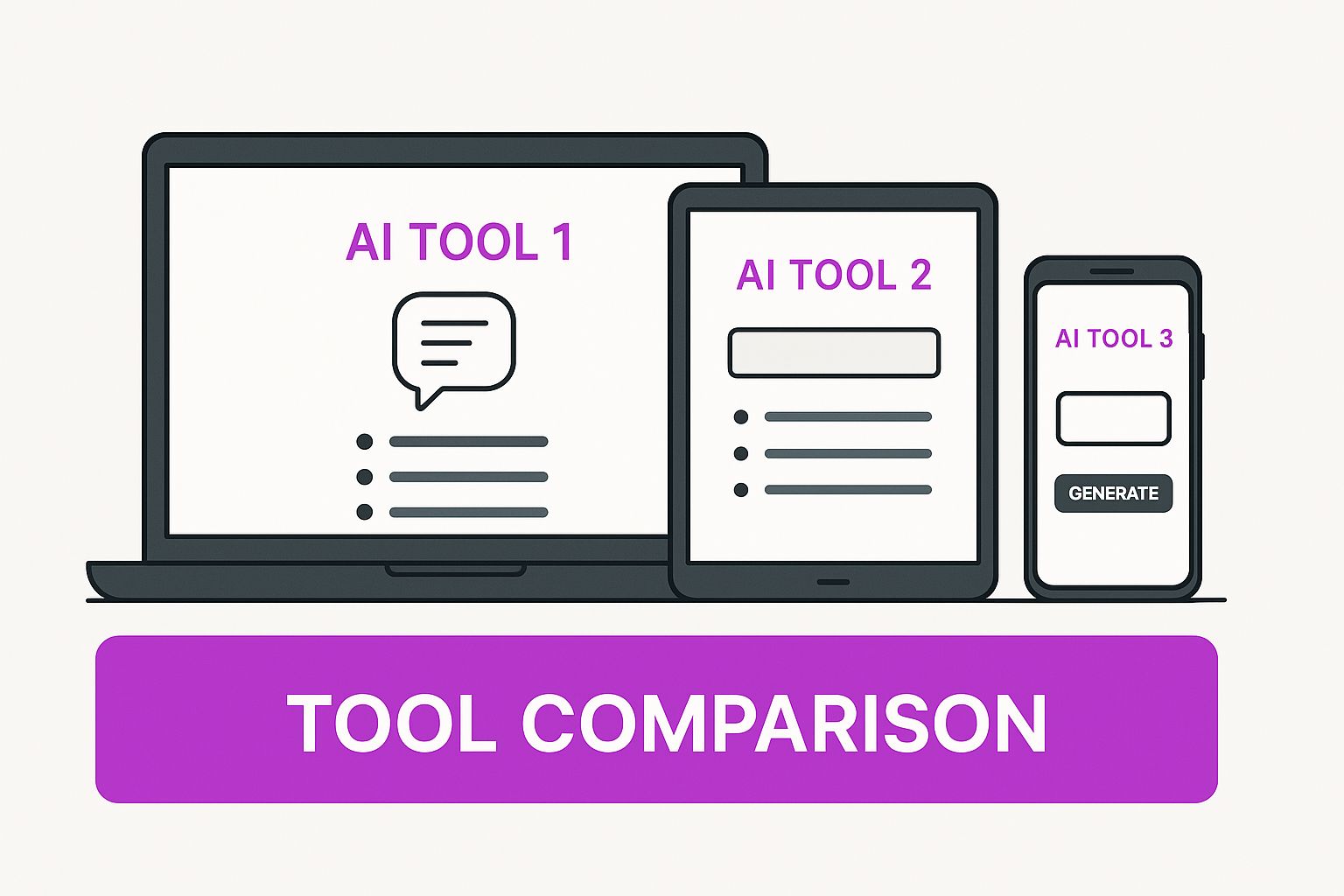
As you can see, the more professional the tool, the more levers and dials you have to pull to get exactly what you envision.
Feature Comparison Across Different AI Image Tool Tiers
The features available often clue you into who the tool was built for. To make it clearer, here’s a breakdown of what you can generally expect from different tiers of AI image generators.
| Feature | Entry-Level Tools (e.g., Canva AI) | Mid-Tier Tools (e.g., Midjourney) | Professional Tools (e.g., Stable Diffusion) |
|---|---|---|---|
| Basic Text-to-Image | ✅ Yes | ✅ Yes (Advanced) | ✅ Yes (Highly Advanced) |
| Style Selection | Basic presets | Extensive prompt-based control | Full control via models & LoRAs |
| Aspect Ratio Control | Limited presets | ✅ Yes | ✅ Full custom control |
| Inpainting/Outpainting | ❌ No | ✅ Yes (Varies by platform) | ✅ Yes (Core feature) |
| Upscaling | Basic or ❌ No | ✅ Yes | ✅ Advanced, multiple options |
| API Access | ❌ No | Varies | ✅ Yes |
| Custom Model Training | ❌ No | ❌ No | ✅ Yes |
This table illustrates a clear trend: as you move up the ladder from entry-level to professional tools, you trade some of the initial simplicity for a massive increase in power and fine-grained control. Exploring a capable AI image generator is the best way to feel this difference firsthand.
The real power of professional AI image generators isn't just in creating an image from scratch, but in the ability to iterate, refine, and modify that image with surgical precision.
What does that "surgical precision" look like? Take a look at an interface for Stable Diffusion, a hugely popular open-source model famous for its depth of customization. You can immediately see the sliders, input fields, and technical settings that give expert users total command over the generation process. This level of control is what really sets the pro-grade tools apart.
Practical Business Uses for AI-Generated Images
The real magic of AI image generators happens when you stop talking about the tech and start looking at how businesses are actually using it. This isn't just a fun novelty; it's quickly becoming a core asset for companies that need great-looking visuals without the traditional costs and delays.
For marketing and social media teams, the content treadmill never stops. AI offers a way off. Instead of endlessly scrolling through stock photo libraries for something that kinda fits, they can now generate an endless stream of ad creatives, blog headers, and social media posts on demand. This frees them from generic imagery and lets them create visuals that perfectly match a campaign's specific message and vibe.
And this isn't a niche trend. The broader generative AI market is on a rocket ship, projected to be worth $98.1 billion by 2025. Companies are already spending big, with enterprise investment hitting $42.3 billion globally. What's driving that? Marketing and design, which account for nearly 65% of that spending. You can dig into more of the numbers in this detailed generative AI market report.
E-commerce and Product Visualization
If you're in e-commerce, you know the struggle: you need to make your products look amazing, but professional photoshoots are a huge drain on time and money. AI image generation is completely rewriting that playbook.
A business can now take a simple, clean product photo and drop it into a custom-generated scene. Suddenly, that new handbag isn't just sitting on a white background—it’s on a table at a Parisian café or sitting next to a book on a sunny beach. All created in a matter of minutes.
Instead of hiring models, booking locations, and coordinating a complex photoshoot, brands can now generate dozens of product mockups and lifestyle scenes with a few clicks. This dramatically lowers the barrier to professional-grade marketing visuals.
This is a game-changer, especially for smaller brands. For a deeper dive, check out our guide on how to leverage AI images for small businesses for more hands-on tips and strategies.
Design and Rapid Prototyping
It's not just about marketing, either. Designers across all kinds of industries are embracing AI to supercharge their creative process. Think of it as an ideation engine—a way to visualize concepts almost as fast as you can dream them up.
Here’s where it’s making a huge impact:
- Concept Art: Game developers and filmmakers can flesh out entire worlds, generating huge volumes of character designs, environments, and storyboards to see what sticks before committing serious resources.
- Architectural Visualization: An architect can create photorealistic renderings of a new building, showing a client exactly how it will look in different lighting, seasons, or with different materials, long before breaking ground.
- UI/UX Design: Need to test out a new look for an app? Designers can mock up different interface styles, icons, and illustrations in a flash, making it much easier to A/B test ideas and get feedback.
By bringing these tools into their workflow, businesses aren't just saving money. They're fundamentally accelerating innovation. The power to instantly iterate on visual ideas gives any team a massive advantage.
How to Choose the Right AI Image Generation Tool
The market for AI image generators has exploded, and picking the right one can feel overwhelming. It’s easy to get lost in the hype, but the secret is to step back and match the tool's strengths to your actual needs and goals.
The scale of AI-generated content is just mind-boggling. Every single day, an estimated 34 million AI images are created around the globe. That adds up to over 15 billion images since 2022. To put that in perspective, it took traditional photography nearly 150 years to reach the same milestone that AI achieved in about 1.5 years.
With so many options out there, the perfect tool for you definitely exists—you just have to know what to look for.
Evaluate Your Skill Level and Desired Ease of Use
First things first, do a quick self-assessment. Are you just starting out and need something that works right out of the box? Or are you a seasoned pro who wants to fine-tune every little detail? Your answer here will instantly filter out a huge chunk of the options.
- For Beginners: Stick to tools with simple text-to-image prompts, a clean interface, and plenty of preset styles. The idea is to get a fantastic result without getting bogged down in technical settings.
- For Advanced Users: You’ll want to look for platforms that give you deep control over parameters, let you upload custom models, and offer API access to plug into your existing workflows.
Assess Output Quality and Artistic Style
Here’s a critical truth: not all AI models are the same. Each one has its own unique artistic "personality." Some are brilliant at creating photorealistic images you could mistake for a real photo, while others specialize in specific styles like anime, abstract art, or fantasy illustrations.
Before you commit to a tool, spend some time exploring its gallery or community feed. Does the style of the images feel right for what you're trying to create? If you're building a brand identity for a law firm, a generator that mostly pumps out sci-fi art probably isn't your best bet.
The right tool shouldn’t just create an image; it should create an image in the style you need. Matching the AI's native aesthetic to your project's requirements is one of the most important steps for achieving consistent, high-quality results.
Compare Pricing Models and Usage Rights
Finally, let's talk about the practical side of things: money and ownership. Most AI image generators fall into a couple of common pricing models.
- Subscription Plans: You pay a monthly fee for a certain number of image credits.
- Pay-Per-Image Credits: You buy credits in a bundle and use them whenever you need them.
This next part is crucial: always check the commercial usage rights. Some free versions or cheaper plans might not allow you to use the images for business. Make sure you read the terms of service to confirm you can legally use your creations the way you intend. To get a better handle on the options, it’s worth checking out reviews of the best AI image generator tools currently on the market.
Right now, we're seeing just the tip of the iceberg when it comes to AI image generation. The technology is sprinting forward, and what’s coming next promises to completely redefine how we think about and create visual media.
The next big leap? AI-powered video. Think about it: you type out a sentence and watch it instantly transform into a high-quality video clip. This isn't science fiction; companies are already building models that can turn a script into a moving scene with startling realism. In the same vein, we're seeing the rise of tools that can generate complex 3D models from a simple text prompt, which is poised to shake up industries from game development to product design.
Your Creative Co-Pilot
But does all this new tech make human creators obsolete? Absolutely not. Instead, these capabilities are being woven directly into the software we already use every day, like Adobe Photoshop, turning these tools into incredibly powerful creative partners.
The real story here is that AI isn't a replacement for human creativity—it's a collaborator. It takes care of the tedious, technical work, which frees you up to focus on what truly matters: the core concept and the artistic vision.
Honestly, there has never been a more exciting time to be a creator. These tools are getting better and easier to use by the day. The best way to prepare for what's coming is to dive in, start experimenting, and become part of shaping the future of visual creation.
Got Questions About AI Image Generation? We've Got Answers.
Jumping into the world of AI image generation naturally brings up a lot of questions. It's new, it's powerful, and everyone wants to know how to get the most out of it without any nasty surprises. Let's break down a few of the most common things people ask.
Getting a handle on the rules of the road—from legal rights to practical tips—is the best way to use these tools with confidence.
Can I Use AI-Generated Images for My Business?
This is probably the most critical question, and the answer isn't a simple yes or no. It really comes down to the specific tool you're using. Every platform has its own set of rules, and they can vary dramatically.
As a general rule of thumb, paid subscriptions are far more likely to give you the commercial rights you need for business projects. Free versions, on the other hand, often come with strings attached.
Before you ever use an AI-generated image for commercial purposes, do yourself a favor and read the licensing agreement. It’s a small step that can save you from a world of legal trouble later on.
Seriously, don't skip the fine print. It's a non-negotiable part of the process.
How Do I Stop Getting Weird, Random Results?
If you're struggling with consistency, you're not alone. The secret is learning how to "talk" to the AI, a skill often called prompt engineering. It's less about giving a simple command and more about painting a detailed picture with your words.
Instead of just typing a short phrase, think like a director setting a scene.
- Get Ultra-Specific: Don't just ask for "a dog." Describe it: "A fluffy golden retriever puppy, sitting in a field of tall green grass, golden hour lighting, soft focus background."
- Tell It What to Avoid: Negative prompts are your best friend. Adding terms like "blurry, distorted, cartoon, watermark" can dramatically improve the quality of your output.
- Give it an Artistic GPS: Mentioning a specific style ("in the style of a vintage polaroid") or even an artist ("in the style of Ansel Adams") gives the AI a clear creative path to follow.
Once you get the hang of these techniques, you'll feel less like you're gambling on a result and more like you're in the driver's seat.
Are These Tools Going to Put Artists Out of a Job?
Most creative professionals see AI as a new kind of collaborator, not a replacement. Think of it this way: AI is incredible at following instructions and churning out variations at a mind-boggling speed. What it can't do is bring genuine life experience, emotional nuance, or a client's strategic goals into the creative process.
That's where humans shine. These tools are fantastic for brainstorming, creating mockups, or generating background assets in a fraction of the time it used to take. They handle the grunt work, freeing up human designers and artists to focus on what really matters: the big idea and the final polish.
Ready to stop prompting one image at a time and start creating at scale? Bulk Image Generation lets you produce hundreds of professional-quality visuals in seconds, all from a single description. Ditch the manual work and accelerate your creative workflow today. Try it now at bulkimagegeneration.com.
