Ai Generate Profile Picture: How to Create a Professional Look

Ryan Bennett • January 21, 2026
Discover how to ai generate profile picture that looks polished and professional with simple steps, tools, and tips to boost your online presence.
To generate a profile picture with AI, you're essentially using specialized tools that turn simple text descriptions into professional-quality headshots, often in just minutes. This isn't about replacing photographers but about having a fast, affordable alternative that puts you in the driver's seat of your own online image.
Why Your Next Profile Picture Should Be AI-Generated
Let's be real: finding a photographer, scheduling a shoot, and paying for professional headshots is a major headache. That’s precisely why so many people—from startup founders to digital marketers—are turning to AI for their profile pictures. It's a ridiculously practical way to create a polished, consistent online presence without the huge drain on your time and wallet.
And the benefits go way beyond just saving a few hours.
Think about outfitting your entire team with on-brand headshots for a new website launch. What used to take weeks of coordination can now be done in an afternoon. This ensures every single team member has a consistent, high-quality photo that actually fits your company's vibe.
A Strategic Advantage in a Visual World
Your profile picture is your digital handshake. It’s often the very first impression you make. Using AI gives you the power to craft that impression with surgical precision. You can play around with different styles, backgrounds, and lighting until you land on the perfect look for LinkedIn, your company website, or social media campaigns.
This isn’t just about making a cool image; it’s about gaining a strategic edge. This level of efficiency is fueling a massive shift in the industry. The market for generative AI images is absolutely exploding and is projected to hit USD 1.81 trillion by 2030. A huge piece of that growth comes from professional demand, with 69% of marketers already using generative AI to create images.
You can see just how powerful this is below, where a single idea can spawn dozens of high-quality, diverse profile pictures ready for use.
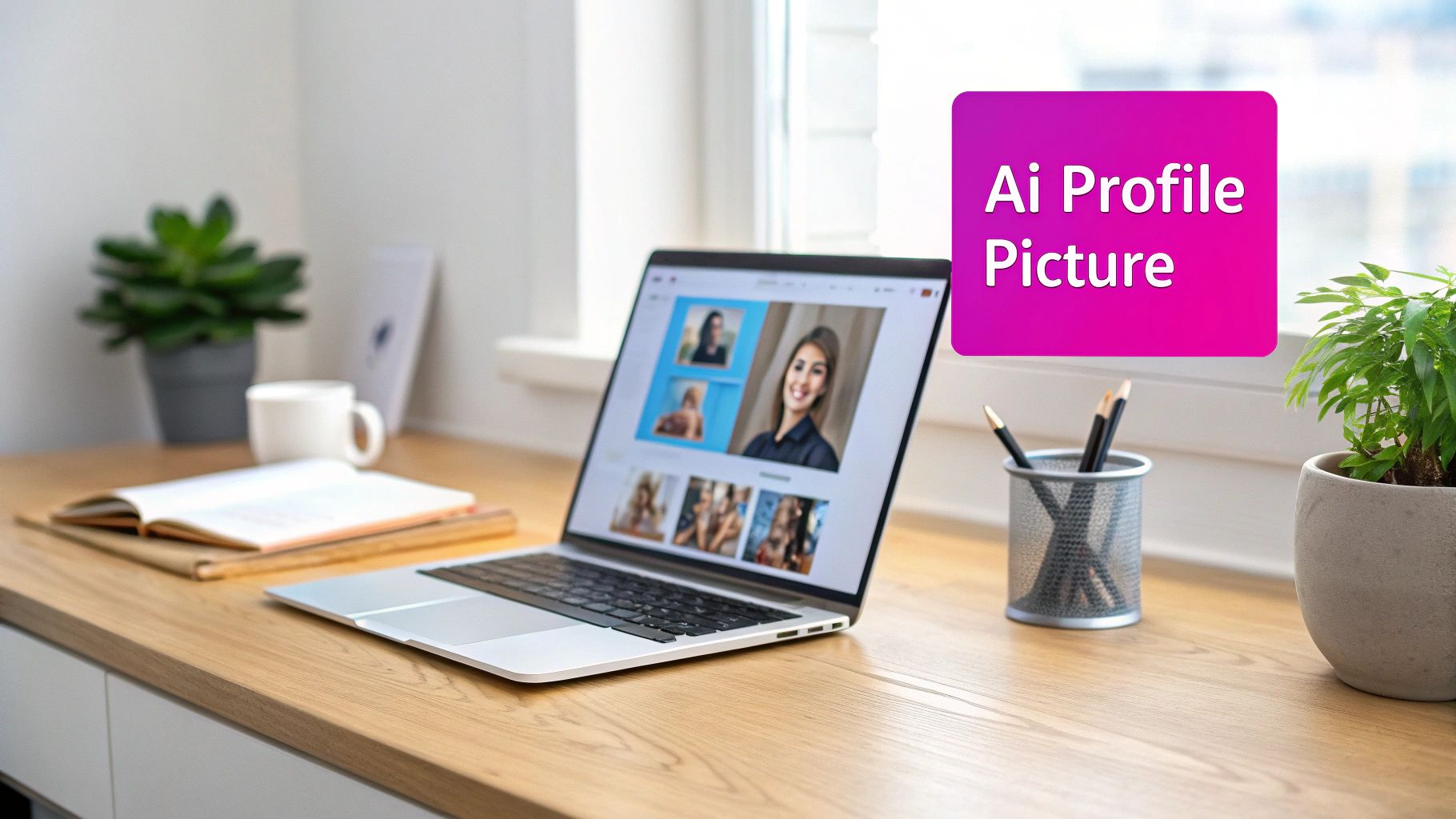
Platforms like this allow for the bulk creation of visuals, which is a game-changer for keeping your brand consistent across a team or an entire campaign.
Key Takeaway: Using AI for your profile picture is less about the tech and more about taking back control of your professional brand. It's about ensuring you present a consistent, polished identity everywhere you show up online.
Beyond profile pictures, the professional world is seeing a huge influx of sophisticated AI tools. To get a better sense of how AI is shaking up all kinds of digital content, it's worth exploring some of the top AI content creation tools for professionals.
From Vague Idea to Perfect Prompt
The secret to a jaw-dropping AI profile picture isn’t stashed away in some complicated software; it’s all in the words you choose. Getting that perfect image is really an art form—the art of translating the picture in your head into a command the AI can actually understand. It’s the difference between a generic, slightly-off portrait and a headshot that genuinely looks like you, but better.
Think of yourself as a film director, not just a user typing words into a box. Instead of vaguely asking for "a professional photo," a director would get specific about the mood, lighting, camera angles, and setting. That’s exactly how you need to approach prompting if you want to ai generate profile picture results that truly stand out.
The Anatomy of a Powerful Prompt
A really effective prompt is built in layers, starting broad and getting more specific with each detail. Every new piece of information you add refines the outcome, steering the AI closer and closer to your vision.
Let's break down the core components:
- Subject: This is your starting point. Who or what is the focus? For instance, "Professional headshot of a female digital marketer in her 30s."
- Setting & Background: Where is this person? The background is huge for setting a professional tone. You could add, “…in a modern, bright office with a blurred background.”
- Lighting: Lighting is everything when it comes to mood. Are you going for friendly and approachable or something more dramatic and powerful? Let's try, “…lit by soft, natural morning light from a window.”
- Style: Are you aiming for something that looks like a real photo, or is a more artistic flair okay? Specify with, “…photorealistic style, sharp focus, 8k resolution.”
Put it all together, and you get a command that gives the AI clear, actionable instructions: "Professional headshot of a female digital marketer in her 30s, smiling warmly, in a modern bright office with a blurred background, lit by soft natural morning light from a window, photorealistic style, sharp focus, 8k resolution."
Prompting for Different Platforms
Your LinkedIn profile picture has a very different job to do than your Instagram avatar, and your prompts should reflect that. A corporate look demands clean lines and professional attire, while a creative profile on another platform gives you room to be more expressive.
You have to tailor the prompt to the platform. Here’s a quick look at how you might do that.
Prompt Formulas for Different Platforms
This table breaks down some effective prompt structures for getting the right look and feel for various social media and professional networks.
| Platform | Core Elements | Example Prompt Snippet | Best For |
|---|---|---|---|
| Professionalism, competence, approachability | corporate headshot, neutral background, soft studio lighting, business casual attire | Conveying professional credibility and trustworthiness. | |
| Creativity, personality, engagement | cinematic portrait, vibrant urban background, golden hour lighting | Building a personal brand or showcasing a creative, dynamic personality. | |
| X (Twitter) | Authenticity, directness, modern vibe | candid portrait, minimalist setting, natural light, confident expression | Creating a relatable and approachable presence for networking and discussion. |
| Creative Portfolio | Artistic style, uniqueness, skill showcase | editorial fashion style, dramatic lighting, high-contrast black and white | Making a bold artistic statement and attracting creative opportunities. |
The key is to match the prompt's language to what the audience on each platform expects to see. A one-size-fits-all approach just doesn't cut it if you're trying to make a strong, tailored impression.
The goal is to match the prompt's language to the audience's expectation on each platform. A one-size-fits-all approach rarely works if you want to make a strong, tailored impression.
This need for tailored visual content has driven incredible growth in the space. In 2025, the AI image generation field saw over 34 million images created daily across the globe, a testament to how these tools have opened up content creation for everyone. You can read more about this visual revolution of 2025 over at PhotoGPTAI.com.
If you ever feel stuck staring at a blank prompt box, using a specialized tool can give you a major leg up. Our free AI image prompt generator can help you build out detailed prompts from just a few simple ideas, making sure you cover all the essential details for a fantastic result. It's the perfect starting point for crafting descriptions that get you the exact profile picture you need.
Keeping Your Brand Consistent With Bulk Generation
A single, killer profile picture is great. But what about when you need twenty of them for your whole team? This is where using AI to generate profile picture sets really shines, turning what used to be a logistical headache into a smooth, creative afternoon project. Suddenly, getting a consistent look for your company's "About Us" page or internal directory is not just possible, but easy.
Think about a marketing agency bringing on a new client. They need professional, cohesive headshots for the website launch, and they need them yesterday. Instead of trying to wrangle a dozen different photoshoots, they can write one solid core prompt. This "master prompt" nails down the brand's entire vibe—the lighting, the background, the mood, and even the specific color palette.
From there, it’s all about making small, intentional tweaks.
Scale Your Visual Identity Without Losing Control
By starting with a foundational prompt, you're essentially creating the visual DNA for every headshot. It ensures every image shares the same core aesthetic, giving you that unified look you're after. The real magic happens when you introduce variables for individual details—things like hair color, gender, or job title. This lets you produce a set of portraits that are diverse but perfectly harmonious.
- Your Core Prompt: This is where you lock in the non-negotiables. Think: "soft studio lighting, neutral grey background, business casual attire."
- Variable Details: This is for the unique stuff. For example: "male software engineer, short brown hair" or "female project manager, blonde hair."
This approach isn't just faster; it gives you total control. You can guarantee every team member's photo aligns with the company’s professional image—something that’s nearly impossible to pull off with a bunch of separate, real-world photoshoots. The time savings are huge, we're talking dozens of hours saved, and you get a consistent brand story across every platform.
If you want to go deeper into creating visuals for different platforms at scale, this guide on a bulk social media image generator is a fantastic resource.
Here’s a simple way to visualize the workflow, from your initial idea to the final image.
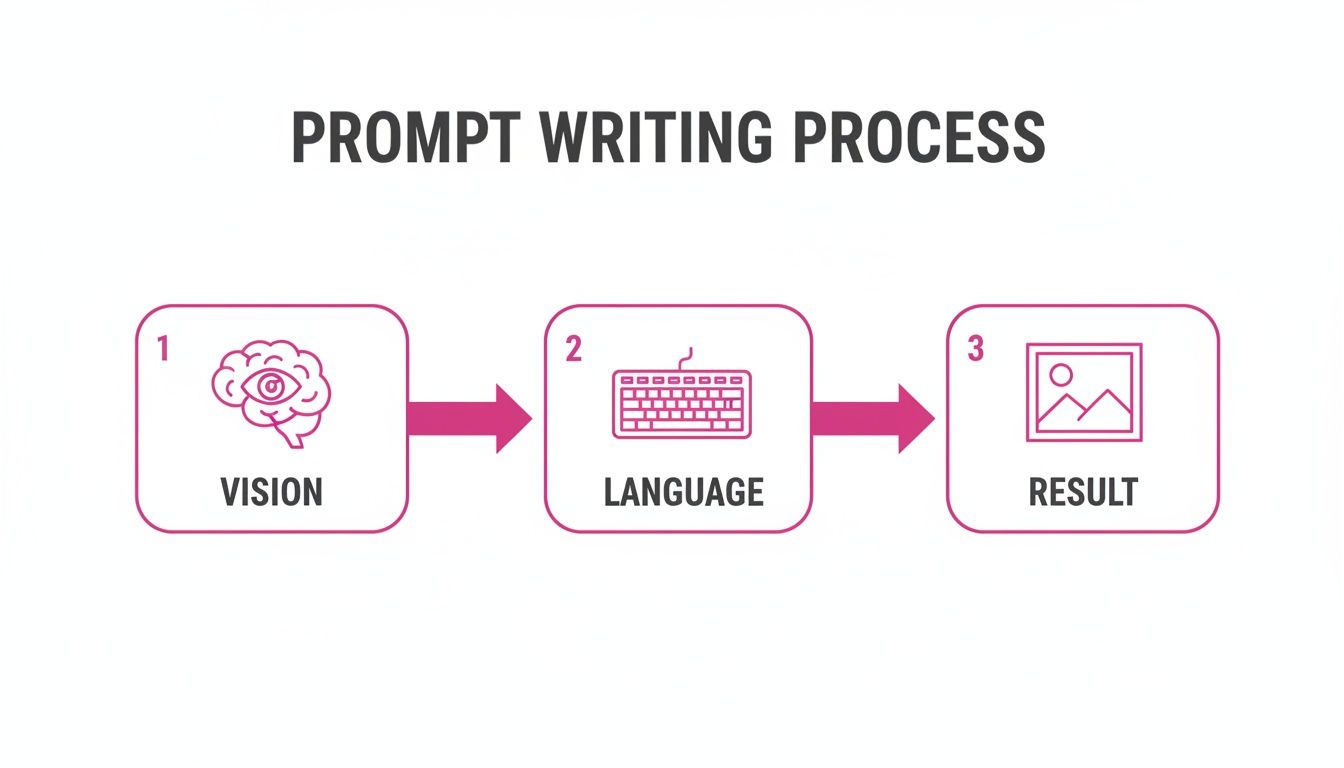
As you can see, the quality of your result is directly tied to how clear and detailed your prompt is.
A Real-World Agency Example
Let’s go back to that agency. Their core prompt might be something like this:
"Professional corporate headshot, photorealistic style, subject looking at the camera with a confident, friendly expression. The background is a modern, slightly blurred office with plants. Lighting is soft and even, coming from the front. Shot with a DSLR camera, sharp focus on the face."
With this foundation set, they just plug in the specifics for each person and run a bulk job. The AI spits out a full set of headshots where each person looks like themselves, but the style is identical across the board. The final result? A professional, uniform "About Us" page that makes the client's brand look sharp and cohesive.
Achieving that level of consistency in minutes, not weeks, is a total game-changer for branding projects.
Polishing Your AI Portraits Like a Pro
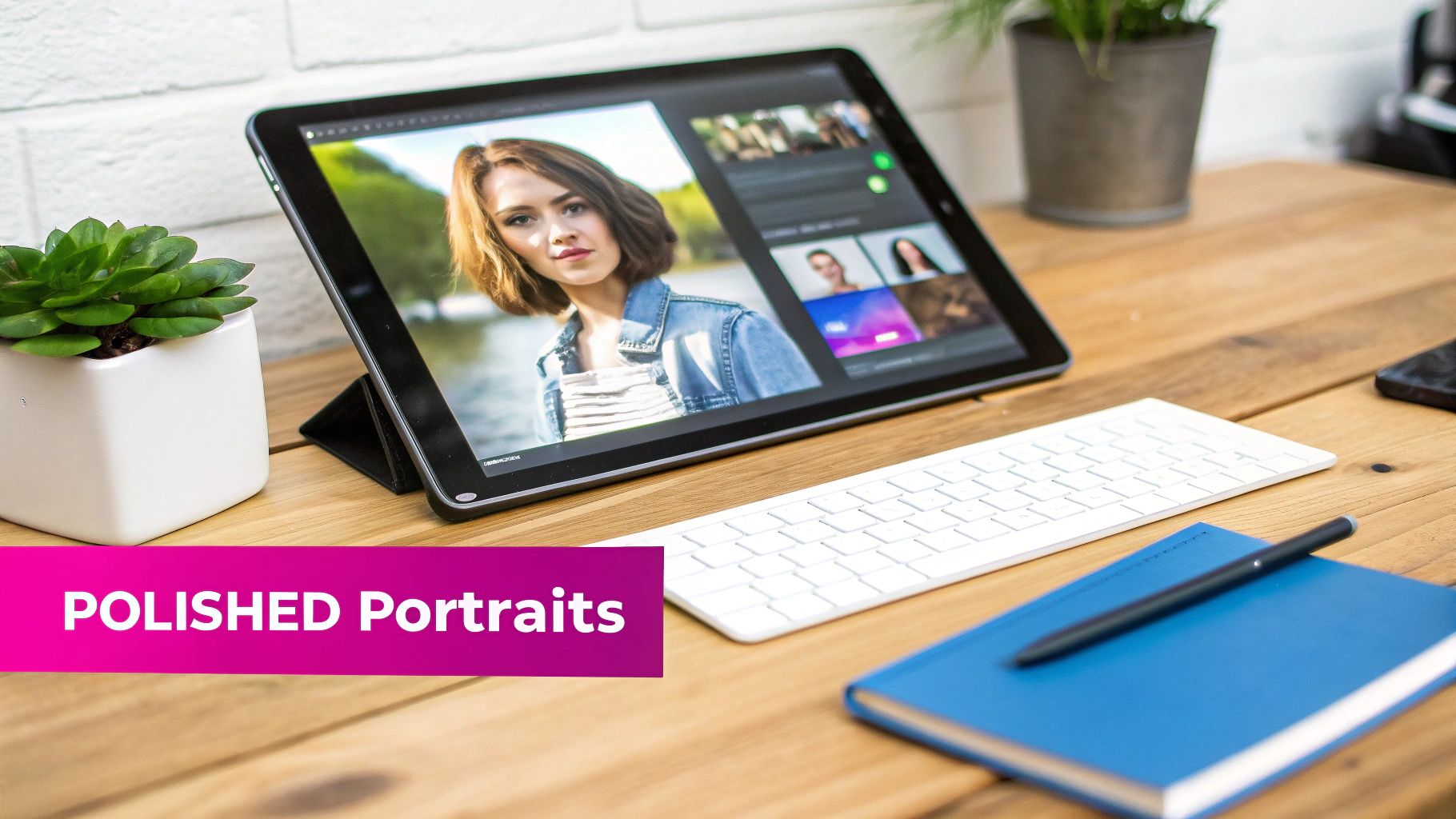
The first batch of images you get from an AI generator is rarely the finished product. Think of it as a fantastic starting point—a digital rough draft. The real professional touch comes in the final polish, where you take a pretty good AI image and make it perfect for wherever it needs to go.
Fortunately, you don't need to fire up Photoshop or some other complex photo editor. Most of the best AI platforms have powerful, easy-to-use editing tools built right in. This is where you separate a picture that looks AI-generated from a polished, professional headshot that’s ready for prime time.
Essential Post-Production Edits
Once your raw images are ready, the fun part begins. Modern platforms usually include a batch editor, which is an absolute game-changer. It lets you apply the same edits to dozens of images at once, saving you an incredible amount of clicking and dragging.
Here are the key edits I find myself using all the time:
- Background Removal: A clean background is non-negotiable for most corporate headshots. A one-click removal tool can instantly isolate your subject, letting you drop in a solid color, a branded background, or just make it transparent for a website.
- Face Swapping: Ever get the perfect shot—great lighting, perfect outfit—but the AI gave you a weird half-smile? This is what face swapping is for. You can grab a better expression from another image in the same batch and seamlessly merge it in. It’s an easy fix for minor imperfections.
- Smart Resizing and Cropping: Your LinkedIn profile needs a square image, but an Instagram story needs a tall, vertical one. A smart resizer automatically crops and formats your pictures for different social media platforms, making sure you look great everywhere without manual adjustments.
- Enhancement and Upscaling: Sometimes an image just needs a little pop. Enhancement tools can sharpen details and make colors more vibrant. If you need a super high-resolution version for printing, upscaling tools can increase the pixel count without losing quality.
Pro Tip: When you're editing a set of headshots for a team, always apply the same background and enhancement settings to every single image. That one step is the secret to getting that consistent, unified look you see on professional "About Us" pages.
This kind of integrated editor makes the whole workflow feel smooth. You can go straight from generation to final polish without ever leaving the platform.
From Raw Generation to Final Product
Let's walk through a real-world scenario. Say you just generated 20 headshots for a new marketing team. The initial results look good, but some have distracting backgrounds and a couple of the expressions are a bit off.
First, you'd select all 20 images in the batch editor and hit the background removal button, swapping the AI's generic office setting for the client's specific branded grey color. Done.
Next, you spot the three photos with awkward smiles. Using the face swap tool, you'd pull better expressions from some of the other, stronger options in the set. A few clicks later, those portraits are fixed.
Finally, you’d use the smart resizer to create two versions of every photo: a 1:1 square crop for LinkedIn and a 4:5 vertical crop for the company website. A single export gives you all the files, perfectly named and ready to go. What used to be hours of tedious work is now done in minutes.
When you start generating AI profile pictures, you're stepping into a really interesting conversation about technology and trust. The goal is obviously a polished, professional image, but you have to walk a fine line between enhancement and outright deception. This is especially true on platforms like LinkedIn, where your entire personal brand hinges on authenticity.
The power of these tools is undeniable, but so is the responsibility that comes with them. Your AI-generated image should be an idealized version of you, not a picture of someone else entirely. The absolute key is to maintain a clear, recognizable likeness. If someone meets you in person after seeing your profile, you don't want them to feel like they've been misled.
The Growing Importance of Transparency
Misrepresentation is a real concern in the professional world, and the data is starting to back this up. For instance, a 2026 report from Angell Photography found that 66% of recruiters are skeptical of AI-generated headshots that aren't disclosed.
That same report showed that nearly 90% of recruiters see non-disclosure as a breach of transparency. Many hiring managers even view these images as "low-effort" if they aren't handled with care. This doesn't mean you should avoid AI—not at all. It just means you need to be thoughtful about it.
Key Takeaway: The goal isn't to create a flawless but fake persona. It's to present the best, most professional version of your real self. Use AI to refine your image, not replace your identity.
To make sure you're building trust, not breaking it, keep these ethical guidelines in mind:
- Make Sure You're Recognizable: Your AI picture must look like you. Always use your own photos as the base to guide the generation process. This ensures your core facial features stay consistent.
- Avoid Drastic Alterations: Steer clear of changing fundamental things about your appearance, like your age, ethnicity, or significant facial characteristics. Minor touch-ups are perfectly fine; a complete overhaul is not.
- Consider a Subtle Disclosure: While it's not always necessary, a simple note in your bio like "Profile picture enhanced with AI" can go a long way in building trust, especially in fields where transparency is a big deal.
Balancing Polish with Personality
A truly effective AI profile picture strikes a perfect balance. It needs to be polished enough to look professional but still hold onto the human qualities that make you seem approachable and real.
Think of it like professional photo editing. A good editor’s job is to remove distractions and bump up the quality, not to invent a fictional character.
For example, using AI to fix bad lighting, get rid of a distracting background, or swap a shot where you blinked for a better one is totally acceptable. These are the exact kinds of edits a professional photographer would make anyway. On a related note, if you're curious about the legal side of things, our guide on using AI-generated images from Adobe Stock dives into some of the relevant copyright considerations.
Ultimately, using an AI-generated profile picture ethically comes down to your intent. If your goal is to honestly present a professional, high-quality version of yourself, you're on the right track. By staying grounded in authenticity, you can get all the benefits of this amazing technology without compromising the trust you've worked so hard to build.
Common Questions About AI Profile Pictures
Getting into AI-generated profile pictures brings up a few questions that pop up time and time again. It’s a new frontier for most of us, so let’s tackle some of the big ones to get you started on the right foot.
Right off the bat, the most common question I hear is whether you can use your own face. The short answer? Yes, absolutely. In fact, that's the whole point if you want a professional picture that actually looks like you.
Can I Use My Own Face in the AI?
You bet. The best AI headshot platforms are built specifically for this. The process is pretty straightforward: you upload a handful of good, clear photos of yourself, and the AI uses your features as a blueprint to create brand-new images.
This method is the only way to get a portrait that looks polished and professional while still being recognizably you. It allows you to experiment with different outfits, settings, and styles without losing your unique identity. Just make sure the service you choose is transparent about its data privacy policies.
My Two Cents: Before you upload a single photo, always skim the platform's terms of service. Knowing how your data will be handled is non-negotiable for keeping your digital identity secure.
What Makes a Good Prompt for a Professional Headshot?
A killer prompt is all about the details. If you’re vague, you’ll get vague, generic results. For a professional AI headshot, you need to layer your instructions to give the AI a clear picture of what you want.
Think of it like building a recipe. You start with the main ingredient and add spices.
- Start with the foundation: "Professional corporate headshot of a female project manager."
- Add the atmosphere: "...with soft studio lighting against a neutral grey background."
- Define the quality: "...photorealistic style, sharp focus on the face, 8k."
When you string these together, the AI has a much more specific target to aim for. The trick is to use keywords that scream "professional," like "corporate," "soft lighting," and "neutral background."
Are AI Generated Profile Pictures Free for Commercial Use?
This is a huge one, and the answer is almost always no. While plenty of AI tools let you play around with free trials or a few free credits, those are typically for personal, non-commercial use.
If you plan to use your new headshot anywhere professional—your company website, marketing materials, or even your LinkedIn profile—you'll need a paid subscription. A paid plan is what grants you the commercial rights to use the images you generate however you see fit. Always, always double-check the platform's licensing agreement to make sure you’re in the clear.
As AI becomes more woven into our professional lives, it's also interesting to see how these systems analyze images. For example, new metrics are being developed to understand digital photos on a deeper level. Learning about concepts like the AI attractiveness rating can offer some pretty fascinating insights into how AI might "see" the very profile pictures you’re creating.
Ready to create stunning, professional profile pictures in minutes? With Bulk Image Generation, you can generate up to 100 unique images in seconds, refine them with our powerful batch editor, and achieve a consistent brand look with ease. Try it now and see the difference for yourself at https://bulkimagegeneration.com.
