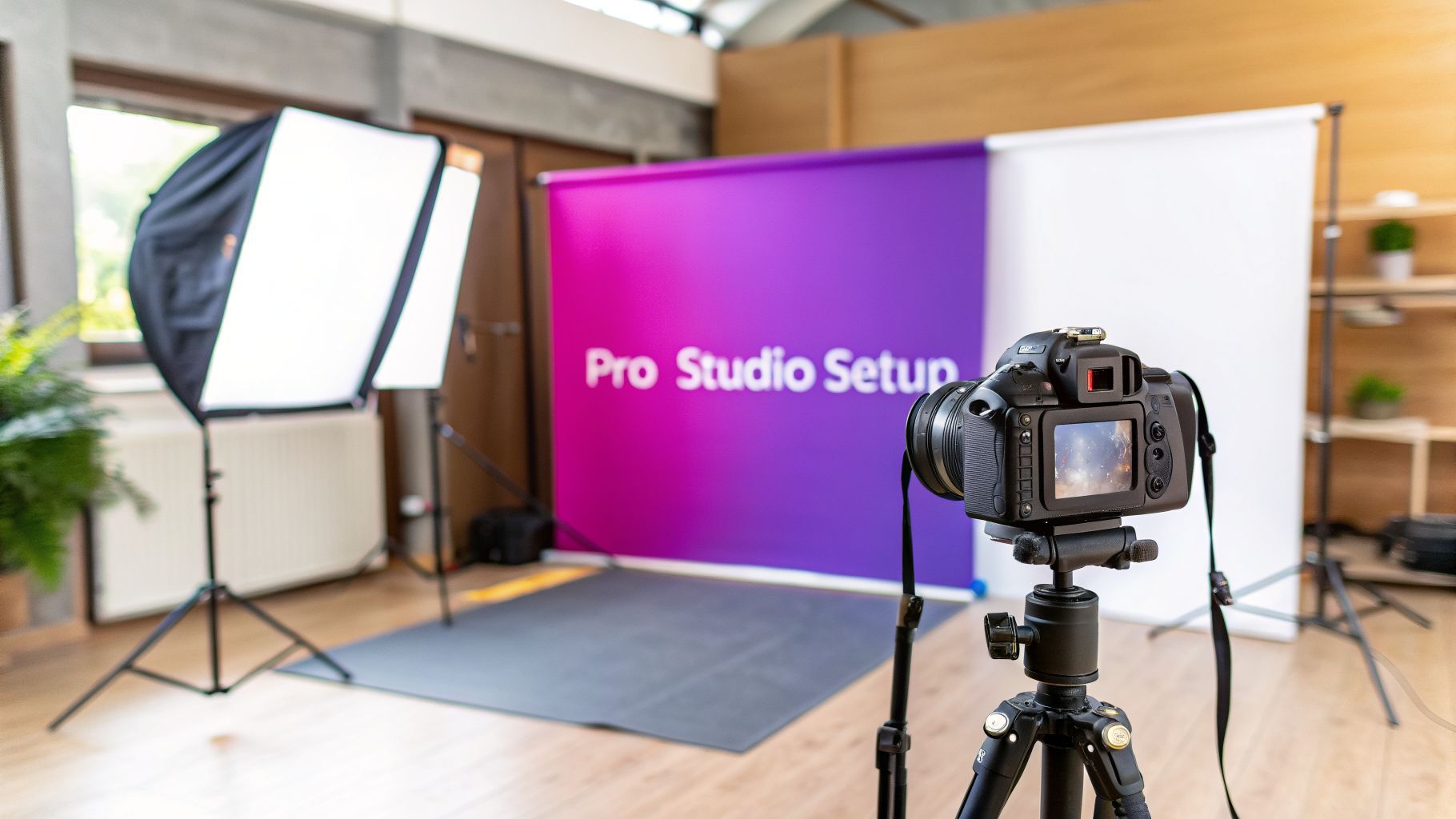
Product Photography Studio: Pro Setup for Stunning E-Commerce

Ryan Bennett • March 3, 2026
Learn how to create a product photography studio with space planning, essential gear, lighting tips, and AI workflows for standout e-commerce visuals.
Before you even think about buying a single light or camera, let’s talk about the most valuable asset you have: a solid plan. I’ve seen countless product photography setups fall flat, not because of bad gear, but because of poor planning. Your success hinges on the smart decisions you make long before that first shutter click.
Your Studio Blueprint: From Planning to Budget

Building a studio doesn't mean you need a sprawling warehouse. It's about creating a controlled environment that’s perfectly suited to your products. The very first question you need to answer is: what are you actually shooting? That single answer will dictate every other choice you make.
Are you working with tiny, intricate items like jewelry? Or are you shooting larger products like apparel on mannequins? The scale of your products defines everything.
- Small Products (Jewelry, Cosmetics, Electronics): You can get away with a simple tabletop setup in the corner of a room. A space as small as 50-100 square feet is often more than enough.
- Medium Products (Apparel, Handbags, Small Furniture): Now you need some room to breathe. A dedicated area of 150-300 square feet is ideal. This gives you space for full-body mannequin shots and flexible lighting setups.
- Large Products (Furniture, Appliances): This is where you need serious space. Think 500+ square feet. You need that distance to position large lights and get the right perspective without distortion.
Define Your Space and Needs
Beyond just the square footage, you need to think practically. Look for a room with plenty of power outlets—you’ll always need more than you think. You also need total control over the light. Find a space with windows you can completely black out; stray sunlight is the enemy of a controlled studio shoot.
One thing beginners always forget is ceiling height. It’s a game-changer. Ceilings that are 9 feet or higher give you the freedom to raise your lights, which is absolutely essential for creating that clean, even, top-down lighting and killing unwanted shadows.
Pro Tip: Your first studio doesn't have to be a permanent installation. I started out with a "pop-up" setup in a garage. Using portable backdrop stands and packing away my gear after each shoot gave me the control I needed without the commitment. Control is the key, not permanence.
Creating a Realistic Budget
Once you know your space requirements, you can start building a realistic budget. It’s incredibly easy to get swept up in buying gear, but you have to balance the must-haves with the nice-to-haves.
Let's be real: the cost of a traditional in-house photography studio can be astronomical. A mid-sized brand with 500 SKUs might spend $125,000 to $250,000 a year just on photoshoots. Factor in the overhead for an in-house team, gear, and studio space, and that number can easily soar to between $300,000 and $700,000. We’re talking a staggering $7-$17 per polished image. You can dig into a full analysis of these expenses to see just how quickly it adds up.
This is where a modern, hybrid approach completely changes the game. Instead of buying a dozen different physical backdrops, you can shoot on a simple white or gray seamless and then use AI tools to generate infinite scenes and backgrounds later. This hybrid model slashes both initial and ongoing costs, as shown in the comparison below.
Studio Setup Cost Comparison: Traditional vs. AI-Hybrid
This table breaks down the potential annual costs, showing how an AI-augmented workflow can make professional results far more accessible.
| Expense Category | Traditional Studio (Estimated Annual Cost) | AI-Hybrid Studio (Estimated Annual Cost) | Key Difference |
|---|---|---|---|
| Space Rental | $12,000 - $30,000 | $0 - $6,000 | Can operate in a smaller, existing space. |
| Equipment (Initial + Upgrades) | $10,000 - $25,000 | $3,000 - $8,000 | Fewer physical backdrops and complex rigs. |
| Photographer/Staff Salary | $60,000 - $120,000+ | $30,000 - $60,000 | AI accelerates editing, reducing labor hours. |
| Props & Backdrop Inventory | $5,000 - $15,000 | $500 - $1,500 | AI generates scenes, reducing physical prop needs. |
| Retouching & Post-Production | $15,000 - $50,000 | $1,200 - $5,000 | AI tools automate background removal and editing. |
| Software Subscriptions | $600 - $1,200 | $800 - $2,000 | Includes traditional and specialized AI software. |
| Total Estimated Annual Cost | $102,600 - $241,200 | $35,500 - $82,500 | Up to 70% potential savings. |
The savings are dramatic. By embracing this AI-hybrid model, you can focus your budget on the things that truly matter: a decent camera, a rock-solid tripod, and most importantly, quality lighting. The rest can be handled with smart software.
Choosing Your Camera Gear and Lighting

Okay, you've got your space figured out and a budget. Now for the fun part—picking the gear that actually brings your product shots to life. It's so easy to get sucked into endless YouTube reviews, but for a dedicated product studio, your needs are pretty specific. You’re not chasing the latest and greatest; you’re chasing consistency, clarity, and control.
First up is the camera. The whole DSLR vs. mirrorless debate gets loud, but for what we're doing here, the answer is pretty simple these days. Go with a mirrorless camera. The electronic viewfinder shows you exactly what the final image will look like before you even press the shutter. For getting your exposure and composition perfect in a controlled studio, that’s a massive time-saver.
No matter what brand you choose, aim for a camera with at least 24 megapixels. That’s more than enough resolution for crisp web images and even some small print work. Don't blow your budget on a top-tier camera body; a solid mid-range model will do everything you need. The real magic comes from the glass you put in front of it.
Selecting the Right Lenses
Your lens is arguably more important than your camera body for getting those sharp, distortion-free product photos. You don't need a giant bag of lenses, but having the right one or two will make all the difference.
- A "Nifty Fifty" (50mm Prime Lens): This is the workhorse in most studios. Its field of view is similar to the human eye, so you get natural-looking perspectives without weird distortion. It's a fantastic all-rounder for most medium-sized products.
- A Macro Lens (60mm, 90mm, or 100mm): If you're shooting anything small and detailed—jewelry, watches, cosmetics—a macro lens is non-negotiable. It lets you get incredibly close to capture tiny textures and details that a standard lens just can't see.
Just do yourself a favor and avoid using the kit lens that came with your camera. They usually aren't sharp enough and can create noticeable warping at their widest or most zoomed-in settings, which will make your products look cheap.
In my experience, the biggest mistake new photographers make is pouring their entire budget into a camera body. The truth is, your lighting setup has a far greater impact on the final image quality. A mid-range camera paired with great lighting will always outperform an expensive camera with poor lighting.
The Foundation of Great Images: Lighting
Lighting is, without a doubt, the most critical piece of the puzzle in a product photography studio. It’s what separates a quick snapshot from a professional, commercial-grade image. You’ve really got two main paths to go down here: continuous lights or strobes (flash).
Continuous lights, like modern LED panels, stay on the whole time. This makes them incredibly friendly for beginners because what you see is what you get. You can move the light around and instantly see how it changes the shadows and highlights on your product, which massively simplifies the setup.
Strobes, on the other hand, fire a powerful burst of light the moment you click the shutter. They pack way more punch than continuous lights, which lets you "freeze" motion—perfect for creative shots with splashes or floating products. The trade-off is that they have a steeper learning curve.
For most e-commerce and catalog work, continuous LED lights are the perfect starting point. They're affordable, versatile, and give you the rock-solid consistency you need for a fast, repeatable workflow.
Essential Support Gear and Modifiers
Your camera and lights are the stars, but they need a solid supporting cast to do their job right. These pieces aren't just nice-to-haves; they are absolutely essential for professional results.
First, get a sturdy tripod. It's the only way to guarantee your shots are tack-sharp and framed identically every single time. A flimsy tripod will just introduce camera shake and make it impossible to maintain a consistent angle from one product to the next. Brands like Manfrotto have rock-solid options that aren't too expensive and will last forever.
Next up, you need to modify your light. A bare light source creates harsh, ugly shadows. Softboxes are must-haves for diffusing that light, softening it, and wrapping it around your product to beautifully reveal its shape and texture. A 65cm octagonal softbox is a fantastic and versatile starting point for small to medium products.
Finally, think about your backdrops. Keep it simple and start with a big roll of seamless white paper. This gives you a clean, neutral background that's easy to light and is the standard for those "white background" e-commerce shots. Later on, you can grab rolls of gray and black to add some versatility. In a pinch, even a simple curtain pole from a hardware store can work as a cheap backdrop holder.
Mastering Your Photoshoot Workflow
Alright, your gear is picked out and the lights are in place. But here’s the thing: the best equipment in the world won't save a sloppy photoshoot. Your actual technique and the workflow you build around it are what will make or break your images.
This is where you move from just owning the gear to actually creating photos that sell. A tight, repeatable process doesn’t just make your pictures better; it makes you ridiculously fast.
The entire shoot really comes down to the prep work you do before your camera even leaves the bag. You absolutely cannot fix a dirty, dusty, or poorly styled product in Photoshop without sinking hours into tedious edits. Start by getting your item spotless. We're talking microfiber cloths for smudges, compressed air for dust, and the right cleaners for specific materials like glass or metal.
This is a non-negotiable first step. I can’t tell you how many times a great shot of a high-end watch was nearly ruined by a tiny fingerprint, one that looks massive on a 27-inch monitor. Take the extra five minutes to get it perfect now. You’ll thank yourself later when you aren't spending an hour in Photoshop trying to clone it out.
Setting the Scene and Camera
Once your product is pristine, it’s time to build the shot. Get your item onto the backdrop and start playing with your lights. Think about the texture. If you’re shooting something soft and matte, like a ceramic vase, a big softbox at a 45-degree angle will wrap it in beautiful, flattering light.
But for a shiny, reflective product like a chrome coffee pot? That same light setup will create a giant, ugly white hotspot. With reflective items, you have to think about what the product sees. Use large white foam boards just out of the frame to create clean, elegant reflections. You’re basically building a "tent" of white surfaces around the object to control exactly what it reflects.
With your lighting roughed in, get that camera locked down on a tripod. For most studio work, your starting settings will be pretty standard:
- ISO: Always use your camera's base ISO, which is usually ISO 100 or 200. This gives you the absolute cleanest image with zero noise.
- Aperture (f-stop): Start somewhere between f/8 and f/11. This is the sweet spot for getting your entire product sharp from front to back.
- Shutter Speed: Since you're on a tripod, this is your flexible variable. Adjust it up or down to get the perfect exposure. It could be 1/125s with powerful strobes or a much slower 1/15s if you're using continuous lights.
The Power of Tethered Shooting
Now, let me tell you about the single biggest upgrade you can make to your workflow: shooting tethered. This is as simple as connecting your camera to a computer with a USB cable. As you shoot, the images pop up on your big monitor in seconds. It’s an absolute game-changer.
Trying to judge critical focus or tiny composition details on your camera's little 3-inch screen is a fool's errand. A large monitor lets you see everything. You can check focus at 100% zoom with total confidence, nudge the product a few millimeters, and tweak your lighting with surgical precision. It changes your process from a frustrating cycle of "shoot, squint at the camera, guess, and shoot again" to a smooth, efficient flow of real-time adjustments.
Shooting tethered feels like you've suddenly gained a superpower. It stops the guesswork and allows you to make confident, precise adjustments to composition and lighting, speeding up the entire photoshoot by at least 30%.
Creating Consistency Across Every Shot
Your final goal during the shoot itself is to create a rock-solid, consistent environment. For e-commerce, every single product in a category has to look like it belongs to the same family. Once you've got your lighting and composition dialed in, lock it all down. Put tape on the floor to mark the tripod legs. Use small pieces of tape on your shooting surface to mark the exact position of the product. Don’t move your lights.
This consistency is what builds a professional and trustworthy brand image. It also makes your life way easier in post-production, especially when you start batch editing or creating variations.
And when you're ready to think beyond the standard white background, you can even use a free AI image prompt generator to brainstorm ideas for lifestyle scenes before you even touch an editing tool. This whole methodical approach ensures every image you capture is uniform, professional, and ready for the next step.
Putting AI to Work for Unbeatable Efficiency
Once you've nailed down the physical workflow in your product photography studio, it's time to add a digital superpower. We're not talking about replacing your skills with robots. Think of it as augmenting what you already do, letting a small studio punch way above its weight and match the creative output of a massive agency. This is where your efficiency really takes off.
The concept is beautifully simple. You start with that one perfect hero image you spent all that time lighting and shooting on a clean background. Then, you use AI to multiply its value over and over. Instead of scouting expensive locations or buying a truckload of props, you can generate an endless stream of variations in just seconds.
One Shot, One Entire Campaign
Let's say you just wrapped up a shoot for a new handbag on a standard white seamless. In the old days, if the client suddenly decided they wanted to see that same bag in a chic cafe, on a marble countertop, or maybe with a festive holiday theme, you'd be looking at more shoot days or hours of painstaking Photoshop work. With AI, that whole process gets squeezed down into a few minutes.
Tools like Bulk Image Generation let you upload that single, clean shot and drop it into dozens of unique, high-quality scenes instantly. And this isn't just a clumsy background swap; the AI actually understands lighting and shadows, so it integrates your product into the new environment in a way that looks natural. With a few clicks, you can turn a single studio photo into a full campaign's worth of marketing assets. To see exactly how this works, you can check out our deep dive into AI product photography.
Automate the Grunt Work
Beyond the creative magic, AI is an absolute workhorse for all those repetitive, soul-crushing tasks that eat up a photographer's time. The difference it makes is just staggering.
- Batch Background Removal: Strip the background from hundreds of photos at once with near-perfect edges, saving you from the nightmare of manual clipping paths.
- Intelligent Resizing: Automatically crop and resize your images for every platform you can think of—from Amazon and Shopify listings to Instagram Stories and Facebook ads.
- Smart Enhancements: Apply consistent color correction, brightness, and sharpness across an entire image set, all without you having to tweak each photo by hand.
This diagram breaks down a typical photoshoot, showing exactly where AI can jump in to speed things up.

As you can see, AI tools really shine after the shoot, dramatically cutting down the review and editing phases, which are often the biggest bottlenecks in the whole process.
The business case is pretty clear, too. The AI product photography market is absolutely exploding, set to grow from $450 million in 2024 to $5 billion by 2035. Meanwhile, the AI photo editor market is on track to hit $8.9 billion by 2034. Some platforms can now generate 100 unique product visuals in under 20 seconds and can cut your editing time in half, completely changing the game for e-commerce brands.
Grow Your Studio's Capabilities
Bringing AI into the mix also unlocks new services you can offer and makes your whole operation run smoother. Think about the admin side of your business. For instance, using an AI receptionist for photographers can handle client communication and bookings, freeing you up to focus on the work you actually love.
This is all about getting you out of the weeds and back to the creative.
By offloading repetitive technical tasks to AI, you reclaim valuable time for what truly matters: creative direction, client relationships, and business growth. It shifts your role from a technician to a creative strategist.
Ultimately, AI makes high-end editing techniques accessible to everyone. Complex tasks that once required years of practice and expensive software are now handled automatically. Your studio's output is no longer limited by how many hours you can physically spend in front of a computer.
The camera is down, but this is where a professional product photography studio really earns its stripes. What happens after the shoot is over separates the pros from the amateurs. A messy post-production process will sabotage all your great work on set, creating delays that lose you time and clients.
Trust me, when you're juggling thousands of images, a solid workflow isn't just nice to have—it's essential. Without one, you're practically guaranteed to lose files, send the wrong versions, or waste hours hunting for a single photo. This is where you either win back your time or lose your mind.
Your File System Is Your Lifeline
Before you even think about importing a single photo, you need a rigid folder structure. I learned the hard way that a chaotic hard drive is a recipe for disaster. This simple method has saved me more times than I can count.
I start with a master folder for each client, then create a new folder for every shoot, named with the date and a quick project description.
Inside that project folder, I always create the same four subfolders:
- 01_RAW: Every original, unedited file from the camera lands here. Once the import is done, this folder is sacred—read-only. No touching.
- 02_Selects: After I’ve picked the winners, the "keepers" get copied here, ready for editing.
- 03_Edited: This is home for all the final, retouched images. I'll often add subfolders like
_ForWebor_ForPrintif needed. - 04_Exports: The final JPEGs or PNGs live here, perfectly named and ready to send off to the client.
File naming is just as critical. A filename like _MG_7834.CR3 is useless. Something like ClientName_Project_Date_001.CR3 tells you everything you need to know at a glance.
Think of your file management system as your studio’s insurance policy. A disciplined folder structure and naming convention are the unsung heroes that prevent total meltdowns and save you countless hours.
Culling, Editing, and Getting Consistent
With your files organized, it's time to "cull"—the process of ripping through every photo to pick the absolute best shots. Tools like Adobe Lightroom are built for this. Get comfortable with star ratings or color labels to quickly mark your favorites and rejects. Be decisive. Your goal is speed.
Once you have your selects, the editing begins. This is where the right software becomes a game-changer. The photography studio software market is exploding, set to hit USD 1.36 billion by 2030, and that growth is all about efficiency. The big commercial studios, which are expected to drive over USD 400 million of that market, are all-in on software with AI features for everything from background removal to workflow analytics. You can see more on how software is reshaping the studio market on Mordor Intelligence.
For a modern studio, this means you stop editing photos one by one. Perfect one "hero" image, then sync those settings—exposure, white balance, contrast—across hundreds of similar shots in Lightroom. It’s the only way to guarantee absolute consistency.
Batch Processing: The Final Sprint
The last leg of the race is all about batch processing. This is where tools designed to handle tasks in bulk are your best friend. Instead of spending hours manually removing backgrounds or resizing images for different channels, you can use an AI-powered batch editor to do it all in a single click. This one move can slash your post-production time by 50% or more.
Let's say a client needs images for their website, their Amazon store, and their Instagram. Each one requires a different size and aspect ratio. Instead of a mind-numbing manual job, a bulk image resizer can automate the entire workflow, spitting out perfectly formatted files for every channel in minutes.
Your delivery needs to be as professional as your photos. Use a cloud service like Dropbox or Google Drive to share the final 04_Exports folder. Never, ever email large batches of high-res images. A clean, organized delivery of perfectly named and formatted files is the final touch that proves your professionalism and keeps clients coming back for more.
Your Top Questions About Building a Photo Studio, Answered
Whenever I talk to photographers about setting up their first real studio, the same questions always pop up. Let's cut through the noise and get you the practical answers you actually need.
How Much Space Do I Really Need?
Honestly, it all comes down to what you're shooting. You don't need a massive warehouse to create incredible images.
If you’re shooting small stuff—jewelry, cosmetics, or little tech gadgets—a simple tabletop setup in a corner of a room works just fine. A dedicated spot of 50-100 square feet is usually more than enough space for a table, your tripod, and a couple of lights without you tripping over everything.
Once you move up to shooting clothes on a mannequin or small pieces of furniture, you’ll want more breathing room. I’d aim for something in the 150-300 square foot range. This gives you the space for full-body shots and more creative lighting setups. A pro tip: make sure the ceilings are at least 9-10 feet high. It’s a game-changer for hanging backdrops and getting your lights high enough for soft, even coverage.
For bigger items like sofas, or if you're working with live models, you need to think bigger—500 square feet is a good starting point. That extra depth is crucial. It lets you back your camera up to avoid lens distortion and gives you room to place your lights without them creeping into the frame.
Can I Actually Start a Studio on a Tight Budget?
Absolutely. You don't need a mountain of cash to get professional results. The secret is spending your money on the things that make the biggest difference.
Start with a decent entry-level mirrorless camera and a tripod that doesn’t wobble. For lighting, one or two affordable continuous LED lights with softboxes will take you incredibly far. And don't sleep on the simple stuff—a few white foam boards from the art store are amazing reflectors for filling in shadows. A roll of seamless paper is your best friend for clean, professional backgrounds.
The single biggest mistake I see is people obsessing over the camera body and completely neglecting the lighting. A mid-range camera with great lighting will always beat a high-end camera with bad lighting. Master a simple one or two-light setup first. That knowledge is worth more than any piece of gear.
Even a newer smartphone can be a surprisingly powerful tool if you pair it with good, controlled lighting. Your first and most important investment should be in learning how to shape light. You can always upgrade your gear as your skills—and your business—grow.
How Does AI Help an Existing Traditional Studio?
Even if you have a fully-stocked traditional studio, AI is a massive accelerator. It’s not about replacing what you do; it’s about streamlining the tedious parts and unlocking creative options that used to be too expensive or time-consuming.
Think about it. Instead of spending hours in Photoshop cutting out backgrounds one by one, you can run hundreds of photos through an AI batch editor and get it done in minutes, all with perfect consistency. That one change alone can completely overhaul your post-production workflow.
Or maybe a client wants a product shot on a scenic beach, but you're in a landlocked state. Just shoot one clean image in your studio, then use an AI image generator to place it into dozens of realistic lifestyle scenes. This lets you offer way more creative services and deliver for clients faster, all without booking a single flight or hiring extra staff.
To keep up with what's new in both traditional techniques and AI tools, a good product photography blog is an invaluable resource. Staying current is what keeps a studio competitive. At the end of the day, AI just makes your physical space a much more powerful and versatile content engine.
Ready to revolutionize your own workflow? With Bulk Image Generation, you can turn single product shots into entire campaigns and automate tedious editing tasks in seconds. Stop wasting time and start creating more. Explore our tools and see how much faster you can be.
