A Guide to Image to Image AI for Creative Workflows

Ryan Bennett • January 30, 2026
Discover how image to image AI is transforming creative workflows. Learn what it is, how it works, and see practical examples for marketing, art, and business.
At its core, image to image AI is a way to transform an existing picture into something new using simple instructions. It takes an input image as a guide for the overall structure and composition, then applies changes—like tweaking the style, swapping the background, or altering objects—to generate a completely new visual.
What Is Image to Image AI and How Does It Work
Think of it like hiring a skilled artist who can take a simple photograph and repaint it in any style you can dream up. You could hand them a picture of your dog and ask for it back as a vibrant pop-art masterpiece, a classic oil painting, or even a futuristic neon sketch. The original photo provides the subject and layout; your instructions guide the artistic spin. That's a pretty good analogy for how image to image AI works.
Instead of starting from a blank canvas like text-to-image models, this technology uses a source image as its foundation. This approach gives you far more control over the final output, making it perfect for editing and refining existing visuals rather than creating something entirely from scratch.
The Models Behind the Magic
This powerful capability is driven by some seriously sophisticated machine learning models. Two main types form the backbone of modern image-to-image AI systems:
- Generative Adversarial Networks (GANs): Picture two competing neural networks. One is a "generator" that creates the new image, and the other is a "discriminator" that judges how real it looks. They're locked in a continuous feedback loop, with the generator constantly trying to get better at fooling the discriminator. The end result? Incredibly realistic transformations.
- Diffusion Models: This newer approach is a bit different. It works by adding "noise" (random data) to an image until it’s unrecognizable, then meticulously reverses the process. By learning how to remove that noise, the model can construct a new, high-quality image that aligns with both the original picture’s structure and your text prompt.
The key takeaway is that you don't need to understand the complex code behind these models to use them. Platforms like Bulk Image Generation package this technology into an intuitive interface, allowing anyone to execute complex visual edits with simple, natural language commands.
This opens the door for marketers, small business owners, and hobbyists to get professional-level results without needing specialized design skills or expensive software. You can simply upload a batch of product photos and tell the AI to "change all backgrounds to a clean, white studio setting," and the system handles the rest.
The Evolution of Creative AI: From GANs to Diffusion
To really get why modern image-to-image AI is so powerful, it helps to understand where it came from. This technology didn't just pop up out of nowhere; it’s the result of years of breakthroughs, with each new idea building on the last to give us the incredible control and realism we have today. This backstory isn't just for tech nerds—it explains exactly why today’s tools are so ridiculously good at saving professionals time and money.
The big leap from simple AI that could only recognize images to AI that could actually create them started with Generative Adversarial Networks, or GANs. Introduced back in 2014 by researcher Ian Goodfellow, GANs were a game-changer. Before them, you had things like Google's DeepDream (2015), which was famous for making trippy, psychedelic art by messing with photos, but it couldn't do structured, predictable changes.
GANs introduced a brilliant new setup: a two-player game between neural networks. One network, the generator, creates images from scratch. The second, the discriminator, acts as a critic, trying to spot whether the images are real or AI-made fakes. This constant cat-and-mouse game forces the generator to get better and better, eventually creating images that are convincingly realistic. It's how we first got AI that could turn a rough sketch into a photorealistic face.
The Rise of Diffusion Models
While GANs were a massive step forward, they had their limits. Soon, a new approach came along and took over: diffusion models. This technique is what powers many of the most advanced image-to-image tools we use today, delivering a whole new level of detail and creative freedom.
Here’s a simple way to think about it: Imagine taking a perfectly clear photo and slowly adding digital "noise" until it looks like a meaningless cloud of static. A diffusion model is trained to do the exact opposite. It learns how to painstakingly reverse that process, removing the noise one step at a time to bring back the original, clean image.
By guiding this denoising process with a source image and a text prompt, the AI can build a new visual that combines the structure of the original with the style and content described in the instructions. This method often produces more coherent and high-fidelity results than earlier techniques.
From Complex Code to Creative Tools
But the technology itself is only half the story. The most important part of this whole evolution is how accessible it has all become. Not too long ago, using these models required a PhD in computer science and access to a supercomputer. Now, all that power is neatly packaged into user-friendly platforms that anyone can use.
This shift from research experiments to practical, everyday tools is a huge part of the latest AI image generation trends. What once took a team of engineers months to accomplish can now be done by a marketer or a small business owner in minutes. That’s the real magic here. This history of innovation is the reason you can now change a product background or restyle an entire ad campaign with just a few clicks.
Core Techniques in Image to Image AI Transformation
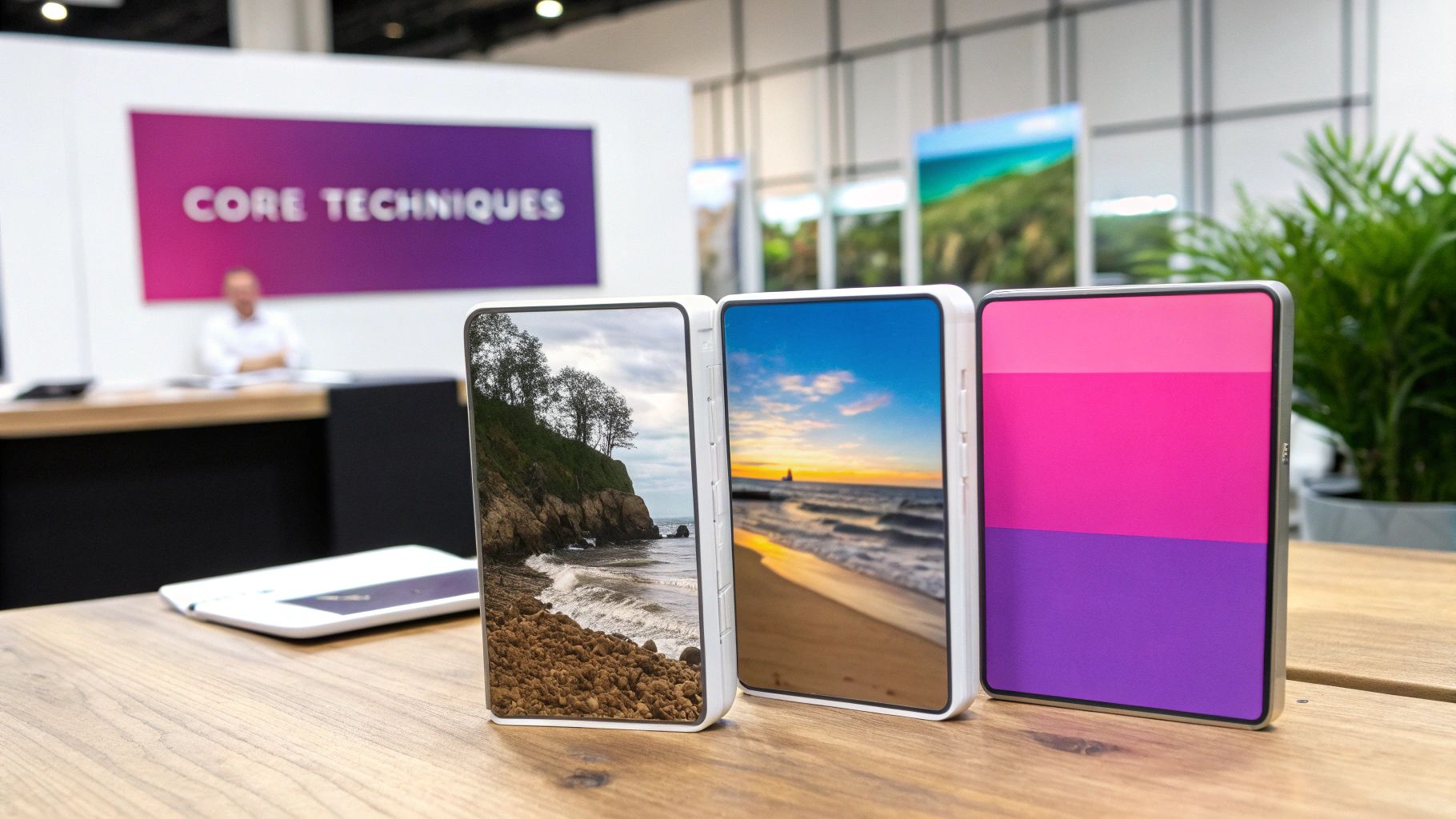
When you get under the hood of image to image AI, you find a handful of core techniques that do the heavy lifting. Think of these as the specialized tools in a digital artist’s toolkit. Each one is designed for a specific job, giving you incredible control to fix, modify, or completely reimagine your visuals.
Instead of one single, all-powerful AI, different models are trained to master different transformations. This is what makes the technology so versatile, powering everything from quick photo touch-ups to groundbreaking artistic experiments.
Transferring Artistic Styles
One of the most eye-catching techniques you'll see is style transfer. At its heart, this is about separating an image's content (what it is) from its style (how it looks) and then mashing them together.
Imagine you have a straightforward product photo—that's your content. Now, picture a famous Van Gogh painting—that's your style. Style transfer lets you apply the thick brushstrokes and vibrant color palette of the painting to your product shot. The AI is smart enough to understand the textures, patterns, and colors of the style image and apply them intelligently to the shapes and forms of your original photo. For ad campaigns or social media, this is a goldmine for creating endless creative variations that all share a consistent, unique aesthetic.
Repairing and Extending Images
Next up are inpainting and outpainting, which are basically a magic eraser and a canvas stretcher rolled into one.
-
Inpainting is your go-to for removing unwanted objects. Just draw a mask over that person who photobombed your perfect shot, and the AI fills in the blank space. It analyzes the surrounding pixels to make the fix look completely natural and seamless.
-
Outpainting works in the opposite direction by extending your image beyond its original borders. If a photo feels too tightly cropped, outpainting can generate brand-new scenery that perfectly matches the existing scene, giving you a wider, more complete picture.
For photographers and e-commerce managers, these tools are game-changers. Removing a distracting prop or expanding a background to fit a different format can now be done in seconds, no complex editing software required.
Enhancing Visual Quality
Finally, image enhancement and upscaling are all about boosting the technical quality of a picture. We’ve all tried to enlarge a small photo, only to end up with a blurry, pixelated mess. AI upscaling solves this.
Instead of just stretching the pixels, an AI model analyzes the low-resolution image and intelligently predicts what the missing details should be, adding them in to increase sharpness and clarity. It's perfect for breathing new life into old family photos, cleaning up user-generated content for a marketing campaign, or prepping a small web image for a large print. It’s the final touch that makes sure every visual you use looks polished and professional.
To make these concepts even clearer, here’s a quick breakdown of the most common techniques you’ll encounter.
Common Image to Image AI Techniques Explained
| Technique | Primary Function | Example Use Case |
|---|---|---|
| Style Transfer | Applies the artistic style of one image to the content of another. | Making a product photo look like a Picasso painting for a creative ad campaign. |
| Inpainting | Removes unwanted objects and fills in the gaps seamlessly. | Erasing a distracting person from the background of a vacation photo. |
| Outpainting | Extends the image canvas by generating new content at the edges. | Turning a portrait-oriented photo into a landscape banner for a website. |
| Upscaling | Increases image resolution and sharpness without losing quality. | Making a small, old digital photo sharp enough for a large print. |
Each of these techniques opens up a whole new world of creative possibilities, letting you manipulate images in ways that were once incredibly time-consuming or flat-out impossible.
Where Image to Image AI Really Shines
The true magic of image to image AI isn't just theory; it's seeing how it solves real, everyday headaches for professionals. This isn't some niche tech for hobbyists. It's actively reshaping how marketing, e-commerce, and content creation get done, making top-tier visuals faster and cheaper than ever before.
For marketers, the hamster wheel of creating fresh, eye-catching ad visuals never stops. This is where image to image becomes a secret weapon. Say you need to A/B test an ad campaign. Instead of booking a whole new photoshoot, you can grab one hero image and spin up dozens of variations in minutes.
Want to see that product against a different background? Done. Need to tweak the colors? Easy. How about shifting the mood from bright and sunny to dark and cinematic? You can do that in seconds. This kind of rapid-fire iteration used to be a fantasy.
A Game-Changer for Product Photography
Small business owners and e-commerce brands know the pain of product photography all too well. Professional shoots cost a fortune, but grainy, poorly lit images kill sales.
With image to image AI, a decent photo taken on your phone can become a polished, studio-quality shot. You can instantly:
- Swap backgrounds: Place your product on a clean white backdrop, a rustic wooden table, or even in a lush outdoor scene.
- Add props: Need to tell a better story? Generate contextual props around your product, like placing a handbag next to a pair of sunglasses and a coffee cup.
- Create mockups: Show off your new t-shirt design on various models or your app's interface on different device screens, all without needing physical samples.
This technology completely levels the playing field. It gives smaller brands the kind of high-impact visuals that drive sales, once only available to big-budget companies. In fact, some small business owners have reported a sales lift of as much as 25% on platforms like Shopify after upgrading to AI-enhanced product photos.
This massive leap in efficiency is pretty recent. When diffusion models exploded onto the scene in 2021, they pushed image to image AI into the mainstream, letting anyone make complex edits with simple text prompts. By 2023, statistics showed that 72% of social media managers were already using AI for tasks like image repurposing, cutting their editing time by an average of 60%.
Unlocking Brand New Creative Doors
But it's not all about e-commerce. Image to image AI opens up a world of possibilities for all kinds of creators. For marketers, it streamlines content production, especially for things like AI-driven ad creative generation.
Teachers and parents can turn family photos into clean line art, creating instant, personalized coloring pages for their kids. Game developers can feed the AI simple character sketches and get back detailed, textured game assets, dramatically speeding up the prototyping phase.
Honestly, the possibilities are just getting started. Creative ideas can now become tangible visuals with a speed and ease we've never seen before.
A Step-by-Step Workflow for Bulk Image Editing
Knowing the theory is one thing, but putting image-to-image AI into practice is where you see the real payoff. Thankfully, modern tools have gotten rid of the need for complex software and hours of repetitive manual work. What used to take a whole afternoon can now be done in minutes.
Let's walk through a typical workflow for editing a whole batch of images at once.
This diagram breaks down how AI can streamline the whole creative production pipeline, from ad campaigns to product shots and beyond.
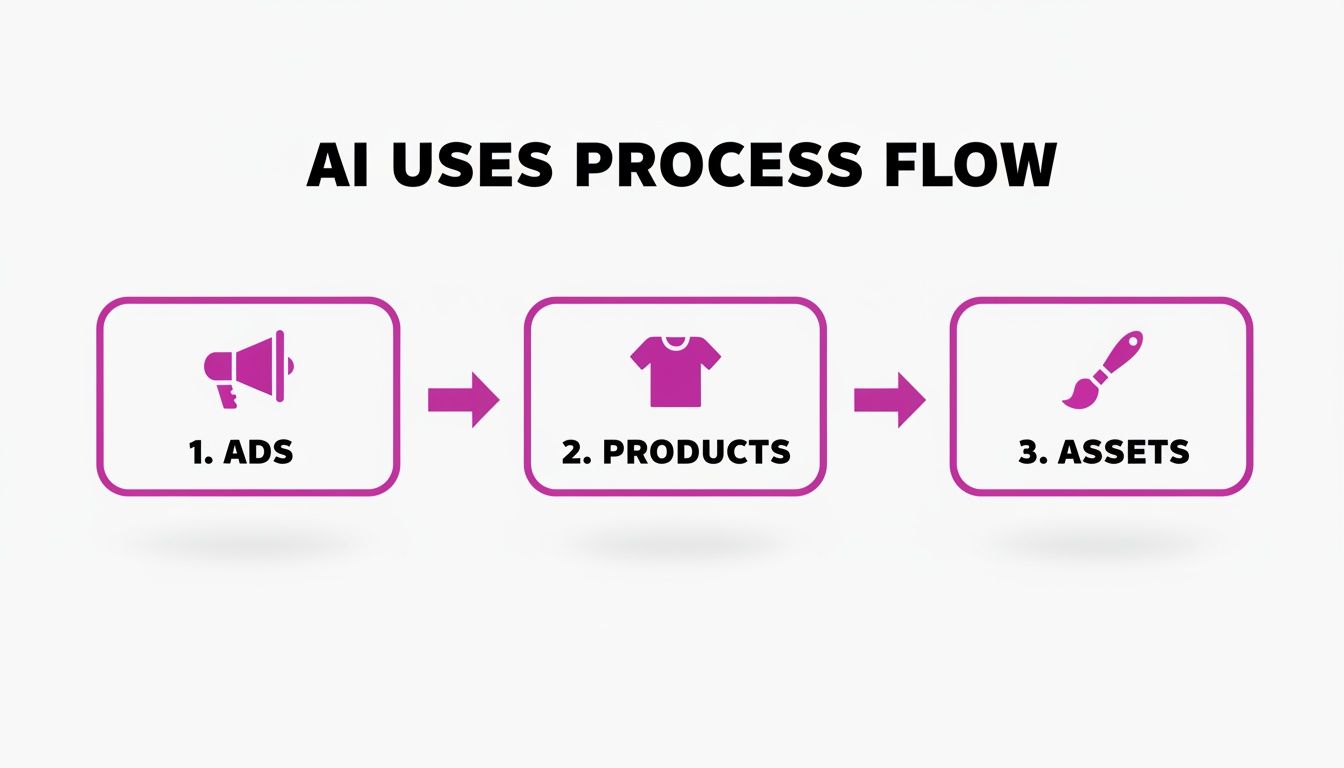
As you can see, a single, AI-powered workflow can handle multiple business needs, saving a massive amount of time and effort.
Step 1: Upload Your Source Images
First thing's first: you need your raw materials. Instead of opening images one by one, you just upload the entire batch. This could be a folder full of product photos from a recent shoot, a set of images for a marketing campaign, or a collection of illustrations you want to give a new look.
Step 2: Define Your Transformation with a Prompt
This is where the magic happens. You don’t need to be a prompt engineer or a coding genius. You just need to describe the change you want in plain English. Think of your prompt as a universal command that gets applied to every single image in your batch.
You could use simple instructions like:
- "Change all backgrounds to a clean, white studio setting."
- "Apply a consistent vintage film style to this set of campaign photos."
- "Convert these photos into black and white line art for coloring pages."
The AI takes that natural language and gets ready to apply the same transformation across the board.
Step 3: Generate and Review the Results
With your images uploaded and your prompt written, you just hit "generate." The AI immediately gets to work, applying your edits to the entire batch at the same time. Within moments, you'll have a full gallery of transformed images ready for you to look over and make sure they match your creative vision.
The real power here is consistency. Applying the same prompt to every image guarantees a uniform look and feel—something that’s absolutely critical for branding, ad campaigns, and professional product catalogs.
Step 4: Make Final Touches with a Batch Editor
After the initial generation, you can make final adjustments using a built-in batch editor. This is the perfect spot for quick, essential post-production tweaks that apply to all your new images at once.
You might swap faces to show more model diversity, make minor enhancements, or use a bulk image resizer to get the perfect dimensions for different social media platforms. This last step ensures every asset is polished and ready to go live.
Limitations and Ethical Considerations to Keep in Mind
While image-to-image AI opens up a world of creative possibilities, it’s not magic. To really get the most out of it, you have to know its limits and navigate the ethical gray areas that come with the territory. Think of it less as a flawless machine and more as a brilliant but quirky creative partner.
One of the most common technical hiccups you'll run into is artifacts. These are little glitches, distortions, or weird visual oddities that pop up in generated images, especially when you’re asking the AI to do something complex. You’ve probably seen the classic examples—hands with six fingers or text that looks like a melted alphabet. This happens because the AI sometimes struggles to perfectly piece together incredibly intricate details.
Navigating the Ethical Maze
Beyond the occasional wonky hand, there are much bigger ethical questions to consider. The elephant in the room is copyright. These AI models learn by analyzing massive datasets of existing images scraped from the internet, and the legal debate around using copyrighted work for training is still very much ongoing.
This uncertainty makes transparency key. If you're using AI-generated visuals for your marketing or on social media, it's becoming a best practice to just say so. A simple disclosure builds trust with your audience and keeps you on the right side of preventing misinformation.
The name of the game is responsible use. The goal is to lean on these tools to be more creative and efficient, not to create deceptive content or step on the rights of original artists.
And that brings us to the potential for misuse. The same tech that can beautifully place your product in a Tuscan villa could also be used to create fake news images. It's on all of us—the users and the platforms—to stick to ethical guidelines that prevent these tools from being used to deceive or harm. If you’re curious about how this plays out in the world of stock photography, we have a great piece on AI-generated images and their place on platforms like Adobe Stock.
Got Questions About Image-to-Image AI?
Even after getting the basics down, you might still have a few questions about how all this works in the real world. Let's run through some of the most common ones to clear things up.
How Is Image-to-Image Different From Text-to-Image?
The biggest difference is the starting point. When you use text-to-image AI, you're essentially starting with a blank canvas. The AI relies entirely on your words—your text prompt—to dream up something from scratch.
Image-to-image AI, on the other hand, needs an existing picture to get started. It uses that image as a blueprint or a structural guide. This makes it the perfect tool for tweaking, restyling, or building on visuals you already have, giving you way more control over the final look and feel.
Do I Need to Be a Tech Whiz to Use These Tools?
Not at all. The latest generation of these tools was built for regular people, not programmers. You don't need to know a single line of code or understand the nuts and bolts of machine learning to get fantastic results.
It's all about user-friendly interfaces now. You just type what you want in plain English. This has opened the door for marketers, artists, and small business owners to pull off advanced edits that used to require specialized skills.
What Kind of Images Work Best?
For the most predictable and high-quality results, always start with a clear source image. A picture with a well-defined subject and good lighting is going to perform much better than something blurry, low-res, or overly chaotic.
Keep in mind that different AI models have their own specialties, too. Some are incredible at transforming photographs, while others are fine-tuned to work wonders with line art or sketches. The best way to figure it out? Just experiment. Try a few different images and see what the AI does with your specific creative goal.
Ready to stop editing one image at a time? With Bulk Image Generation, you can create hundreds of high-quality images in seconds, edit entire photo batches at once, and bring your ideas to life with just a few clicks. Ditch the repetitive work and start creating at scale.
