7 Companies That Create AI Images Worth Watching in 2026

Ryan Bennett • October 14, 2026
Explore 7 companies that create AI images at scale, with profiles, specializations, and real use cases for marketers, studios, and brands in 2026.
Your team needs a batch of product visuals by Friday, legal sign-off before anything goes live, and a designer who insists that every logo and headline stays readable. One image generator rarely handles all three jobs well. Some tools excel at volume, others at finishing inside established design software, typography, visual exploration, or commercial licensing.
This roundup of companies that create AI images sorts each platform by the production problem it solves best. You'll find practical notes on workflow fit, post-production, automation, licensing, and the weak points that appear once a tool moves from experimentation into daily marketing work. That matters because visual production is already a recurring operating task. A Goldman Sachs and Babson College survey of small-business owners found that 91% of participants used social media for business purposes, with 65% posting at least weekly.
For broader guidance on turning generated visuals into usable campaigns, these professional marketing material tips are a useful companion.
1. Bulk Image Generation for High-Volume Output
Bulk Image Generation targets a production problem that many image tools handle poorly: creating large sets of usable variations quickly. It uses Flux 1.1 and OpenAI's GPT-Image-1 to produce up to 100 unique images in under 20 seconds from plain-language instructions. That workflow suits product catalogs, social campaigns, coloring pages, advertising variations, game assets, and coordinated brand sets.
The main time saving comes from describing the image set instead of engineering every prompt individually. The platform applies the requested style and composition, then provides a batch editor for common finishing tasks. Background removal, face swaps, resizing, and enhancement remain in the same workflow, reducing the need to send each file into a separate editing queue.
Where the workflow saves time
High-volume generation only pays off when finishing work keeps pace. Bulk Image Generation's editor is built for that handoff, and the publisher says it can reduce editing time by half. Treat that as a claim to test with your own files, particularly when they include small product details, faces, logos, or complex backgrounds.
The supporting tools reduce setup work for smaller or less experienced teams. They include aspect-ratio calculators, prompt generators for Flux 1.1, Midjourney, and DALL·E, image-to-prompt conversion, one-click templates, tutorials, and a community. The use-case library also gives marketers and educators starting points for recurring production tasks.
Practical rule: Test one complete batch from brief to export. Fast generation does not help if resizing, cleanup, review, and downloads remain manual.
The trade-off
The main uncertainty is commercial commitment. The site does not currently publish pricing, formal licensing terms, or certification details, so confirm commercial-use rights, retention policies, export limits, and support terms with the vendor before a large campaign depends on the platform.
A client-side error was observed during site loading, so check availability and stability before assigning it a critical production role. Run a representative batch rather than judging the service from one showcase image. The platform fits teams that value high output and integrated editing, but human quality checks still belong before publication.
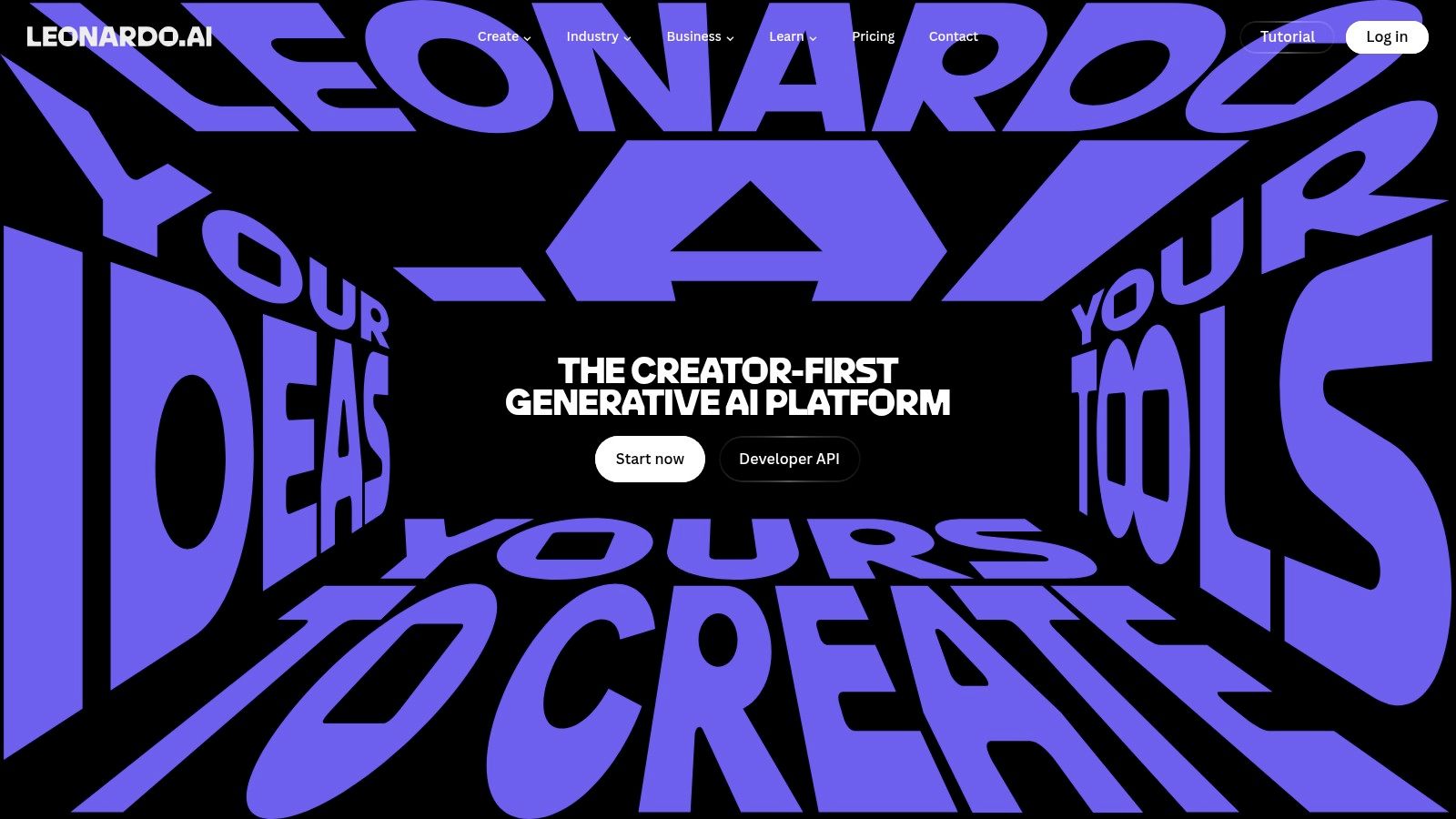
2. Leonardo.ai for Production Pipelines
Leonardo.ai suits teams that need more than one-off generation. Its platform combines image creation with post-processing, custom model and LoRA training, fine-tuning, and a production API. That combination makes it useful for agencies, indie studios, marketers, and product teams building repeatable asset systems rather than collecting isolated images.
The platform's token-based generation model gives teams a way to budget usage, while upper tiers include relaxed high-volume workflows. That structure can work well for weekly production, but token math and model selection add a learning curve. New users need to understand which model, resolution, enhancement step, or generation mode consumes the available allowance before they promise a fixed output to a client.
Strong fit for repeatable visual systems
Leonardo's useful feature is the connection between creation and refinement. Teams can generate a concept, upscale it, remove its background, and work toward consistent characters or brand elements. Custom model and LoRA training can help when generic outputs don't preserve a recurring visual identity.
The production API extends that workflow into applications and websites. It can support catalog generation, templated social packs, or internal tools that create assets from structured inputs. API access and some higher-level capabilities require paid tiers, so the platform is better suited to teams with a defined production process than casual users testing an occasional prompt.
Leonardo is strongest when the image pipeline needs generation, refinement, and model customization in one environment.
The trade-off is operational complexity. Leonardo offers broad capability, but that breadth makes it less immediately predictable than a narrowly focused generator. Establish naming rules, model presets, review stages, and token controls before handing it to a large team. Its production-focused platform is a good choice when flexibility matters more than a simple interface.
3. Adobe Firefly for Finishing Inside Design Suites
Adobe Firefly is the practical choice for teams that already finish work in Photoshop, Illustrator, or Express. Its value isn't only image generation. Firefly places generative tools inside the Creative Cloud environment where designers already handle layout, masking, print preparation, brand assets, and final exports.
That integration changes the handoff. A marketer can generate or extend an image, then pass it directly into an established design workflow instead of downloading a file and rebuilding the composition elsewhere. Agencies and in-house teams that need editable finishing will often value that continuity more than a marginal difference in raw image quality.
Governance matters here
Adobe positions Firefly around licensed and safer training data, model transparency, enterprise governance, and policy documentation. Those features make it a stronger fit for brand-sensitive or regulated workflows that need administrative controls and a clearer record of how a tool is managed.
Generative Credits provide usage budgeting and admin controls, but credit-based metering can be difficult to forecast for very high-volume runs. The final cost depends on the plan, the operation, and the way the team uses the wider Creative Cloud environment. Bulk automation also typically requires workflow setup rather than a single click.
The distinction is important. Firefly is not necessarily the fastest route to a large independent image set. It is a strong route from generated concept to finished campaign asset, especially when Photoshop or Illustrator is already the team's production standard.
- Best fit: Teams that need generation and professional finishing in the same Adobe workflow.
- Operational advantage: Smooth handoff to layout, retouching, print, and brand review.
- Main drawback: Credit planning and Creative Cloud configuration can complicate large-scale production.
Explore the Adobe Firefly image-generation suite with a real campaign brief, including the finishing steps your designers normally perform. The right test includes editable files, approvals, and export requirements, not just the initial prompt.
4. Ideogram for Legible In-Image Typography
Ideogram solves a specific problem that still breaks many generated visuals: readable text inside the image. It is especially useful for posters, ads, social graphics, educational materials, and campaign concepts that need headlines, labels, or logo-like lettering to appear clearly in the composition.
That focus gives it a different role from an aesthetic exploration tool. If the image is only a mood board, imperfect lettering may be tolerable. If the headline is part of the creative, replacing the text manually can erase the time saved by generation. Ideogram's text handling makes it a sensible first test for layouts where type is part of the visual rather than an overlay added later.
A practical use case
Give Ideogram a brief that includes the exact wording, hierarchy, and intended format. Review the output for spelling, spacing, letter shapes, and brand accuracy. Even strong text rendering doesn't remove the need for inspection, particularly when the image contains multiple words or small type.
The platform offers a web app and API, plus team and enterprise options for collaboration. A free tier makes initial testing straightforward, while API usage needs budgeting for larger runs. Its ecosystem and on-platform post-production tools are smaller than those of larger providers, so teams may still move accepted images into another editor for cleanup and final layout.
Text inside an image is part of the deliverable. Treat spelling and brand accuracy as approval criteria, not cosmetic details.
Ideogram works best when typography is the central constraint. It isn't the obvious choice for a complete asset-management system or extensive finishing pipeline. Start with ad variations, poster concepts, course graphics, or social cards, then compare how much manual correction each accepted image requires. The Ideogram platform is particularly useful when readable words must survive the generation step.
5. Midjourney for Aesthetic Exploration
Midjourney is the strongest fit on this list for visual exploration. Creators and marketing teams use it through the website and Discord bot to develop mood boards, campaign directions, art references, and social concepts. Its appeal comes from high aesthetic quality and a broad stylistic range, not from being a complete production-management system.
The tool is particularly effective early in a project. A creative director can test visual worlds quickly, compare treatments, and give a team a stronger reference than a written description. The results often need less initial art direction than outputs from more utilitarian tools, which helps when the question is “What could this campaign look like?” rather than “How do we generate every final file?”
Where it stops fitting
Midjourney is less convenient when a team needs a self-serve API for a productized bulk pipeline. Its web and Discord-centered access model works well for rapid iteration, but it creates friction for structured generation, automated naming, client approvals, and direct integration with internal systems.
Subscription tiers support different throughput needs, and frequent model updates can improve fidelity and typography. Those updates are useful for exploration, but they also make a stable production recipe harder to maintain. License terms and permitted uses can differ by plan and may change, so review the terms attached to the subscription you intend to buy.
For a deeper workflow comparison, see this guide to Midjourney versus Stable Diffusion.
Use Midjourney for concept density and art direction. Move approved directions into a tool with the API, editing controls, brand governance, or licensing structure your production team needs. The Midjourney website is a strong creative studio, but it shouldn't automatically become the entire campaign pipeline.
6. Shutterstock AI Image Generator for Licensed Commercial Safety
Shutterstock's AI Image Generator is aimed at organizations that put licensing and procurement ahead of maximum experimentation. It connects generative images to Shutterstock's broader licensed-content ecosystem and enterprise frameworks. That makes it relevant to marketing departments, agencies, and U.S. businesses that need clearer commercial terms and risk-management options.
The platform offers API access for programmatic use, which helps teams connect generation to internal systems or higher-volume workflows. It also provides an optional human content review path. Approved outputs may qualify for indemnification when the relevant plan and review conditions apply.
Read the protection terms closely
Indemnification isn't a blanket property of every generated file. It can depend on the plan, the review process, and whether Shutterstock has approved the specific output. Procurement teams should document those conditions before using generated assets in paid advertising, packaging, product pages, or client campaigns.
That extra structure can reduce uncertainty, but it may also narrow creative range compared with open or community-tuned models. A conservative output can be an advantage for brand safety and a limitation for campaigns that need unusual characters, experimental art direction, or strong visual novelty.
- Best fit: Organizations that value licensing clarity, review pathways, and procurement-friendly agreements.
- Useful integration: API access for programmatic generation and platform-based asset workflows.
- Important limitation: Not every output automatically qualifies for indemnification.
Teams comparing stock and generative workflows can also review this AI stock image generator guide. Then check the Shutterstock AI Image Generator terms and plans for the exact protections attached to the package under consideration.
7. Getty Images Generative AI for Enterprise Rights Management
Getty Images Generative AI targets brands and agencies that want traceable training data and enterprise-level commercial protections. Getty states that the generator is trained exclusively on licensed content and built with NVIDIA technology. Its position is less about unrestricted experimentation and more about giving businesses a familiar rights-managed relationship for generated visual work.
That matters for organizations already buying Getty content. A single vendor relationship can simplify procurement, review, licensing conversations, and asset sourcing. Enterprise agreements can also include legal protections and indemnification, while API access is typically arranged through the sales process for teams embedding generation into existing workflows.
A deliberate, lower-risk choice
Getty's approach suits campaigns where legal review and brand safety carry more weight than maximum stylistic freedom. The focus on provenance and licensed source material can help internal stakeholders understand the basis for the tool's commercial positioning. It doesn't remove the need for human review, trademark checks, or campaign approval, but it gives the organization a clearer vendor framework to evaluate.
The trade-off is transparency and flexibility. Pricing and terms are generally handled through sales, so smaller teams may find the buying process slower than a self-serve subscription. The creative range may also feel more conservative than open or community-tuned systems.
Choose Getty when the procurement question is as important as the creative question.
The Getty Images Generative AI service is a strong candidate for agencies and enterprise brands that need licensed-content provenance, rights management, and a vendor relationship built around commercial use. Request the agreement, indemnification conditions, API terms, and review process before comparing it only on image quality.
Top 7 AI Image Generator Companies, Comparison
| Item | Implementation complexity | Resource requirements | Expected outcomes | Ideal use cases | Key advantages |
|---|---|---|---|---|---|
| Bulk Image Generation | Low, web-based, batch editor; minimal setup | Moderate, subscription/contact vendor; unknown pricing/licensing | Extremely high throughput; styled, production-ready images quickly | High-volume campaigns, catalogs, mockups, rapid asset generation | Ultra-fast bulk output (100 images <20s); integrated post-processing and templates |
| Leonardo.ai | Medium, web UI plus API and optional model training | Token-based tiers; paid features for high volume and training compute | Production-ready assets with upscaling and consistent elements | Teams needing end-to-end pipelines, fine-tuning, game/product assets | Broad feature set: custom models/LoRA, upscaling, production API |
| Adobe Firefly | Medium, integrates into Creative Cloud; enterprise config possible | Creative Cloud subscription and Generative Credits; admin controls | Brand-compliant, finish-ready assets optimized for design apps | Regulated/brand-sensitive workflows, print and agency pipelines | Enterprise governance, model transparency, seamless CC handoff |
| Ideogram | Low, simple web app and API; clear plan structure | Low-to-moderate, free tier for trial; metered API for large runs | High-quality typographic rendering and legible in-image text | Ads, posters, social graphics, educational visuals requiring text clarity | Strong in-image typography; simple plans and free trial |
| Midjourney | Low-to-Medium, web/Discord access; community-driven workflows | Subscription tiers; no public self-serve API for bulk automation | High aesthetic fidelity and wide stylistic variety | Concepting, mood boards, brand exploration, social visuals | Consistently high-quality, art-directable results and active community |
| Shutterstock AI Image Generator | Medium, integrated platform with optional human review and API | Enterprise plans for indemnification; licensing tied to Shutterstock ecosystem | Commercially safer outputs with compliance and procurement support | Enterprises needing legal protections and licensed assets for marketing | Legal protections, contributor licensing framework, indemnification options |
| Getty Images Generative AI | High, enterprise sales and contract-managed API access | Sales-negotiated pricing and enterprise licensing; procurement processes | Traceable, brand-safe outputs trained on licensed Getty content | Large brands/agencies requiring provenance, indemnification, unified vendor relationships | Licensed training data provenance, strong risk posture and enterprise agreements |
Matching the Right Image Maker to Your Workflow
Start with the constraint that matters most. If your team needs high-volume output and fast post-production, begin with Bulk Image Generation or Leonardo.ai. If designers already live in Photoshop and Illustrator, Firefly may create less friction than a technically capable standalone tool. If the creative depends on readable words inside the image, Ideogram deserves an early test.
Midjourney belongs near the start of an art-direction process. It is valuable when the team needs strong visual references, stylistic range, and rapid concept iteration. Shutterstock and Getty Images belong later in the buying process when licensing, provenance, indemnification, procurement, and brand risk carry significant weight.
The strongest workflow may combine several companies that create AI images rather than forcing one platform to handle every stage. A team might explore a visual direction in Midjourney, build text-led variations in Ideogram, finish selected assets in Adobe Firefly, and use a rights-managed provider for campaigns that require specific commercial protections. That approach adds handoffs, so define where files are reviewed, renamed, approved, and archived.
Run the same brief through two shortlisted tools. Use actual aspect ratios, product references, headline text, brand colors, and approval requirements. Compare accepted outputs, not the best single image. Track manual corrections, consistency across variations, export quality, API effort, and the license terms attached to the exact plan you would buy.
Higher output volume shifts human work from making every image to reviewing, governing, and documenting the images that ship.
That review step matters for every audience. Small businesses already use social channels as a core marketing activity, and a 2025 Small Business Technology Use Survey found that 37% of surveyed U.S. firms with 2–99 employees used AI for image creation. The figure is directional, with a reported credibility interval of ±4.3 percentage points, but it reinforces the practical point: image generation is moving into ordinary business workflows.
If bulk output and fast post-production are your bottleneck, test Bulk Image Generation against your own brief first. Check whether its natural-language workflow, batch editor, templates, and export process remove enough manual work to justify adding another platform to your stack. Then confirm commercial-use terms before committing campaign assets to it.
Bulk Image Generation combines high-volume creation with batch editing for background removal, face swaps, resizing, and enhancement, powered by Flux 1.1 and GPT-Image-1. Visit Bulk Image Generation to test whether its fast, natural-language workflow fits your next product catalog, social campaign, coloring-page set, or ad-variant project.
