AI Black and White Line Art Generation Guide

Ryan Bennett • September 23, 2026
A practical guide to creating stunning black and white line art with AI. Learn styles, prompting techniques, and how to generate unique monochrome visuals.
Black and white line art is the raw, unfiltered language of visual art. It uses nothing but form and contrast to tell a story or get an idea across.
Think of it as the skeleton of an image. It shows you the core structure, the emotion, and the movement without the distraction of color.
The Timeless Appeal of Black and White Line Art
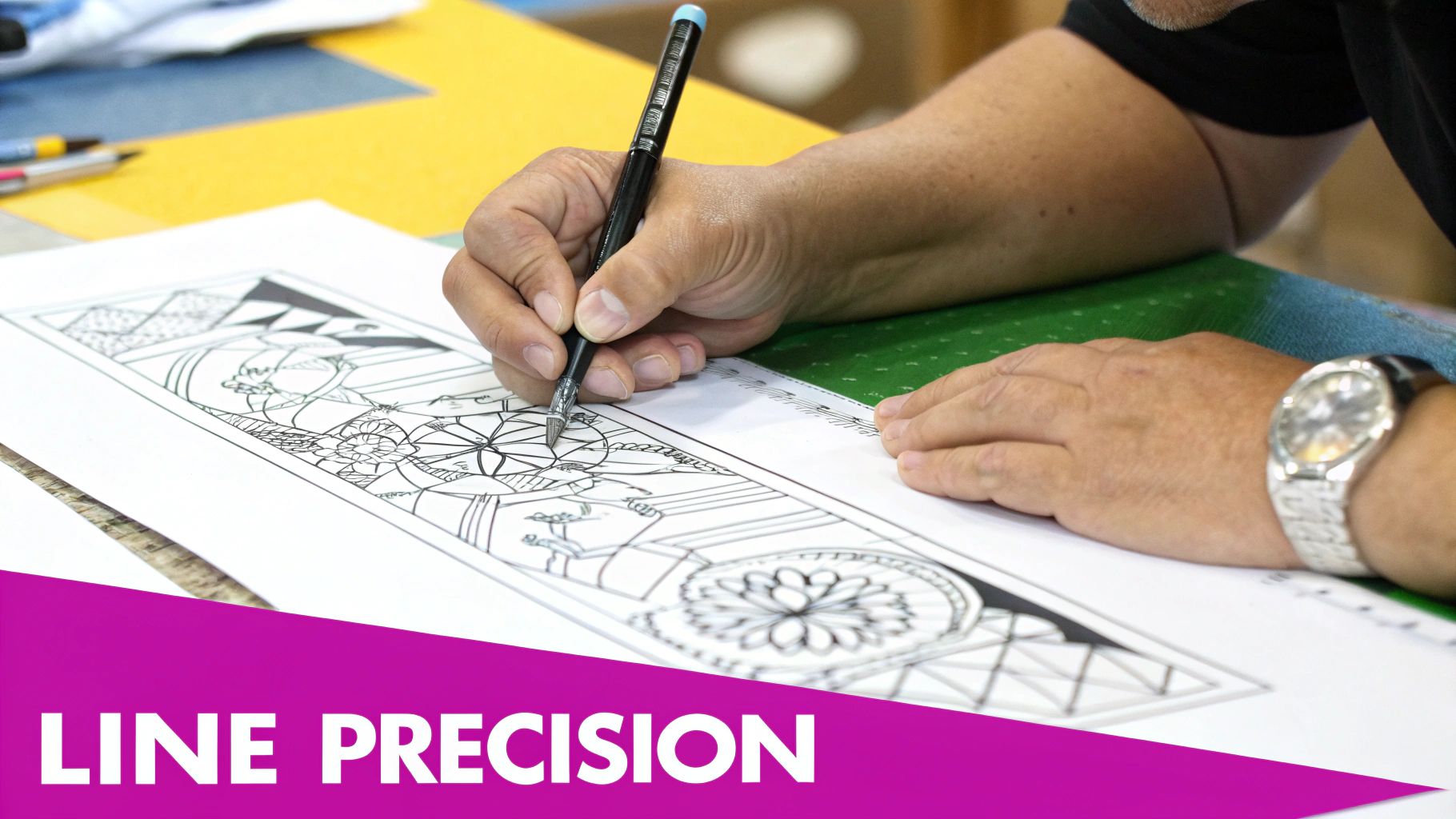
In a world overflowing with color, the striking simplicity of black and white line art really grabs your attention. Its power is in what it leaves out. By stripping away color, this art form makes us zero in on what’s essential: the shape, the texture, and the dance between light and shadow.
This isn't some new minimalist trend, either. It’s actually one of the oldest forms of human expression. We’re talking about prehistoric cave paintings from tens of thousands of years ago, where early humans used solid black lines to communicate big ideas long before anyone had invented writing. You can explore the history of line art to see just how far back it goes.
Why Simplicity Is So Powerful
The real strength of monochrome illustration is its clarity. When there’s no color to guide your eye, you have to engage more deeply with the composition itself. This directness makes it incredibly versatile.
- Universal Communication: Lines are a language everyone understands, no matter where you're from or what language you speak. The art is instantly relatable.
- Emotional Depth: The stark contrast between black and white can hit you hard emotionally. It can feel dramatic, mysterious, elegant, or peaceful.
- Focus on Form: It puts the artist's raw skill on full display, celebrating the fundamentals of drawing—how to create form, texture, and movement using just lines.
The purpose of monochrome art is to convey emotion, allowing you to develop the skills required to showcase your creativity without relying on color. It pushes the boundaries of expression through limitation.
As we go through this guide, you’ll see how this timeless appeal shows up in very practical ways, from creating brand logos people remember to designing coloring books that people love. We'll also dive into how modern AI tools are making it easier than ever for anyone to generate stunning black and white line art, putting this powerful visual style right at your fingertips.
Exploring Key Styles of Monochrome Line Art
Think of the different styles of black and white line art like learning the vocabulary of a new visual language. Each one has its own mood and purpose, and knowing the difference is what lets you command an AI to create exactly what you see in your head. It’s the key to getting predictable, high-quality results every time.
Some styles are like a visual haiku—they say a lot with very little. Others are more like dense prose, packed with texture and rich detail. Once you can tell them apart, you can pick the perfect one for any project, whether it’s a slick, modern logo or a deeply immersive illustration for a coloring book.
The Power of Minimalism
Minimalist line art is the classic "less is more" approach. It boils an image down to its absolute essentials, using just a few clean lines to suggest a much more complex subject. It works so well because our brains naturally fill in the blanks, which makes the image stick in our minds.
Think about the simple outline of an apple or the silhouette of a bird. They're instantly recognizable. The goal isn't to be realistic; it's to make an immediate, confident impact.
Intricate and Detailed Styles
On the other end of the spectrum, you have styles that build entire worlds with just lines. These detailed approaches are all about creating depth, texture, and a real sense of richness in the final image.
Here are a couple of popular ones:
- Engraving and Etching: This style copies the look of traditional printmaking. It uses fine, tightly packed lines and cross-hatching to build up shading and form. It’s perfect for giving your designs a classic, handcrafted feel that works wonders for vintage-inspired brands.
- Zentangle and Pattern Art: This is all about filling spaces with structured, repeating patterns. It’s almost meditative to look at and results in incredibly complex, mesmerizing images. You'll see this a lot in adult coloring pages or as unique digital backgrounds.
The image below really breaks down the two most important elements artists play with—line variety and negative space—to pull off these different styles.
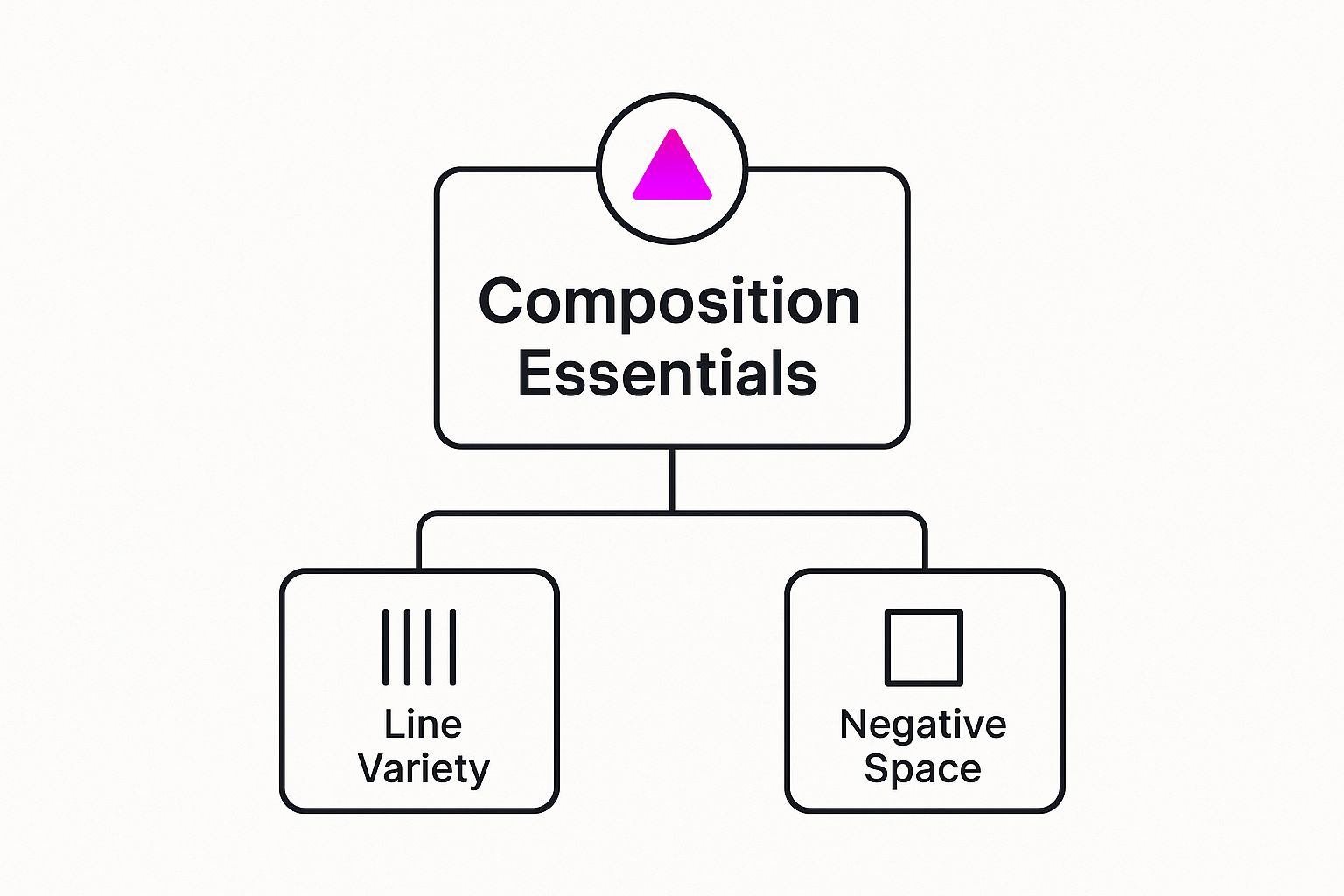
As you can see, it all comes down to the interplay between the lines themselves and the empty space around them. Mastering that balance is what separates a good composition from a great one.
Fluid and Expressive Forms
Not all line art is stiff and structured. Plenty of styles are all about movement, emotion, and organic flow, creating visuals that feel alive and dynamic.
Continuous line art is a fantastic example. The entire image is drawn using a single, unbroken line. This technique creates an incredible sense of fluidity and connection, almost like you're capturing a single moment in one continuous motion. It’s an expressive style that feels really personal and spontaneous.
Sketch styles, on the other hand, intentionally leave things a bit raw and unfinished. You’ll often see overlapping lines or visible construction marks, which gives the art an authentic, "behind-the-scenes" vibe. This approach is perfect for projects that need to feel human and approachable, not polished to perfection.
Comparing Line Art Styles and Their Best Uses
Feeling a little overwhelmed by the options? Don't be. This table breaks down the key styles to help you quickly figure out which one is the right fit for your next project.
| Style | Key Characteristics | Best For |
|---|---|---|
| Minimalist | Clean, simple lines; high use of negative space; essential forms only. | Logos, icons, branding, modern web design. |
| Engraving/Etching | Fine lines, cross-hatching for shading; detailed and classic look. | Vintage branding, book illustrations, sophisticated packaging. |
| Zentangle/Pattern Art | Repetitive, structured patterns; intricate and mesmerizing visuals. | Coloring pages, decorative backgrounds, textile design. |
| Continuous Line | Drawn with a single, unbroken line; fluid, connected, and expressive. | Abstract art, editorial illustrations, personal branding. |
| Sketch | Raw, unfinished look with visible construction lines; energetic and authentic. | Concept art, social media content, informal branding. |
Ultimately, choosing the right style is about matching the personality of the artwork with the goals of your project. Whether you need something sleek and corporate or quirky and personal, there's a line art style that will get the job done.
Practical Applications for Line Art in Your Projects
The real magic of black and white line art is just how incredibly versatile it is. You might think of it as a niche style, but its clean, direct nature makes it a fantastic fit for a surprisingly huge range of projects, both commercial and creative. Its simplicity isn't a limitation—it's a strength, allowing it to adapt to almost any context you can think of.
Whether you're building a corporate brand or just looking for a personal creative outlet, the applications are practically endless. Stripping away color forces you to focus on the design's core message: its form and structure. That makes it a smart, strategic choice for any visual that needs to be clear, memorable, and easy to reproduce.
Building Strong Brand Identities
For any business, a solid visual identity is non-negotiable, and line art offers a truly timeless solution. Think about logos and icons. When they're designed in this style, they are ridiculously scalable, looking just as crisp on a tiny business card as they do blown up on a massive billboard. Their simplicity also helps them cut through the visual noise of a crowded market, making them far more memorable.
And there's a practical side, too. Because they only use one or two colors, these designs are incredibly cost-effective to print on merchandise, packaging, and promo materials. This practicality, combined with a clean, modern aesthetic, makes monochrome art a brilliant choice for brands that want to leave a lasting impression.
Engaging Audiences with Creative Content
Beyond branding, black and white line art is the backbone of so many popular types of content. It’s the essential ingredient for adult coloring pages, a market that just keeps growing because of its therapeutic, engaging qualities. Those clear outlines provide the perfect canvas for someone else to jump in and add their own creativity.
It doesn't stop there. The distinct patterns and forms are also perfect for:
- Textile and Surface Patterns: Creating one-of-a-kind designs for fabrics, wallpapers, or even digital backgrounds.
- Social Media Visuals: Standing out in a feed that's screaming with color by using a minimalist, eye-catching aesthetic.
- Book Illustrations: Adding a classic, sophisticated vibe to both fiction and non-fiction works.
The stark contrast in black and white visuals has a long history of delivering powerful messages. This approach forces the viewer to focus on form and theme, a technique used to convey deep meaning for centuries.
This power to communicate directly, without the distraction of color, has deep roots. During the Harlem Renaissance, for instance, artists used the bold contrast of monochrome art to create compelling works loaded with cultural and political commentary. It’s a great example of how limitations can actually fuel creativity.
So whether it's for a sleek logo or an intricate coloring book, the fundamental appeal of black and white line art is always the same: clarity, impact, and a style that never gets old.
Generating Line Art in Bulk With AI
Alright, so we've covered what black and white line art is. Now for the fun part: making it. And thankfully, you don't need to spend years learning to draw. With artificial intelligence, the whole complex process of illustration basically turns into a simple conversation.
Instead of spending hours hunched over a drawing tablet, you can pump out dozens of unique visuals in just a few minutes. All you have to do is tell an AI what you want.
This completely changes the game for creators and businesses. It means you can produce a steady stream of killer black and white line art for any project—coloring books, branding, social media—without needing expert art skills or fancy software. The only thing you need to get right is the text prompt.
Choosing the Right AI Art Generator
First things first, you need to pick your tool. The market is flooded with options, and each has its own personality. Some generators are amazing at creating photorealistic images, while others are built for more artistic and illustrative styles. For line art, you need a tool that gives you a ton of control over the final look.
Look for a generator that offers:
- Style Versatility: It has to understand what you mean when you say "minimalist," "engraving," or "coloring book page."
- Prompt Accuracy: The model needs to follow your instructions to the letter without getting creative and adding its own shading or color.
- Bulk Capabilities: You want features that let you create a bunch of images from one core idea. This is a massive time-saver.
A lot of creators find that a dedicated AI art generator built to produce multiple variations at once is the smartest way to build a huge asset library quickly and keep everything looking consistent.
Mastering the Art of the Text Prompt
The text prompt is everything. It's the set of instructions you give the AI. I like to think of it as a recipe—the more precise you are with your ingredients and directions, the better the final dish will taste. A solid prompt for black and white line art has a few key components that work together to steer the AI exactly where you want it to go.
A great prompt is clear, descriptive, and layered. It doesn't just name a subject; it paints a picture with words, giving the AI specific directions on style, detail, and mood. This is how you move from generic outputs to truly custom creations.
If you're looking to explore dedicated platforms, RichlyAI's image generation platform has some interesting tools for different creative projects.
The Magic Formula for Effective Prompts
Want consistently great results? Use a formula for your prompts. When you break your request down into clear, distinct parts, you give the AI a logical roadmap to follow. This cuts down on weird mistakes and makes sure the final image actually matches your vision. Trust me, it's way more effective than just tossing a few keywords into the void and hoping for the best.
Here’s a simple but powerful framework you can use for pretty much any project:
- Core Subject: Start with a simple, crystal-clear description of what you want to create. Be specific. Don't just say "a flower." Say "a single sunflower with large petals."
- Style Keywords: This is where you lock in the artistic vibe. Add terms like "black and white line art," "minimalist outline," or "coloring book page for adults."
- Composition and Detail: Describe the scene. Using phrases like "clean white background" is a must to avoid any distracting clutter. You can also get granular with things like "bold lines" or "delicate thin lines" to control the line weight.
- Exclusion Terms (Negative Prompts): Finally, tell the AI what not to do. Throwing in terms like "no color, no shading, no gray" really hammers home that you're after pure, clean line art.
When you stitch these elements together, you can build prompts that deliver exactly what you're picturing. For example: A simple icon of a coffee mug, minimalist black and white line art, bold outlines, clean white background, no color, no shading. That level of detail gives you precise control over the final look, making it dead simple to generate a whole series of images that share the same aesthetic.
Advanced Prompting Techniques for Unique Results
 Once you get the hang of the basics, you can stop treating AI prompting like a simple command and start approaching it like an art form. It’s about moving beyond just describing what you want and learning to direct the AI with surgical precision. This is where you go from just being a user to being a true art director for your own vision.
Think of it as layering your instructions. Advanced prompting is your entire toolkit for nailing down every last detail. You’ll learn how to tell the AI what to leave out, how to get the exact line style you’re picturing, and even how to smash different artistic styles together to create something totally new. Each little tweak gives you more control over the final black and white line art.
Using Negative Prompts for Clean Results
Negative prompts are easily one of the most powerful tools in your arsenal for creating clean, professional-looking line art. Essentially, they act as a filter. You aren't just telling the AI what you want; you're also being crystal clear about what you don't want. This is how you make sure your output is pure line art, without all the extra visual noise.
Some of the most common negative prompts I use are:
--no color, shading, gradients--no gray tones, shadows, textures--no complex background, photorealism
By using these terms, you stop the AI from falling back on its habit of creating more complex, fully rendered images. What you get instead is a crisp, clean illustration on a plain white background—perfect for coloring pages, branding, or any other design work.
Controlling Line Weight and Artistic Style
You can also take control of the type of lines the AI uses, which can completely shift the mood and feel of your artwork. The specific words you choose have a direct impact on the thickness, texture, and overall character of the lines in the image. This is how you really start to fine-tune the aesthetic to fit your project.
Just look at the difference these keywords can make:
- For a delicate feel:
thin delicate lines, fine-point pen drawing - For a bold statement:
bold graphic lines, thick outlines, vector icon - For a classic look:
engraved lines, cross-hatching, woodcut style
This level of control isn't new; it has deep roots in art history. Black and white line art was a cornerstone of modern art movements like Minimalism, where artists stripped everything back to focus on pure form. Frank Stella’s famous 'Black Paintings' from the late 1950s, for example, used nothing but uniform black stripes to emphasize structure. It’s a powerful reminder of just how much you can say with simple lines.
By mixing and matching different style keywords, you can create some really interesting hybrid aesthetics. For instance, prompting for "minimalist continuous line art in an engraving style" forces the AI to blend two completely different looks into one cohesive piece. If you're ever stuck for ideas, a free AI image prompt generator can give you a great starting point for inspiration. This kind of experimentation really pushes the creative boundaries of what the AI can do.
Common Questions About AI Line Art Generation
Jumping into AI art generation can feel like learning a new language, and it's totally normal to have questions. It’s frustrating when you hit a technical snag or get an unexpected result, but most of these problems have simple fixes once you get a feel for the AI's logic. This section gives you straight answers to the most common issues creators run into when making black and white line art.
Think of this as your go-to troubleshooting guide. We'll get into why your images might show up with weird colors, how to clean up messy lines, and the best tricks for keeping your style consistent across a whole project. With these tips, you can spend less time guessing and more time creating.
Why Does My Line Art Have Color or Shading?
This is, by far, the most common headache. You ask for a clean, simple monochrome image, but the AI spits out something with soft gray tones, shading, or even specks of color. This happens because most AI models are trained on a gigantic library of full-color, photorealistic images. Their default setting is to add depth and realism.
To get around this, you have to be incredibly direct in your prompt. Your instructions need to actively push back against the AI’s built-in habits.
The secret is to use strong negative prompts. By telling the AI exactly what to leave out, you steer it away from its default settings and force it to create the pure, clean line art you were aiming for. This is the single most effective way to take control of your final output.
For instance, always tack on phrases like "no color, no shading, no gray tones, no shadows" to the end of your prompt. This creates a hard boundary, making sure the result is strictly black and white.
How Can I Make the Lines Cleaner or Bolder?
Sometimes the AI gives you lines that are fuzzy, broken, or just too faint for what you need—especially for things like coloring pages that demand crisp, clear outlines. The fix is to use specific keywords that describe the exact line quality you’re after. The AI actually understands artistic terms related to line weight and style.
To get stronger, more defined lines, try adding these keywords to your prompt:
- For bold results: Use terms like "bold outlines," "thick lines," or "vector icon style."
- For clean edges: Add "clean lines" or "crisp outlines."
On the flip side, if you want a more delicate, subtle look, use keywords like "thin lines" or "fine-line drawing." Playing around with these descriptors gives you precise control over the final look of your black and white line art.
How Do I Maintain a Consistent Style Across Images?
Making one great image is one thing. But generating a whole series that looks like it belongs together? That's a different beast entirely. Consistency is everything for branding materials, coloring books, or any project that needs a unified visual theme. The trick is to create a detailed "master prompt" that you can reuse and tweak.
This master prompt should lock in all your core stylistic elements. Once you nail a combination of keywords that gives you the perfect look, save it as your template. For more great ideas on building effective prompts for different styles, you can check out some of the best prompt ideas for AI image generators. From there, all you need to do for each new image is change the main subject while keeping the rest of the prompt the same. This method ensures every single piece shares the same line weight, composition, and overall artistic DNA.
Ready to stop prompting one by one and start creating at scale? With Bulk Image Generation, you can produce hundreds of consistent, high-quality images in seconds. Describe your vision and let our AI handle the rest, so you can focus on your project, not the process. Get started with Bulk Image Generation today!
