Batch Photo Editing A Guide to Working Smarter

Ryan Bennett • November 26, 2025
Discover how batch photo editing can save you hours. Learn to automate your workflow with AI and traditional tools for resizing, color correction, and more.
If you’ve ever found yourself editing the same photo over and over again—adjusting the lighting on one, cropping another, then fixing the colors on a third—you already know how soul-crushing it can be. Editing photos one by one is a surefire way to burn through your time and creative energy.
Batch photo editing is the antidote. At its core, it's about applying the same edits—like a color preset, a watermark, or a specific crop—to a whole group of images simultaneously. It's a total game-changer, turning hours of tedious, repetitive clicks into a process that takes just a few minutes.
Stop Editing Photos One by One
Seriously, if you're still tweaking images individually, you're leaving a massive amount of productivity on the table. Moving to a batch workflow isn't just a nice little shortcut; it’s a fundamental shift in how you handle visual content, making your entire process smarter and more scalable. For anyone serious about their work, this isn't a luxury—it's a necessity.
This approach is a lifesaver in so many real-world situations:
- E-commerce Owners: Imagine standardizing hundreds of product shots with perfect white backgrounds and consistent dimensions for your online store. Done.
- Event Photographers: You just shot a wedding with 500+ photos. Instead of weeks of editing, you can apply a consistent, beautiful color grade to the entire gallery in one go.
- Marketers: You need assets for Instagram, Facebook, and LinkedIn, each with its own sizing requirements. Batch processing lets you resize and format everything in a single, streamlined step.
The Rise of AI in Photo Editing
The push for smarter, faster editing tools is undeniable. The global photo-editing software market was valued at USD 5.8 billion in 2024 and is expected to explode to USD 10.7 billion by 2032. What's driving this growth? A huge part of it is the integration of AI.
AI is automating incredibly complex tasks—think background removal, blemish retouching, and smart enhancements—with a level of precision that used to require a trained professional. This is what's making modern batch workflows so powerful.
The move from manual, one-off adjustments to automated, AI-driven systems does more than just save time. It revolutionizes the entire creative process, guaranteeing your brand stays consistent and every single image looks polished and professional.
This principle of working in batches extends far beyond just photos. For instance, marketers who learn the batch creation of campaigns can apply the same time-saving logic to their ad strategies. By adopting a "batching" mindset, you elevate yourself from a technician doing repetitive tasks to a strategic and wildly efficient creator.
Build a Foundation for a Flawless Workflow
Here's a hard truth about editing photos in bulk: the magic doesn't happen in the software. It starts long before you even think about applying a preset. The secret to a lightning-fast, error-free editing session is a rock-solid organizational system.
Skipping this setup is like trying to build a house without a foundation. You’ll end up with a mess of lost files, overwritten originals, and hours of wasted time. Trust me, I’ve been there.
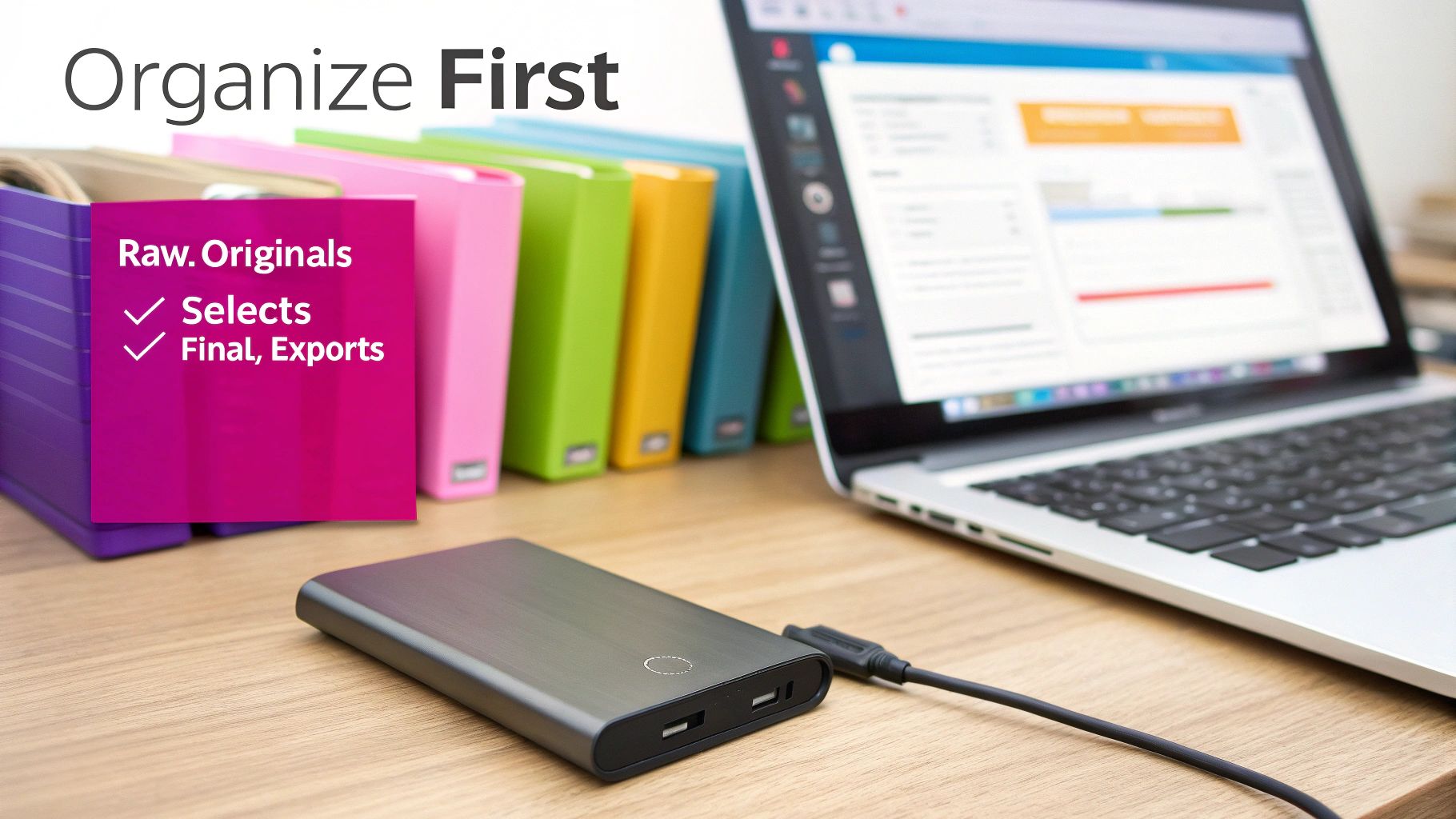
The first thing I do for any project is create a simple, powerful folder structure. It’s my way of separating files by their stage in the workflow, which keeps me from accidentally editing a RAW file or sending a client a low-res draft. I’ve refined this over the years, and it boils down to three essential folders that work for just about anything.
The Essential Folder Trio
01_RAW_Originals: This is your digital vault. Every single file from your camera card goes straight in here, untouched. I treat this folder as read-only. It's my guarantee that no matter what happens, I always have a pristine copy to go back to.02_Selects: After I’ve culled the shoot, the keepers get copied here. This becomes my working directory. It only contains the photos that are actually worth my time and energy to edit. No distractions.03_Final_Exports: Once the editing is done, all the final, high-resolution JPEGs, TIFFs, or other formats land here. I often create subfolders inside this one, likeWeb_OptimizedorPrint_Ready, to keep different deliverables separate.
This kind of clean structure is exactly what tools like Adobe Bridge are built for. You can easily navigate your folders while previewing everything, making the whole process feel seamless.
Culling: The Most Important First Step
Once my folders are set, it’s time to cull. This is where you make quick, decisive choices about which photos live and which ones die. It is, without a doubt, the single biggest time-saver in any batch photo editing workflow.
You have to be ruthless. The goal isn’t to save every shot; it’s to find the absolute best images that nail the brief. Anything out of focus, poorly composed, or with a weird expression gets tossed. No hesitation.
Remember, every photo you eliminate is one less photo you have to edit, store, and deliver. Culling efficiently means you invest your energy only where it counts most, ensuring a higher-quality final gallery.
And finally, before you do anything else, back everything up. I mean it. Make a complete copy of your 01_RAW_Originals folder and put it on an external hard drive or a cloud service. This simple, non-negotiable habit is your only real safety net against a hard drive failure or an accidental "delete all" click—a catastrophe that can wipe out a whole day's work in an instant.
Choosing Your Batch Editing Toolkit
Picking the right software for batch photo editing is one of those crucial decisions that shapes everything—your speed, your consistency, and the quality of your final images. The market is flooded with options, from industry titans to clever AI-powered newcomers. The truth is, there’s no single "best" tool. It’s all about matching the software’s strengths to the job you actually need to do.
Think about it this way: a professional wedding photographer is playing a completely different game than an e-commerce store owner. The photographer might lean on Adobe Lightroom Classic for its incredible RAW processing and cataloging features. They’re managing thousands of photos from a single event and need that granular control to apply their signature style. For them, a robust organizational backbone isn't just nice—it's essential.
Now, picture that e-commerce owner with 500 new product shots. Their goal isn't fine art; it’s ruthless efficiency. They need every single image to have a clean, uniform look, usually on a pure white background. For that job, an AI tool that intelligently strips out backgrounds in one go is infinitely more valuable than a complex color grading suite.
Traditional Workhorses vs. AI Assistants
It really boils down to a classic trade-off: total control versus smart automation.
-
Traditional Tools like Adobe Lightroom or Capture One put you in the driver’s seat. You’re the one building presets from scratch and syncing settings across your photos. These platforms are perfect for professionals who have a meticulous style and need to manage massive, complex photo libraries.
-
AI-Powered Tools like Luminar Neo or Evoto AI are built for speed. They automate the tedious stuff—think one-click sky replacements, intelligent skin smoothing, or automated background removal applied to hundreds of photos at once. They're a lifesaver for anyone who needs to knock out specific, repetitive tasks without a steep learning curve.
And don't forget the specialists. Sometimes, a dedicated utility is the missing piece of your puzzle. For instance, high-quality image resizer tools can be a godsend for prepping a huge batch of photos for a blog or social media feed, working alongside your main editor.
Comparison of Batch Photo Editing Tools
To help you find the right fit, here’s a quick breakdown of some popular options, highlighting what they do best and who they’re for.
| Tool | Best For | Key Batch Features | Ideal User |
|---|---|---|---|
| Adobe Lightroom | Professional photographers managing large RAW libraries and developing a consistent style. | Advanced presets, metadata syncing, smart collections, copy/paste settings. | Wedding Photographers, Portrait Artists, Serious Hobbyists. |
| Capture One | High-end studio work requiring superior color accuracy and tethered shooting. | Style Brushes, advanced color editing, session-based organization, powerful export recipes. | Commercial Photographers, Studio Professionals. |
| Luminar Neo | Quick, AI-driven enhancements and creative effects without a steep learning curve. | AI Sky Replacement, Enhance AI, Portrait Bokeh AI, batch preset application. | Social Media Managers, Content Creators, Hobbyists. |
| Evoto AI | High-volume portrait retouching with automated, natural-looking results. | AI blemish removal, face sculpting, background replacement, color correction presets. | School Photographers, Corporate Headshot Studios. |
| Photoshop Actions | Creating custom, highly specific, and repeatable editing sequences for any task. | Recordable action steps, conditional logic, integration with other Adobe apps. | Graphic Designers, E-commerce Editors, Retouchers. |
Ultimately, your choice should feel like a natural extension of how you already work, not something you have to fight with.
The Growing Influence of Smart Editing
There's no denying the shift toward smarter, more automated solutions. It’s a change driven by the sheer pace of the market. The professional photography and photo studio industry, which is projected to hit between $64.7 billion and $81.8 billion by 2032, is leaning heavily on post-production efficiency. AI-assisted batch editing is a key part of that growth, allowing studios to hit tight deadlines without sacrificing quality. For more on this, dojobusiness.com has some great insights into photo studio industry stats.
This trend isn't just about editing, either. Many modern workflows now start with AI. If you need a ton of unique visuals for a marketing campaign or creative project, firing up an AI image generator for bulk creation can be the very first step in a fully automated content pipeline.
Don't get stuck searching for the single "best" editor on the market. Instead, pinpoint your most time-consuming task and find the tool that automates that specific thing. That strategic approach will give you the biggest, most immediate boost to your batch editing workflow.
Getting into the Flow: The Core Batch Editing Process
Alright, you've got your photos sorted and your software picked out. Now for the fun part—the actual batch editing workflow where all the time-saving magic happens. The whole point here is to apply a consistent set of changes across a big pile of images, turning a jumble of shots into a clean, professional-looking collection.
The guiding principle is beautifully simple: edit one, apply to many. You find one representative photo from the group—ideally one with decent lighting and a clear subject—and you nail the edit on that single image. That one photo becomes the blueprint for the entire batch.
This visual really breaks down the choice between old-school manual editors and the new AI-powered tools.
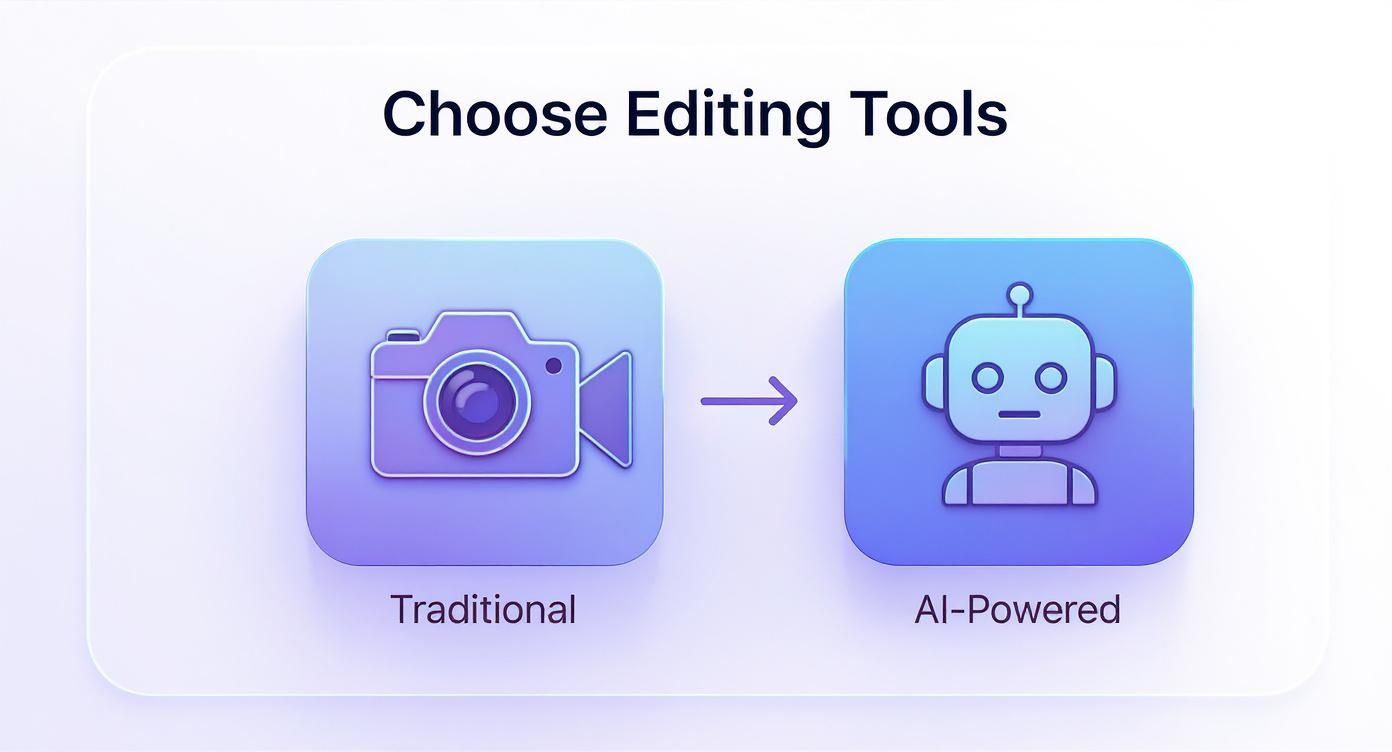
It’s not just about features. It’s about choosing between the granular control you get from traditional tools and the sheer speed of AI automation, depending on what your project really needs.
Syncing the Foundational Edits
The first thing you want to tackle in any batch edit is the global adjustments. These are the core settings that fix common problems and create a consistent visual foundation for every photo.
- White Balance: If you shot everything under the same lights, this is a lifesaver. Correct the color temperature on your main image, sync it, and watch all those weird color casts disappear from the whole set.
- Exposure and Contrast: Getting the brightness and tonal range right is non-negotiable. Syncing these settings makes the entire gallery feel cohesive and properly lit.
Think about a real estate shoot inside a house. The lighting is pretty much the same from room to room. By fixing the yellowish tint from the tungsten lights in one photo and applying that white balance correction to the rest, you instantly get clean, neutral colors everywhere.
Nailing the Vibe with Presets
Once the basic corrections are locked in, it's time to get creative. This is where presets (sometimes called "styles") are your best friend. A preset is just a saved recipe of settings that gives your photos a specific look—maybe it's a warm, vintage feel or a bright, airy aesthetic.
Applying a single preset to an entire batch is the quickest way to give your work a signature style. It guarantees every photo shares the same mood and color palette, which is huge for brand consistency or just delivering a polished final product.
The real power of presets is establishing a solid starting point. Even if you end up tweaking a few individual photos later, applying a good preset gets you 80% of the way there with a single click.
Automating the Repetitive Tasks
Beyond just color and tone, batch processing is a beast at handling all those tedious, mechanical jobs that used to eat up hours. This is where you can automate specific actions based on where the images will end up.
A classic example is resizing a whole folder of high-res images for a website. Instead of opening, resizing, and saving hundreds of files one by one, a dedicated tool can do it all in one go. You can see just how fast this is if you use a bulk image resizer. The same logic applies to tons of other common tasks:
- Batch Cropping: Need everything to be square for Instagram? Set a 1:1 aspect ratio and apply it to the whole group.
- Watermarking: Slap your logo or copyright text onto the corner of every single image before you send them off.
- Background Removal: Use AI to instantly cut the background out of dozens of product shots at once.
AI has completely changed the game here. The AI image editor market, which was valued at USD 88.7 billion in 2025, is expected to explode to USD 229.6 billion by 2035. A big reason for that growth is that businesses are now using AI to automate complex edits like background removal and even retouching on a massive scale. This kind of automation makes professional results faster and more accessible than ever before.
Batch Editing Workflows for Real-World Jobs
Knowing the theory is great, but what really matters is putting it to work on the jobs you face every day. A smart batch photo editing workflow isn't some rigid, one-size-fits-all formula. Think of it as a flexible system you can adapt to solve specific problems.
Let's break down what this actually looks like for a few different pros. The goal here is to go from just knowing what the tools can do to using them to claw back hours from your workweek.
For E-commerce Managers Streamlining Product Shots
Picture this: you're an e-commerce manager staring down a list of 200 new products to get online. Each one needs five solid photos. Your mission? Speed, brand consistency, and making sure every single image ticks the boxes for your marketplace. A random approach will just lead to chaos; you need a production line.
Your entire batch workflow is going to be laser-focused on creating that clean, uniform look that makes the product the hero.
- AI Background Removal: This is your first—and most important—move. Instead of spending hours meticulously tracing each product, you run the whole batch through an AI tool. It strips out the original background in seconds and drops in a clean, pure white (#FFFFFF).
- Uniform Resizing and Cropping: Marketplaces like Amazon and Shopify are sticklers for image specs. You'll batch-crop all your images into a perfect square (1:1 aspect ratio) and then resize them to whatever the platform demands, like 2048x2048 pixels.
- Watermark Application: To keep your images safe, the final step before exporting is to apply a subtle, semi-transparent logo to the bottom-right corner of every single photo in one go.
This isn't just about moving faster; it’s about building a system that can scale with your store. When you automate these steps, you guarantee every product photo looks perfectly on-brand, which is a huge factor in building customer trust. If this is your world, our deep dive on AI product photography has even more advanced techniques.
For Event Photographers Delivering Galleries
Okay, let's completely switch gears. Imagine you're an event photographer who just wrapped up a wedding and now has over 800 images to deliver. The challenge here isn't just about consistency—it's about telling a story and wrangling a massive number of files shot under all kinds of different lighting. Your workflow has to be efficient, but it also has to serve your creative vision.
The whole process kicks off with a ruthless culling session to get the gallery down to only the absolute best shots. Once that's done, the batch editing magic can really begin.
For an event photographer, the batch edit is about establishing a signature look. You're not just correcting photos; you're applying your artistic fingerprint across the entire story of the day, ensuring a cohesive and emotional final gallery.
A typical workflow might look something like this:
- Cull Like You Mean It: Before anything else, ditch the duplicates, the out-of-focus shots, and the awkward expressions. Seriously, this first pass can easily cut your workload in half.
- Apply a Signature Color Grade: Find a "hero" image from a key moment of the day—maybe one of the outdoor portraits—and perfect the edit. Save that as a preset, and then apply it to all the other photos that were shot in similar lighting.
- Sync Basic Corrections: Group together all the photos taken in the same spot, like all the indoor reception shots. Then, sync the white balance and exposure settings across the entire group to fix any consistent lighting issues in one click.
- Export for Delivery: Finally, run a batch export. Create one set of web-resolution JPEGs for the online client gallery and another separate batch of high-resolution files perfect for printing.
Common Questions About Batch Editing
Diving into batch photo editing can feel like a big leap, so it’s totally normal to have questions. Let's walk through some of the most common worries that pop up when people first start automating their editing.
A common misconception is that batch editing makes every photo look identical. The real goal is to get a consistent, professional style. A good batch process, especially one with AI smarts, knows a photo taken in direct sun needs different tweaks than one shot indoors. It’s smart enough to adapt, creating a cohesive look that still honors the unique lighting of each image.
Will AI Editing Replace Photographers?
This is a big one, but the answer is a clear no. Think of AI tools as assistants, not replacements. They’re built to crush the most boring and time-sucking tasks, like initial color corrections or sorting through hundreds of photos to find the keepers.
This automation frees you from the grunt work. It lets you focus on what really matters—your creative vision, putting the final polish on key shots, and actually talking to your clients. Your artistic eye and final say are still the most important part of the equation.
Can I Still Make Final Adjustments?
Absolutely. Any professional batch editing workflow is non-destructive. The software applies changes, but you can always jump back into your main editor, like Lightroom, and make those final tweaks.
In fact, some AI systems actually learn from your final adjustments. When you fine-tune an edit, you're helping the algorithm understand your personal style better, making its future edits even more accurate.
Think of batch editing as getting your photos 90% of the way there in just a few minutes. You still have complete control to add that final 10% of creative magic by hand, but you've saved countless hours on the foundational stuff.
What If I Shoot in Different Lighting Conditions?
This is where modern batch editing really pulls ahead. With the old preset-based methods, you’d often need a different preset for your indoor shots versus your outdoor ones. It was a pain.
Today’s AI-powered systems are trained on massive, diverse datasets. You can throw a whole gallery at them—sunny days, overcast skies, dimly lit wedding receptions—and the AI figures it out. It learns how you handle each scenario and applies the right adjustments automatically, keeping your style consistent no matter where you were shooting. It's all about working smarter.
Ready to stop editing one by one and get your creative time back? Bulk Image Generation provides powerful AI tools to automate background removal, resizing, and enhancements across hundreds of photos in minutes. Start streamlining your workflow today at https://bulkimagegeneration.com.
