
AI Upscaling Software Compared: Speed, Quality & Workflows

Ryan Bennett • September 24, 2026
Compare the best AI upscaling software for batch workflows, quality, and speed. Learn which tool fits your production pipeline and use cases in 2026.
In 2026, production teams choose AI upscaling software by batch speed and fidelity together, not resolution alone, while cloud deployment is projected to hold 58.0% market share because workflow fit outweighs one-off quality gains. The right tool is the one that delivers consistent, defensible outputs across your pipeline without turning every image into a manual review.
A campaign manager usually discovers this the hard way. A product launch needs a catalogue refreshed, social crops standardized, and older brand assets made usable for new placements. One impressive before-and-after image doesn't answer the operational questions: Can the tool process the full folder? Will faces, logos, packaging text, and fine textures remain credible? Can the team control where files go, reproduce the result, and export assets in a format the rest of the workflow accepts?
Modern upscaling grew from classical super-resolution research into a commercial software category. The 2014 SRCNN breakthrough introduced a deep learning approach that reconstructed higher-resolution images more effectively than traditional interpolation, followed by architectures such as VDSR in 2016 and ESRGAN in 2018. This history explains why today's tools can do more than enlarge pixels, but it doesn't eliminate the need for production judgment. IBM's overview of super-resolution's development provides useful context for that transition.
Why Most AI Upscaling Comparisons Miss the Real Decision
A team of four sits around a shared review board with a folder of product photos, campaign graphics, and legacy images. The first test file looks excellent after enlargement. Then the second batch reveals halos around a bottle, softened lettering on packaging, and inconsistent sharpening across similar photos. The tool won the demo, but the workflow failed.

Resolution is only the visible output. The hidden cost sits in review time, retries, file handling, and inconsistency. A desktop application may produce excellent results but require an operator to load files individually. A browser editor may be convenient but unsuitable for confidential product photography. An API may automate processing while leaving your team responsible for colour profiles, naming conventions, and failed jobs.
The selection criteria should therefore reflect the complete production decision:
- Fidelity: Does the model preserve structure, text, skin, edges, and material texture, or does it invent convincing-looking detail?
- Throughput: Can it process folders reliably, with predictable queues and clear failure handling?
- Source control: Does the vendor explain how uploads are handled, retained, and deleted?
- Integration: Can outputs move cleanly into Photoshop, Lightroom, DAM systems, content platforms, or an internal API?
- Unit economics: What does one approved output cost after retries and human inspection, not just the advertised processing fee?
A useful explanation of the underlying concept appears in this guide to what upscaling does, but production teams need to go further than defining enlargement. They need to compare the risk of a slightly softer output with the cost of an apparently sharper image that introduces false detail.
Practical rule: Judge an upscaler on the worst recurring asset in your batch, not the hero image selected for a product demo.
The market itself reinforces this workflow view. One estimate places the AI image upscaling market at USD 6.3215 billion in 2025, with a projection of USD 44.708 billion by 2033 and a 27.8% CAGR from 2026 to 2033. Another estimate uses a narrower market definition, valuing it at USD 2.8 billion in 2025 and projecting USD 12.4 billion by 2034, with a 16.8% CAGR from 2026 to 2034. These ranges differ, but both point to a software-led category serving real production demand. Grand View Research's market analysis also reports that software represents 67.1% of the market.
How to Evaluate AI Upscaling Software Beyond Resolution
Start with a representative test set, not a single clean photograph. Include a portrait, a product with small text, a compressed social image, a flat logo, a textured scene, and a historical image with damage or blur. The point is to expose where a model makes decisions you can't accept.
Read quality and speed as one decision
Technical metrics help, but they don't replace visual review. PSNR measures signal-level similarity, while SSIM evaluates structural similarity. Neither metric tells you whether an e-commerce label looks trustworthy or whether a person's eyes have acquired unnatural texture.
OpenCV's benchmarking guidance makes the trade-off concrete. On CPU, ESPCN recorded 0.008795 seconds per inference, with 32.7059 PSNR and 0.9276 SSIM. FSRCNN recorded 0.021741 seconds, with 32.8886 PSNR and 0.9301 SSIM. EDSR delivered the strongest listed quality, 34.1300 PSNR and 0.9447 SSIM, but took 5.923450 seconds per inference. These figures are cited in Let's Enhance's comparison of AI upscaling models.
| Model | Speed (seconds per inference) | PSNR | SSIM | Best Fit |
|---|---|---|---|---|
| ESPCN | 0.008795 | 32.7059 | 0.9276 | High-throughput edge or batch processing |
| FSRCNN | 0.021741 | 32.8886 | 0.9301 | Balanced speed and quality |
| EDSR | 5.923450 | 34.1300 | 0.9447 | Archival or high-fidelity enhancement |
These numbers should shape your test design. If a team processes recurring social assets, the fastest model may create more value because it keeps queues short and review manageable. If the job involves a small archive where every image receives individual attention, the slower, higher-fidelity option can make sense.
Test the pipeline, not just the model
Run the same files through the complete workflow. Record upload time, processing time, retry behaviour, output naming, colour handling, metadata treatment, and the number of files requiring manual correction. Check whether the service offers native batch processing, API access, webhooks, or a folder-based workflow.
Then inspect failure modes. Does the software crop unexpectedly? Does it alter transparent backgrounds? Does it preserve the original file separately? Can you identify which model and settings produced each output? A reliable audit trail often matters more than a marginal improvement visible only at extreme zoom.
A good benchmark asks, “How many approved assets reach the channel per hour?” It doesn't ask only, “Which preview has the most detail?”
Score each candidate across fidelity, throughput, repeatability, controls, integration, and cost per approved file. Keep the scoring simple enough that a creative lead, developer, and compliance owner can challenge it. The winning tool is rarely the one with the highest score in a single column.
Comparing Top AI Upscaling Approaches and Software Categories
Software categories make a better starting point than product rankings because deployment constraints eliminate options quickly. A browser tool may be ideal for a solo marketer and unsuitable for an agency handling confidential client material. An open-source pipeline may provide control and repeatability but demand engineering time that a small team doesn't have.
| Category | Strength | Constraint | Ideal Use Case |
|---|---|---|---|
| Cloud platforms | Fast onboarding, scalable processing, accessible collaboration | Requires careful privacy and retention review | Distributed marketing teams and recurring batches |
| Desktop applications | Local control, deep editing integration, offline-friendly workflows | Manual operations and limited shared automation | Designers handling curated image sets |
| Browser-based editors | Low friction and quick experimentation | Less control over automation and source handling | Small one-off jobs and lightweight content work |
| Open-source pipelines | Model choice, local execution, configurable processing | Engineering, maintenance, and hardware responsibility | Technical teams with strict control requirements |
Cloud platforms
Cloud deployment is projected to lead with 58.0% share in 2026, according to Fact.MR's AI image upscaler market reporting. That position reflects workflow convenience: teams can send work from different locations, connect processing to other services, and avoid maintaining local inference hardware.
The trade-off is governance. Before uploading client or customer images, confirm retention periods, account permissions, deletion controls, regional handling, and whether the vendor uses uploaded content for model development. A fast interface doesn't compensate for an unclear data policy.
Desktop applications
Desktop software remains useful when a designer needs close visual control. It fits workflows built around Photoshop, Lightroom, or local asset libraries, especially when each image needs masking, retouching, or selective enhancement. It breaks down when several people need the same settings or when a campaign produces folders faster than one operator can process them.
Browser tools and open pipelines
Browser tools win on accessibility. They let a nontechnical user test an image without installing software, but their simplicity can conceal limitations in file control, queue visibility, and repeatability. Open-source systems offer the opposite profile. They can keep sensitive images inside an organization's environment and expose more configuration, but maintenance becomes part of the cost.
The practical shortlist should match the surrounding editing ecosystem. Guidance on resizing pictures without losing quality can help clarify the distinction between enlargement, resampling, cropping, and format conversion. Those operations often appear together in production, yet they solve different problems and should be tested separately.
Real-World Batch Upscaling Use Cases That Matter in 2026
A product catalogue has different priorities from a classroom archive. A social campaign has different failure tolerance from a heritage collection. The useful question is not which tool creates the sharpest image, but which one protects the important attribute of the job.

E-commerce catalogues
Product images need repeatability. Customers should see consistent edge treatment, background colour, scale, and apparent sharpness across a collection. A model that gives one bottle a crisp label and another a distorted label creates more work for merchandising teams.
Test packaging text at its final display size. If the source can't resolve the lettering, an upscaler may produce plausible shapes rather than recover the original information. Keep the source file, the processing settings, and the approved output together so a product team can explain what changed.
Social and campaign assets
Social teams usually need speed, format flexibility, and dependable batch handling. The upscaler should fit into a sequence that may include aspect-ratio changes, background edits, caption placement, and export compression. A visually strong output that arrives too late or requires renaming by hand isn't operationally strong.
For teams managing broader channel production, a curated set of tools for digital marketers can help place image enhancement alongside planning, publishing, and measurement rather than treating it as an isolated edit.
Education and historical images
Educators and hobbyists often work with scans, screenshots, diagrams, and old photographs. Here, conservative enhancement is safer than aggressive texture generation. A readable diagram may benefit from clean enlargement, while a damaged photograph may need restoration and human review rather than a generic sharpening pass.
Branding and agency production
Agencies need source separation and client-level control. Keep each client's originals in isolated workspaces, document the selected model, and create a review sample before processing the complete set. The workflow should make it easy to reject a treatment that doesn't match brand guidelines, even if the output appears technically sharper.
For batch work, consistency across the set is a quality feature in its own right.
How to Choose the Right AI Upscaling Software for Your Workflow
Choose by the constraint that would cause the most damage if ignored. A campaign team that misses a deadline needs throughput and automation. An archive team needs perceptual fidelity and careful review. A regulated organization needs source controls before it needs another enhancement preset.
Match the strategy to the job
For maximum throughput, shortlist cloud or API-connected software with folder processing, predictable queues, and failure reporting. Test a full representative batch and calculate the number of outputs that pass review without intervention.
For maximum fidelity, favour a slower model or desktop workflow that supports image-by-image inspection, selective masking, and non-destructive editing. Use difficult source material in the trial, not only clean studio photographs.
For balanced mid-volume work, choose a platform that combines batch processing with sensible manual controls. You want repeatable defaults, but also a way to override them when a face, logo, or fine pattern needs a different treatment.
For privacy-first deployment, investigate local or controlled-environment options. Ask how uploads are stored, who can access them, whether files are used for training, and how deletion is verified. The vendor's answers should be specific enough for your internal policy.
Verify before committing budget
Run a short pilot with original files and production naming conventions. Compare the processed outputs with your current method at actual channel sizes, then inspect them at full resolution for halos, invented texture, ringing, and changes to text. Include the person who owns compliance or client approval in the review.
Reject tools that hide the model or settings, provide no export consistency, or make it difficult to recover originals. Also reject workflows that force every image through the most aggressive enhancement. A good system lets the team choose restraint.
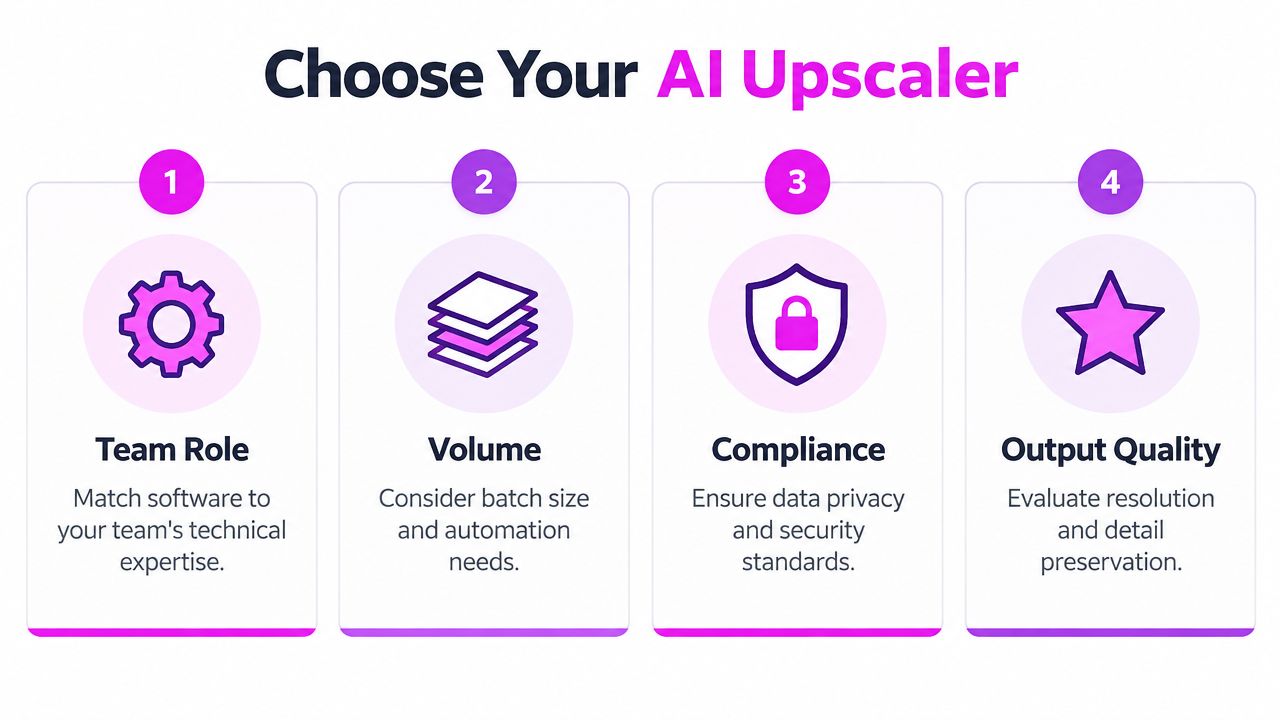
The final checklist is straightforward:
- Team fit: Can the intended users operate it without creating a bottleneck?
- Volume fit: Does batch handling match the recurring workload?
- Control fit: Are originals, settings, permissions, and deletion practices clear?
- Quality fit: Do outputs preserve the details your audience sees?
- Review fit: Can someone approve, reject, and reproduce a result?
Why Bulk Platform Upscaling Fits Modern Production Better
Manual single-image editing still has a place, but it shouldn't carry the full weight of a modern content pipeline. Teams create families of assets, adapt them to several channels, and revisit them when a campaign changes. Repeating the same upload, enhancement, crop, and export steps by hand creates avoidable variation.
Bulk platforms shift the unit of work from the individual image to the asset set. That matters for brand consistency. A team can establish a treatment, apply it across a batch, review exceptions, and move approved files into the next production stage. The process doesn't remove creative judgment. It reserves that judgment for the images that need it.

Bulk Image Generation combines batch image creation with post-production functions including background removal, face swaps, resizing, and enhancement. Its publisher describes a workflow in which users provide natural-language goals, generate image sets, and handle subsequent edits through a batch editor. That makes it relevant when upscaling sits beside generation and format adaptation, rather than operating as a separate specialist task.
The bulk image upscaler online workflow guide is most useful when read as a production question: which files need enlargement, which need only resizing, and which should be rejected because the source doesn't contain enough reliable information? A platform can accelerate processing, but it can't turn an unusable source into authentic detail.
Operations principle: Automate the repeatable path, then give reviewers a clear exception path.
The strongest case for bulk software isn't theoretical maximum resolution. It's the reduction of handoffs. Fewer manual transfers mean fewer naming errors, fewer mismatched treatments, and a clearer record of what happened to each asset. For small businesses and marketing teams, that operational reliability often matters more than a spectacular result on one carefully selected file.
Common Mistakes That Waste Time and Budget in AI Upscaling
The first mistake is treating increased resolution as recovered truth. An upscaler can infer likely edges, textures, and patterns, but it can't guarantee that every newly visible detail existed in the source. A sharper image may therefore be more persuasive without being more accurate.
That distinction matters in product claims, education, journalism, archival work, and regulated communication. If an image serves as evidence, preserve the original and label the processed version internally. Don't use enhancement to imply that a blurred or missing feature has been verified.
The risks teams overlook
Regulatory and enterprise concerns extend beyond visual quality. Recent market reporting identifies 35% of respondents citing data privacy concerns, 32% citing algorithm accuracy issues, and 29% citing compatibility challenges with existing image-editing ecosystems, as reported by Econ Market Research's industry analysis.
Those concerns translate into practical checks:
- Source provenance: Store the original beside the processed file and record the transformation.
- Vendor transparency: Read retention, access, training-use, and deletion terms before uploading client material.
- Visual authenticity: Inspect faces, hands, logos, small type, repetitive patterns, and fine textures.
- Compatibility: Test colour profiles, transparency, metadata, layered exports, and downstream editing.
- Approval discipline: Define who can approve an output and when conservative processing is required.
Controlled downscaling can be the better choice when the final channel doesn't need the enlarged file or when aggressive enhancement introduces distracting texture. Likewise, a lower-strength pass may outperform a sharper setting if the image will later be compressed by a social platform or placed in a small product-card slot.
Build a rejection rule
Teams waste budget when every source is forced through the same model. Create a rejection path for files that are too blurred, heavily compressed, legally uncertain, or inconsistent with the brand. Human review should focus on the assets with business consequences, while routine files follow a documented default.
The most trustworthy AI upscaling software supports that discipline. It gives you speed without hiding the source, fidelity without pretending to restore certainty, and automation without removing accountability.
Bulk Image Generation can support production teams that need bulk generation alongside resizing and enhancement rather than a single-image editing workflow. Visit Bulk Image Generation to evaluate whether its batch-oriented tools fit your asset pipeline, then test them with the files and review standards your team uses every day.