7 Best AI Image Gallery Tools to Scale Your Visuals in 2025

Ryan Bennett • December 13, 2025
Discover the top 7 platforms to build your next ai image gallery. Explore tools with bulk generation, legal protection, and advanced creative features.
Generating a single AI image is simple, but creating a cohesive AI image gallery that powers an entire campaign, populates a product catalog, or defines a brand's visual identity requires a strategic approach. Moving beyond one-off creations to consistent, high-volume asset production is the key to unlocking the true potential of generative AI. This is where specialized platforms and a clear methodology become essential, saving you countless hours of rework and ensuring brand alignment across every visual.
This guide moves past basic prompts and showcases practical, replicable strategies for building entire galleries. We will explore seven powerful platforms, from bulk-generation tools to creative art studios, each suited for different strategic needs. For every tool, you will find a detailed breakdown, screenshots, and direct links to help you get started immediately.
We will analyze real-world use cases, such as creating consistent social media content, developing unique game assets, or designing themed coloring books. You'll learn specific tactics for maintaining visual consistency, streamlining your workflow, and adapting these techniques for your own projects. Whether you're a marketer launching a new campaign, a small business owner defining your brand, or a creator exploring new mediums, this list provides the actionable insights you need to build your next AI image gallery with purpose and precision.
1. Bulk Image Generation
For professionals and creators who require a high-volume ai image gallery without sacrificing quality or speed, Bulk Image Generation stands out as a production-ready powerhouse. It’s engineered less for single-image artistry and more for systematic, large-scale content creation, making it an indispensable tool for marketing campaigns, e-commerce, and asset development. The platform’s core strength lies in its ability to translate simple, natural language goals into hundreds of distinct visuals in minutes.
The platform eliminates the steep learning curve often associated with complex prompting. Instead of meticulously crafting prompts, users can describe a campaign's objective, and its advanced models, including Flux 1.1 and GPT-Image-1, handle the nuanced details of style, composition, and variation. This unique approach democratizes high-volume image creation, making it accessible to marketers and business owners without a background in design. For tasks requiring rapid content creation, leveraging powerful text-to-image generation tools can significantly enhance your bulk image generation capabilities.
Strategic Analysis: Beyond Generation to Production
Bulk Image Generation's most significant advantage is its end-to-end workflow integration. While many platforms stop at generation, this service extends into post-production with a built-in batch editor.
Key Insight: The integrated batch editor is a critical differentiator. Features like background removal, face swaps, and resizing are executed in bulk, drastically reducing the manual labor traditionally required to prepare assets for different channels. This positions the platform as a complete production solution, not just a generator.
This integrated system is especially valuable for creating cohesive social media campaigns, where assets must be adapted across multiple aspect ratios and formats. You can learn more about its capabilities by exploring its social media image generator features.
Platform Breakdown
| Feature | Strategic Advantage |
|---|---|
| Massive Throughput | Generates up to 100 images in ~20 seconds, perfect for A/B testing visuals, populating product catalogs, or creating game assets. |
| Natural Language Input | Lowers the barrier to entry, allowing entire teams (not just prompt engineers) to produce on-brand content quickly. |
| Integrated Batch Editor | Halves post-production time by handling edits like background removal and enhancement without external software. |
| Comprehensive Tools | Bundles free utilities (prompt helpers, aspect ratio calculators) and templates, creating a self-contained creative ecosystem. |
Practical Takeaways
- For Marketers: Use the platform to generate a diverse set of ad creatives for a single campaign. Test different character styles, backgrounds, and color schemes to identify top-performing visuals without investing hours in manual design.
- For E-commerce: Quickly create consistent product mockups or lifestyle images. Describe your product and desired setting, and generate a full gallery for your online store in one session.
- For Educators: Develop entire sets of visual aids or custom coloring pages by providing a theme (e.g., "ancient Egypt for kids") and letting the AI create dozens of related images.
While pricing and commercial licensing terms require direct inquiry, Bulk Image Generation is a formidable choice for anyone needing to build a large-scale ai image gallery efficiently and reliably.
Website: https://bulkimagegeneration.com
2. iStock (Generative AI by iStock)
For businesses and marketers needing an AI image gallery with commercial safety baked in, Generative AI by iStock offers a compelling solution. It directly addresses the intellectual property and licensing risks that often accompany AI-generated content by training its models exclusively on iStock's vast, commercially licensed stock photo library.
This approach ensures that the images you generate are not only high-quality but also free from recognizable brands, famous people, or copyrighted characters. It’s a walled-garden approach to AI, designed for peace of mind in professional settings.
Strategic Insight: iStock's key differentiator is its $10,000 legal indemnification per image. This legal protection provides a safety net for brands using AI content in advertising and marketing campaigns, making it a low-risk option for creating a brand-safe ai image gallery.
Key Features and Workflow
iStock’s platform is built for a seamless, integrated workflow. You can generate an image and then immediately find similar, human-shot photos from its licensed catalog, or use the "inpainting" and "outpainting" features to edit existing stock photos with AI.
- Training Data: Models are trained on fully licensed content from Getty Images and iStock.
- Legal Protection: Each generated image is covered by a standard license, including $10,000 in legal coverage.
- Access: Access to the AI generator requires a subscription. The “Unlimited AI” plan offers unlimited generations and downloads, making it cost-effective for bulk creation. There is no free tier available.
- User Interface: The interface is clean and straightforward, integrated directly into the main iStock search experience.
Practical Tips for Marketers
To get the most out of iStock’s AI, focus on commercial-style prompts. Instead of experimental or highly artistic requests, which can be limited by the platform's safeguards, use prompts that mimic professional photography briefs. For example, use terms like "product shot," "lifestyle photography," or "on a clean white background." The platform excels at producing images that feel like authentic, high-end stock photos. To dive deeper into how this platform and similar tools are changing the landscape of commercial visuals, you can explore this overview of AI stock image generators.
Website: https://www.istockphoto.com/ai
3. Shutterstock (AI Image Generator)
For creative agencies and marketing teams already integrated into a major stock photo ecosystem, Shutterstock’s AI Image Generator provides a natural and legally sound extension. Much like its competitor iStock, Shutterstock leverages its own massive, ethically sourced library to train its generative models, ensuring outputs are commercially viable and ready for professional use.
The platform is designed for users who need both traditional stock assets and unique AI-generated visuals, allowing them to switch between the two within a single, familiar interface. This integration streamlines the creative process, making it simple to find a stock photo and then generate custom variations or complementary images.
Strategic Insight: Shutterstock's primary advantage is its predictable, license-based model. Every AI image downloaded comes with Shutterstock's Standard License, giving users clear usage rights. This removes the legal ambiguity common with other AI tools, making it a reliable choice for building a brand-compliant ai image gallery.
Key Features and Workflow
Shutterstock’s AI generator is built for scalability and ease of use, fitting directly into the workflow of existing subscribers. Its pricing model, based on generation packs, offers flexibility for teams with fluctuating creative needs.
- Training Data: The AI model is trained on Shutterstock's extensive and fully licensed collection of images and metadata.
- Legal Protection: Each downloaded AI-generated image includes a Standard License, clarifying its commercial usability.
- Access: The “Generative AI Plus” plan offers 100 prompt generations per month, with each prompt returning four image options. Users can purchase additional one-time generation packs if they exceed their monthly allowance.
- User Interface: The tool is cleanly embedded within the main Shutterstock platform, offering a straightforward text-to-image experience that feels like an enhanced search function.
Practical Tips for Marketers
Leverage Shutterstock's powerful search and filtering capabilities to inspire your AI prompts. Start by searching for a concept like "team collaboration in a modern office," then analyze the keywords and composition of the top-performing stock photos. Use this information to craft a detailed prompt for the AI generator, such as "overhead shot, diverse team collaborating around a sleek conference table, bright natural light, minimalist office." This method helps produce AI visuals that align with proven commercial aesthetics. The platform's generation pack model is also ideal for project-based work, allowing you to buy extra credits for a big campaign without committing to a higher-tier plan.
Website: https://www.shutterstock.com/pricing/ai-image-generator/
4. Adobe Firefly (and Adobe Stock ecosystem)
For creative professionals already embedded in the Adobe ecosystem, Adobe Firefly represents the most seamlessly integrated solution for building an AI image gallery. Instead of being a standalone tool, Firefly’s capabilities, like text-to-image and Generative Fill, are woven directly into flagship applications like Photoshop and Adobe Express.
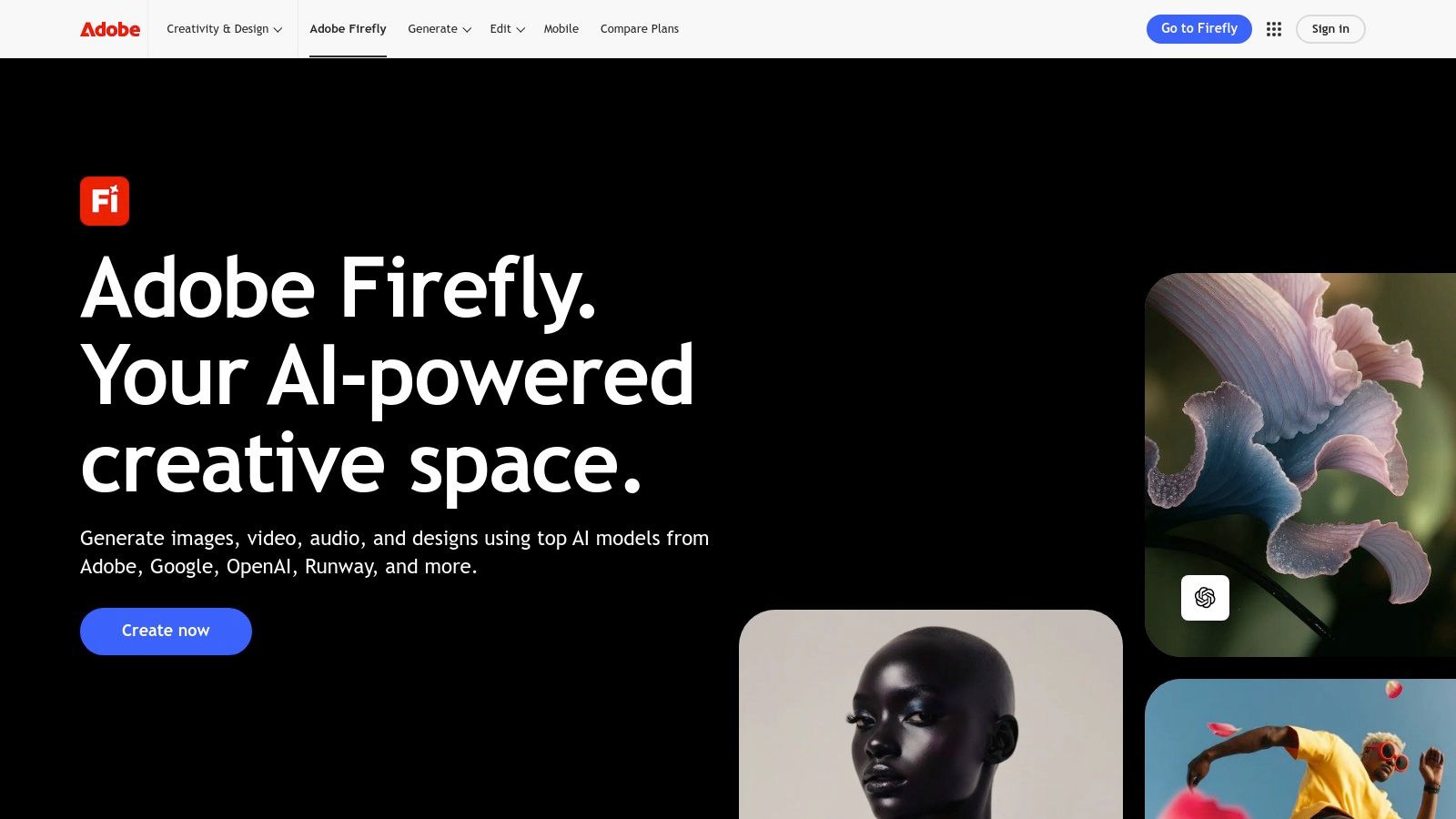
This deep integration allows for a fluid workflow where you can generate an asset with Firefly and immediately refine it with professional-grade editing tools without ever leaving the application. The model is trained on Adobe Stock’s licensed library, ensuring outputs are commercially safe.
Strategic Insight: Adobe's strength lies in its ecosystem-first approach. Firefly isn't just an image generator; it's a productivity multiplier for designers and marketers. The ability to use Generative Fill within Photoshop to extend backgrounds or add elements to existing photos is a game-changer for campaign asset creation.
Key Features and Workflow
Firefly operates on a generative credit system, with different tiers available through Creative Cloud subscriptions. This model allows users to access powerful AI features directly within their familiar design environments.
- Training Data: Trained on the Adobe Stock library, open-license content, and public domain content where copyright has expired.
- Legal Protection: Images generated with Firefly are designed to be commercially safe and do not include identifiable brands or people.
- Access: Firefly is accessible via a free tier with limited credits, but its full potential is unlocked with paid Creative Cloud plans (Standard, Pro, Premium), which include a monthly allotment of generative credits.
- User Interface: The UI is consistent with Adobe's professional software standards, whether you use the standalone web app or the features integrated into Photoshop and Express.
Practical Tips for Marketers
Leverage Firefly’s Generative Fill to adapt a single core visual into multiple formats for an entire campaign. Start with a hero image, then use Generative Fill in Photoshop to extend the canvas for a website banner, a vertical social media story, and a square post. This ensures brand consistency while dramatically cutting down on production time. You can learn more about how Adobe is positioning these tools for commercial use by exploring how to use AI-generated images from Adobe Stock.
Website: https://www.adobe.com/products/firefly
5. Midjourney
For creators seeking cutting-edge artistic styles and a deep well of inspiration, Midjourney stands as a dominant force. Its platform is renowned for producing exceptionally high-quality, distinctive visuals and is powered by one of the most active and creative communities in the AI art space.
The public "Explore" gallery is its defining feature. This massive, constantly updated feed showcases community creations and their corresponding prompts, making it an unparalleled resource for trend scouting, learning advanced prompting techniques, and discovering new aesthetic possibilities. It’s a dynamic, living ai image gallery that reflects the current state of generative art.
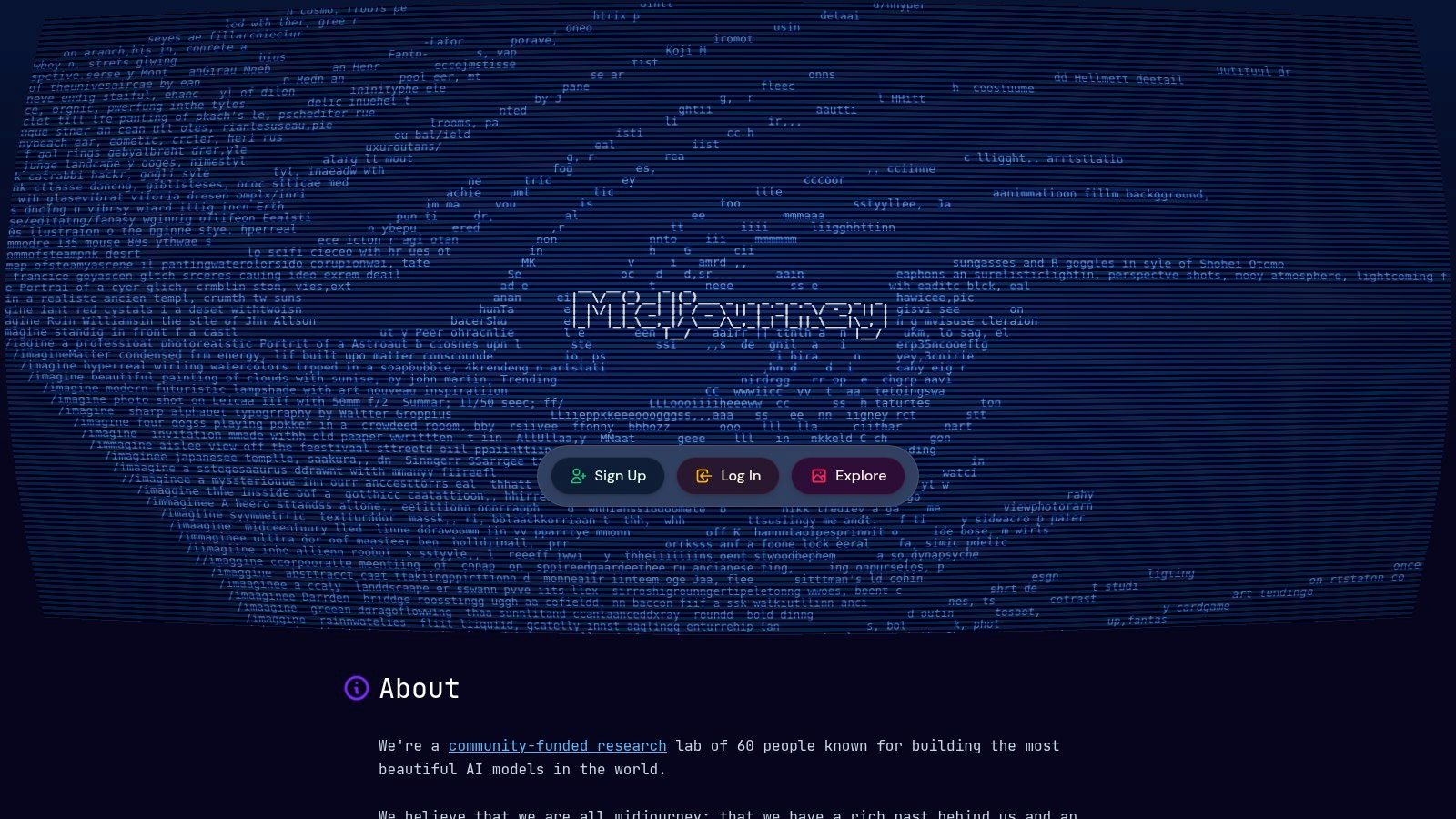
Strategic Insight: Midjourney’s strength lies in its community-driven gallery. Marketers and creators can use the Explore feed to identify emerging visual trends before they become mainstream, reverse-engineer compelling prompts, and understand what aesthetics resonate with a highly engaged digital audience.
Key Features and Workflow
While Midjourney historically operated through Discord, its web-based platform is now the primary interface for generation and browsing. The workflow is designed for rapid iteration and creative exploration, with various subscription tiers catering to different usage levels.
- Training Data: Proprietary model with a distinct artistic bias.
- Legal Protection: Commercial usage rights are granted to paying subscribers, but generated images are public by default unless using the private "Stealth Mode" on higher-tier plans.
- Access: Requires a paid subscription. Four tiers (Basic, Standard, Pro, Mega) offer different amounts of "Fast" GPU time, with Standard and above including unlimited "Relax" mode generations. There is no free tier.
- User Interface: The web interface integrates the generation tools with the vast community gallery, making it easy to browse for inspiration and create images in one place.
Practical Tips for Marketers
Leverage the Explore gallery for competitive research. Search for keywords related to your industry or campaign to see what kind of imagery is being created and upvoted. When creating, use Midjourney’s powerful parameters like --style raw for more photorealistic outputs or --stylize to control the artistic intensity. When comparing various AI image generation platforms, it's valuable to consult resources that rank and evaluate the best AI portrait generators, including Midjourney to see how its unique style fares against competitors for specific use cases.
Website: https://www.midjourney.com
6. Lexica
For creators who thrive on inspiration and reverse-engineering, Lexica functions as both a powerful AI image generator and a massive, searchable prompt database. It flips the typical generation process on its head, allowing you to search millions of existing AI images to find a style you like and then borrow or adapt the exact prompt used to create it.
This unique, gallery-first approach makes it an invaluable tool for prompt engineering and style discovery. Instead of guessing which keywords will produce a specific aesthetic, you can find a visual precedent and build from there, dramatically speeding up the creative process. It is a fantastic resource for building a custom ai image gallery based on proven concepts.
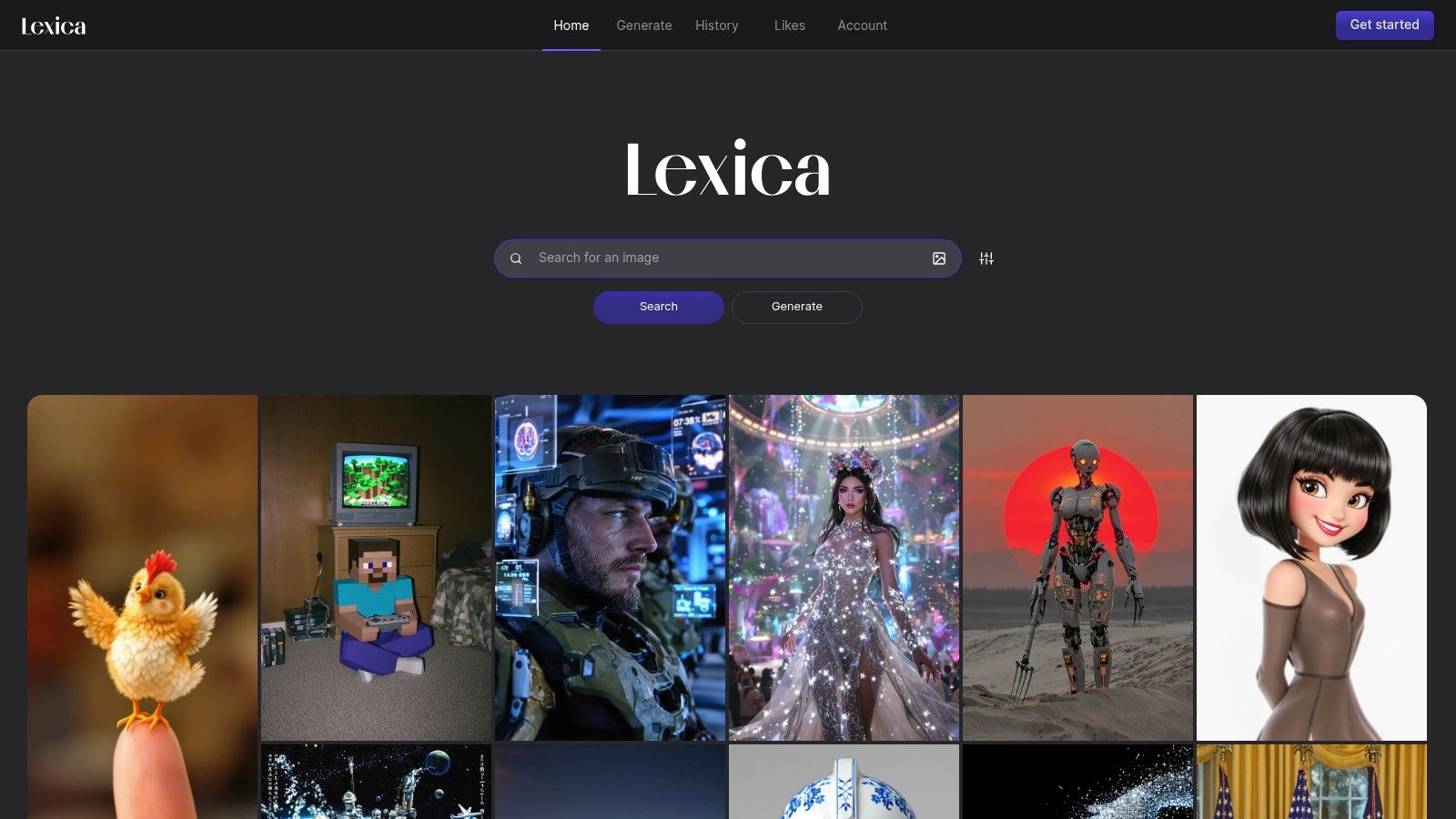
Strategic Insight: Lexica’s core strength is its dual functionality as a search engine for prompts. Marketers can use it for competitive analysis by searching for brand names or styles, while creators can use it to deconstruct complex images and learn advanced prompting techniques.
Key Features and Workflow
Lexica’s platform is built around search and discovery. The homepage immediately presents a grid of trending images, and the search bar lets you find images, styles, and prompts. Once you find an image you like, you can see the full prompt, seed number, and other parameters, then use them in the integrated generator.
- Training Data: Utilizes Stable Diffusion models, providing a wide range of artistic and photorealistic capabilities.
- Legal Protection: Commercial use is permitted on paid plans. Users should note that images on Starter and Pro plans are public by default, while the Max plan offers private generations.
- Access: A free tier offers limited fast generations. Paid plans (Starter, Pro, Max) provide more fast generations, unlimited "slow" generations, and features like private image controls and API access.
- User Interface: The UI is clean, visual, and heavily focused on the gallery experience. Searching and generating are seamlessly connected.
Practical Tips for Marketers
Leverage Lexica’s search function as a brainstorming tool. Before starting a campaign, search for keywords related to your industry, product, or desired aesthetic to see what has already been created. This helps you identify popular visual trends and find effective prompt structures. For instance, searching "futuristic skincare ad" can provide dozens of prompt templates that you can then refine with your brand’s specific colors, product shapes, and messaging.
Website: https://lexica.art
7. NightCafe Studio
For creators who want to take their digital creations into the physical world, NightCafe Studio bridges the gap between AI generation and tangible products. It combines a robust AI art generator with a vibrant community and an integrated print-on-demand service, allowing users to order their creations as posters, canvases, mugs, and more, directly from the platform.
This one-stop-shop approach makes it an ideal ai image gallery for artists, hobbyists, and gift-givers. The platform is not just a tool but also a community hub, featuring daily art challenges and a public gallery that serves as a constant stream of inspiration for new projects.
Strategic Insight: NightCafe's key differentiator is its seamless "create-to-print" workflow. By integrating a print shop directly into the generator, it removes the friction of downloading, re-uploading, and formatting images for print, making high-quality physical art accessible to everyone.
Key Features and Workflow
NightCafe is designed to be approachable for beginners while offering enough depth for experienced users. It supports multiple AI models and provides a credit-based system that allows for both free and paid usage, catering to a wide range of creative needs.
- Training Data: Users can access several models, including Stable Diffusion variants (SDXL), DALL-E 2, and NightCafe’s own fine-tuned models.
- Print-on-Demand: A built-in shop allows users to order prints, framed art, canvases, phone cases, and other merchandise featuring their generated images.
- Access: The platform operates on a credit system. Free users receive a daily allotment of credits, while various subscription tiers offer larger monthly credit bundles and access to more advanced generation features.
- Community Focus: Daily challenges, user-run chat rooms, and a public gallery encourage interaction, collaboration, and skill-sharing among creators.
Practical Tips for Creators
To get the most out of NightCafe, actively participate in the community challenges. They are a fantastic way to test your prompting skills against a specific theme and see how other users interpret the same concept. When creating an image intended for print, use the "upscale" feature to ensure the final resolution is high enough for a quality product. Pay close attention to the aspect ratio options to ensure your image will fit correctly on your desired item, whether it's a phone case or a large canvas.
Website: https://nightcafe.studio
AI Image Gallery: 7-Tool Comparison
| Tool | Implementation complexity | Resource requirements | Expected outcomes | Ideal use cases | Key advantages |
|---|---|---|---|---|---|
| Bulk Image Generation | Low — web platform with natural‑language prompts and batch editor | Minimal local resources; platform subscription/licensing (details on site) | Very fast bulk output (hundreds); may need manual review for brand consistency | Large campaigns, social ads, product catalogs, agencies needing volume | Massive speed/scale; integrated batch post‑production tools and templates |
| iStock (Generative AI) | Low — integrated web generator within stock service | Paid subscription required; uses licensed training data | Brand‑safe, legally protected images with indemnity | Commercial marketing and brand‑sensitive projects | Strong licensing clarity and legal protection; hybrid stock+AI workflows |
| Shutterstock (AI) | Low — web UI tied to marketplace and plans | Generations capped by plan; add‑on packs and subscription | Licensable AI images with standard Shutterstock license | Agencies/marketers needing predictable licensing and stock integration | Simple, predictable licensing; scales with add‑on packs |
| Adobe Firefly | Medium — credits model integrated into Creative Cloud apps | Credits‑based plans; Creative Cloud subscription for app integration | Commercially usable outputs with tight editing integration | Professional designers and teams using Photoshop/Creative Cloud | Deep app integration (Photoshop/Express); enterprise creative workflows |
| Midjourney | Medium — subscription tiers, community‑centric workflow (Discord) | Paid tiers with GPU hours; subscription required | Distinctive, high‑quality, stylistic images; strong community gallery | Inspiration, trend scouting, creative exploration for individuals/agencies | Large public gallery for prompts; recognizable aesthetic and scalability |
| Lexica | Low — searchable gallery plus built‑in generation and API | Free/premium tiers; paid for private/commercial use and developer API | Useful for prompt/style discovery; generation with privacy controls on higher tiers | Prompt research, visual style exploration, developer integrations | Extensive searchable prompt/image database; developer search API |
| NightCafe Studio | Low — web UI with credits and community features | Free daily credits or paid credits; printing/shipping costs for physical products | Community‑driven artwork; ready‑to‑order physical prints and merchandise | Creators who want to print/sell or join community challenges | One‑stop creation-to-print workflow; active community and marketplace |
Choosing the Right Tool for Your AI Image Gallery
The journey through the world of AI image generation reveals a landscape rich with creative potential. As we've explored, creating a compelling ai image gallery is no longer a task reserved for those with extensive design skills or massive budgets. From generating hyper-realistic product shots for e-commerce stores to crafting whimsical coloring pages and developing cohesive branding assets, the power to visualize ideas at scale is now incredibly accessible.
We've seen how tools integrated into major stock photo libraries like iStock and Shutterstock offer a seamless transition from generation to licensing, providing a layer of commercial safety. In contrast, platforms like Adobe Firefly leverage a vast ecosystem, allowing for intricate post-generation editing and integration with professional-grade software. Meanwhile, specialized communities like Midjourney and Lexica push the boundaries of artistic quality and prompt engineering, offering unparalleled aesthetic control for those willing to master their unique syntax.
The key takeaway is that the "best" tool is entirely dependent on your specific project goals, workflow, and desired output. The power lies not just in a single generated image, but in the strategic creation of a cohesive and purposeful ai image gallery that serves a distinct function, whether for marketing, education, or artistic expression.
Your Path Forward: From Idea to Gallery
To move from inspiration to implementation, it's crucial to evaluate your needs against the capabilities of the tools discussed. Your decision should be guided by a clear understanding of your project's core requirements.
Consider these key factors before you commit to a platform:
- Commercial Use and Licensing: Do you need images for commercial projects? If so, platforms like Adobe Firefly, iStock, and Shutterstock are built with indemnification and clear licensing in mind, offering crucial peace of mind.
- Workflow Integration and Volume: Is speed and scale your priority? For marketers and creators needing hundreds of variations for A/B testing or social media campaigns, a dedicated bulk generation tool is essential. Manually creating one image at a time is simply not efficient for building a large-scale ai image gallery.
- Artistic Control vs. Ease of Use: Are you seeking a specific, highly stylized aesthetic? A tool like Midjourney offers deep control but comes with a steeper learning curve. If you prioritize a user-friendly interface and quick results, platforms like NightCafe Studio or Lexica might be a better starting point.
- Ecosystem and Editing: Will you need to heavily edit or composite your images? The integration of Adobe Firefly with Photoshop and Illustrator is a significant advantage for designers who need to move seamlessly from generation to final composition.
Final Thoughts on Building Your AI Image Gallery
The true revolution of AI image generation is its ability to democratize visual creation at an unprecedented scale. The examples in this article are not just showcases of technology; they are blueprints for practical application. By understanding the strategic nuances of prompting, leveraging the right tools for your specific needs, and focusing on creating cohesive collections rather than single images, you can unlock powerful new avenues for creativity and communication. Your next standout marketing campaign, engaging educational resource, or stunning brand identity is just a well-crafted prompt away.
Ready to stop generating images one by one and start building your AI image gallery at scale? Bulk Image Generation is designed specifically for creating hundreds or even thousands of consistent, high-quality images from a single prompt or CSV file. Streamline your workflow and bring your most ambitious projects to life by visiting Bulk Image Generation today.
