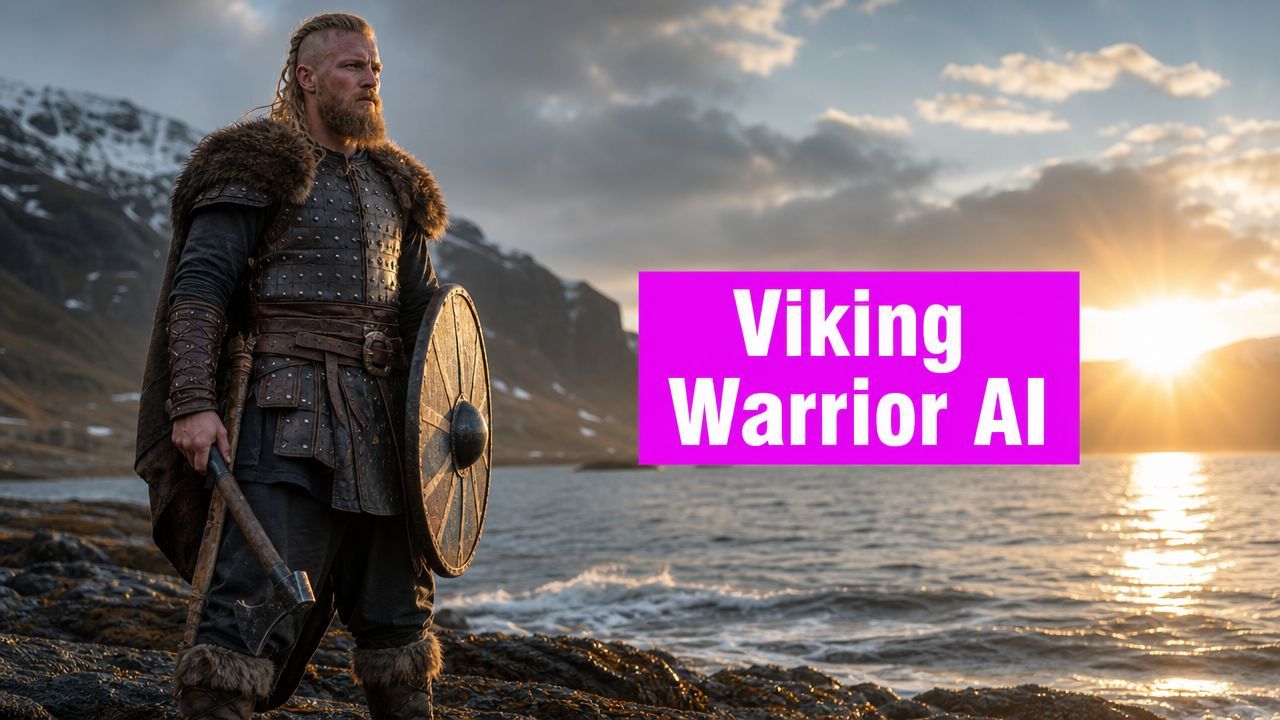
Create a Viking Warrior Image with AI

Ryan Bennett • June 2, 2026
Create a stunning Viking warrior image with AI. Get prompt templates, historical tips, & bulk workflow for game assets, social media, and more.
You type “viking warrior image” into an AI generator, hit enter, and get the same tired result: giant horns, fur everywhere, impossible armor, a face that looks more like fantasy game box art than anything tied to the Viking Age. The model isn't really failing. It's following the most overused visual shorthand on the internet.
That shorthand is everywhere. Search results are flooded with stock libraries. Adobe Stock alone shows 143,693 results and iStock shows 25,201 for this theme, but those giant libraries mostly give you volume, not judgment about what looks historically plausible and what's just costume shorthand (Adobe Stock search results). If you're making classroom art, a social campaign, a game character, or printable activities, that gap matters.
A good Viking image starts with a decision, not a prompt. Are you building historical atmosphere, or are you building mythic spectacle? Once you make that choice on purpose, AI gets much easier to steer.
Beyond Horned Helmets Why AI Needs a Better Viking
Most weak Viking art comes from one bad assumption: if the image looks louder, it must look more “Viking.” That's why so many generations come back with horned helmets, theatrical shoulder armor, and weapons that feel borrowed from dark fantasy instead of early medieval material culture.
The problem is that AI has absorbed pop culture shortcuts. If your prompt says only “fierce viking warrior,” the model fills gaps with clichés. It doesn't know whether you want museum-adjacent realism, comic-book mythology, esports branding, or a coloring page. You have to supply the filter.
Why generic references keep leading you off course
The web gives you a huge amount of Viking imagery, but not much guidance. A stock site can show thousands of options and still leave you with the same practical questions:
- What should the helmet look like? Plain iron, ceremonial fantasy, or no helmet at all.
- What should the clothing communicate? Raider, trader, settler, noble, berserker, or mascot.
- What should the image be used for? A banner needs different framing than a profile icon or printable worksheet.
Those choices matter more than the model name.
When I'm trying to stabilize costume prompts, I often look outside AI art circles and back into clothing history. A resource like Dirt Cheap Headwear's history of headwear is useful because it reminds you how much social meaning sits in silhouette alone. Headwear instantly pushes an image toward credibility or parody.
Practical rule: If one costume element dominates the whole read of the image, fix that element first.
What works instead
Strong Viking prompts usually do three things:
- Pick a lane early. Historical, cinematic, dark fantasy, mascot, line art.
- Specify gear instead of mood alone. Shield, spear, iron helmet, mail shirt, wool tunic.
- Control the frame. Portrait, close-up, full-body, side profile, charging battle scene.
If you skip those, the generator defaults to whatever the training data saw most often. That usually means less history, more cosplay. For a better Viking warrior image, you need to act less like a prompt collector and more like an art director.
Historical Accuracy vs Fantasy Flair
There's nothing wrong with fantasy. The mistake is mixing fantasy cues into a supposedly historical image by accident. If you choose fantasy on purpose, the result can be great. If you ask for realism and leave fantasy loopholes in the prompt, the image drifts fast.
A historically grounded Viking image should avoid horned helmets, because no Viking Age helmets with horns have been archaeologically attested. The safer visual base is iron helmets, mail shirts, and round shields, as outlined in this overview of historically grounded Viking gear.

The cleanest way to choose a style
Use this split before you write anything.
| Style path | Best visual cues | What usually fails |
|---|---|---|
| Historical accuracy | iron helmet, mail shirt, wool or linen clothing, round shield, spear, axe, weathered wood, muted ornament | horns, giant skull pauldrons, glowing runes everywhere, leather bikini armor |
| Fantasy flair | exaggerated silhouette, dramatic fur, ornate weapons, mystical atmosphere, runic glow, heroic scale | calling it “historical” while loading it with impossible armor |
The point isn't purity. It's control.
How I separate the two in prompts
For historical work, I write like I'm briefing an illustrator for a museum poster. I name materials, tools, and restraint.
historically grounded Viking warrior, plain iron helmet, mail shirt over wool tunic, round wooden shield, spear and hand axe, weathered textures, practical clothing, northern coastal atmosphere, muted colors, no horned helmet, no ornate fantasy armor
For fantasy work, I stop pretending and lean in.
mythic Viking warlord, towering silhouette, carved armor, wolf-fur mantle, glowing runic details, storm-lit sky, dramatic heroic pose, epic fantasy concept art
The trade-off most people miss
Historical prompts often look less flashy on the first pass. Fantasy prompts often look better as thumbnails.
That doesn't mean fantasy is better. It means fantasy uses visual exaggeration that AI models already understand well. Historical work needs more discipline. You have to tell the model what not to glamorize.
A simple way to think about it:
- Use historical accuracy for education, grounded branding, believable book covers, and serious concept work.
- Use fantasy flair for posters, game splash art, merch concepts, and mascot identities.
If you want a middle ground, build from a historical base and add only one layer of mythic energy. Maybe it's dramatic weather. Maybe it's a berserker skin mantle. Maybe it's cinematic lighting. Keep the costume logic intact, then stylize the atmosphere.
That balance gives you a Viking warrior image that feels intentional instead of confused.
Crafting the Perfect Viking Warrior Image Prompt
A strong prompt has structure. I use five parts: subject, gear, environment, camera, and render style. If one part is weak, the whole image gets fuzzy.
The Viking Age is usually dated from 793 CE to 1066 CE, and archaeological estimates place the average Viking man around 1.70 m (5 ft 7 in) according to Wikipedia's Viking overview. That matters for prompting because “huge barbarian giant” pushes the model toward fantasy exaggeration. If you want realism, ask for an imposing presence through posture, expression, and framing, not cartoon size.

A prompt formula that stays editable
This is the base pattern I return to:
[subject] wearing [costume and gear], in [environment], shot as [camera framing], lit with [lighting], in [art style], with [mood and texture], [negative constraints]
If you want help expanding rough ideas into fuller prompt language, a tool like this free AI image prompt generator is useful for turning a short concept into something more production-ready.
Prompt 1 for a grounded portrait
Use this when you want a believable face-first image.
close-up portrait of a historically grounded Viking warrior, braided hair, plain iron helmet, mail shirt over a worn wool tunic, weathered skin, calm but hardened expression, cold northern light, shallow depth of field, realistic photography style, muted earth tones, detailed fabric texture, no horned helmet, no fantasy armor, no oversized weapons
Why it works:
- Close-up portrait stops the model from overbuilding armor.
- Plain iron helmet removes the loudest cliché.
- Muted earth tones prevents accidental high-fantasy color grading.
- No oversized weapons keeps proportions sane.
Prompt 2 for a cinematic battle scene
This one is for motion and atmosphere.
Viking warrior advancing across a rocky shoreline with round shield and spear, wind pulling at wool cloak, rough sea spray, overcast sky, low-angle wide shot, cinematic lighting, dramatic realism, grounded historical styling, dynamic pose, detailed shield wood grain, battle tension, no horned helmet, no glowing magic effects
This works because the action lives in the environment and stance, not in fantasy props.
The fastest way to improve battle prompts is to specify what the warrior is doing with the shield and weapon. “Holding an axe” is static. “Bracing behind a round shield while stepping through sea spray” gives the model a scene.
Prompt 3 for an ink illustration
Useful for posters, editorial art, and printable pieces.
Viking warrior in side profile, iron helmet, round shield slung over shoulder, axe at belt, ink wash illustration, textured brush strokes, limited grayscale palette, subtle weathered paper background, clean silhouette, historical clothing details, no horned helmet, no modern fantasy elements
This style works well when you care more about shape and readability than photoreal skin detail.
A quick breakdown of prompt parts
- Subject first. “Historically grounded Viking warrior,” “berserker scout,” “Viking shieldmaiden in stylized fantasy.”
- Then gear. Helmet, tunic, mail, shield, spear, axe.
- Then setting. Fjord, longhouse exterior, shoreline, snowy forest, smoky battlefield.
- Then camera language. Close-up, full-body, low-angle, side profile, overhead.
- Then render language. Photoreal, oil painting, ink wash, comic art, poster design.
Negative prompts that pull their weight
I don't overstuff negative prompts, but a few are consistently useful:
- No horned helmet
- No ornate fantasy armor
- No glowing eyes
- No modern clothing
- No giant weapons
- No cartoon proportions
If your outputs still drift, simplify. Most bad Viking generations happen because the prompt tries to be historical, mythic, gritty, cinematic, painterly, and game-ready all at once. Pick two or three priorities and let the image do one job well.
Directing Your AI with Composition and Costume Cues
Once the base prompt works, composition decides whether the image feels generic or authored. Many users keep rewriting costume details when the actual problem is camera direction.

Camera language changes the whole personality
A low-angle shot makes a warrior feel dominant. A close-up makes them feel human. A wide shot can shift attention from character design to terrain and weather.
I usually treat prompt framing like a shot list:
- Close-up for scars, braids, helmet fit, emotion.
- Mid-shot for shield plus torso armor balance.
- Full-body for silhouette, stance, and gear readability.
- Low angle for authority and intimidation.
- Side profile for mascot design, logos, and strong shape recognition.
If the face keeps mutating, switch from full-body to chest-up. If the costume keeps getting invented, move from “epic battle scene” to “studio portrait with textured backdrop” and lock the wardrobe first.
Costume cues that actually steer the model
Small details matter more than long paragraphs. Use a few precise anchors instead of dumping lore.
For a grounded warrior, add details like:
- Wool tunic and mail shirt
- Round shield with simple painted pattern
- Iron helmet with plain construction
- Practical axe or spear
- Leather belt, weathered boots, sea-worn textures
For a more primal character, the berserker motif is useful. Later Norse sources describe berserkers as fierce warriors wearing bear or wolf skins, which makes them a strong visual bridge between history and myth in prompt design, as noted in National Geographic Kids' Viking facts.
A berserker prompt works best when you treat animal skin as a character signal, not as a furry costume. Keep the rest of the gear restrained.
Mood cues that don't break the design
Use atmosphere to stylize without ruining the costume logic:
- Backlighting adds myth without changing clothing.
- Cold fog adds scale without fantasy armor.
- Firelight from a longhouse doorway gives warmth and narrative.
- Snow and wind create motion in cloaks, hair, and fur.
When an image feels flat, don't immediately add more accessories. Change the shot. “Low-angle portrait at dusk with wind from the left” often improves the image more than adding another paragraph of armor description.
Create a Viking Hoard An Efficient Bulk Workflow
Single-image generation is fun. Real projects usually need sets. You might need a run of social headers, a pack of classroom illustrations, a character roster, or a family of poster variants that all feel related.
That's where most creators waste time. They hand-edit prompts one by one, then fight inconsistency across faces, costume details, and composition.

Build a repeatable core before you vary anything
I use a batch mindset. First define what must stay the same, then vary only what serves the project.
A practical bulk workflow looks like this:
-
Lock the common DNA
Decide the constants first. Historical or fantasy. Shield shape. Color family. Camera type. Surface texture. -
Create variation categories
Change one variable at a time. Pose, weather, background, weapon, expression, age, or illustration style. -
Review in groups, not one by one
A single image can look great and still break the set. Compare outputs side by side. -
Prepare deliverables after selection
Resize, crop, remove backgrounds, or convert to cleaner line art only after you've picked the keepers.
A sample batch brief
Here's the kind of natural-language brief that works well for a series:
generate a matching set of Viking warrior images for a classroom history pack, historically grounded styling, plain iron helmets, round shields, wool and mail clothing, muted colors, some portraits and some full-body poses, clean backgrounds for layout flexibility, no horned helmets, no fantasy armor
For social campaigns or themed content batches, a purpose-built workflow like a bulk social media image generator can help when you need multiple aspect ratios and visual variations without rebuilding every prompt manually.
Where bulk projects usually go wrong
The biggest mistake is varying too many things at once. If every image changes costume, setting, lighting, and art style, the set stops looking intentional.
The second mistake is writing prompts that are too abstract. “Strong Viking energy” gives you chaos. “Historically grounded Viking portrait with iron helmet and round shield, overcast shoreline background” gives you something repeatable.
Workflow note: Batch generation gets easier when you write one master prompt and three controlled variants, instead of ten unrelated prompts.
For a “Viking hoard” of useful assets, think like a collection editor. You're not hunting one perfect image. You're building a family of images that can survive real use.
From Social Posts to Game Assets Practical Use Cases
A lot of Viking image content stops at “here are some prompts.” That doesn't help when you need a file that fits a real job. Existing search results barely address use-case adaptation beyond niche “viking mascot head” vectors, which leaves a clear gap for people making social posts, posters, or coloring pages, as reflected in Dreamstime's Viking side-view results.
Social posts and campaign graphics
A marketer needs room for copy. That means your Viking warrior image shouldn't fill every inch of the frame.
Prompt for negative space, especially on one side of the image:
Viking warrior standing at frame left, round shield at side, stormy coastline background, open negative space on right for headline text, cinematic poster composition
That one change makes the image far more usable.
If you want to turn a strong Viking concept into apparel-ready mockups, a tool like the FLYP AI merch generator can help visualize how a bold mascot-style design might translate onto products.
Game assets and sprite planning
An indie developer usually needs consistency more than painterly polish. Start with neutral poses and clean silhouettes. Save dramatic splash art for later.
For production work, I'd separate the job into two passes:
- Character concept pass for face, gear, and palette
- Asset pass for turnarounds, poses, and simplified readability
If your end goal is playable art, a dedicated AI character sprite sheet workflow is a better fit than repeatedly forcing one-off concept prompts to behave like production assets.
Coloring pages and educational printables
Many prompts often fail because they ask for “detailed Viking art” and get muddy shading. For printable pages, ask for clean line discipline:
Viking warrior line art, clear outer contours, simple historically inspired shield and helmet, printable coloring page style, white background, black ink lines, minimal shading, child-friendly readability
Also check your generator's terms if the output is headed for commercial products, client work, or marketplace listings. That part isn't glamorous, but it's part of professional practice.
A good Viking image isn't just attractive. It fits the format, the audience, and the job.
If you're producing one Viking concept, any decent image model can get you close. If you need a whole set of polished, consistent visuals for social campaigns, printables, game assets, or branding, Bulk Image Generation is built for that kind of scale. You can describe the outcome in natural language, generate multiple variations quickly, and clean up the selected images without turning the project into a manual prompt-and-edit marathon.
