Mastering the aspect ratio 16 x 9: A Practical Guide

Ryan Bennett • September 22, 2026
Learn the ins and outs of the aspect ratio 16 x 9, with practical examples, tips for cameras and screens, and how to optimize layouts for any device.
You’ve seen 16:9 everywhere. It’s the standard shape for your TV, your computer monitor, and pretty much every video you've ever streamed online. It's the default rectangle of our digital world.
But what does it actually mean? Simply put, for every 16 units of width, there are 9 units of height.
Understanding The 16:9 Aspect Ratio
Think of it like a recipe for a shape. The aspect ratio is the proportional relationship between the sides of a rectangle. It only tells you the shape, not the actual size. This is why a giant TV and a small smartphone screen can share the same 16:9 widescreen shape.
It’s crucial not to mix this up with resolution. Resolution tells you how many pixels are packed into that shape, which determines how sharp and detailed the image looks.
For example, a Full HD screen (1920x1080 pixels) and a 4K screen (3840x2160 pixels) both have the exact same 16:9 aspect ratio. The 4K screen just crams four times more pixels into the same widescreen frame, giving you a much crisper picture.
If you want to go deeper into how all these concepts work together, this guide on understanding video resolution, pixels, and aspect ratios is a great resource.
Why Is 16:9 So Dominant?
The 16:9 ratio became the universal standard for a simple reason: it was the perfect mathematical compromise. It offered a wider, more cinematic feel than the old, boxy 4:3 TVs but wasn't so wide that it created problems for everyday content.
This "goldilocks" middle ground made it the ideal fit for everything from broadcast TV and blockbuster films to video games and website banners.
Its widespread adoption means that when you create content in a 16:9 format, you can be confident it will display correctly on the vast majority of devices without awkward cropping or black bars.
The numbers back this up. The common 1920x1080 resolution, which is a 16:9 format, holds a massive 9.35% market share of all screen resolutions used worldwide. That makes it the single most common resolution out there today, showing just how deeply embedded it is in our technology.
Common 16:9 Resolutions At A Glance
To make this crystal clear, let's look at the actual pixel dimensions for the most popular 16:9 resolutions. While the numbers are different, the rectangular shape is identical for all of them.
Here's a quick cheat sheet:
| Resolution Name | Pixel Dimensions (Width x Height) |
|---|---|
| HD (High Definition) | 1280 x 720 |
| Full HD (FHD) | 1920 x 1080 |
| QHD (Quad HD) | 2560 x 1440 |
| 4K UHD (Ultra HD) | 3840 x 2160 |
Whether you're working with standard HD or crisp 4K, you're still using that same fundamental 16:9 shape. The only thing that changes is the number of pixels packed into it.
How 16:9 Became the Widescreen Standard
The journey of the 16:9 aspect ratio from an engineering concept to the screen in your pocket wasn't an accident. It was a clever compromise, a calculated sweet spot designed to bridge two completely different visual worlds: the boxy 4:3 TVs of yesterday and the epic, sprawling movies made for the big screen.
For decades, watching a film at home was a trade-off. You either accepted the distracting black bars at the top and bottom of your screen or let the TV chop off the sides of the picture. Filmmakers were shooting in super-wide formats like CinemaScope (around 2.35:1), but our home screens were stuck in a nearly square shape. A solution was needed—a format that felt cinematic without making regular TV shows look awkward.
The 16:9 ratio was that perfect middle ground.
The Push for a New Standard
The real tipping point came with the global move to High-Definition Television (HDTV). As the technology got better, everyone wanted a more immersive viewing experience, something that felt closer to our natural peripheral vision. The old 4:3 format suddenly felt cramped and claustrophobic. In contrast, 16:9 felt like opening a window to a bigger, more detailed world.
This wasn't just a casual shift; it was pushed forward by governments and industry leaders who knew a single, unified standard was necessary. Broadcasters, camera companies, and TV manufacturers all needed to be on the same page. 16:9 was the obvious winner, ensuring all new tech would speak the same visual language.
The goal was simple: create a universal format that felt natural for everything from the evening news to a summer blockbuster. The 16:9 aspect ratio was the elegant solution that made this possible.
A huge catalyst for this global takeover came out of Europe. In 1993, the European Union launched its "16:9 Action Plan," backing it with a massive €228,000,000 fund. This money was specifically to encourage broadcasters to start producing and airing content in the new widescreen format. It was a decisive shove that helped cement 16:9 as the future, creating a ripple effect that spread across the globe. You can read more about this historic broadcasting shift and its impact.
Cementing Its Dominance in Digital Media
By the time the internet started booming and platforms like YouTube took off, 16:9 was already the undisputed king of HD content. It seamlessly became the default shape for online video, computer monitors, and even presentation software like PowerPoint and Google Slides.
Today, its reign is undeniable. Sure, other formats have carved out their own niches—like vertical 9:16 for Instagram Stories—but 16:9 remains the foundational aspect ratio for most of the video we watch. Its history is a masterclass in smart, practical design that completely reshaped how we see our digital world.
How to Calculate and Convert to 16x9
Okay, so you understand what the 16x9 aspect ratio is conceptually. But how do you actually apply it? The good news is, you don't need a math degree or fancy software to figure this out. The secret is just simple division.
To check if any image or video is a true 16:9 widescreen, just divide its width (in pixels) by its height (in pixels). If the number you get is 1.777 (or super close to it), you're golden. Any other number means your asset isn’t quite right and might get weirdly cropped or stretched on platforms like YouTube.
The Magic Number: 1.777
Let's see this in action with the most common 16:9 resolution out there: Full HD, which is 1920 pixels wide by 1080 pixels tall.
Calculation Example: 1920 (Width) ÷ 1080 (Height) = 1.777...
See? A perfect 16:9 match. This one simple formula takes all the guesswork out of getting your dimensions right, every single time.
Now, let's say you have an image that's 2000 pixels wide, and you need to resize it to a 16:9 ratio. You can use that same magic number to find the perfect height.
- Formula:
Width / 1.777 = Height - Application:
2000px / 1.777 = 1125.49px
Just round that to the nearest whole number, which gives you a target height of 1125 pixels. Your new 16:9 dimensions are 2000x1125. If you'd rather not do the math by hand, our handy aspect ratio calculator will do it for you in a snap.
Practical Conversion Steps
Once you know the right dimensions, the next step is making the change. Pretty much any image editor, from Photoshop to free tools like Canva, can handle this easily.
- Open Your Image: Fire up your favorite editor and load the picture you want to convert.
- Find the Crop Tool: Look for the crop or resize function—it’s usually one of the most prominent tools.
- Set the Aspect Ratio: Here's the key step. Instead of dragging the corners around and guessing, find the option to set a fixed aspect ratio. Type in or select 16:9.
- Frame and Apply: Now, you can move the locked crop box around to frame the best part of your image. Once you're happy, apply the changes. The software handles the perfect proportions for you.
Using a fixed ratio like this prevents you from accidentally squashing or stretching your visuals.
For video, the idea is the same, but you might want a specialized tool to make things easier. A dedicated video aspect ratio converter can streamline the whole process. Just follow these steps, and you can confidently turn any asset into a perfect 16:9 format.
Where to Use the 16 x 9 Aspect Ratio
Knowing the math behind the aspect ratio 16 x 9 is one thing, but knowing where to apply it is what really makes your content stand out. This widescreen format is the native language of most modern screens, which makes it the default choice for a massive range of digital content.
If you want your visuals to look professional and fill the screen without weird stretching or black bars, mastering its use cases is non-negotiable.
Think of it this way: 16:9 is the standard for anything meant to be viewed horizontally on a screen. That covers almost all modern televisions, computer monitors, and laptops. When you create content in this ratio, you're designing for a seamless, full-screen experience that the majority of your audience will see.
Digital Video and Presentations
The most dominant use case for the 16:9 aspect ratio is, without a doubt, video. It’s the undisputed king on any platform that prioritizes a horizontal layout.
- YouTube: This is the kingdom of 16:9. From vlogs and tutorials to music videos and film trailers, the entire platform is built around this format. Uploading in 16:9 means your video will fill the player perfectly on desktops, TVs, and tablets.
- Video Thumbnails: A killer thumbnail is everything when it comes to getting clicks. For platforms like YouTube, creating your thumbnails at a 1280 x 720 resolution ensures they are in the correct 16:9 shape and look sharp on any device.
- Presentations: Ever wonder why your slides look so good on a projector? Both PowerPoint and Google Slides default to a 16:9 slide size. This was a deliberate choice to ensure that when you present, your slides fill the entire screen without those ugly black bars on the sides.
Website and Social Media Graphics
While vertical and square formats have taken over social media feeds, the 16:9 aspect ratio still plays a vital role, especially for assets that are meant to capture wide-screen attention or link out to other content.
A perfect example is a website's main banner or "hero image." A big, bold 16:9 image creates an immediate, immersive visual that grabs a visitor's attention the second they land on your page. If you're churning out lots of these, an AI website images generator can produce stunning, perfectly-sized visuals in a fraction of the time.
Another key place you'll see it is in link previews. When you share a YouTube video on Facebook or X (formerly Twitter), the preview image that pops up is almost always in a 16:9 format. Using the right ratio here ensures your content looks clean and professional, no matter where it's shared.
The process to get your images into this ratio usually involves calculating the right pixel dimensions and then resizing or cropping your asset to fit.
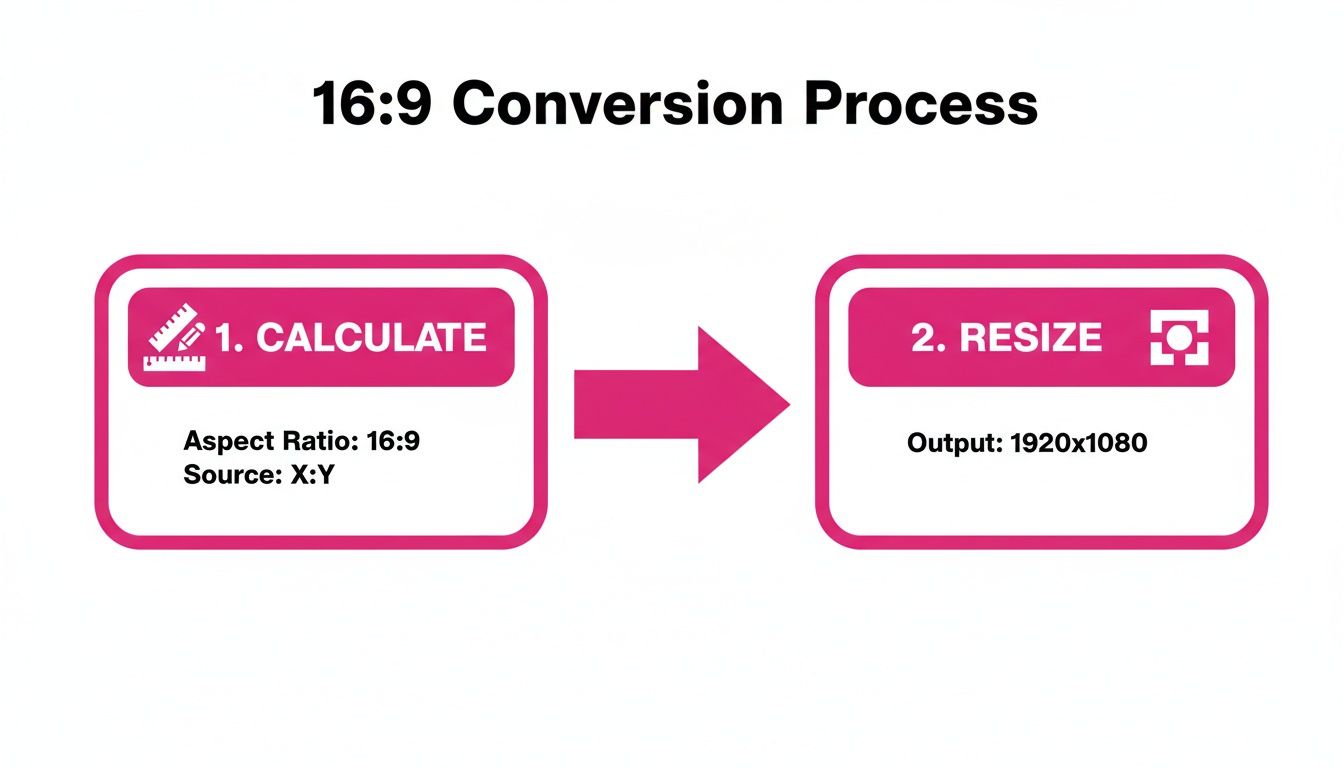
This visual breaks down the simple two-step workflow. First, you use the 1.777 rule to figure out your target pixel dimensions. Then, you just hop into a cropping tool to resize the image to fit that perfect 16:9 frame.
To make it even clearer, here’s a quick-glance table showing where 16:9 is the star player across major platforms.
Platform Guide for Using the 16:9 Aspect Ratio
This table breaks down how different platforms use the 16:9 ratio and the ideal resolutions to aim for.
| Platform | Primary Use Case for 16:9 | Recommended Resolution |
|---|---|---|
| YouTube | Standard Video Uploads & Live Streams | 1920 x 1080 (Full HD) or 3840 x 2160 (4K) |
| YouTube | Video Thumbnails | 1280 x 720 |
| Vimeo | Professional Video Hosting | 1920 x 1080 or higher |
| Facebook & X | Shared Video Link Previews | 1200 x 675 |
| In-Feed Video Content | 1920 x 1080 | |
| Websites | Hero Banners & Blog Headers | 1920 x 1080 |
| Presentations | PowerPoint & Google Slides | 1920 x 1080 |
As you can see, 1920 x 1080 pixels is the most common resolution for 16:9 content, but the core principle is always about maintaining that widescreen shape.
Knowing When to Switch Formats
Just as important is knowing when not to use 16:9. Forcing a widescreen asset onto a mobile-first, vertical-scroll platform is a recipe for low engagement. It just looks out of place.
For content like Instagram Stories, Reels, or TikTok videos, you should flip the ratio. Instead of 16:9, you'll use its vertical counterpart, 9:16, to fill the entire mobile screen and create a more immersive experience for users.
Ultimately, choosing the right aspect ratio all comes down to context. Where will people see this? For horizontal screens and traditional video platforms, 16:9 is your trusted standard. But for vertical mobile feeds, 9:16 is king.
Best Practices for Cropping and Exporting
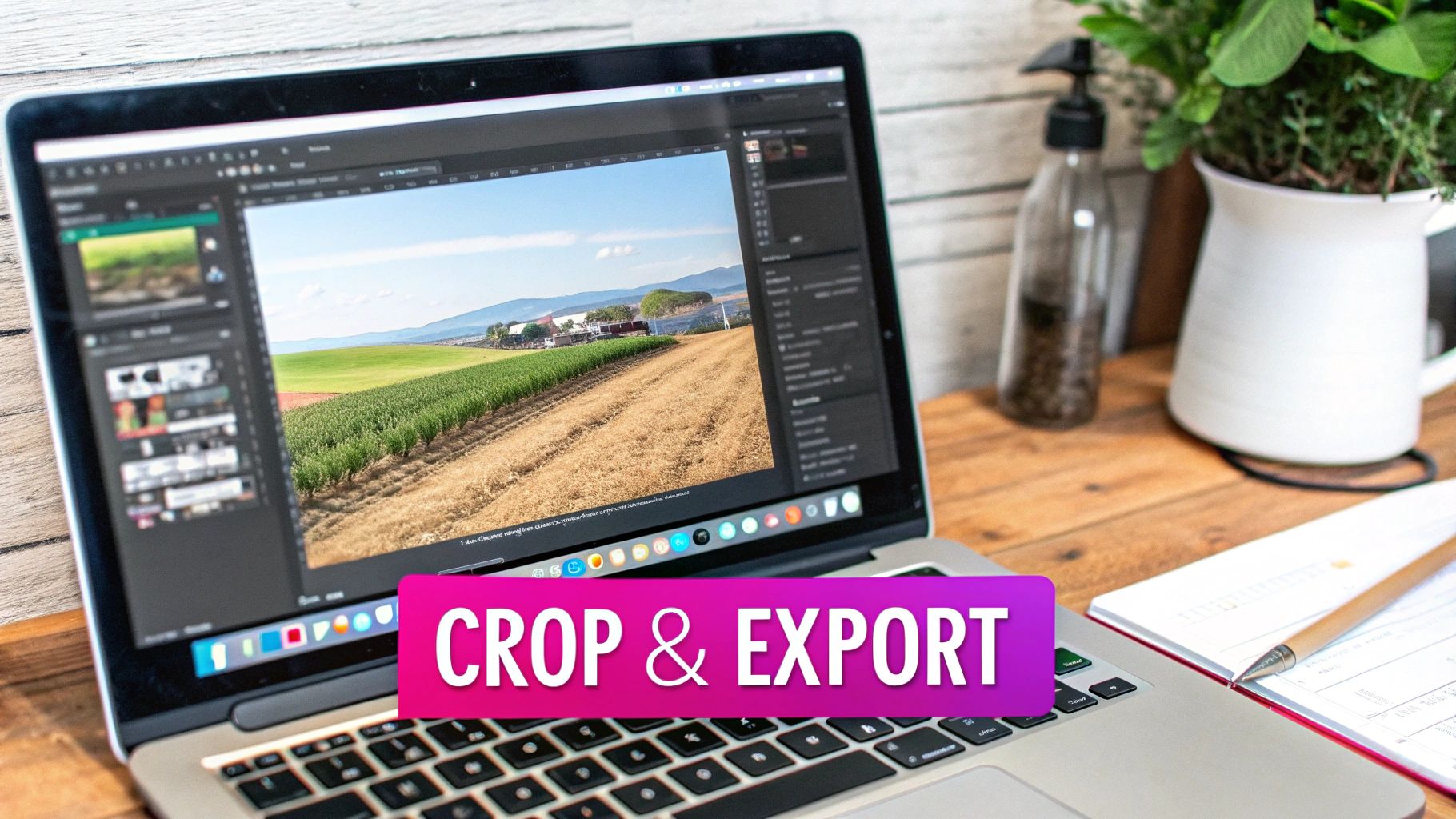
So, what do you do when your source image doesn't naturally fit the aspect ratio 16 x 9? It’s a classic problem. You basically have two choices to fix it without squishing or stretching your picture: crop it down or add letterboxing. The right move really depends on your image and what you’re trying to do with it.
Cropping means you’re literally cutting parts of the original image away to force it into that 16:9 frame. This works great when your main subject is smack in the middle with plenty of breathing room around the edges. But you’ve got to be careful not to slice off something important.
Letterboxing, on the other hand, adds black bars at the top and bottom (or on the sides) to fill the empty space. This keeps every pixel of your original photo intact, which is a lifesaver when the composition is tight. Think about watching a widescreen movie on your TV—that’s letterboxing in action.
Strategic Cropping for a Perfect Frame
When you decide to crop, the goal is to reframe the shot with intention, not just hack off the edges. Your mission is to keep—or even improve—the focal point of the image inside its new 16:9 home.
A fantastic way to nail this is to use the rule of thirds. Just imagine a tic-tac-toe grid laid over your 16:9 frame. By placing your subject along one of those lines or at an intersection, you almost always create a more balanced and visually interesting shot.
The most effective crops feel intentional. Instead of just centering everything, use the new 16:9 frame to guide the viewer’s eye exactly where you want it to go, creating a stronger visual narrative.
For anyone prepping a ton of images at once, using a bulk image resizer is a massive time-saver. These tools let you apply the same 16:9 crop across an entire batch of photos, making your workflow incredibly efficient.
Exporting for Quality and Performance
Once your image is framed perfectly, the last step is to export it correctly. The file format you pick has a huge impact on both image quality and load speed, which is a big deal for anything you put online.
Here’s a quick rundown of the most common formats:
- JPG (or JPEG): This is your go-to for most photographs. It gives you excellent compression, meaning smaller file sizes that load fast. You can even tweak the quality level to get the perfect balance between detail and size.
- PNG: Go with PNG when you need a transparent background, like for a logo or an icon. PNG files are usually a bit larger than JPGs, but they keep sharp lines and transparency flawless.
When you export, always try to get the smallest file size you can without a noticeable drop in quality. For most things on the web, a JPG saved at 70-80% quality is the sweet spot. Your 16:9 images will look crisp on any screen, and your website will stay snappy.
Common Questions About the 16:9 Aspect Ratio
Even after you get the hang of it, the 16:9 aspect ratio can still throw a few curveballs your way. It’s one of those things that seems simple on the surface, but the real-world applications can get a little tricky. Let's clear up some of the most common points of confusion I see all the time.
Think of this as a quick-and-dirty FAQ to solve those nagging problems that pop up mid-project, so you can get back to creating with confidence.
Is 16:9 the Same as 1920x1080?
This is easily the number one question, and the answer is a firm no—but they're definitely related. It’s a classic "shape vs. size" situation.
Think of it like this: "widescreen" is a shape, while "Full HD" is a specific size that fits that shape perfectly.
- 16:9 is the aspect ratio. It’s just the shape of the rectangle. For every 16 units of width, you have 9 units of height. That’s it.
- 1920x1080 is a resolution. It's the exact number of pixels filling that 16:9 shape.
A 1920x1080 pixel image is just one popular resolution that uses the 16:9 ratio. Other common resolutions, like 1280x720 (HD) and 3840x2160 (4K), are also perfect 16:9 rectangles. They just contain fewer or more pixels, which affects the image quality.
Why Do My 16:9 Images Look Weird on Social Media?
So you've got this beautiful 16:9 image that looks incredible on your widescreen monitor or as a YouTube thumbnail, but the moment you upload it to your Instagram feed, it gets awkwardly cropped. What gives?
It all comes down to the platform's design. Each social media app is built for a different user experience.
Most social feeds, especially Instagram and Facebook, are designed for one thing: vertical scrolling on a phone. They prioritize taller formats like square (1:1) or vertical (4:5) because those images take up more screen real estate and grab your attention as you scroll.
While you can post a 16:9 image, the platform will often automatically crop it to fit its preferred format in the main feed, potentially cutting off the most important parts of your visual. For things like Instagram Stories or TikTok, you should be using a vertical 9:16 aspect ratio instead.
Can Any Image Be Converted to 16:9?
Technically, yes, you can force just about any image into a 16:9 frame. But the real question is, should you?
If you take a tall, vertical photo and try to make it widescreen, you’re left with two bad options: either you crop out a massive chunk of the top and bottom, or you squash the image, completely distorting it. Neither looks good.
The best images for a 16:9 conversion are ones that are already horizontal or have their main subject centered with plenty of breathing room on all sides. If the original composition is too tight, you’re almost always better off leaving it in its original ratio or finding a different image altogether.
What Is the Difference Between 16:9 and 1.78:1?
This one's a bit of a trick question because there’s no difference in the final shape. They are just two different ways of saying the exact same thing.
- 16:9 is the standard way we write the ratio, using whole numbers for width and height.
- 1.78:1 is just the decimal version. If you pull out a calculator and divide 16 by 9, you get 1.777..., which is rounded to 1.78.
You might run into "1.78:1" in more technical settings, like professional video editing software or deep in a camera’s specification sheet. For all practical purposes, they are completely interchangeable. If you see 1.78:1, just know it means good old 16:9.
Ready to create perfectly sized 16:9 visuals in seconds? With Bulk Image Generation, you can generate hundreds of AI images in any aspect ratio you need, without the manual work. Describe your vision, and let our AI handle the rest. Try Bulk Image Generation for free and streamline your creative workflow.
