A Guide to the 1080x1350 Aspect Ratio

Ryan Bennett • February 3, 2026
Master the 1080x1350 aspect ratio. Learn why this 4:5 format dominates Instagram and how to create perfectly sized vertical images that stop the scroll.
The 1080x1350 pixel dimension, better known as the 4:5 aspect ratio, is one of the most powerful formats in a social media creator's toolkit. It’s a vertical, "portrait" style image that’s noticeably taller than it is wide.
This isn't just a random size; it's perfectly engineered to dominate the screen on mobile devices, making it a go-to for anyone looking to stop the endless scroll.
The Power of Vertical Real Estate
Think of your phone screen as prime real estate in a super-crowded city. Every pixel is valuable, and your goal is to claim as much of that space as possible to get your message seen. A standard square image (1:1 ratio) is like a decent storefront—it gets the job done, but it’s sharing the block.
The 1080x1350 aspect ratio, on the other hand, is like building a taller, more eye-catching structure. It’s built for the way we actually use our phones.
As someone scrolls through their Instagram or Facebook feed, a 4:5 image simply fills more of the screen. This has a huge psychological impact:
- It commands attention. A bigger image is just harder to ignore. It takes a little more effort to scroll past it, giving you a precious extra millisecond to make an impression.
- It cuts through the noise. By pushing other posts further out of view, your content becomes the main event.
- It gives your story more room. That extra vertical space is a gift for better composition, whether you're showing off a product, a person, or a cool graphic.
In short, the 1080x1350 aspect ratio isn't just a technical spec—it's a strategic move to maximize your visual punch in a world that lives on mobile. Nailing this format means your images look professional and uncropped, ready to stop thumbs in their tracks.
Understanding how different platforms use vertical formats is key, and the official Instagram image size guidelines are a great place to start. If you ever need a quick way to check your image proportions before posting, an aspect ratio calculator can help you find the right dimensions in a snap.
Why Vertical Images Win on Social Media
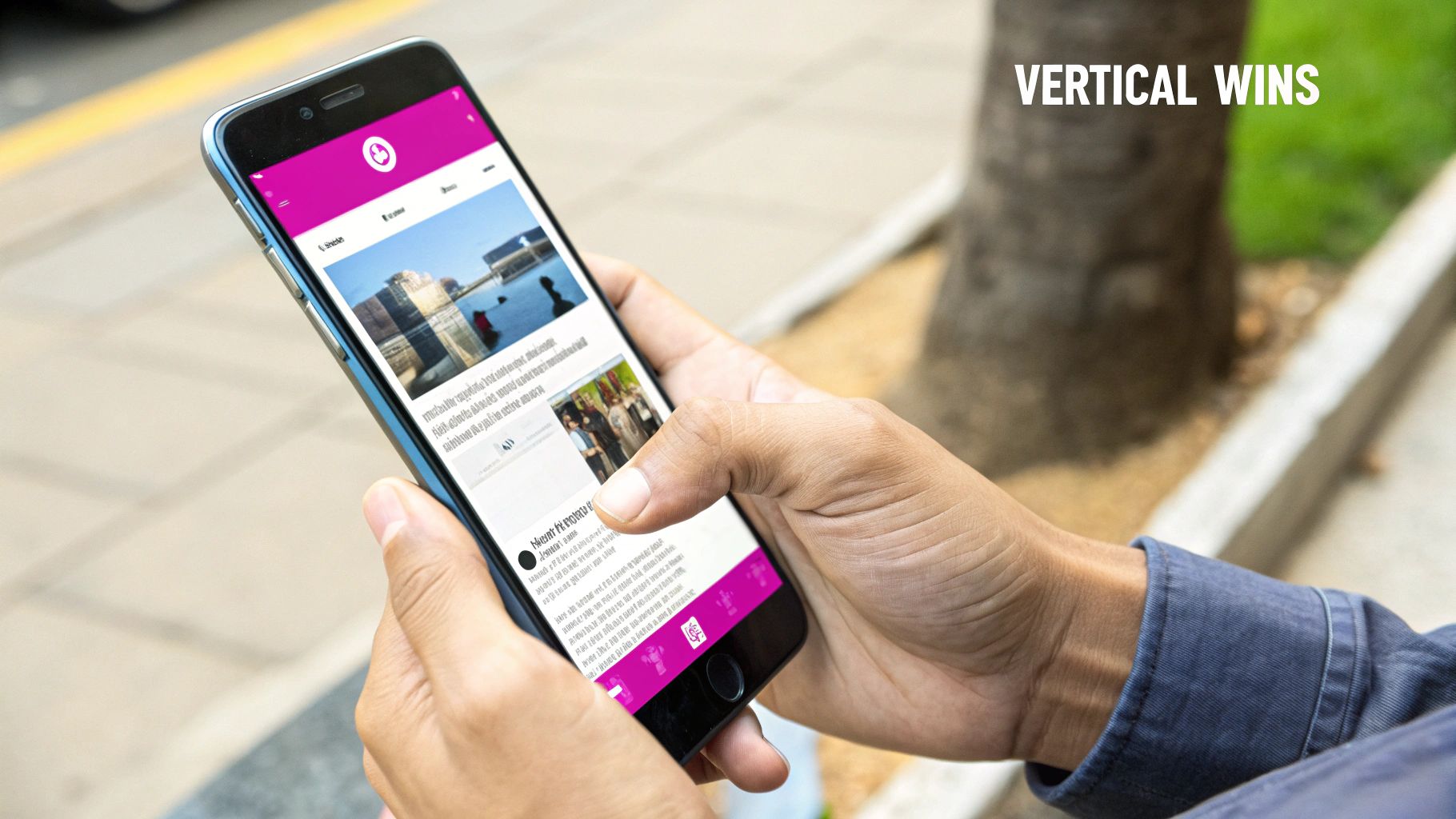
On a smartphone, screen space is everything. It's prime real estate, and the single biggest reason vertical formats like the 1080x1350 aspect ratio dominate is simple: they claim more of it.
Think about how you scroll through a social media feed. A taller image physically fills more of your view, forcing you to pause for just a fraction of a second longer. That tiny delay is often all it takes to stop the scroll and actually engage with the content.
This extra coverage also has a tactical advantage—it literally pushes your competitors' posts further down the screen, making your visual the undeniable star of the show.
Maximizing Engagement and Performance
Taking up more space isn't just a visual trick; it directly boosts your performance. When an image commands more attention, it naturally pulls in more likes, comments, and shares. And social media algorithms absolutely love that.
Platforms like Instagram and Facebook are designed to reward engaging content. When a post performs well, the algorithm sees it as high-quality and pushes it out to a wider audience, kicking off a powerful cycle of visibility and interaction.
Let's look at how this plays out in the real world.
How Aspect Ratios Perform on Mobile Feeds
Not all image shapes are created equal on a vertical screen. Here’s a quick breakdown of how common aspect ratios stack up when someone is scrolling on their phone.
| Aspect Ratio | Common Name | Screen Real Estate | Typical Engagement Impact |
|---|---|---|---|
| 4:5 | Portrait | Excellent | Highest. Maximizes screen space, stops the scroll effectively. |
| 1:1 | Square | Good | Moderate. A solid default, but leaves unused space at top/bottom. |
| 16:9 | Landscape | Poor | Lowest. Appears small, gets lost between larger posts. |
As you can see, the difference is stark. Vertical formats are built for the way we use our phones, and the numbers back it up.
For marketers, switching to the 1080x1350 aspect ratio often leads to 15-25% higher click-through rates on platforms like Facebook. If you want to get into the weeds, it's worth checking out the latest social media image size recommendations.
Using the correct aspect ratio does more than just boost numbers; it protects your creative vision. It stops platforms from awkwardly cropping your image, which can butcher your composition, cut off crucial text, or just plain ruin your message. It guarantees what you create is exactly what your audience sees.
Creative Tips for Vertical Compositions
Getting the hang of the 1080x1350 aspect ratio is about more than just cropping a photo after the fact. It’s a completely different way of seeing. You have to start thinking vertically from the moment you look through the viewfinder. This taller canvas is a unique opportunity to guide the viewer’s eye and tell a more complete story.
One of the most powerful tools in your vertical toolbox is leading lines. In a tall frame, a winding path, a staircase, or the sharp edge of a building can pull the eye up or down through the image. It creates a sense of depth and movement that makes the photo feel dynamic and intentional, not just like a picture someone took by accident.
This extra height also forces you to rethink some of the classic photography rules, which is where you can really start to level up your visual storytelling.
Adapting Classic Composition Rules
The good old rule of thirds is still your best friend, but it behaves a little differently on a taller canvas. Don't just think about placing your subject off-center horizontally; their vertical position is now a huge part of the story. Try placing a person’s eyes along the top horizontal third-line—it creates a powerful, engaging portrait that uses the lower two-thirds to show off their outfit or the environment they’re in.
Framing your subject also gets a lot more interesting. That added vertical space gives you room to play with foreground elements, creating a natural frame that adds context and draws the viewer deeper into the scene.
A rookie mistake is trying to fill every single pixel with something. The 1080x1350 aspect ratio shines when you embrace negative space—the empty area around your main subject. This breathing room is what stops the taller frame from feeling cluttered or overwhelming.
Using negative space the right way makes sure your subject is the hero of the shot. For product photos, this might mean placing a single item against a clean, simple background. In a portrait, it could be a vast, empty sky hanging above a lone figure.
Here are a few key strategies to nail your vertical compositions:
- Emphasize Height: Use the frame to its full potential. Showcase skyscrapers, towering trees, or create stunning full-body portraits that wouldn’t work in a landscape shot.
- Guide the Gaze: Look for strong leading lines that travel from the bottom of the frame to the top, pulling the viewer along for the ride.
- Leverage Negative Space: Be intentional with empty areas. They’re not wasted space; they’re what makes your main subject pop and keeps the image from feeling messy.
- Tell a Fuller Story: That extra room isn’t just for show. Use it to include more details from the environment that give your subject context and meaning.
When you start composing for the 4:5 canvas on purpose, your images will instantly feel more balanced, professional, and satisfying to look at.
How to Create Perfect 1080x1350 Images
Nailing the perfect 1080x1350 image is easier than you might think. You really have two ways to go about it: the old-school, hands-on way with editing software, or the much faster, automated route using modern AI tools.
The manual path probably sounds familiar. You open your image in a program like Adobe Photoshop or a free alternative like GIMP. From there, you grab the crop tool, punch in a custom ratio of 4:5, and drag the frame around until your subject looks just right. Once you’re happy with it, you export the file, double-checking that the final dimensions are exactly 1080 pixels wide by 1350 pixels tall.
This method gives you total control, which is great. But it becomes a massive time sink when you’re staring down a pile of images for a social media campaign or a new product launch.
Smart Cropping and Resizing with AI
This is where AI-powered tools completely change the game. Instead of cropping every single image one by one, platforms like Bulk Image Generation use smart cropping to actually understand your photo. The AI pinpoints the most important parts—like a person's face or a key product feature—and automatically centers the crop right there.
It’s a lifesaver. This means you can resize an entire batch of photos without worrying about awkward cutoffs or losing the focal point. For anyone who needs to churn out a high volume of content, this kind of intelligent resizing is a huge deal. If you're looking to generate a ton of visuals efficiently, learning how to create personalized product images at scale is a skill worth picking up.
The biggest win with AI is how it preserves quality during resizing. It helps you dodge the pixelation and blurriness that often plague basic resizing tools, so every image comes out looking sharp and professional.
Thinking about composition before you even start resizing can make a world of difference. This flowchart breaks down a few simple techniques to help your vertical shots pop.
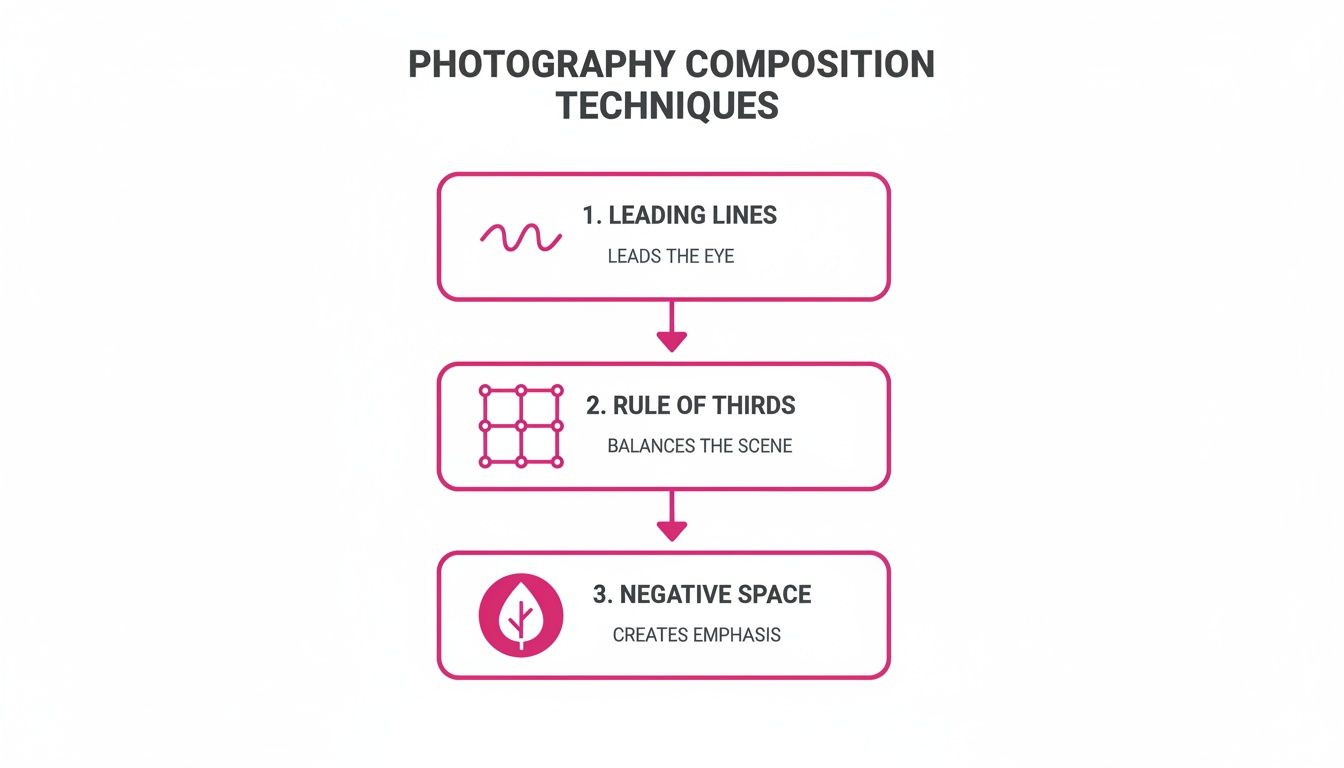
By focusing on things like leading lines, the rule of thirds, and negative space, you’re building a stronger visual foundation that makes your final crop that much more powerful.
This automation also scales incredibly well. An AI tool can whip up hundreds of unique product mockups at the precise 1080x1350 dimension, practically cutting your manual work in half. This stuff really matters—mismatched ratios on social platforms can cause a 25% drop in engagement, which is a significant hit for any brand.
Automating Your Creative Workflow
Let's be honest: manually creating or resizing every single image for a campaign is a massive time sink. Imagine getting a whole month's worth of perfectly formatted social media content ready in minutes instead of hours. That’s exactly where automation tools are changing the game for creators.
These tools are so much more than simple resizers. They can generate hundreds of unique, on-brand images from a single idea, all pre-formatted to that perfect 1080x1350 aspect ratio. It’s a complete shift, moving your focus from the tedious grunt work of editing to high-level creative strategy.
From Prompt to Production
The new workflow is incredibly straightforward and powerful. You just describe what you need in plain English—say, "professional product photos for a new skincare launch on a minimalist background"—and you get back a folder of assets ready to post. This completely removes the bottleneck of manual design.
This isn't just about moving faster; it's about scaling your creative output without ever sacrificing quality. Suddenly you have the freedom to test more visual concepts, refresh your content constantly, and keep a polished, professional look across every post.
For marketers, this is a lifesaver. It means more time spent analyzing performance and planning what's next, not getting stuck pixel-pushing in editing software. It puts real design power into anyone's hands, regardless of their technical skills.
The benefits of bringing this kind of automation into your process are crystal clear:
- Massive Time Savings: Cut hours of manual work down to just a few minutes. Your team is now free for more important, strategic tasks.
- Consistent Branding: Lock in your brand guidelines and ensure every single image hits the optimal 1080x1350 aspect ratio without a second thought.
- Creative Scalability: Need to A/B test a dozen ad creatives? Or just want to keep your feed from getting stale? Generate hundreds of variations in a snap.
This approach is becoming essential for busy marketers, small businesses, and creators trying to get their time back. And if you're just looking to get your existing assets in order, a bulk image resizer can quickly adapt your entire library to the 4:5 format. By adopting an automated workflow, you can finally produce content at the speed your audience demands.
Time to Put It All to Work
So, what's the big takeaway? The 1080x1350 aspect ratio isn't just another number to memorize—it's one of the most effective tools you have for grabbing attention on social media. Knowing what it is, why it works so well, and how to design for it gives you a serious edge.
Think of it less as a technical spec and more as a strategic play. The real final step is moving beyond the tedious cycle of manual cropping and seeing just how fast AI-driven tools can be.
It’s time to start generating perfectly optimized, professional-quality images for your next campaign and see the difference for yourself. This one change can free up hours of your time while making your visual style more consistent than ever.
If you're ready to make that leap, you can see how a bulk social media image generator automates the entire creative workflow. Stop resizing and start creating with tools actually built for the way social media works today.
Still Have Questions? Let's Clear Things Up
Diving into image specs can feel like learning a new language. Pixels, ratios, compression—it’s a lot to take in. But getting these details right is what separates good content from great content.
Let's tackle some of the most common questions about the 1080x1350 format so you can use it like a pro.
What's the Difference Between 1080x1350 and 4:5?
Think of it like this: they’re two ways of describing the exact same thing. Both point to that tall "portrait" shape that grabs so much attention on social feeds.
- 1080x1350 pixels is about the size. It’s the specific measurement of the canvas: 1080 pixels wide by 1350 pixels high. This tells you the image's resolution and clarity.
- 4:5 is about the shape. It’s the aspect ratio, meaning for every 4 units of width, there are 5 units of height. It’s a proportional relationship.
So, in simple terms: 1080x1350 is a high-resolution size that perfectly fits the 4:5 shape. Nailing these exact dimensions is your ticket to a sharp, professional-looking image.
Will Instagram Crush My Image Quality?
We've all been there—you upload a gorgeous photo, and Instagram turns it into a blurry mess. The platform does compress every single image to save space, but you can definitely minimize the damage.
The secret is to give Instagram less work to do. By uploading a photo that's already 1080 pixels wide and fits a supported ratio like 4:5, its compression algorithm doesn't have to guess or aggressively resize your work. It's a much gentler process, which helps keep your images looking crisp and detailed.
Can I Use 1080x1350 for Instagram Stories?
You technically can, but you really shouldn't. It’s a bit like trying to fit a square peg in a round hole.
Instagram Stories are designed for a full-screen, immersive experience, which means they use a much taller 9:16 aspect ratio (1080x1920 pixels). If you upload a 4:5 image to your Story, Instagram will slap big, ugly black bars on the top and bottom to fill the empty space. It wastes screen real estate and just doesn't look polished. For Stories, stick to 9:16 every time.
Ready to stop resizing images one by one? With Bulk Image Generation, you can create hundreds of unique, on-brand visuals from a single prompt—all perfectly optimized for the formats you need. Start creating better visuals in seconds.
